How To Set Java Home Path In Intellij How To Set Java Environment Variables In Windows 10 Set JAVA HOME Download IntelliJ IDEA Terbaru 2023 Free Download How To Set Java home In Kali Linux Systran Box How To Set JAVA HOME On Windows TestingDocs How To Set JAVA HOME Path In Ubuntu 18 04 And 20 04 LTS LINUXPROTIP COM Web Sep 7 2023 nbsp 0183 32 For example use user home standard Java system property to specify paths relative to the user s home directory idea config path user home MyIdeaConfiguration After you restart IntelliJ IDEA it will use the new
Web 8 rows nbsp 0183 32 Sep 5 2023 nbsp 0183 32 Ctrl Alt 0S Path Variables page For more information about configuring variables refer to section Path variables Add Edit Variable dialog Was this page helpful Path Variables Path Variables page Quick Lists Keymap Web Sep 7 2023 nbsp 0183 32 Go to File Manage IDE Settings Import Settings In the dialog that opens specify the path to the backup directory and click Open IntelliJ IDEA shows a confirmation popup Note that after you apply the settings from the backup these settings will be
How To Set JAVA HOME Path In Ubuntu 18 04 And 20 04 LTS LINUXPROTIP COM How To Set JAVA HOME Path On Ubuntu How To Set JAVA HOME Path In Ubuntu 20 04 Unix Linux The Admins How To Set Up Your Java Home Path In Ubuntu 10 Steps How To Set JAVA HOME In Windows 10 Techndeck How To Set Java Home Path On Ubuntu Vrogue HOW TO SET JAVA HOME PATH VARIABLE IN WINDOWS 7 8 10 2018 YouTube How To Set Up PATH System Variable In Java On Windows Using CMD YouTube JAVA HOME Environment Variable And Java JDK Fun Stack Overflow
How To Set Java Home Path In Intellij
 How To Set Java Home Path In Intellij
https://i.ytimg.com/vi/onXhS41W2n4/maxresdefault.jpg
Web Oct 11 2013 nbsp 0183 32 1 Answer Sorted by 84 If you run your program from IntelliJ then you can set the java library path in the VM options input field in the Run Debug Configurations dialog Example Djava library path quot C path to where the jni lib is quot Share Follow
Pre-crafted templates offer a time-saving solution for creating a varied variety of files and files. These pre-designed formats and designs can be utilized for different individual and expert tasks, consisting of resumes, invites, leaflets, newsletters, reports, presentations, and more, streamlining the content development process.
How To Set Java Home Path In Intellij
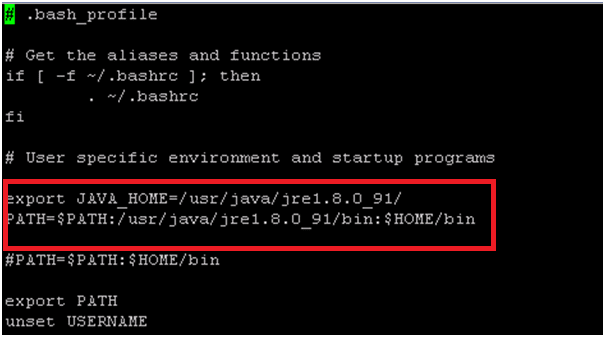
How To Install JRE And Set JAVA HOME Path In Linux 64 Bit Operating
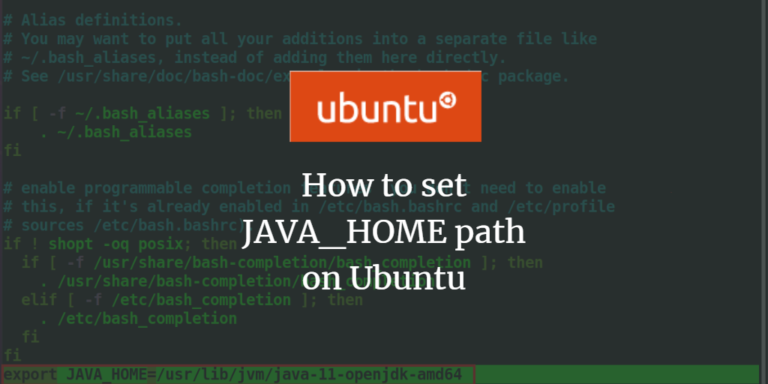
How To Set JAVA HOME Path On Ubuntu

How To Set JAVA HOME Path In Ubuntu 20 04 Unix Linux The Admins

How To Set Up Your Java Home Path In Ubuntu 10 Steps

How To Set Java Home Path On Ubuntu Vrogue

HOW TO SET JAVA HOME PATH VARIABLE IN WINDOWS 7 8 10 2018 YouTube
Web Mar 18 2019 nbsp 0183 32 1 Answer Sorted by 0 You can find it out at Selecting the JDK version the IDE will run under Try also to see the environment variables settings Go to windows environment variables gt under system variables seek for the varaible quot JAVA HOME quot

Web Sep 23 2023 nbsp 0183 32 Select one of the already installed JDK 17 options or click Add JDK To add a new JDK specify the home folder of the Java 17 installation on your disk This option is useful to check if the issue you

Web Sep 5 2023 nbsp 0183 32 You can use path variables to specify paths and command line arguments for external tools and in some run configurations For more information refer to Built in IDE macros For example you can define a

Web Nov 7 2021 nbsp 0183 32 Create a Java class Expand the main subfolder under the src folder at the root of the project directory Notice the empty java folder Right click on the Java folder and click on the New option then select Java

Web Dec 16 2020 nbsp 0183 32 The solution to this problem was setting both a user Path variable and a new system variable quot JAVA HOME quot specifically to the address of the bin folder of my Java 11 installation In my case the path
Web Sep 7 2023 nbsp 0183 32 If the JDK is installed on your computer but not defined in the IDE select Add JDK and specify the path to the JDK home directory If you don t have the necessary JDK on your computer select Download JDK Web Sep 8 2023 nbsp 0183 32 Go to File Project Structure Platform Settings SDKs To add an SDK click select the necessary SDK and specify its home directory in the dialog that opens Only for JDKs if you don t have the necessary JDK on your computer select Download JDK
Web Jul 17 2020 nbsp 0183 32 Set the path by doing the follow This PC gt System properties gt advanced system settings gt environment variable Then add the path to your java bin folder like this C program files Java jdk1 8 bin Apply save Then go back to CMD and type javac or java