How To Select Multiple Columns In Pivot Table How To Create A Pivot Table With Multiple Columns And Rows Cabinets How To Select Multiple Values In Pivot Table Using Vba Excel How To Create A Pivot Table With Multiple Columns And Rows Cabinets Pivot Table Pivot Table Basics Calculated Fields Chapter 5 Columns In Pivot Table PK An Excel Expert Excel Import and analyze data PivotTables Use multiple tables to create a PivotTable Use multiple tables to create a PivotTable Excel for Microsoft 365 Excel for Microsoft 365 for Mac Excel 2021 Excel 2019 More PivotTables are great for analyzing and reporting on your data
1 I have a raw data report in Excel 2016 that has hundreds of records each record contains a person s name date case number site and supervisor along the results of a quality assurance monitoring The monitoring has about 40 categories and each category can have a rating of bad fair good N A Select Advanced options and then select an Aggregate Value Function In the example select Sum The available options are Don t aggregate Count all Count not blank Minimum Maximum Median Sum and Average Tip If you don t want to count a cell without a value select Count not blank For example if there ten cells in a column and two are blank the count is eight
Chapter 5 Columns In Pivot Table PK An Excel Expert How To Create A Pivot Table How To Excel Excel Pivot Table Multiple Columns Stack Overflow Pivot Multiple Measures And Columns In Power Query How To Have Multiple Value Columns In Pivot Table Excel Brokeasshome How To Sort Data In Pivot Table With Multiple Columns Brokeasshome How To Sort Multiple Columns In Excel Pivot Table Jzahouston Excel 2016 Pivot Table From Multiple Tables Automatic Row And Column Pivot Table Labels
How To Select Multiple Columns In Pivot Table
 How To Select Multiple Columns In Pivot Table
https://www.mrexcel.com/board/proxy.php?image=https:%2F%2Fi.imgur.com%2FztKhmK1.png&hash=a5d0e18ab1685cd9b9cc4cc8775f9f6e
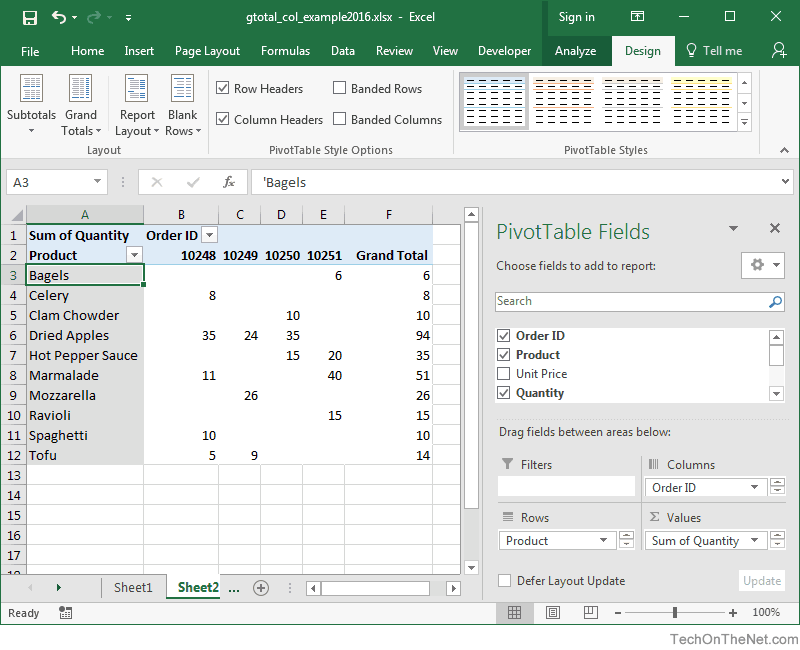
1 Country field to the Rows area 2 Amount field to the Values area 2x Note if you drag the Amount field to the Values area for the second time Excel also populates the Columns area Pivot table 3 Next click any cell inside the Sum of Amount2 column 4 Right click and click on Value Field Settings 5 Enter Percentage for Custom Name 6
Templates are pre-designed files or files that can be used for various functions. They can save time and effort by providing a ready-made format and design for developing different type of content. Templates can be utilized for individual or professional jobs, such as resumes, invites, leaflets, newsletters, reports, discussions, and more.
How To Select Multiple Columns In Pivot Table

Microsoft Excel Pivot Table With Multiple Columns Having The Same

How To Create A Pivot Table How To Excel

Excel Pivot Table Multiple Columns Stack Overflow

Pivot Multiple Measures And Columns In Power Query

How To Sort Data In Pivot Table With Multiple Columns Brokeasshome
How To Sort Multiple Columns In Excel Pivot Table Jzahouston

Step 1 select the range of cells Select the range of cells using which you want to form the pivot table Step 2 Click on the Pivot table option After selecting the range of cells click on the Pivot table option in the Tables group of the Insert tab and a drop down menu will appear Step 3 Click on the From Table Range option

Setting up your data Before creating a pivot table in Excel with multiple columns it s essential to ensure that your data is organized properly This will make the process smoother and more efficient A Ensuring data is organized in columns Make sure that each category of data is in its own column
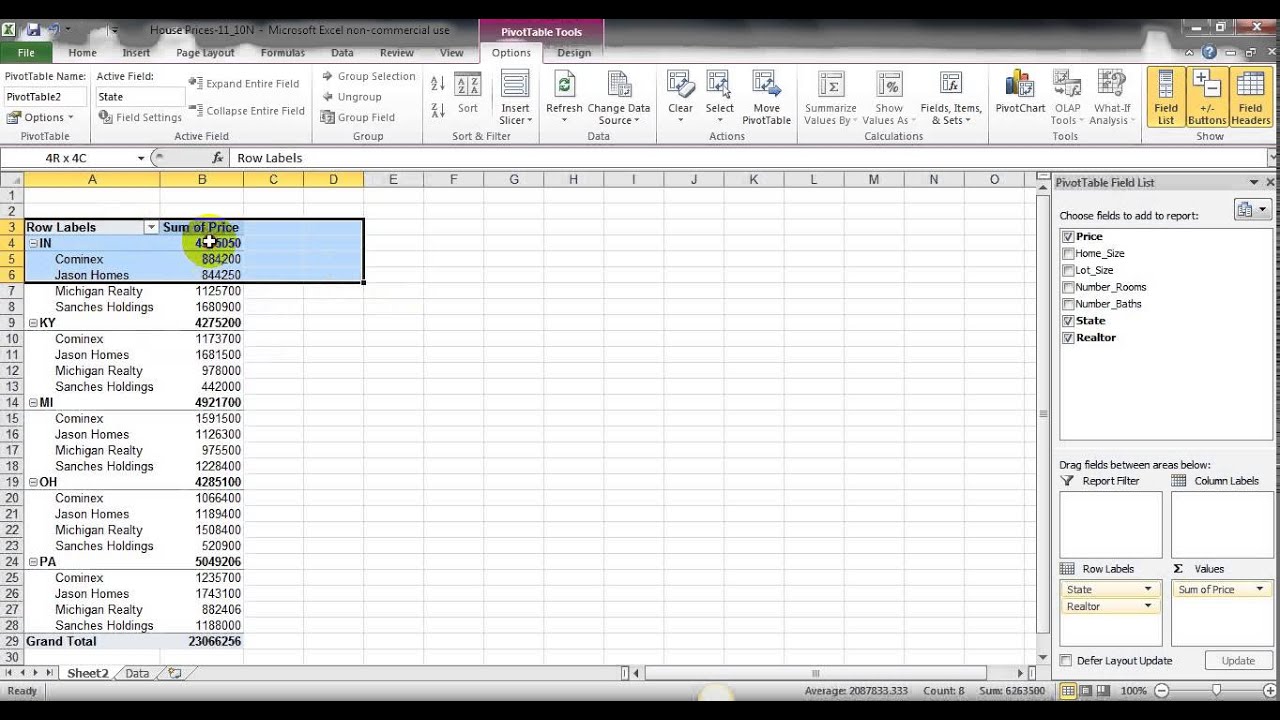
1 Answer Sorted by 1 Create a new table in your workbook that has one column of the items you want to filter on Let s call it FilterList like this Use XLOOKUP to create a new column in your main data source It will look something like this XLOOKUP stop FilterList FilterList FilterList FilterList
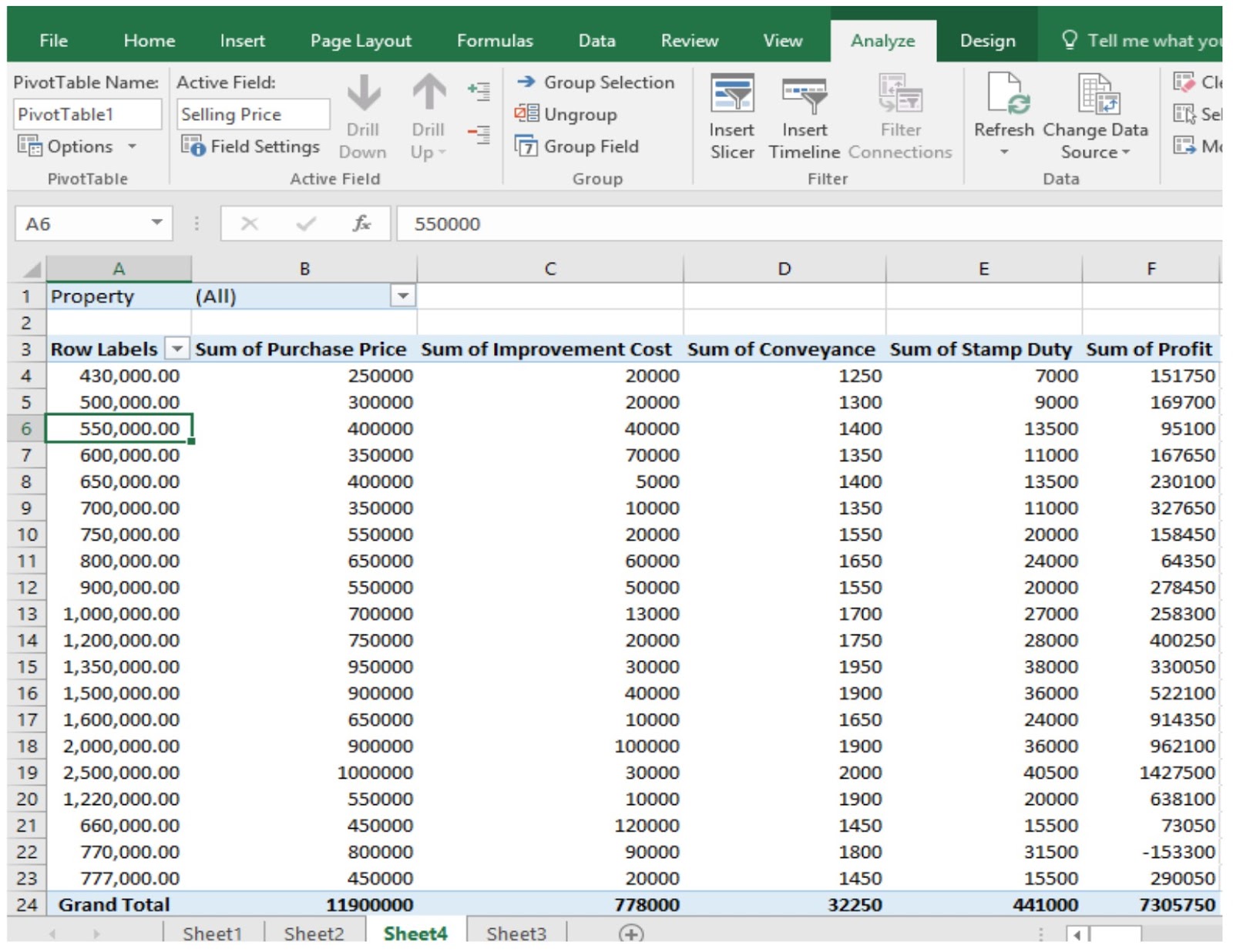
To change the layout of a PivotTable you can change the PivotTable form and the way that fields columns rows subtotals empty cells and lines are displayed To change the format of the PivotTable you can apply a predefined style banded rows and conditional formatting Windows Web Mac Changing the layout form of a PivotTable

Click to select a single cell or click and drag to select multiple cells Select an entire report Select all items in a field Select item labels data or both Select all instances of a single item Select one instance of an item Select multiple items Select subtotals and totals Need more help Want more options Discover Community
Go to the Insert tab and click Recommended PivotTables on the left side of the ribbon When the window opens you ll see several pivot tables on the left Select one to see a preview on the right If you see one you want to use choose it and click OK A new sheet will open with the pivot table you picked The quickest way to see a list of the Multiple Items in the filter is to add a slicer to the pivot table Select any cell in the pivot table Select the Analyze Options tab in the ribbon Click the Insert Slicer button Check the box for the field that is in the Filters area with the filter applied to it Press OK
EXCEL Pivot Table How to create Multiple Row Fields and Multiple Column Fields in pivot tables excel exceltricks exceltutorial