How To Run Api In Postman How To Execute Rest API Call Using Postman TestingDocs Postman ProgSoft How Does Request A Test Work Login Pages Info Rijen Toevoegen Aan Een Tabel In Ingesloten Analyses In Power BI Voor Intro To The Postman Api Riset To customize a run order follow these steps Step 1 Under Schedule Runs on the Collection Runner change the order by dragging and dropping requests or skipping requests Step 2 Select the environment and other configurations as required and click Schedule Step 3 Check results and see the custom run order that is being executed in the results
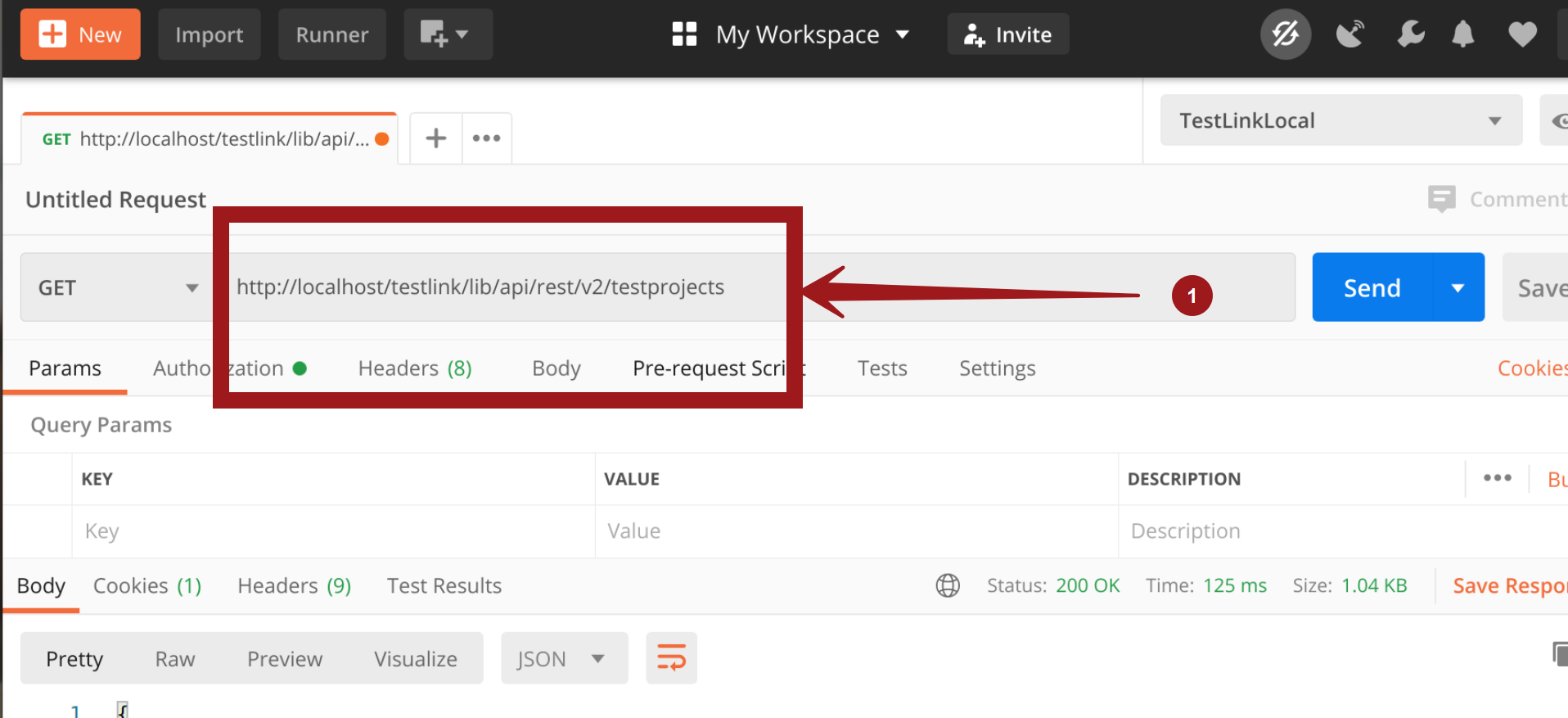
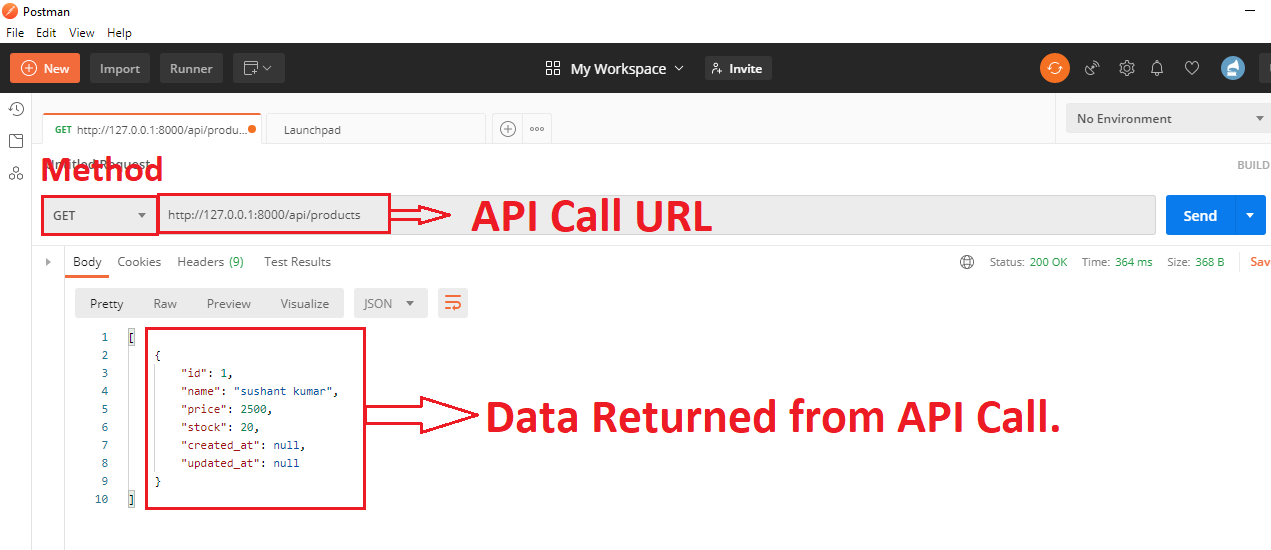
Detailed Postman Tutorials Chapter 1 Getting started with Postman for API Testing This chapter covers basic steps to install the Postman tool and execute a simple API request using the GET method This helps you with the execution of API requests the demo and the screenshots in a stepwise manner to execute it To resolve this we need to generate an API key on Postman and also fetch the collection UID Navigate to your Postman workspace at the top menu bar click on your profile and select Settings Select API Keys from the side navigation then generate an API key and copy the value Next make a GET request to the URL https api getpostman
Intro To The Postman Api Riset How To Test An Api Using Postman Vrogue How To Test Your Rest Api Using Vscode And Not Postman Youtube Rin Bee Api Testing Using Postman Resume Sample Resume Example Gallery Postman Graphql Gardenmain How To Run Razorpay Api In Postman Send Request Get Response Run In Postman Run Request According To Csv Condition Postman Tricks And Tips Postman Snippets To Assert API Response Status Codes EvilTester
How To Run Api In Postman
 How To Run Api In Postman
https://www.testingdocs.com/wp-content/uploads/Rest-URL-Postman.png
Step 1 On the Collection Runner select Automate runs via CLI and click on Download Postman CLI Copy the command and paste it into your terminal to start the download and install Postman CLI locally Step 2 Generate your Postman API key or Keep your API key handy if you already have one for easy login
Templates are pre-designed documents or files that can be utilized for different purposes. They can conserve time and effort by providing a ready-made format and design for developing different type of content. Templates can be utilized for individual or professional tasks, such as resumes, invitations, flyers, newsletters, reports, discussions, and more.
How To Run Api In Postman

Button To Run This API In The HTTP API Client Of My Choice
How To Test An Api Using Postman Vrogue

How To Test Your Rest Api Using Vscode And Not Postman Youtube Rin Bee

Api Testing Using Postman Resume Sample Resume Example Gallery

How To Run Razorpay Api In Postman Send Request Get Response

Run In Postman

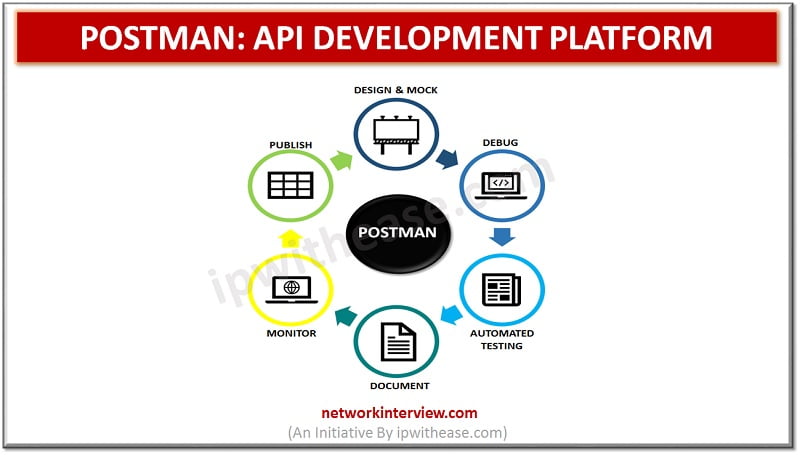
Collection runs enable you to automate your functional API testing and you can schedule runs to run in the Postman cloud with the Collection Runner or with monitors You can also integrate collection runs with your CI CD pipeline using the Postman CLI a Postman tool that enables you to run and test collections directly from the command line

Follow these steps to generate an API key Click on your avatar in the top right corner You should see a dropdown menu Click on Account Settings Your profile form appears letting you edit it On the same screen you should see a left navigation menu Click on Postman API keys

What is API testing API testing is the process of confirming that an API is working as expected Developers can run API tests manually or they can automate them with an API testing tool There are several types of API tests and each one plays a distinct role in ensuring the API remains reliable

Learn about the latest cutting edge features brewing in Postman Labs Open Technologies Invest in the knowledge specifications standards tooling data people and organizations that define the next 50 years of the API economy
In this tutorial we ll see how to create a Postman Collection that can test a REST API 2 Setup Before we get started with our collection we ll need to set up the environment 2 1 Installing Postman Postman is available for Linux Mac and Windows The tool can be downloaded and installed from the Postman website
Download and install Postman Desktop App Download and install Azure CLI For MacOS For Windows What You ll Build A Postman Collection with authorized API requests Code samples to integrate into your own workflows and applications API workflows to automate the setup of your infrastructure Flows tutorials Run requests in sequence using Postman Flows If you have several requests that have no dependency on each other but have to be executed in a particular order you can use send events to connect your blocks Check out the example Flow Chaining requests Add a Send Request block
Now let s follow my four steps to automating API tests in Postman 1 Test The API Manually I will open Postman and switch over to a workspace I created called demo which has the postman test demo service collection You will also have access to the collection if you imported it from above