How To Revert Reset How To Revert Or Reset Your ROBLOX Account Very Fast And Easy YouTube How To Undo Changes In Git reset Vs Revert Vs Restore Git What Are Differences Between Revert Revert Commit And Reset Hot How To Reset Your Git Branch To A Previous Commit both Local And Git Diff rence Entre Git Revert Checkout Et Reset StackLima Reset your Android device to factory settings To remove all data from your phone you can reset your phone to factory settings Factory resets are also called formatting or hard
Option 2 Fully Clean the Drive Choose Fully clean the drive to removing everything then wipe the drive clean and finally reinstall Windows from scratch Choose this option if after the Reset This PC process is over you plan on giving the computer away selling it or recycling the computer or hard drive MacOS Ventura or later From the Apple menu in the corner of your screen choose System Settings Click General in the sidebar Click Transfer or Reset on the right Click Erase All Content and Settings
Git Diff rence Entre Git Revert Checkout Et Reset StackLima Git Revert File Reverting A File To A Previous Commit DevOps Git Revert Reset Checkout Git Tutorial For Beginners Git Git Revert File Revertir Un Archivo A Una Confirmaci n Anterior Reset YouTube Reset Pc From Command Prompt Windows 10 Racksubtitle Reset Git Reset Vs Git Revert When To Use Each Command Prosantasolutions Reset
How To Revert Reset
 How To Revert Reset
https://i.ytimg.com/vi/VDAAv_FqcPI/maxresdefault.jpg
To reset your PC to its factory default settings on Windows 10 just open the Settings app and head to Update Security Recovery Click or tap the Get Started button under Reset this PC To reset a PC running Windows 11 open the Settings app then navigate to System Recovery instead The rest of the process is identical
Pre-crafted templates use a time-saving service for producing a diverse variety of files and files. These pre-designed formats and designs can be used for different individual and professional projects, including resumes, invites, leaflets, newsletters, reports, presentations, and more, enhancing the content development procedure.
How To Revert Reset
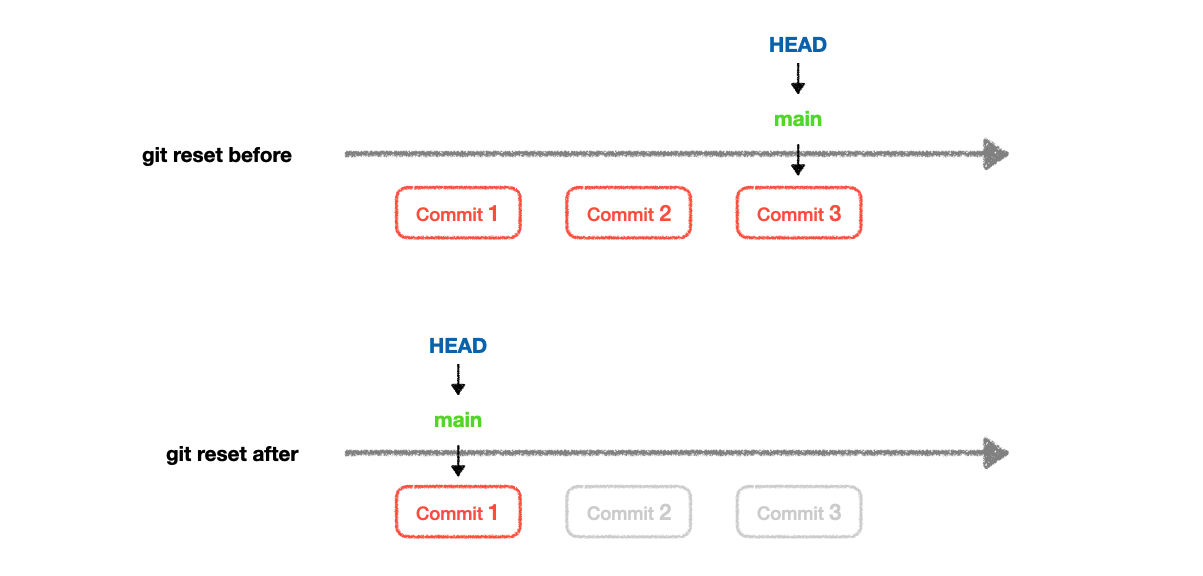
The Difference Between The Git Commands Reset And Revert SoByte

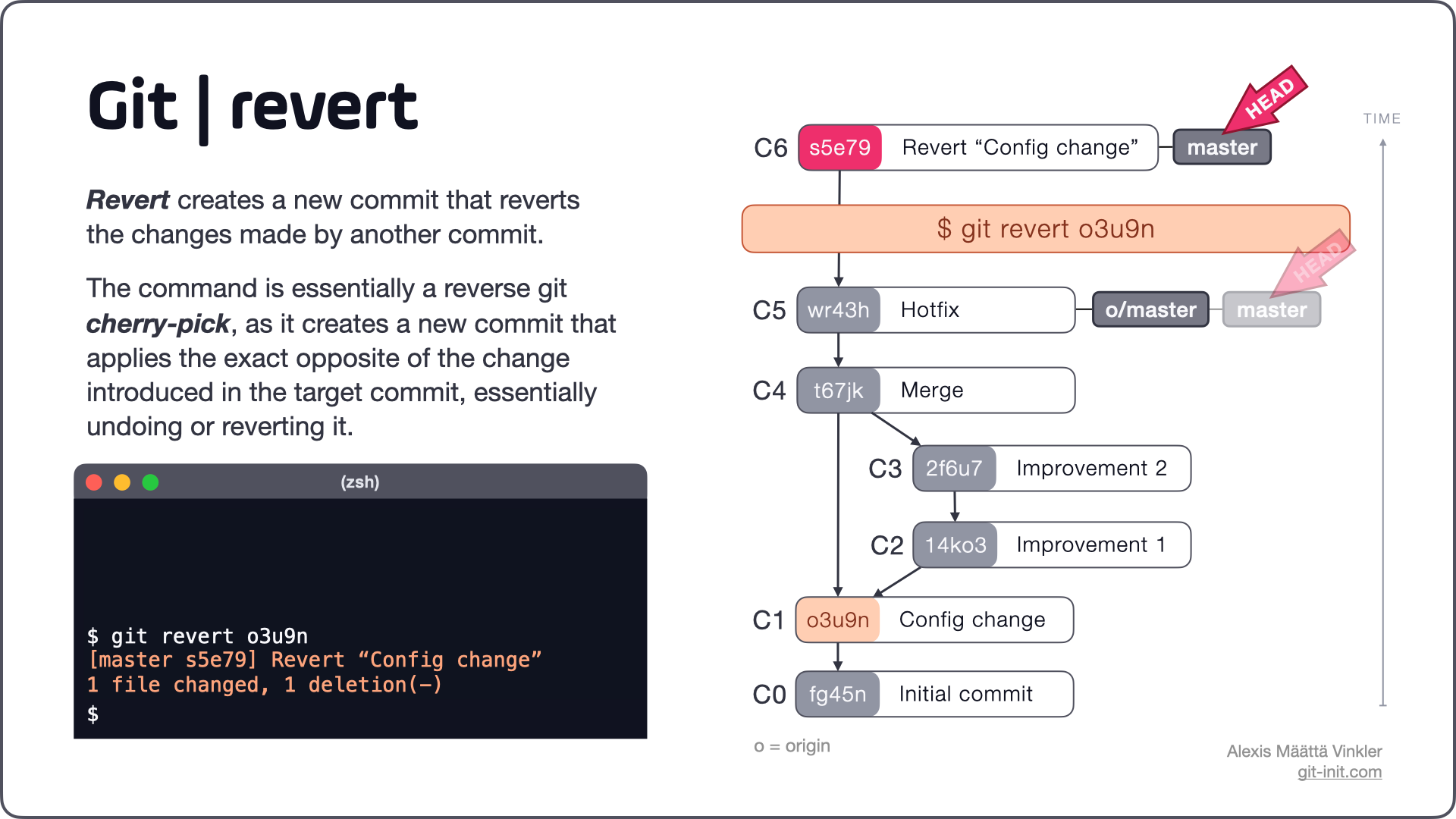
Git Revert File Reverting A File To A Previous Commit

DevOps Git Revert Reset Checkout Git Tutorial For Beginners Git

Git Revert File Revertir Un Archivo A Una Confirmaci n Anterior
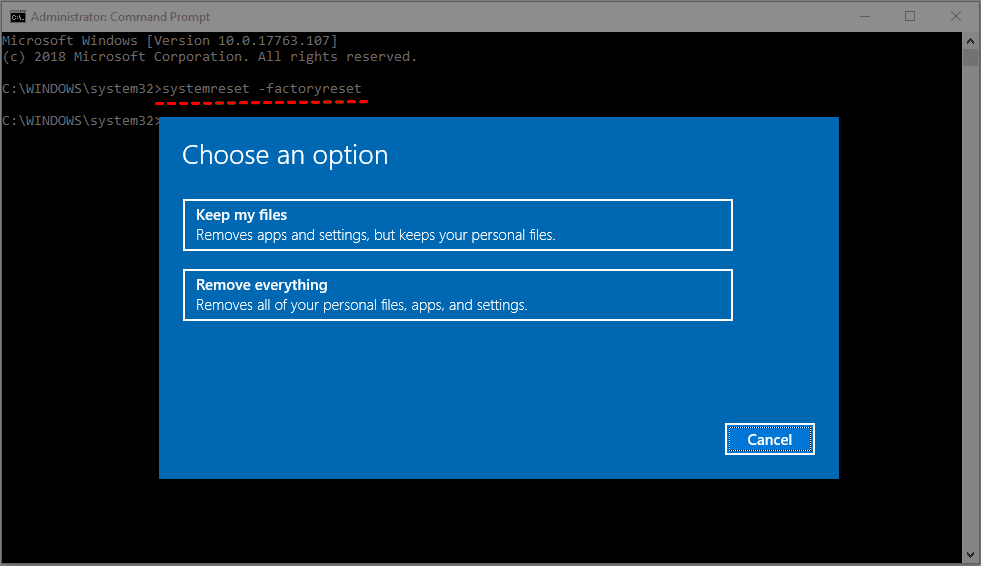
Reset Pc From Command Prompt Windows 10 Racksubtitle

Reset

To reset Windows 10 to the factory default settings without losing your files use these steps Open Settings Click on Update Security Click on Recovery Under the Reset this PC
Click on System Click the Recovery page on the right side Image credit Future Under the Recovery options section click the Reset PC button for the Reset this PC feature Image

Remove an installed Windows update Reset your PC Use the Startup Repair function Use installation media to reinstall Windows 11 Use installation media to restore your PC Use a recovery drive to restore or recover your PC Go back to your previous version of Windows Restore from a system restore point SUBSCRIBE RSS FEEDS Need more help
Open Windows Settings navigate to Updates and Security Recovery then click Reset This PC Choose between keeping your files or removing everything and then select whether to do a local reinstall or a cloud download

To refresh your PC Settings and then tap Change PC settings If you re using a mouse point to the lower right corner of the screen move the mouse pointer up click and then click Change PC settings Tap or click Update and recovery and then tap or click Recovery Under Refresh your PC without affecting your files tap or click Get started
Learn what to do if you don t remember your passcode for your iPhone iPad or iPod touch or your device is disabled If you forget your Screen Time passcode you can reset it Restoring your device using a backup won t remove the Screen Time passcode If you still need help contact Apple Support I inadvertently seset my Winfows 10 computer thinking I was restoring the system to a previous date and lost all my applications with their attendant files How can I restore the files
Go to Settings System Recovery At the top of the window you ll see Reset this PC Click on Get Started and select Remove Everything from the box that appears From there you can select to