How To Revert Commit In Git After Push Git Reverting To Previous Commit How To Revert To Last Commit How To Revert To Last Commit In Git YouTube Git Revert File Reverting A File To A Previous Commit How To Undo Pushed Commits With Git Sciencx How Do I Revert A Git Repo To A Previous Commit O Reilly Web Jun 19 2015 nbsp 0183 32 2 Answers Sorted by 9 Try this git reset HEAD 1 file1 txt git checkout file1 txt git commit git push How it works git reset brings the index entry of file1 txt to its state on HEAD 1 the previous commit the one before the wrong update It does not modify the working tree or the current branch
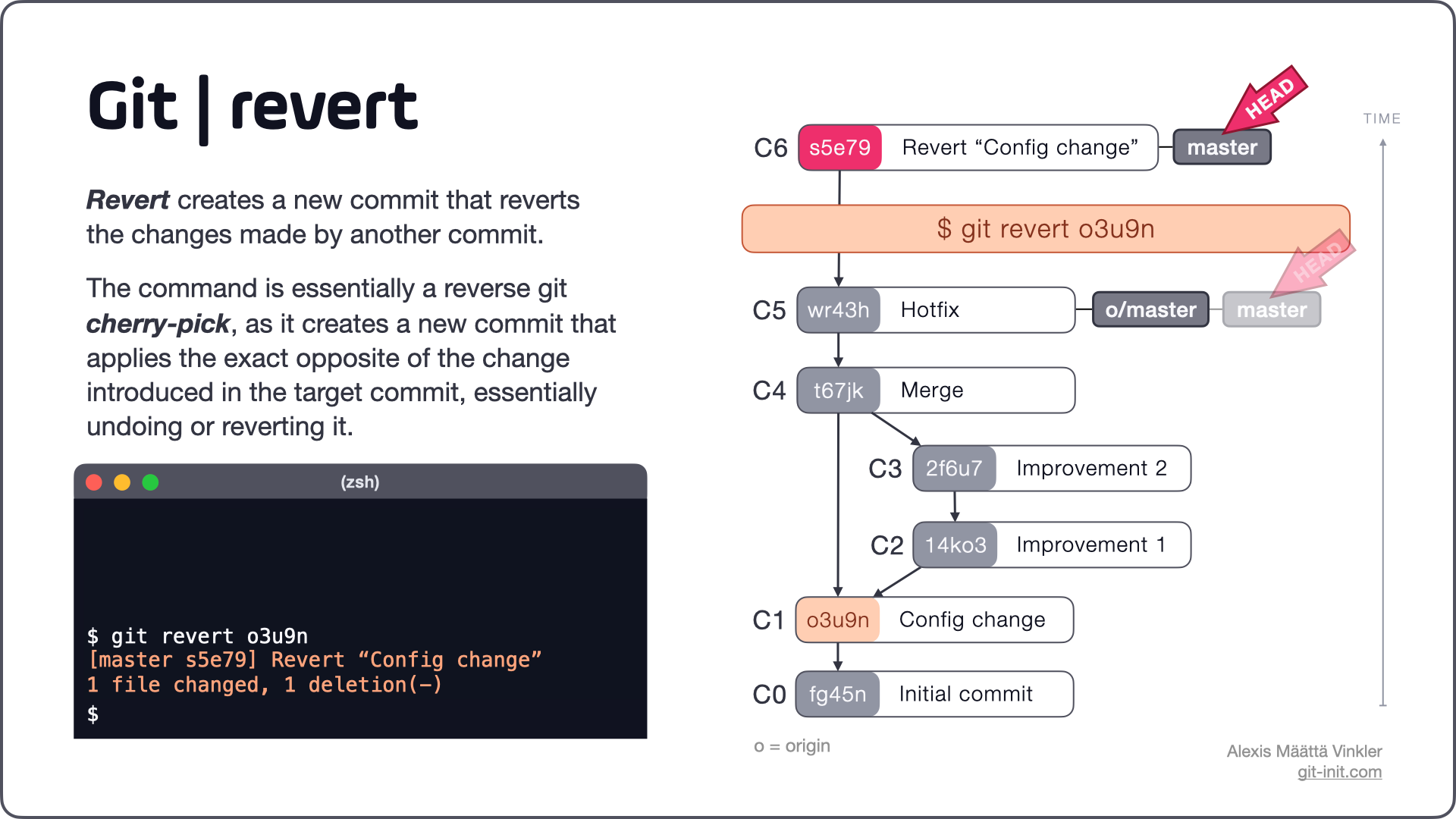
Web Mar 20 2017 nbsp 0183 32 When we make a mistake and already pushed to the remote repo we can either fix our mistake and push it again or revert and delete the history Here s how to achieve both History remains Alternative 1 Fix and commit again No need to explain this Simply fix and push again in a new commit Alternative 2 Revert the commit Web For reverting a range of commits run the following git revert lt oldest commit hash gt lt latest commit hash gt This will revert the commits between the given range The git revert Command The git revert command is considered as an undo command and reverts the changes introduced by the commit and adds a new commit with resulting reversed
How Do I Revert A Git Repo To A Previous Commit O Reilly Git Difference Between Git Revert Checkout And Reset GeeksforGeeks Git What Are Differences Between Revert Revert Commit And Reset Hot Git Revert File Reverting A File To A Previous Commit Git Revert Multiple Commits Ajit Singh YouTube Version Control With Git Undoing Changes Git Checkout To Previous Commit ID Didn t Revert The Changes Any How To Reset Revert And Return To Previous States In Git Opensource Get Started With Git Commands For Version Control Earth Data Science
How To Revert Commit In Git After Push
 How To Revert Commit In Git After Push
https://www.freecodecamp.org/news/content/images/2022/10/roman-synkevych-wX2L8L-fGeA-unsplash.jpg
Web Apr 30 2017 nbsp 0183 32 preferred method check out the previous unchanged state of your file notice the double dash git checkout HEAD path to file commit it
Templates are pre-designed documents or files that can be used for various purposes. They can conserve effort and time by supplying a ready-made format and design for creating different kinds of material. Templates can be utilized for personal or professional tasks, such as resumes, invites, leaflets, newsletters, reports, discussions, and more.
How To Revert Commit In Git After Push
How To Undo Changes In Git reset Vs Revert Vs Restore
Git Difference Between Git Revert Checkout And Reset GeeksforGeeks
Git What Are Differences Between Revert Revert Commit And Reset Hot

Git Revert File Reverting A File To A Previous Commit

Version Control With Git Undoing Changes

Git Checkout To Previous Commit ID Didn t Revert The Changes Any

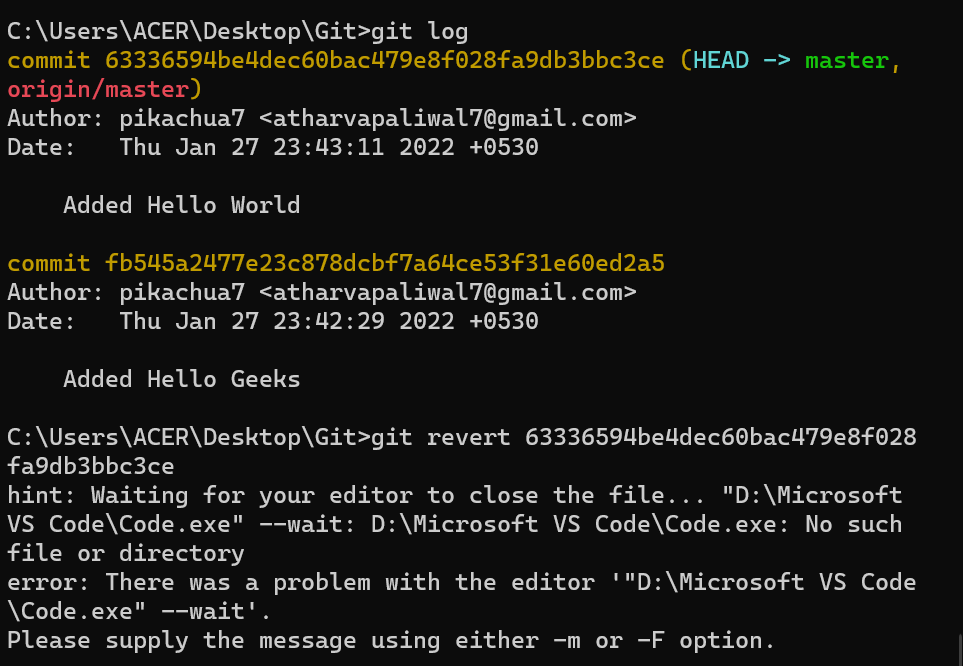
Web Jan 27 2022 nbsp 0183 32 git revert lt commit hash gt This will create a new commit which reverts the changes of the commit you specified Note that it only reverts that specific commit and not commits that come after that If you want to revert a range of commits you can do it like this git revert lt oldest commit hash gt lt latest commit hash gt
Web Apr 1 2016 nbsp 0183 32 To remove a file from a commit after pushing to GitLab and BEFORE merging Open the GitLab merge request Select the Changes tab Find the file that is unwanted in the commit Click the View file button for the file Click the Delete button Enter the commit information and commit the change

Web Apr 5 2022 nbsp 0183 32 A shorter method is to run the command git revert 0a3d Git is smart enough to identify the commit based on the first four or more characters You don t have to use the commit hash to identify the commit you want to revert You can use any value that is considered a gitrevision including the Tag Branch Hash Reference

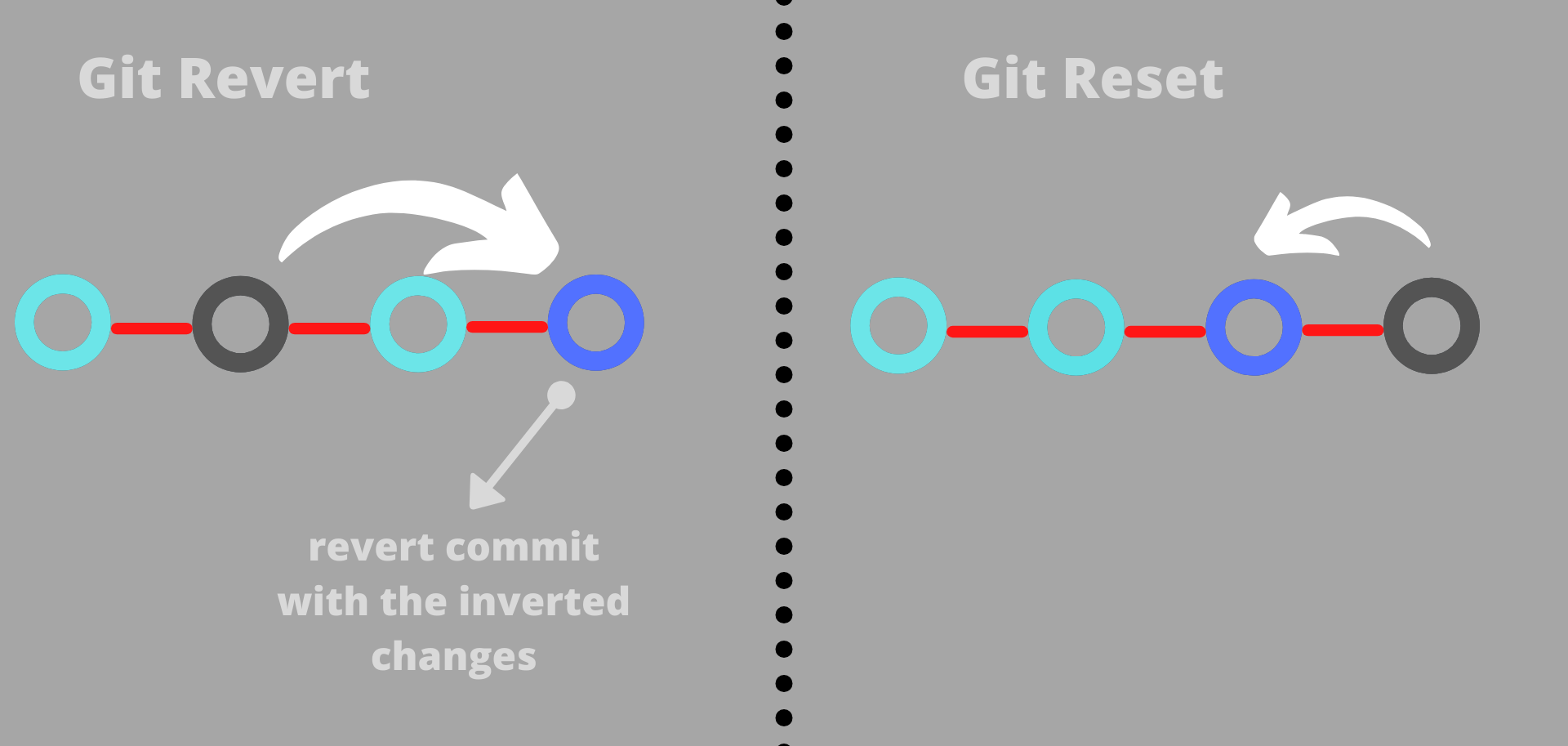
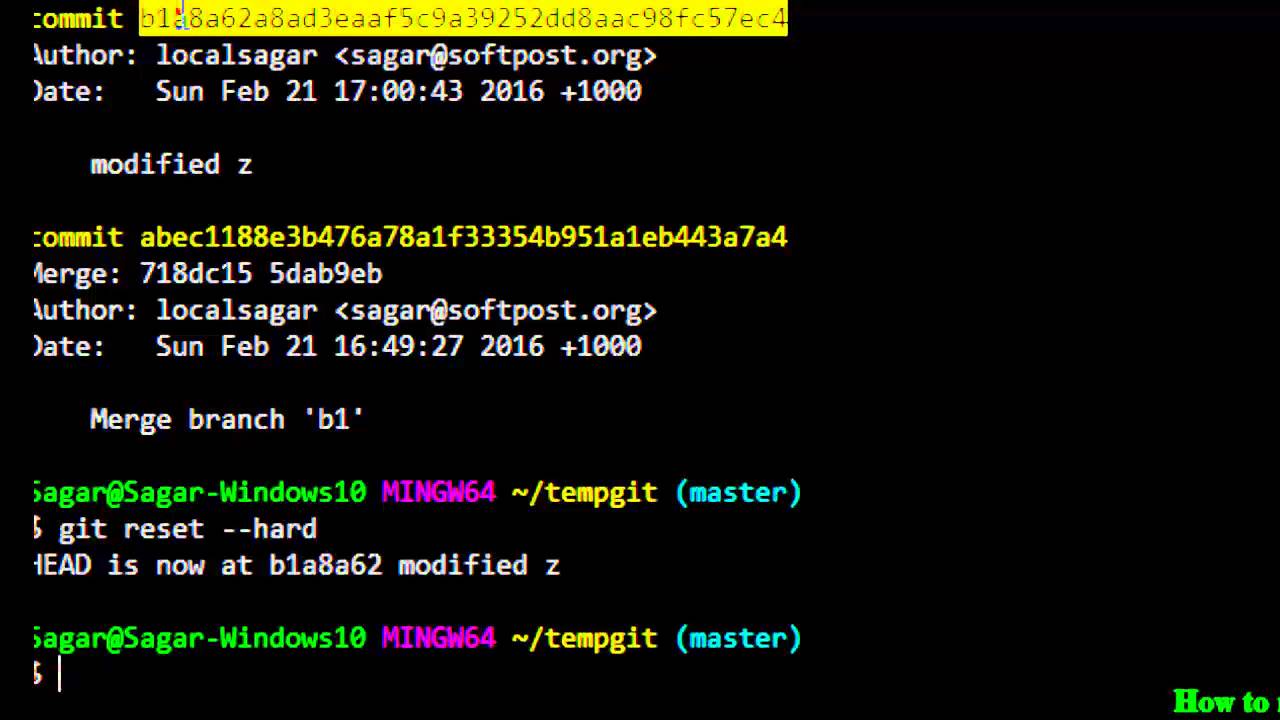
Web If you want to revert the last commit you can use git revert head head refers to the most recent commit in your branch The reason you use head 1 when using reset is that you are telling Git to quot remove all changes in the commits after quot reset hard quot the commit one before head quot head 1

Web Common options e edit This is a default option and doesn t need to be specified This option will open the configured system editor and prompts you to edit the commit message prior to committing the revert no edit
[desc-11] [desc-12]
[desc-13]