How To Revert A Commit In Git After Push In Github How To Delete A GitHub Repository Rewind Git Revert File Reverting A File To A Previous Commit Git Revert File Reverting A File To A Previous Commit How To Undo Pushed Commits With Git DEV Community Git Revert Studytonight Web 1 day ago nbsp 0183 32 0 I your commit is on your branch and it has not merged into other branch you can do reset and force push it with git reset hard HEAD 1 git push f If above not satisfied you can revert with git revert your commit hash git push Share Improve this answer Follow answered 2 hours ago
Web 79 Use Git revert like so git revert lt insert bad commit hash here gt git revert creates a new commit with the changes that are rolled back git reset erases your Git history instead of making a new commit The steps after are the same as any other commit Share Web Nov 7 2013 nbsp 0183 32 git reset hard HEAD git push f If it is not the last push see man pages for either git cherry pick or git rebase to get your local directory to match what you want github to look like before doing the git push f If you do not supply the f option to git push you will not rewrite history
Git Revert Studytonight Git Revert Commit Solutions To Git Problems How To Add Commit And Push To Git Using One Command On Windows Git Rebase Git Topics Help GitLab Update Your Branch History With Rebase Azure Repos Microsoft Learn First Steps With Git Clone Add Commit Push Earth Data Science Earth Lab Revert Changes Merge Requests Project User Help GitLab Hochland Erkl rung Hurrikan How To Roll Back In Git Eisig Vesuv Blendung Git Revert Multiple Commits Ajit Singh YouTube
How To Revert A Commit In Git After Push In Github
 How To Revert A Commit In Git After Push In Github
https://rewind.com/wp-content/uploads/2022/03/Repository20info20within20the20Rewind20Vault.png
Web In the left sidebar click History Right click the commit you want to revert and click Revert Changes in Commit You can use GitHub Desktop to revert a specific commit to remove its changes from your branch
Pre-crafted templates offer a time-saving solution for developing a varied series of files and files. These pre-designed formats and layouts can be used for various individual and professional jobs, consisting of resumes, invites, leaflets, newsletters, reports, discussions, and more, streamlining the material production process.
How To Revert A Commit In Git After Push In Github
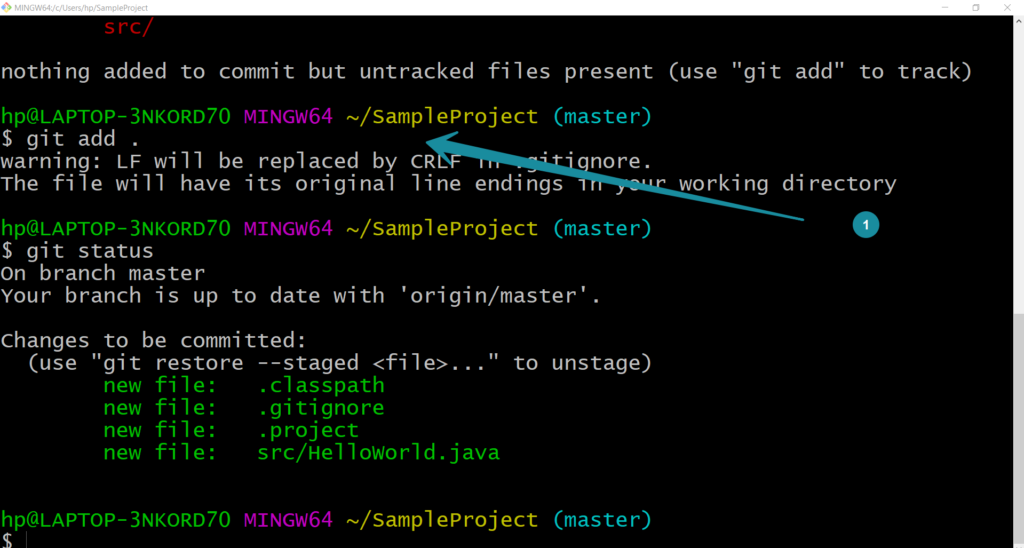
Commit Changes To A Git Repository TestingDocs
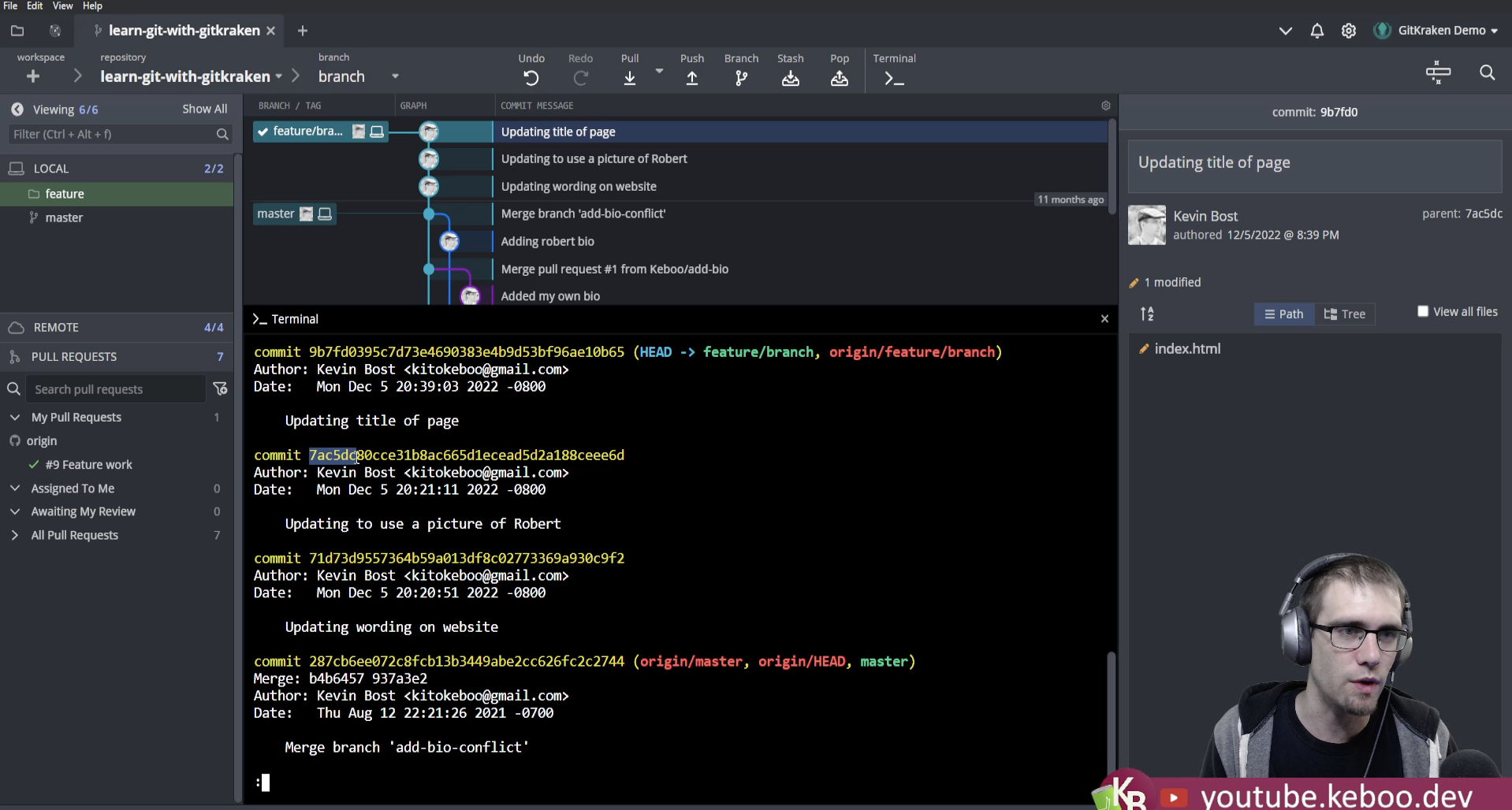
Git Revert Commit Solutions To Git Problems
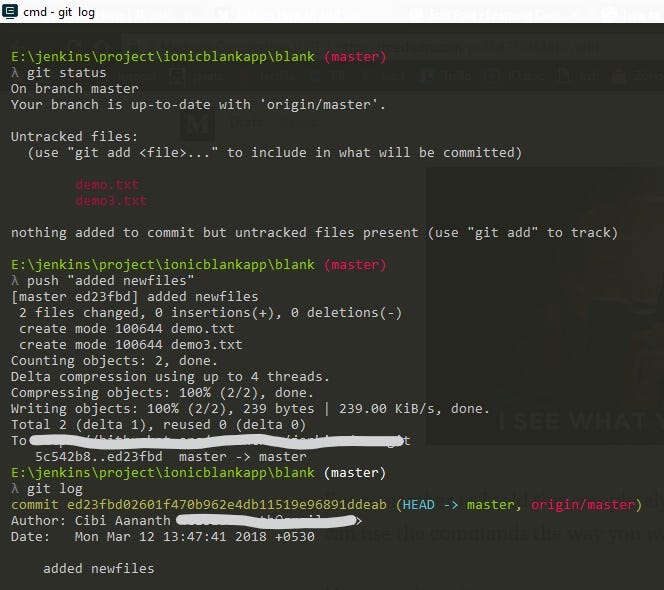
How To Add Commit And Push To Git Using One Command On Windows
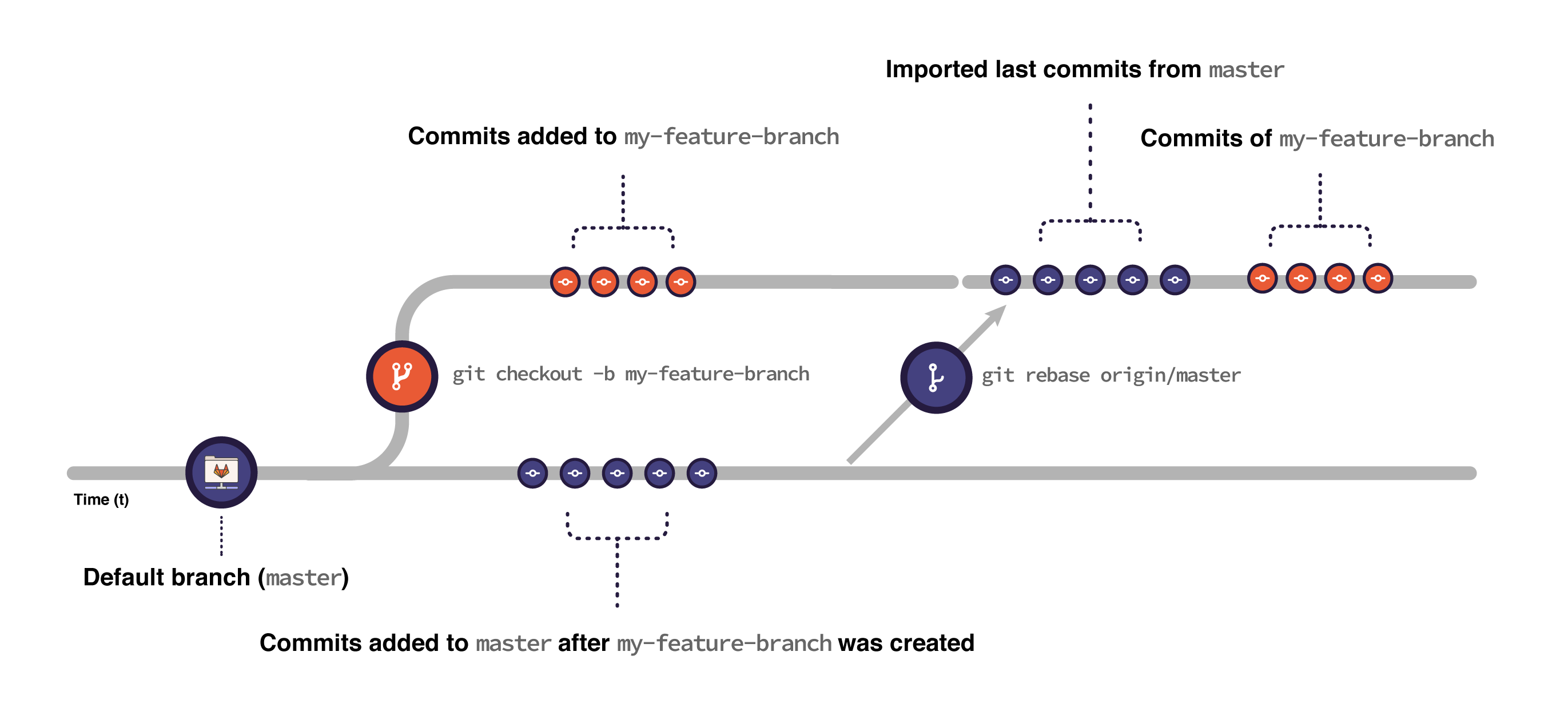
Git Rebase Git Topics Help GitLab
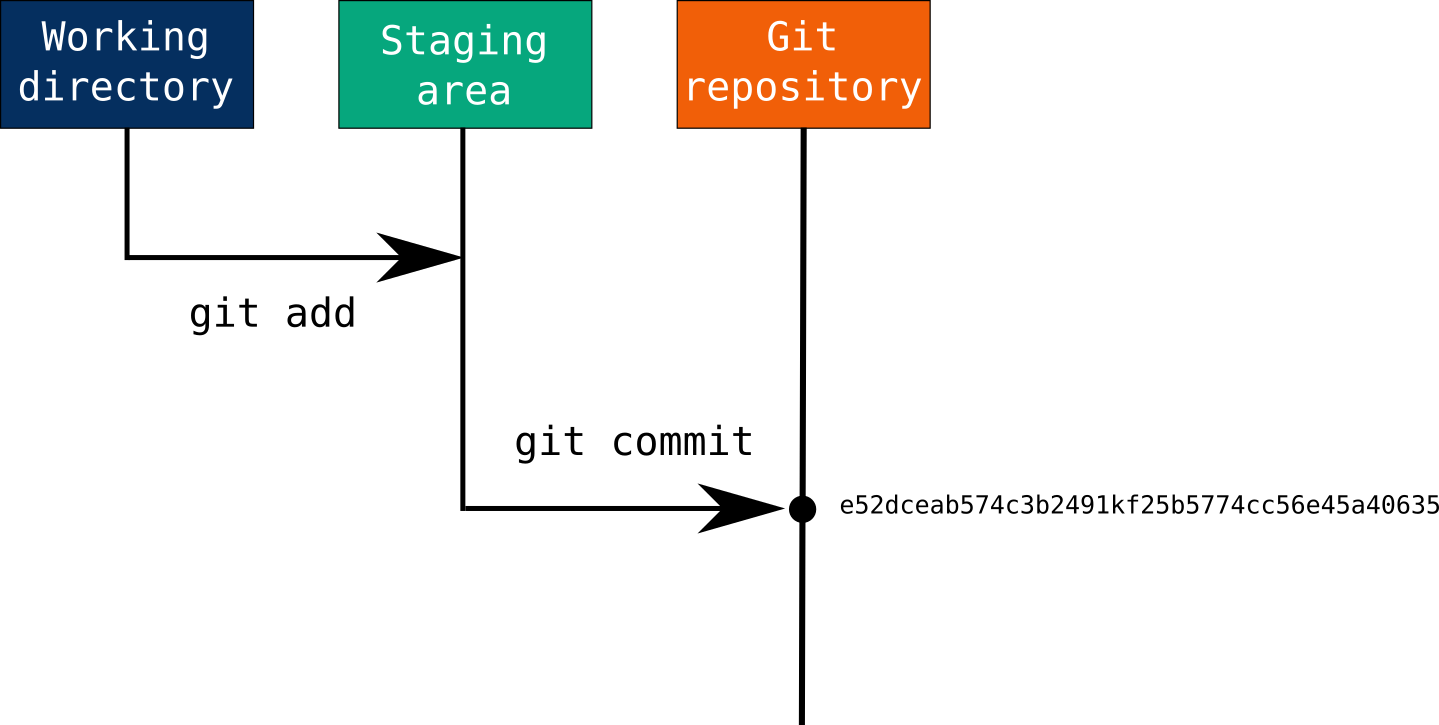
First Steps With Git Clone Add Commit Push Earth Data Science Earth Lab

Revert Changes Merge Requests Project User Help GitLab
Web git reset hard HEAD 1 Beware Fellow Googlers This does not only revert the commit but discards all file changes and now the project is reverted on my machine but not on github If I try to push this code I get the error Your branch is behind origin master by 1 commit and can be fast forwarded How do I remove this commit from github

Web we want to undo the last 2 commits which were both pushed to origin master in tortoise git we can view the history and click on the 3rd from last commit and chose quot reset master to this quot which we are guessing means revert to this version however when you select this option you have to choose from one of these three options

Web Apr 23 2018 nbsp 0183 32 you can easily revert a pull request on GitHub by clicking Revert You ll be prompted to create a new pull request with the reverted changes git revert is a bit more complex to manage through the web as it can accept a range of commits

Web Apr 1 2016 nbsp 0183 32 you can use git revert HEAD which generates a new commit which will undo the changes in your previous commit Look here Note however that both the commit and the revert commit will show up in the history Edit As KingChrunch mentioned when reverting a merge commit you need to specify which parent you want to revert to so

Web Apr 5 2022 nbsp 0183 32 Reverting a commit But let s say I realized I didn t want to commit or push the words hey there to my repository Perhaps I just added that for testing purposes or I m missing another line that I wanted to include in
Web Dec 9 2020 nbsp 0183 32 0 You can use the following two commands to remove the last commit on your end and force github to match yours git reset hard HEAD git push origin f If the second command does not work try git push force origin main Share Improve this answer Follow answered Dec 9 2020 at 3 05 Web Nov 6 2010 nbsp 0183 32 How do I revert from my current state to a snapshot made on a certain commit If I do git log then I get the following output
Web SYNOPSIS git revert no edit n m lt parent number gt s S lt keyid gt lt commit gt git revert continue skip abort quit DESCRIPTION Given one or more existing commits revert the changes that the related patches introduce and record some new commits that record them