How To Resize Image In Adobe Reader How To Resize Image In Illustrator Without Distortion Gailife How To Resize An Image In InDesign YouTube How To Resize An Image In Photoshop Audiople 3 Ways To Resize A PDF Image On Mac And Win Enlarge Or Shrink Easily How To Resize Image In Adobe Photoshop YouTube Web Oct 23 2014 nbsp 0183 32 This how to video tutorial will show you how to resize an image in a PDF document using adobe acrobat pro xi
Web Use Acrobat editing tools Add new text edit text or update fonts using selections from the Format list Add replace move or resize images on the page using selections from the Objects list Click the other tools to edit your PDF further You can add a watermark and annotate PDFs too Web If you have Adobe Acrobat XI go to menu View gt Tools gt Content Editing choose Edit Text amp Images select the image and resize it If you have Adobe Acrobat X there is no quot Edit Text amp Images quot tool but you can go to menu View gt Tools gt Content and use the quot Edit Object quot tool to select and resize an image In Acrobat XI Pro this tool is under
How To Resize Image In Adobe Photoshop YouTube Comment Redimensionner Une Image Avec Adobe Photoshop How To Resize Image In Adobe Xd YouTube How To Resize Image In Kb Webphotos How To Resize Image In Adobe Photoshop Tutorial YouTube Avanzi Non Essenziale Complicazioni Resize Image In Div Css Ayurveda How To Resize Image In Gimp Siteskurt How To Resize Image In Photoshop By Dragging Plorascience How To Resize Image On Adobe Illustrator Turbonaw
How To Resize Image In Adobe Reader
 How To Resize Image In Adobe Reader
https://www.tutografik.com/wp-content/uploads/2022/09/How-To-Resize-Image-In-Illustrator-Without-Losing-Quality.jpg
Web 1 Select Upload your JPG or PNG to our image resize tool 2 Resize Choose a size template based on the social platform or add your own 3 Continue editing Instantly download your resized image or keep editing Resize images online for free Want to know how to make a picture smaller vertical or horizontal
Templates are pre-designed documents or files that can be utilized for various functions. They can save effort and time by supplying a ready-made format and layout for creating various kinds of material. Templates can be utilized for individual or professional tasks, such as resumes, invites, leaflets, newsletters, reports, discussions, and more.
How To Resize Image In Adobe Reader

How To Resize An Image In Photoshop Using A Keyboard Shortcut DW

Comment Redimensionner Une Image Avec Adobe Photoshop

How To Resize Image In Adobe Xd YouTube
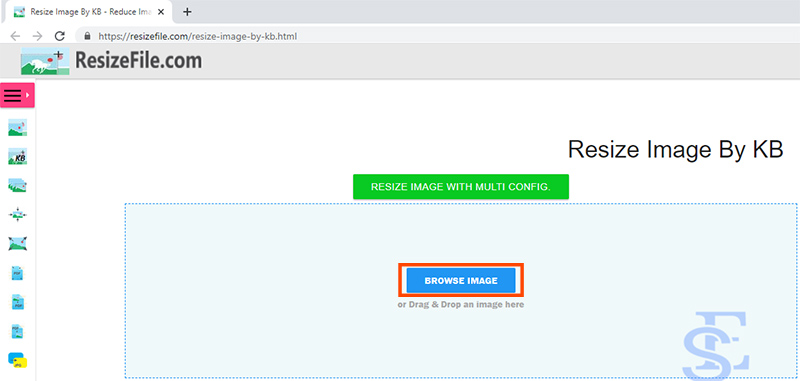
How To Resize Image In Kb Webphotos

Avanzi Non Essenziale Complicazioni Resize Image In Div Css Ayurveda
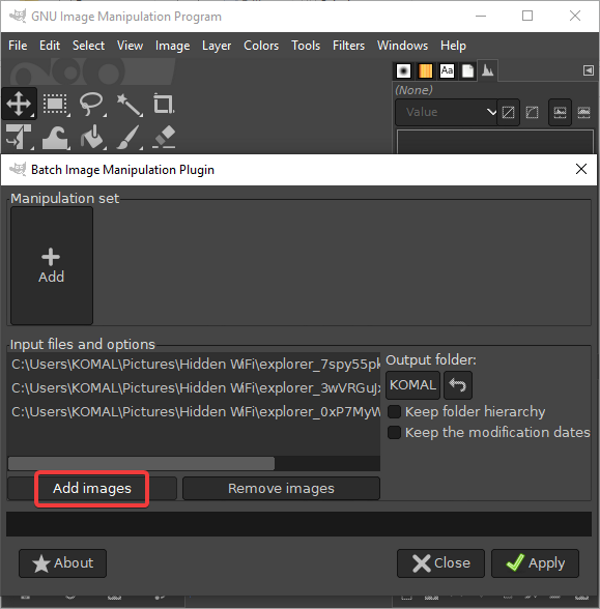
How To Resize Image In Gimp Siteskurt

Web Oct 15 2023 nbsp 0183 32 Use the bounding box handles to resize the image or the tools under Adjust Objects to flip rotate or crop the image Move or resize an image or object Open the PDF in Acrobat and then select the appropriate tool depending on what you want to move Image Choose Edit gt Image

Web Jun 19 2023 nbsp 0183 32 Tutorials Post questions and get answers from experts Learn how to add resize move or replace images and objects in a PDF using Acrobat

Web May 23 2023 nbsp 0183 32 Choose File gt Print From the Page Scaling pop up menu select one of the following options Fit To Printable Area Scales small pages up and large pages down to fit the paper Shrink To Printable Area Resizes only large pages to fit the paper and prints small pages as they are Click OK or Print
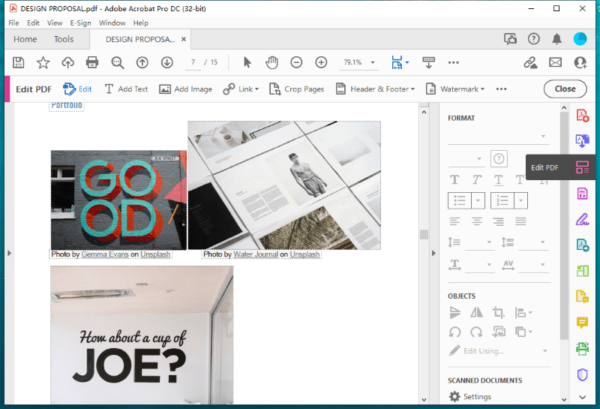
Web First select the Edit Mode from the three options in the mini toolbar that appears above your image just below the main features toolbar You can also move the image using View Mode however it will only move your image vertically and won t move the image to another side or element of the PDF

Web Feb 22 2022 nbsp 0183 32 PDF Editor 2 49K subscribers Subscribe 8 Share 3 6K views 1 year ago Adobe Acrobat Pro Dc Hello everyone Today I will show you How to resize an image in a PDF file using adobe acrobat pro
Web Reduce the size of large files with Adobe Acrobat online services for free Compress PDF files in four easy steps Reduce the size of large files to easily share and store them Web Nov 3 2017 nbsp 0183 32 TOPICS Edit and convert PDFs 10 9K Translate Report 6 Replies Jump to latest reply Dave M Community Expert Nov 03 2017 Interesting You certainly should be able to resize the pasted image I created a blank page in a PDF and pasted in an image copied from the web and I can resize or rotate it without issue
Web Jul 12 2021 Hi As the title suggests in acrobat XI pro I would like to be able to resize images copied and pasted from clipboard Whenever I paste images especially screenshots captured with the native windows application in a pdf with the quot edit text and images quot button active I cannot freely change the size the aspect ratio seems locked