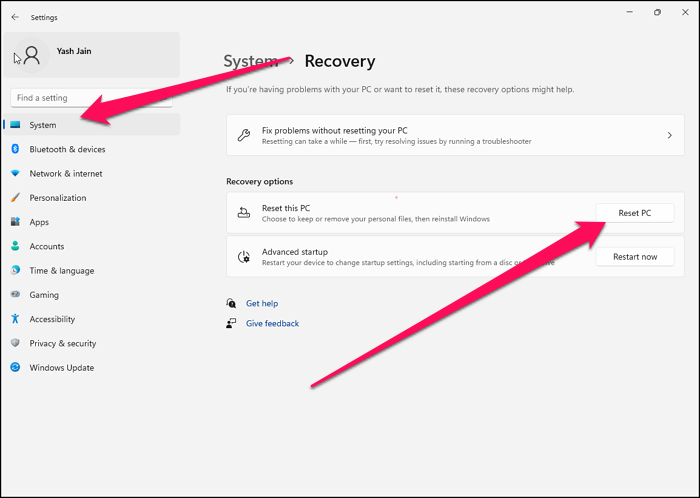
How To Reset Windows 11 How To Factory Reset Windows 11 Screenshots Included How To Fix Weather Widget Not Showing On Taskbar In Windows 11 How To Reset Windows 11 Step by Step Guide MiniTool Partition Wizard How To Factory Reset Your Windows 11 PC And Laptop 3 Ways To Reset Windows 11 PC To Factory Settings Reset Windows 11 from the Settings App This is the easiest way to factory reset a Windows 11 device if you can access or sign in to the Windows interface Press the Windows key or Start menu icon and select Settings Alternatively use the Windows key I shortcut to access the Settings menu
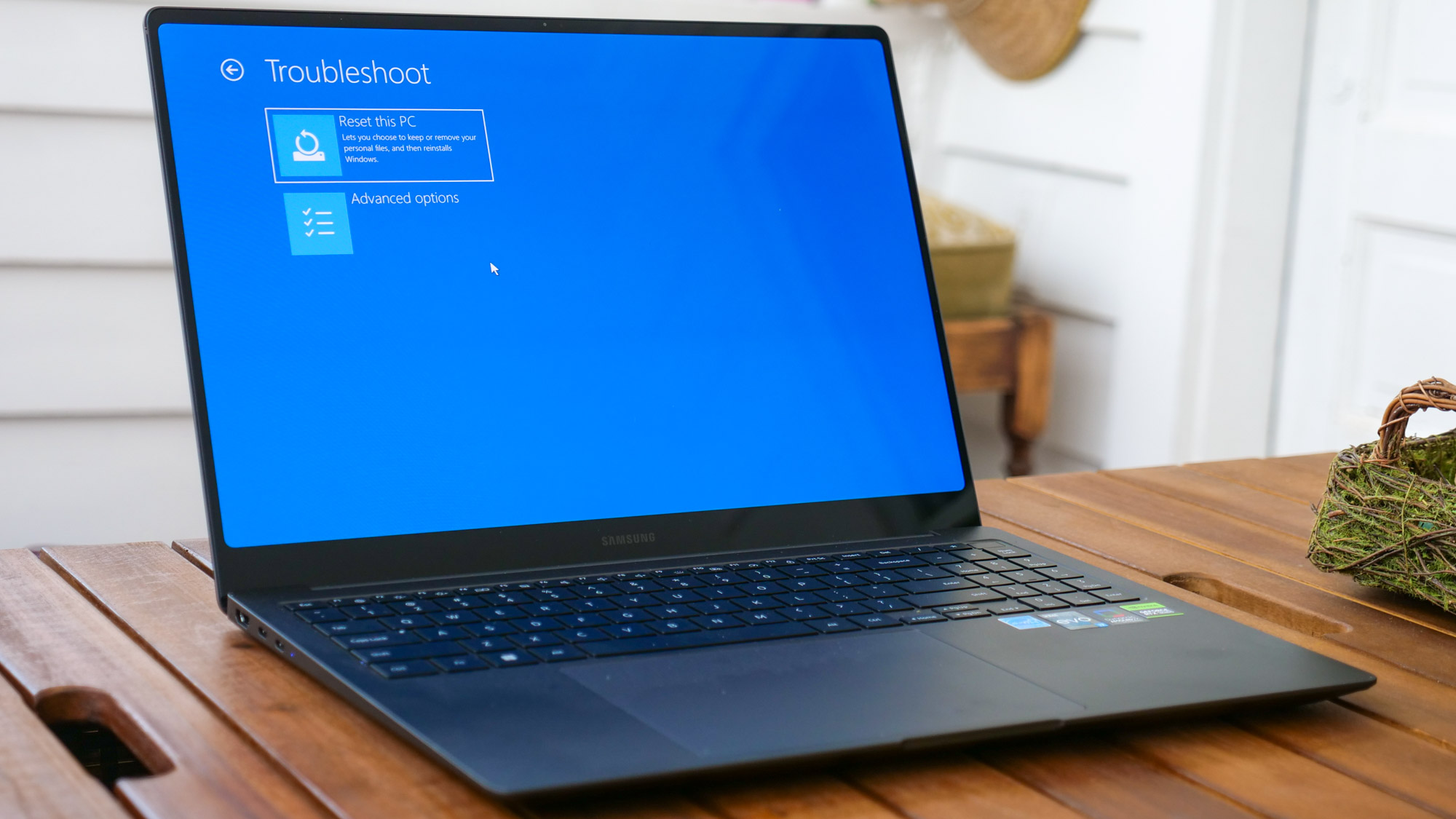
From Settings Start Settings System Recovery Reset PC From login screen Power Shift Restart Troubleshoot Reset this PC A factory reset gives you the option to retain your personal files or wipe everything clean This article will take you through two methods to perform a factory reset on a Windows 11 PC How to factory reset Windows 11 Press the Windows key Go to System then Recovery Click Reset PC Configure how you want your Windows 11 PC reset Read on to get detailed
3 Ways To Reset Windows 11 PC To Factory Settings How To Factory Reset On Windows 11 ZOHAL How To Reset Windows 11 Format Your Laptop How To Reset Windows 11 To Its Factory Settings Vrogue How To Reset Windows 11 From The Login Screen YouTube Reset Windows 11 Password Using Command Prompt Without Disk How To Reset Windows 11 Pc Settings While Saving Personal Files 3 Easy How To Reset Your Windows 11 Computer How To Quickly Reset Windows 11 Without Losing Files Gadgets To Use
How To Reset Windows 11
 How To Reset Windows 11
https://i0.wp.com/makmodo.com/wp-content/uploads/2021/06/Screenshot-72.png?resize=696%2C392&ssl=1
If Windows 11 is working or even if it s mostly working it s simple to do a reset Click on the search icon in your task bar and type reset which will bring up Reset this PC as the
Templates are pre-designed documents or files that can be used for different functions. They can save effort and time by supplying a ready-made format and design for producing various kinds of material. Templates can be utilized for individual or professional tasks, such as resumes, invitations, flyers, newsletters, reports, discussions, and more.
How To Reset Windows 11
How To Factory Reset Your Windows 11 PC And Laptop
How To Factory Reset On Windows 11 ZOHAL
How To Reset Windows 11 Format Your Laptop
How To Reset Windows 11 To Its Factory Settings Vrogue
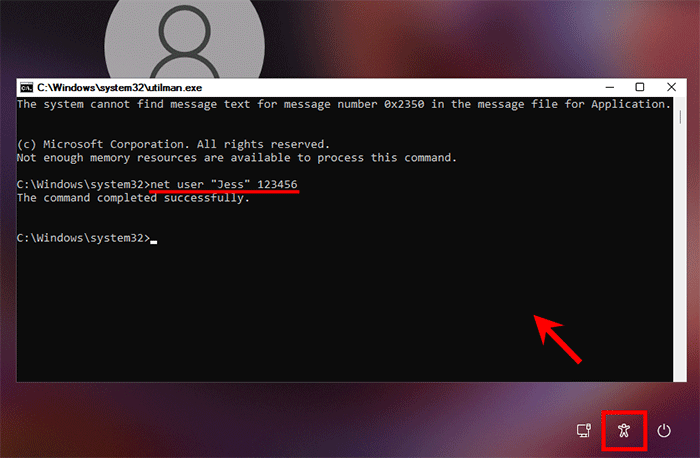
Reset Windows 11 Password Using Command Prompt Without Disk

How To Reset Windows 11 Pc Settings While Saving Personal Files 3 Easy

Quick Links Reset Windows 11 to the Factory Settings Resetting your Windows 11 PC will allow you fix some issues or prepare your PC to sell Doing so erases all your settings and allows you to start again with a
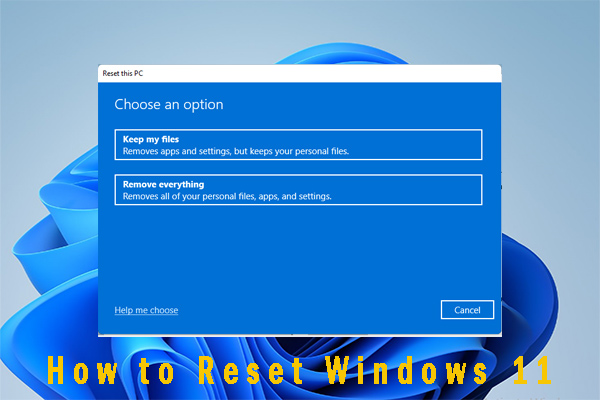
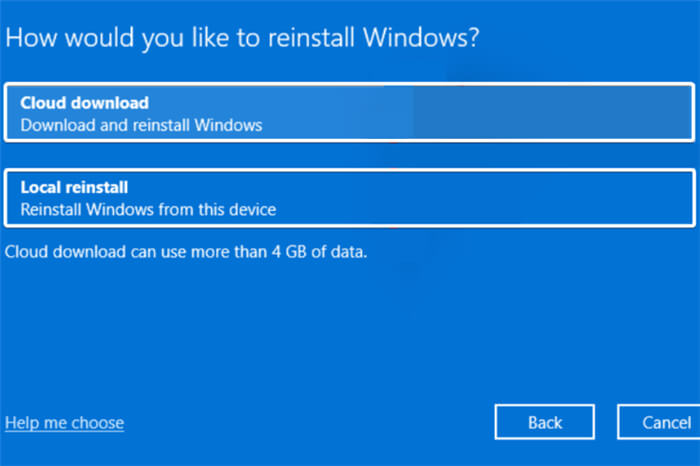
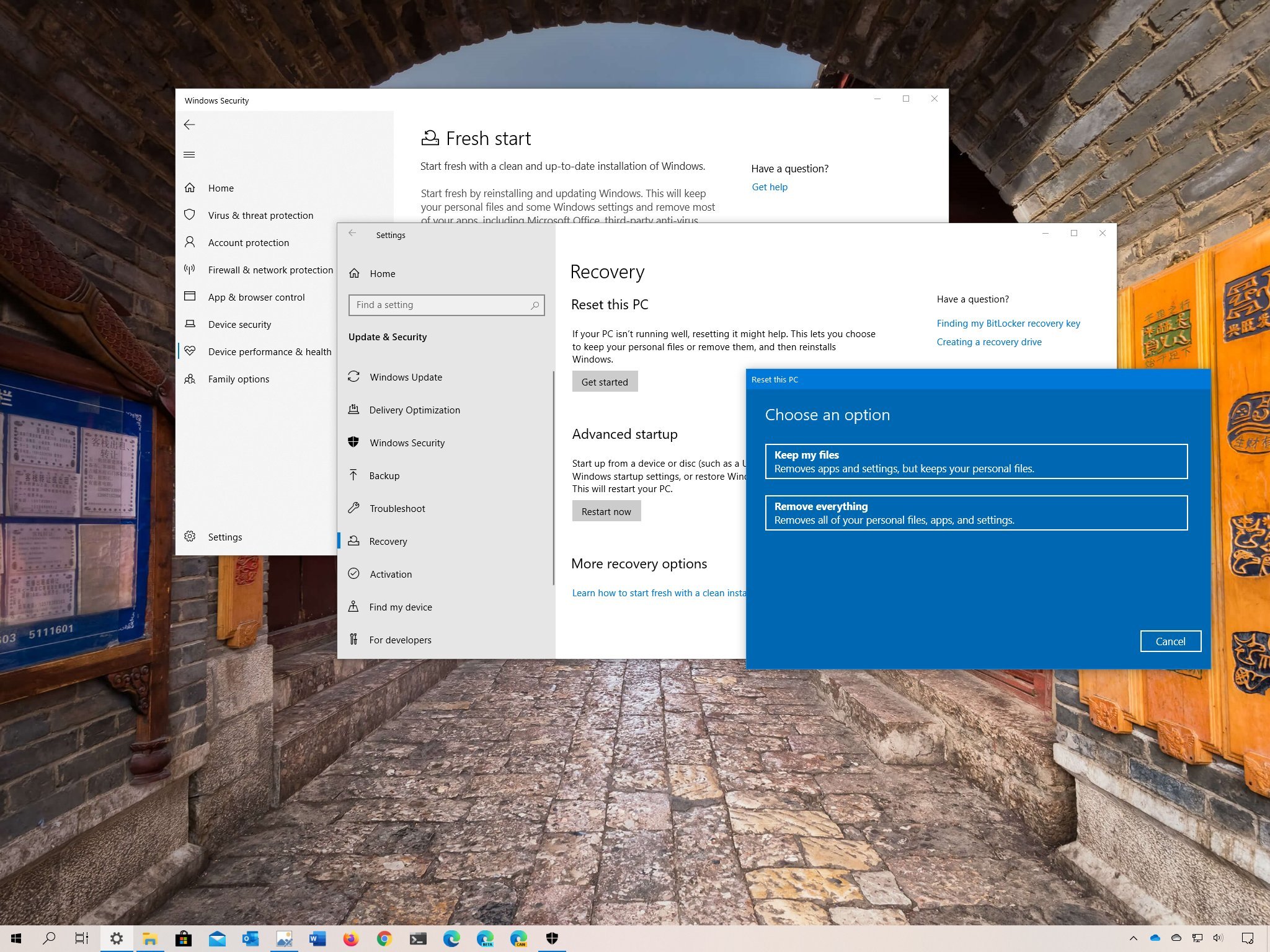
Windows 11 Windows 10 To reset your PC go to Start Settings System Recovery Next to Reset this PC select Reset PC Then select Keep my files choose cloud or local change your settings and set Restore preinstalled apps to No Open Recovery settings
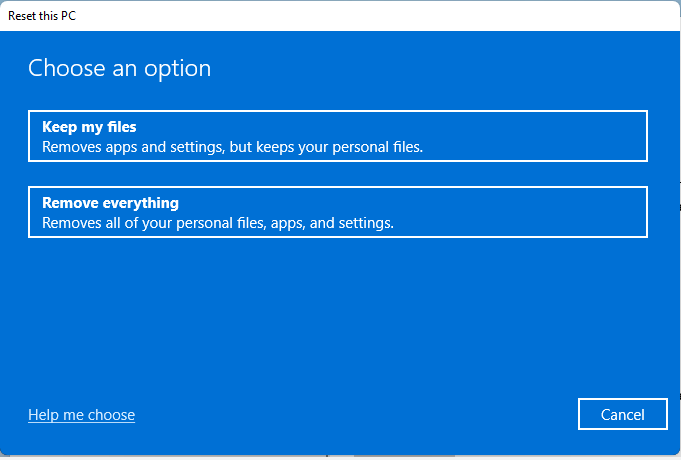
Table of contents Why would you want to factory reset your Windows 11 PC 1 How to factory reset Windows 11 and delete everything from Settings 2 How to factory reset Windows 11 and wipe all data from the Windows Recovery Environment Why did you factory reset Windows 11

For the steps to reset Windows 11 see Reset or reinstall Windows If your PC doesn t have sufficient space available to reset Windows 11 you ll receive a notification In this scenario either free up additional space or use the steps in the next section to reinstall Windows 11 Reinstall Windows 11 using installation media
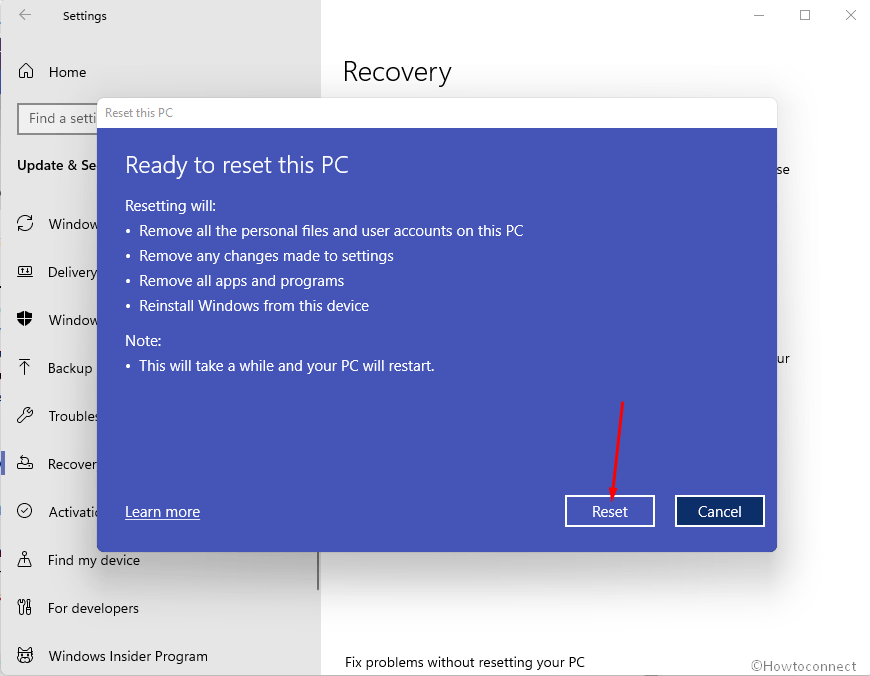
Open Start menu Settings app Go to System Recovery options at the end Under Recovery options click Reset PC Reset options in Windows 11 now in System Settings instead of Update and Security Select if you want to keep your files or remove the files Removing the files is helpful if you plan to donate or sell your computer
[desc-11] [desc-12]
[desc-13]