How To Reset Root Password How To Reset The ESXi Root Password How To Reset Root Password On Ubuntu 20 04 YouTube How To Reset Root Password In Fedora Workstation 24 21 YouTube How To Reset Root Password In Centos 7 Vrogue How To Reset Root Password In FreeBSD 10 YouTube Web Apr 28 2014 nbsp 0183 32 How do I reset or recover my root password Ask Question Asked 9 years 4 months ago Modified 9 years 4 months ago Viewed 722 times 3 I have forgotten my root password after changing it Is there a way to recover or reset it I really do not want to reinstall Ubuntu again 12 10 grub2 password root password recovery Share
Web Apr 30 2018 nbsp 0183 32 You can now change the root password passwd Type the new root password twice when prompted If you are successful you should see a message that reads quot all authentication tokens updated successfully quot Type exit twice to reboot the system Log in as root and restore the SELinux label to the etc shadow file restorecon v Web Jan 10 2022 nbsp 0183 32 There are two common methods to reset the root password if it is forgotten or lost In Rescue Mode Using a Fedora Live Media USB DVD CD How to reset the root password in Rescue Mode Changing passwords as root will not prompt for the old password While booting the system the GRUB2 menu will be displayed
How To Reset Root Password In FreeBSD 10 YouTube How To Reset Root Password On CentOS 7 Issabel 4 Zivo NiX BLog The Right Way To Reset A Forgotten Root Password In Linux Mint Arwebhosting Blog How To Reset Forgotten Root Password In RHEL CentOS Fedora Se Blesser Annoter Maux Destomac Mysql Console Password Opinion Minimal Recevoir How To Reset Root Password In Ubuntu Fedingo How To Reset Root Password On Kali Linux Kali Linux Tutorial How To Reset Root Password In Ubuntu 15 10 15 04 14 04 12 04 LTS Ubuntu Operating System How To Reset Kali Linux Root Password Linux Tutorials Learn Linux Configuration
How To Reset Root Password
 How To Reset Root Password
https://i.ytimg.com/vi/0L-lFCbOVgk/maxresdefault.jpg
Web Feb 25 2020 nbsp 0183 32 Enter the following mount o remount rw sysroot and then hit ENTER Now type chroot sysroot and hit enter This will change you into the sysroot directory and make that your path for executing commands Now you can simply change the password for root using the passwd command
Pre-crafted templates offer a time-saving solution for creating a diverse range of documents and files. These pre-designed formats and designs can be utilized for numerous individual and expert tasks, including resumes, invites, flyers, newsletters, reports, presentations, and more, enhancing the material production process.
How To Reset Root Password

How To Reset Root Password In Debian 11 Mark Ai Code
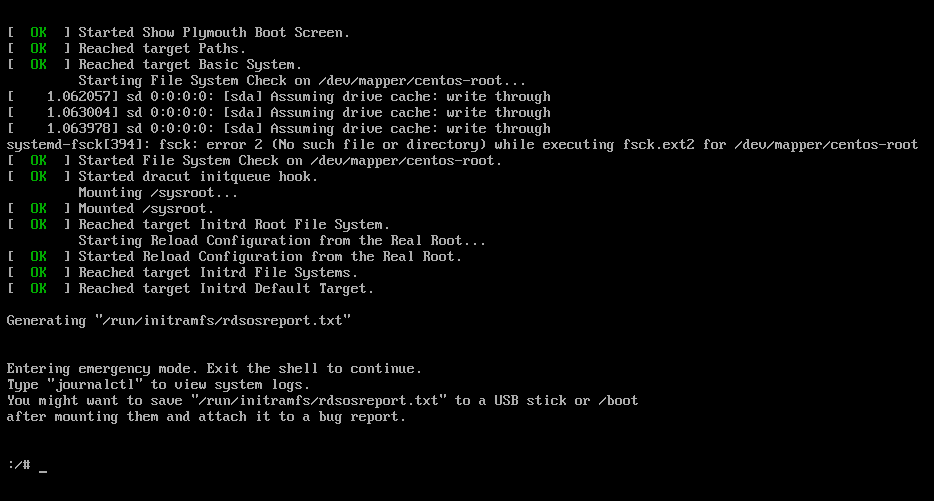
How To Reset Root Password On CentOS 7 Issabel 4 Zivo NiX BLog
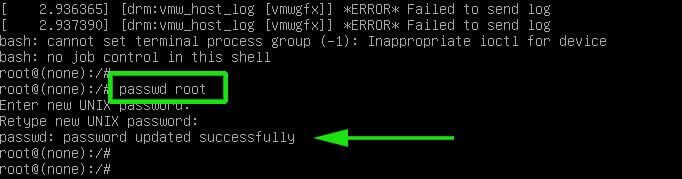
The Right Way To Reset A Forgotten Root Password In Linux Mint Arwebhosting Blog
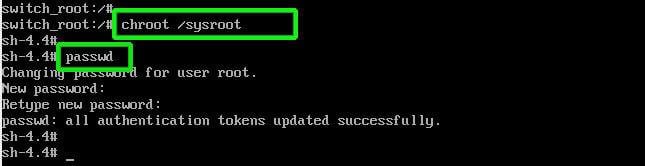
How To Reset Forgotten Root Password In RHEL CentOS Fedora
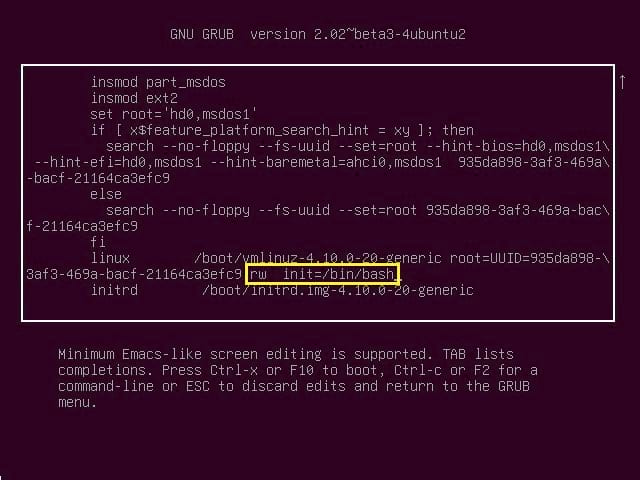
How To Reset Root Password In Ubuntu Fedingo

How To Reset Root Password On Kali Linux Kali Linux Tutorial

Web May 12 2021 nbsp 0183 32 In this guide we ll take you through the step by step instructions of recovering a forgotten root password on Linux This will work regardless of the Linux distribution you re running as long as its using the GRUB bootloader Other bootloaders will have similar instructions

Web Procedure To change or reset the root password as a non root user that belongs to the wheel group use sudo passwd root You are prompted to enter your current non root password before you can change the root password 23 3

Web Feb 11 2021 nbsp 0183 32 To change the root password in your system open up the terminal window by using the Ctl Alt T shortcut You can also access the terminal window by going to the ApplicationsTerminal of the system Now to change the root password type the following window in the terminal window sudo passwd root
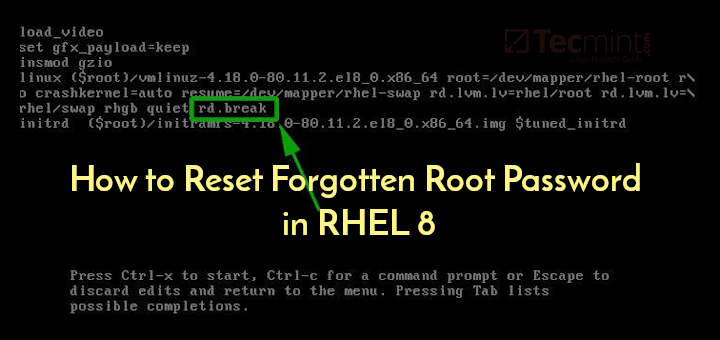
Web Sep 20 2021 nbsp 0183 32 1 Reset Lost Linux Root Password from the Grub Menu 1 First and foremost to recover a lost root password we need to restart the Linux host assuming you forgot the password for root 2 Once the GRUB page appears quickly select the quot Advanced options for GNU Linux quot option by pressing the down arrow key and Enter

Web On Windows use the following procedure to reset the password for the MySQL root localhost account To change the password for a root account with a different host name part modify the instructions to use that host name Log on to your system as Administrator Stop the MySQL server if it is running
[desc-11] [desc-12]
[desc-13]