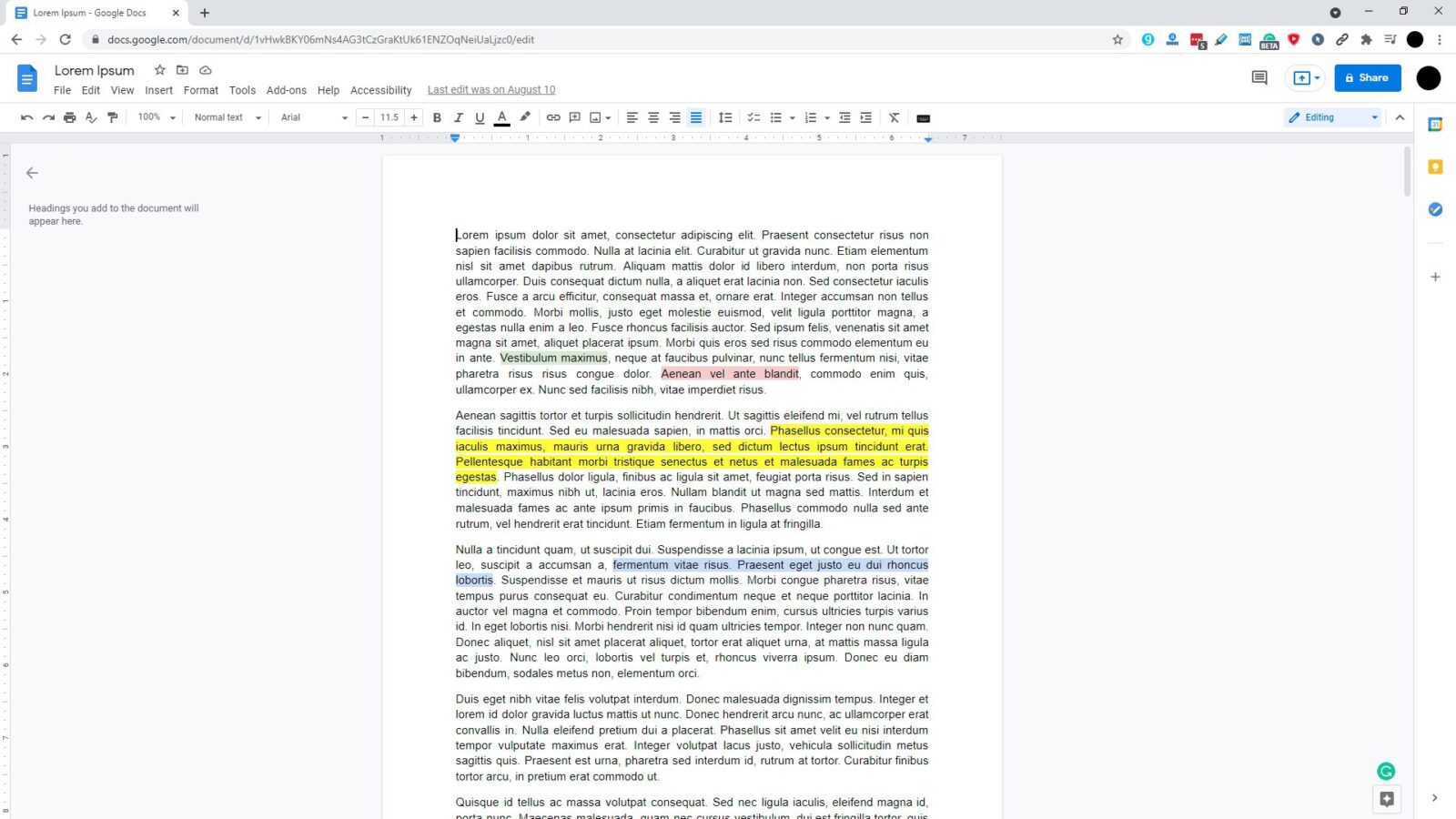
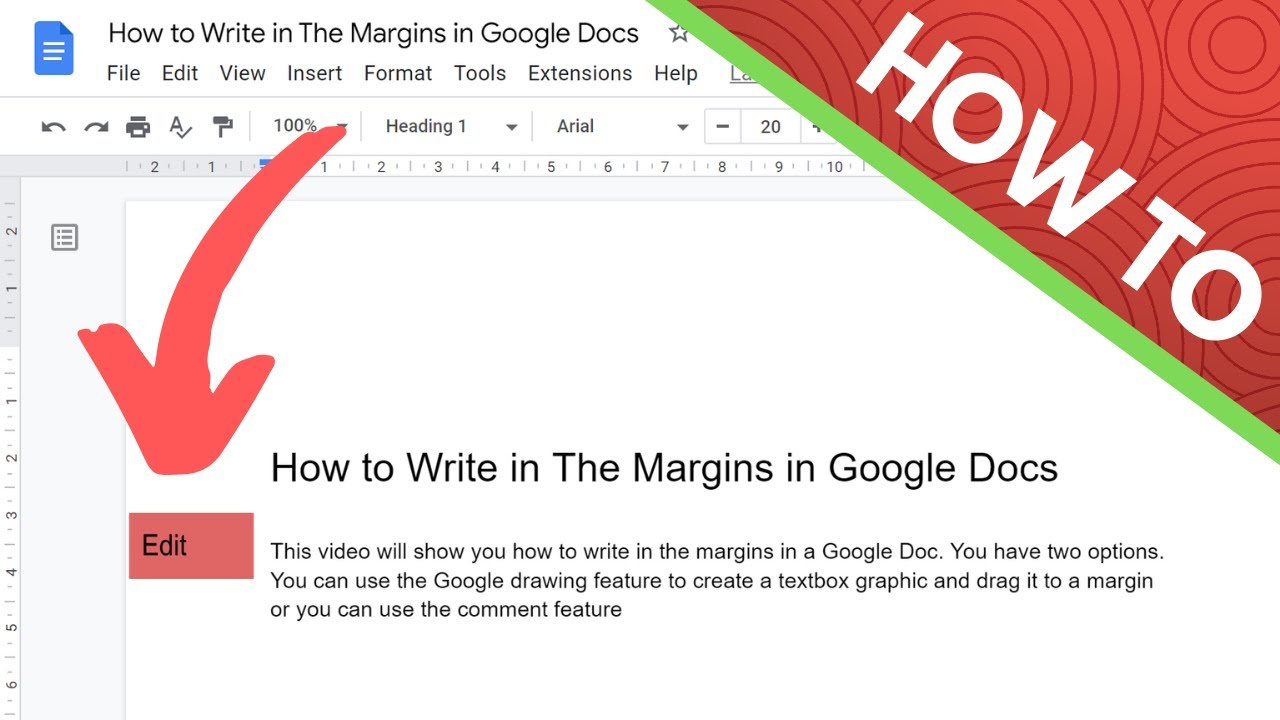
How To Remove Top Margin In Google Docs How To Remove Top Margin In Google Docs Vegadocs How To Remove Top Margin In Google Docs Vegadocs How To Remove Top Margin In Google Docs Vegadocs How To Write In The Margins In Google Docs YouTube Google Docs Adjusting Margins YouTube Using Ruler There are rulers at the top and side of the page You will find the margin line markings on the ruler The margin line marking is hidden and you can only see the marking when you move the cursor over it The default margin in Google Docs is 1 inch or 2 54 cm
Open a Google Doc Click under the page break On your keyboard press Backspace or Delete until the page break is removed To change the top or bottom margins put your cursor on the ruler where you see the shaded area turn to white This will display a small arrow and a horizontal blue line Then drag up or down to increase or decrease the margin
Google Docs Adjusting Margins YouTube How To Change Margins In Google Docs An Easy 5 Step Guide Resume Margins How To Set Them In 2022 With Step By Step Guide How To Change Margins In Google Docs KeepTheTech How To Remove Margins In Google Docs Google Docs Google Change margin google docs ss1 Candid Technology Efficace Support D ballage How To Set Margins In Word Etna Personne How To Change All Margins In Google Docs FAQ SEO UPADTES How To Change Margin From Cm To Inches In Microsoft Word YouTube
How To Remove Top Margin In Google Docs
 How To Remove Top Margin In Google Docs
https://vegadocs.com/wp-content/uploads/2021/08/google-docs-6.jpg
Step 1 Open your desired Google Docs file or create a new one Step 2 If you only need to change the margins for a specific portion of text then select the paragraph or lines and
Templates are pre-designed files or files that can be utilized for different functions. They can conserve effort and time by providing a ready-made format and design for producing various sort of content. Templates can be utilized for personal or expert jobs, such as resumes, invites, flyers, newsletters, reports, discussions, and more.
How To Remove Top Margin In Google Docs
1 Inch Margins Google Docs Google Docs Adjusting Margins The
How To Change Margins In Google Docs An Easy 5 Step Guide

Resume Margins How To Set Them In 2022 With Step By Step Guide
How To Change Margins In Google Docs KeepTheTech
Change margin google docs ss1 Candid Technology
Efficace Support D ballage How To Set Margins In Word Etna Personne
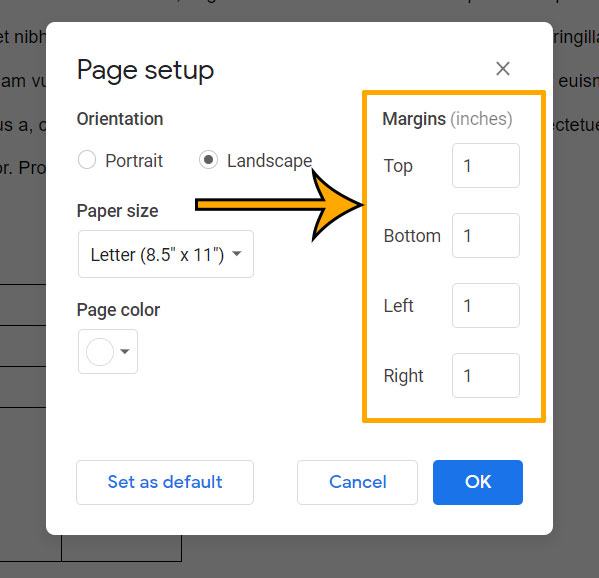
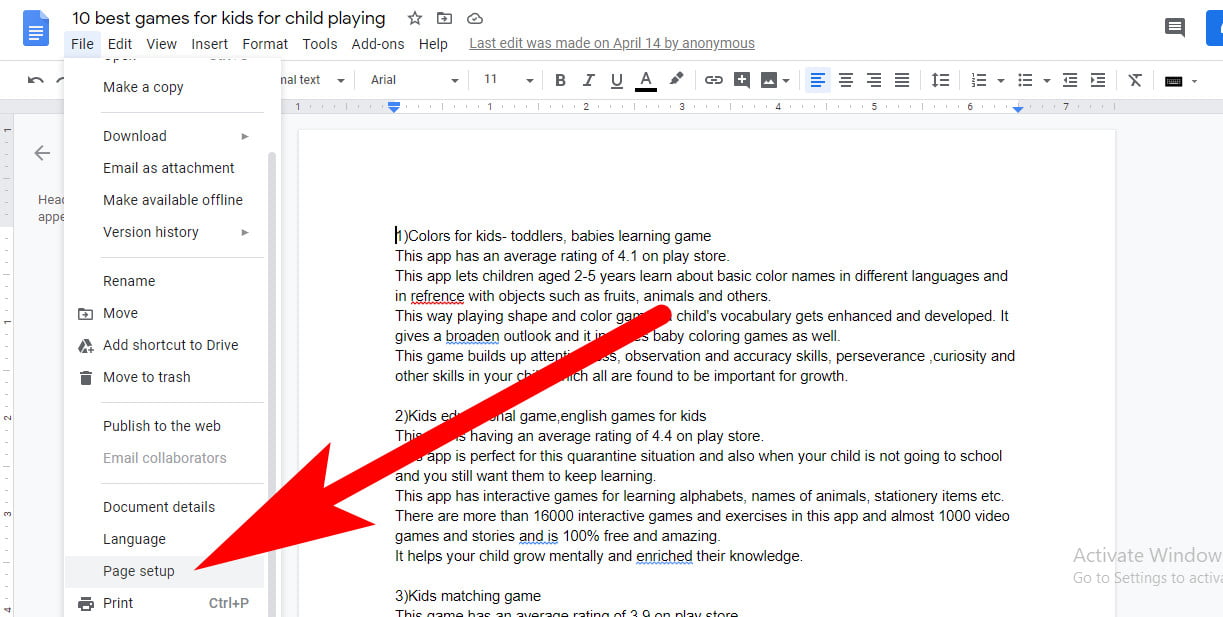
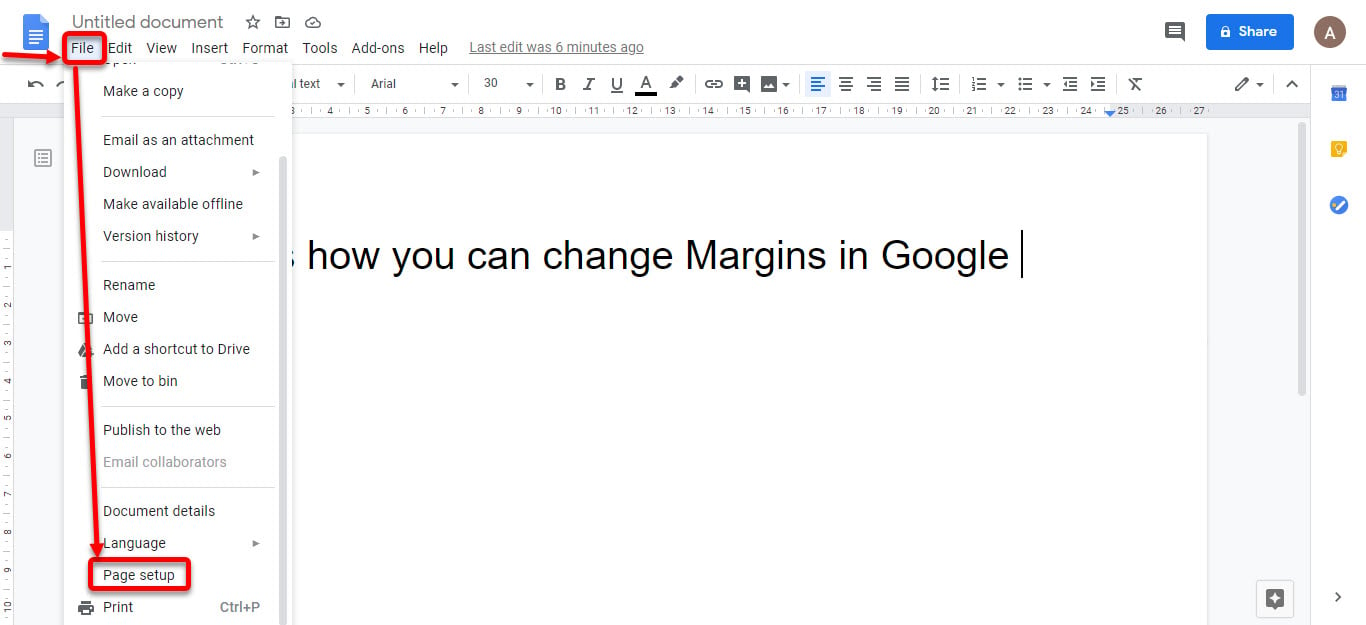
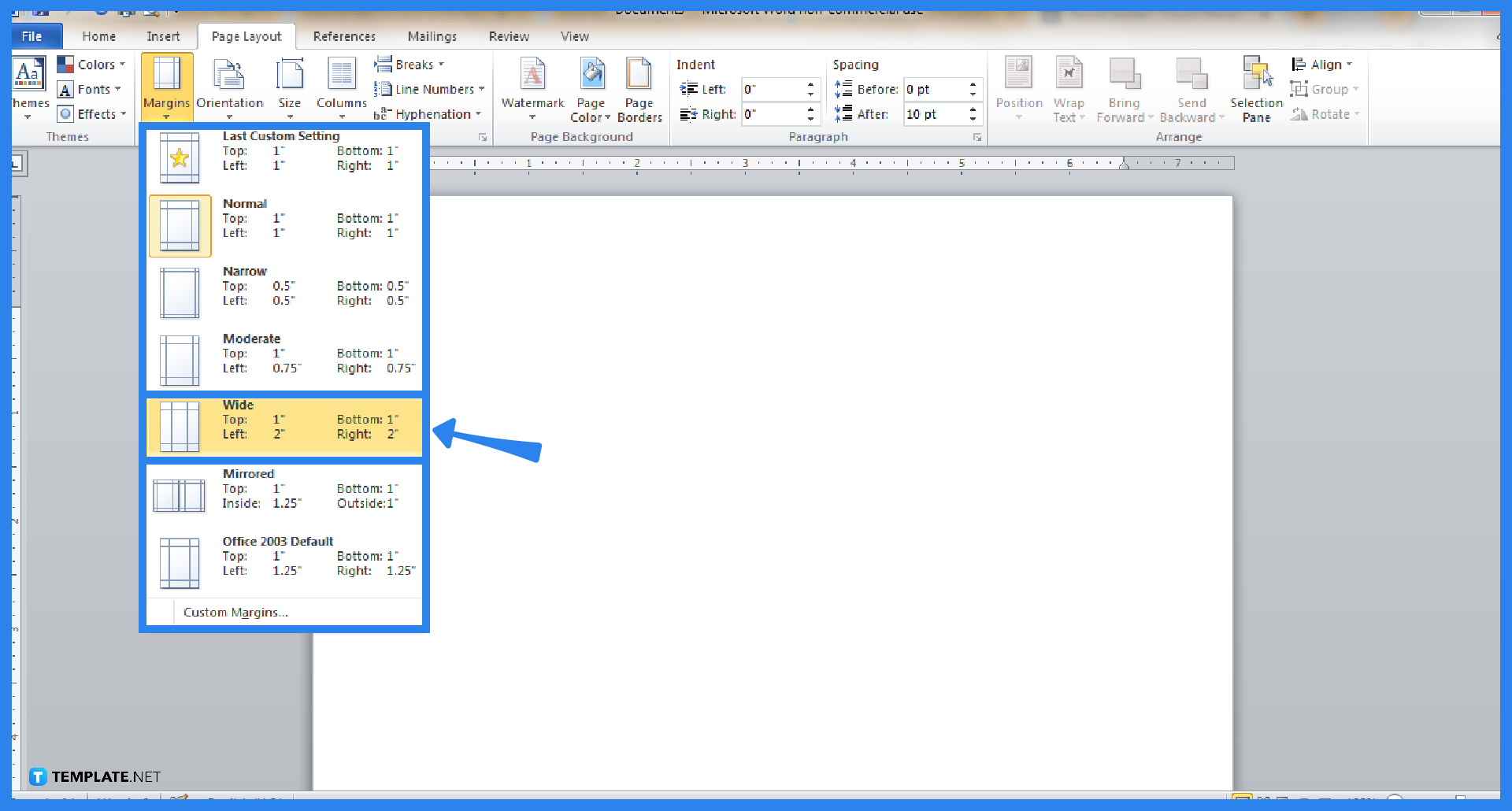
Use Page Setup if you want to increase or decrease the margins for the entire document Or use the ruler if you just want to change the margins for a portion of the text This wikiHow shows you how to change the margins on your Google document on your Windows PC Mac or Chromebook
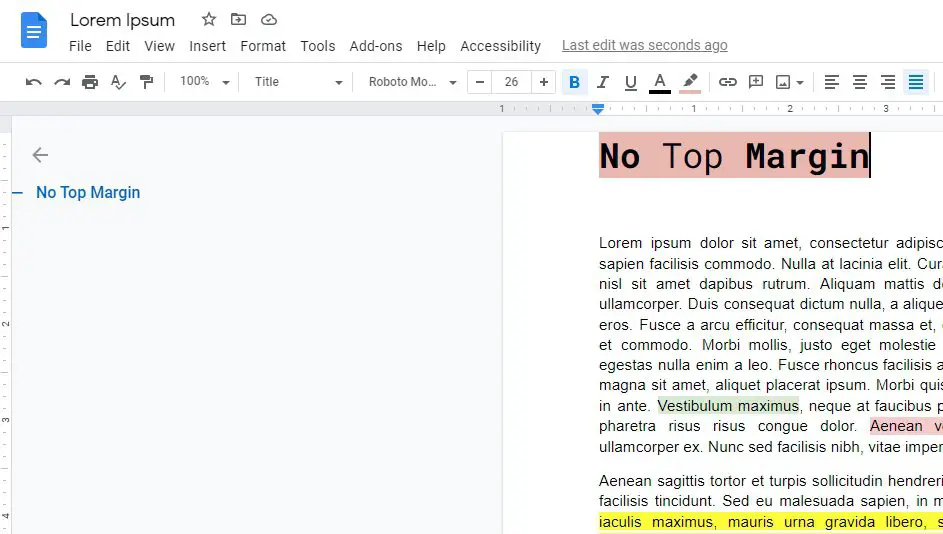
How to Change Margins in Google Docs Alter the right and left margins or change all margins at once By Jeremy Laukkonen Updated on October 7 2022 Reviewed by Ryan Perian What to Know Open a new or existing document and find the Ruler at the top Click the left or right indent arrow and drag it to adjust the margin

To change the margins hover over the Print Preview area on the left to view the blue margin ruler lines then drag the margin lines on each side to a new position The margin size in millimeters will update afterwards To print your document using your custom margins press Print in the bottom right
The margin line is the line on the ruler between the margin and the usable area of the document Click and drag the margin line to adjust the padding The default is one inch or 2 54 cm depending on what unit you re using Note that the top margin line is hiding behind the blue line and arrow

How to change margins in Google Docs Click View in the top toolbar Click Show ruler Drag the gray areas of the upper ruler horiztonal margin Drag
[desc-11] [desc-12]
[desc-13]