How To Remove Tab From Multiple Lines Vscode How To Edit Multiple Lines At Once In VSCode VSCode How To Select How To See Codes In Full Width In Vscode VSCode Keyboard Shortcut How To Indent Multiple Lines How To Change How To Remove Periwinkle Ground Cover Storables How To Indent Multiple Lines Vscode Vscode Visualstudiocode Coding My Web Apr 26 2009 nbsp 0183 32 If you re using IDLE and the Norwegian keyboard makes Ctrl a problem you can change the key Go Options gt Configure IDLE Click the Keys tab If necessary click Save as New Custom Key Set With your custom key set find quot dedent region quot in the list Click Get New Keys for Selection etc
Web May 1 2023 nbsp 0183 32 In Visual Studio Code there are several ways to remove indentation space and tabs from multiple lines To achieve this you can utilize the shift tab shortcut create a vertical cursor with Alt LeftClick and eliminate duplicate lines by using the quot Replace mode quot and quot Use Regular Expression quot feature Web F1 open Keyboard Shortcuts search for Indent Line and change keybinding to Tab Right click gt quot Change when expression quot to editorHasSelection amp amp editorTextFocus amp amp editorReadonly It will allow you to indent line when something in that line is selected multiple lines still work
How To Indent Multiple Lines Vscode Vscode Visualstudiocode Coding My How To Clear Or Remove Tab Stops In Word Windows Mac Summary Tab From Multiple Tabs Microsoft Tech Community How To Remove Steam Trade Holds Guide How To Add And Remove Tab From A Chat A Guide By MyGuide How To Delete All Tab Stops In Word OfficeBeginner 14 How To Remove Frequently Used Emojis Full Guide How To Create A File In VSCode Using Terminal GeeksforGeeks Visual Studio Code Which Extension Is This Used In Vscode Stack
How To Remove Tab From Multiple Lines Vscode
 How To Remove Tab From Multiple Lines Vscode
https://i.ytimg.com/vi/Nc6YdN7JSTQ/maxresdefault.jpg
Web Dec 23 2021 nbsp 0183 32 Steps to configure are as below Open VS Code Settings Cmd Shift P Ctrl Shift P Search for settings and select Preferences Open Workspace Settings Now in settings search for editor gt guides Uncheck Editor gt
Pre-crafted templates provide a time-saving service for developing a varied series of documents and files. These pre-designed formats and layouts can be made use of for different personal and expert projects, consisting of resumes, invitations, flyers, newsletters, reports, discussions, and more, simplifying the content creation procedure.
How To Remove Tab From Multiple Lines Vscode

How To Remove Banding In Images And Videos 2024

How To Clear Or Remove Tab Stops In Word Windows Mac

Summary Tab From Multiple Tabs Microsoft Tech Community

How To Remove Steam Trade Holds Guide

How To Delete All Tab Stops In Word OfficeBeginner

14 How To Remove Frequently Used Emojis Full Guide

Web Apr 9 2019 nbsp 0183 32 you can select multiple line then gt use Tab key for adding space gt use Shift Tab keys for deleting space from beginning of line in VS code gt for multiline at same time you can use Shift Alt Up Down arrow key then edit your code or remove add space gt you can edit more then one line at same time in anywhere in code press and hold Alt

Web You can use the userscript by balpha at Better handling of indentation and the TAB key when editing posts With that installed you can simply Shift Tab as many times as needed When multiple lines are selected Tab and Shift Tab indent and dedent these lines
Web Dec 9 2019 nbsp 0183 32 Evening i tried to find some way to remove spaces from code written in multiple lines in visual studio but i wasn t able to though i found a way to make the inverse of what i want to do say that i have this code in visualstudio const a 1 const b 2 const c 3 and then i copy and paste some code from another place in this file like this

Web You can go to menu Settings Window Behavior Window Behavior Actions tab Just remove Alt left hold and it will work This is the best way because you don t need to hold two keys to do such a simple task
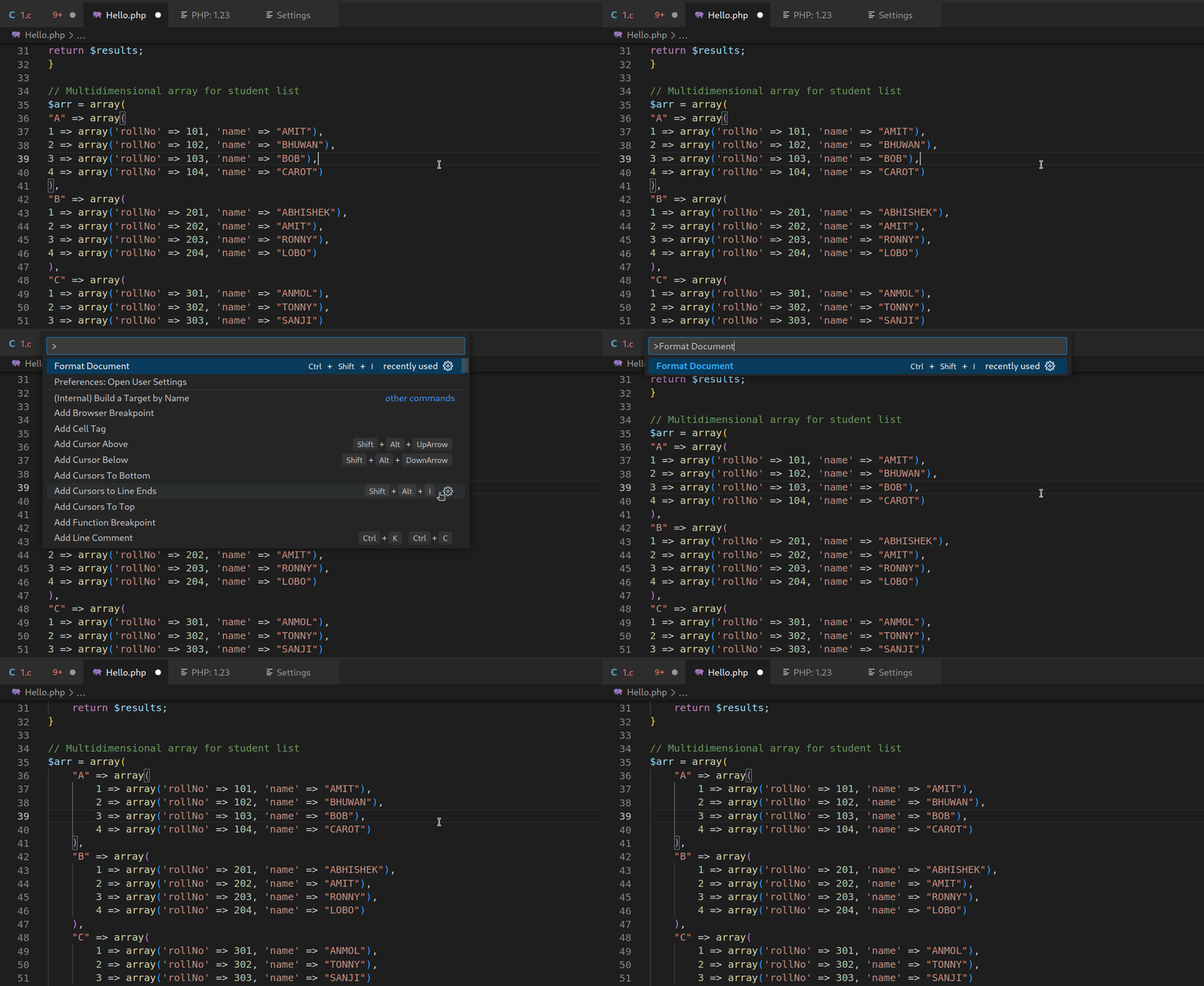
Web Aug 26 2022 nbsp 0183 32 Visual studio code how to edit multiple lines The second find and replace removes the leading from those lines To perform a find replace replacing multiple lines you need to switch on regular expressions tabs or spaces tabs strong gt Solution 2 Try Multiline Search and Replace macro for Visual Studio
Web Ctrl Shift K Delete line Ctrl Enter Insert line below Ctrl Shift Enter Insert line above Ctrl Shift Jump to matching bracket Ctrl Ctrl Shift AltIndent outdent line Ctrl Shift Tab Navigate editor group history Alt Go back forward Ctrl M Toggle Tab moves focus Search and replace Ctrl F Ctrl SFind Web Multiline support and Find Widget resizing You can search multiple line text by pasting the text into the Find input box and Replace input box Pressing Ctrl Enter inserts a new line in the input box While searching long text the default size of Find Widget might be too small
Web Jun 21 2010 nbsp 0183 32 You set your Visual Studio options Tools Options Text Editor to use spaces instead of tabs and then you open a source file and Ctrl E D Edit Advanced Format Document and it will convert them all for you