How To Remove Spacing In Google Docs How To Change Letter And Line Spacing In Google Docs YouTube How To Change Letter Spacing In Google Docs Quick Guide How To Change Line Spacing In Google Docs The Rabbit Pad How To Change Letter Spacing In Google Docs Quick Guide How To Change Line Spacing In Google Docs Askit Solutii Si Rezolvari Pentru Diverse Situatii IT [desc-7]
Web Nov 7 2022 nbsp 0183 32 Tiger Tips 12 8K subscribers Subscribe 17K views 9 months ago This video helps you to remove the odd spacing between words in your Google Doc This issue usually occurs if you are using [desc-8]
How To Change Line Spacing In Google Docs Askit Solutii Si Rezolvari Pentru Diverse Situatii IT How To Double Space In Google Docs How To Double Line Spacing In Google Docs How To Change Line Spacing In Google Docs The Rabbit Pad How To Change Line Spacing In Google Docs Reviews App How To Remove Spacing Between Lines In Word Psadoleo How To Set Text Spacing And Placement In CSS Webucator How To Remove Extra Spacing Between And At The End Of Each Page In Word YouTube How To Change Line Spacing In Google Docs ProDigitalWeb
How To Remove Spacing In Google Docs
 How To Remove Spacing In Google Docs
https://i.ytimg.com/vi/42UNcT_GHGw/maxresdefault.jpg
[desc-9]
Pre-crafted templates offer a time-saving service for developing a diverse series of files and files. These pre-designed formats and layouts can be used for different individual and professional tasks, consisting of resumes, invitations, leaflets, newsletters, reports, discussions, and more, streamlining the content creation process.
How To Remove Spacing In Google Docs
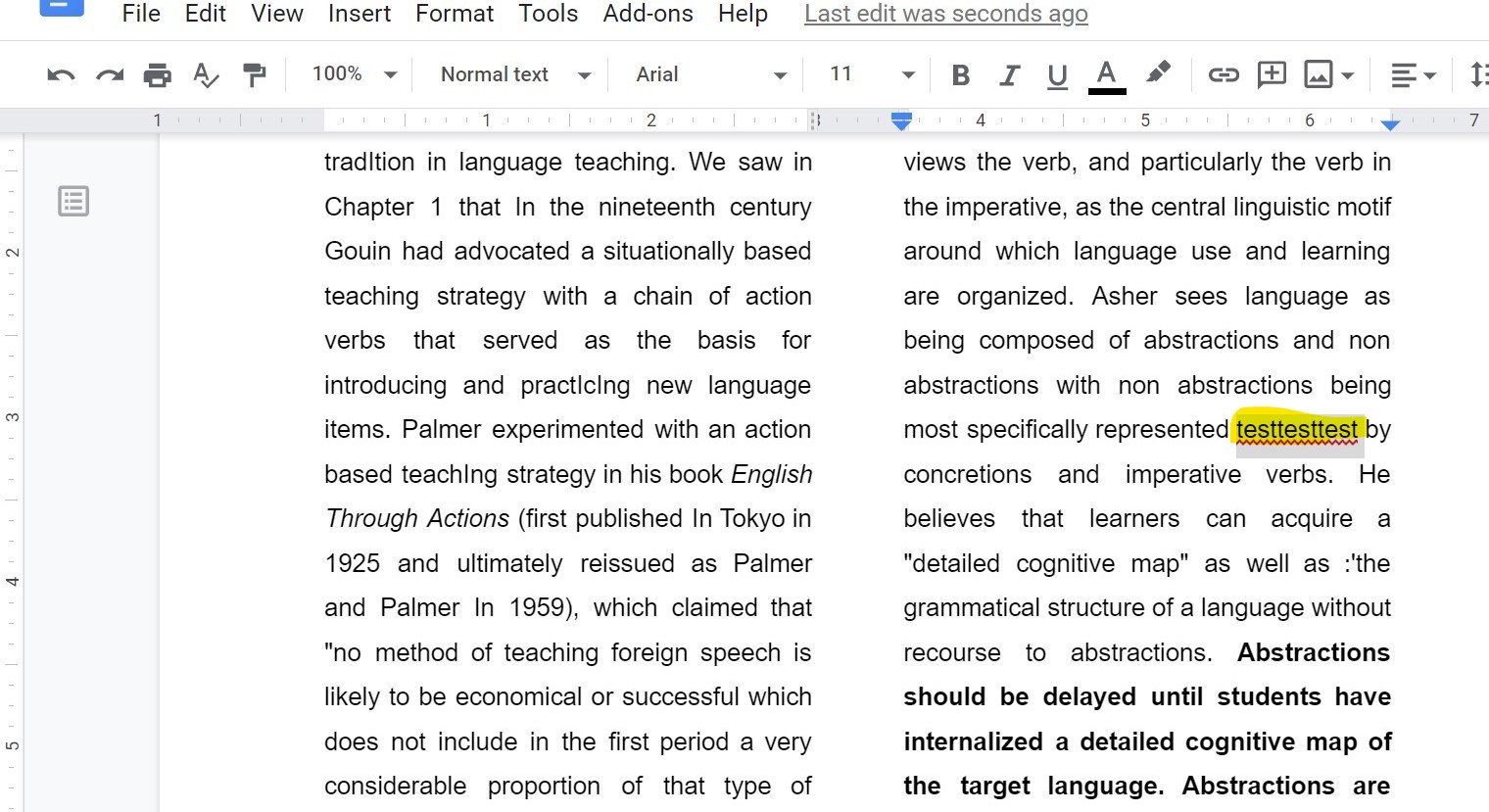
How To Fix Weird Spacing Between Words In Google Docs
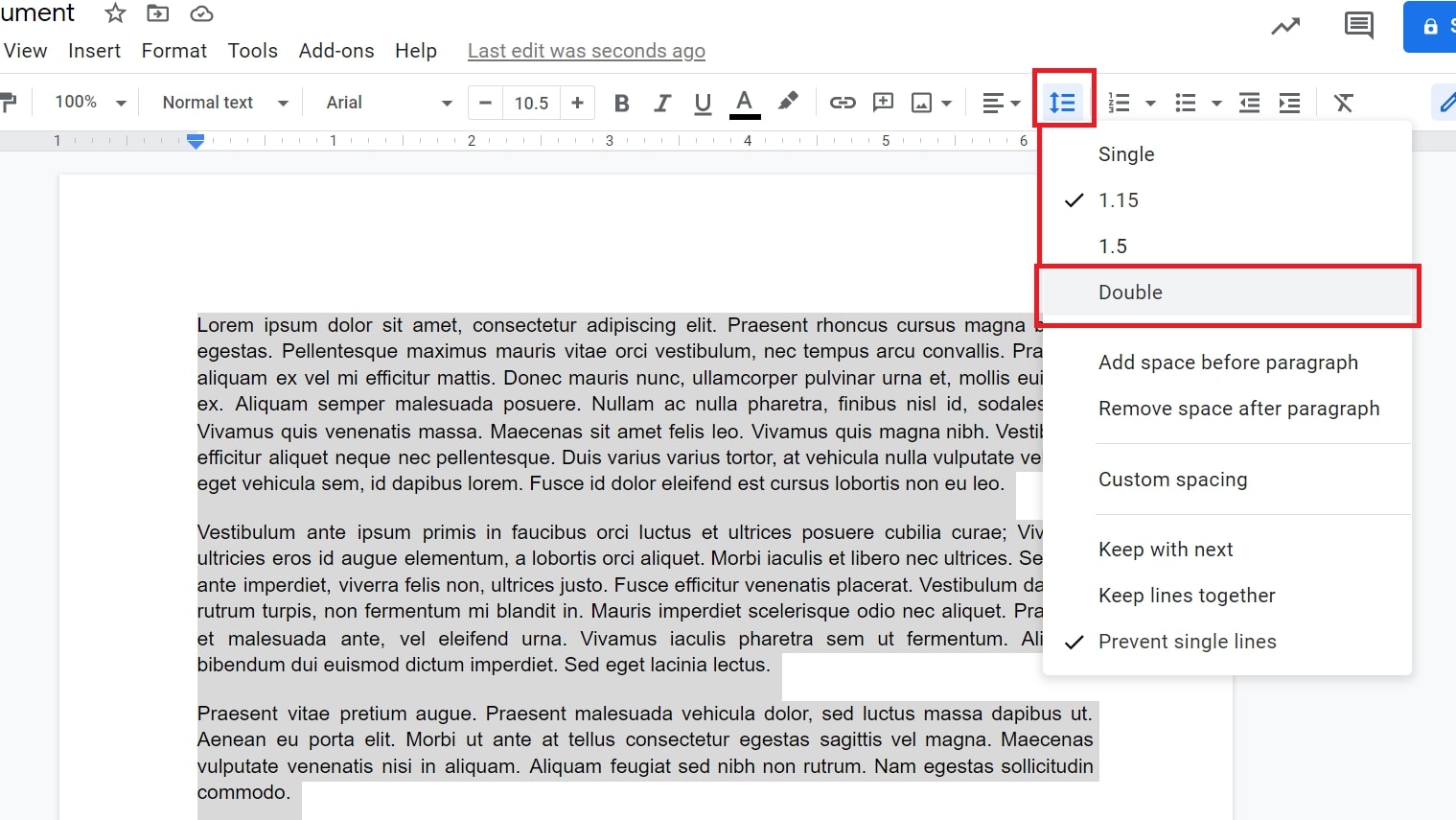
How To Double Space In Google Docs

How To Double Line Spacing In Google Docs

How To Change Line Spacing In Google Docs The Rabbit Pad
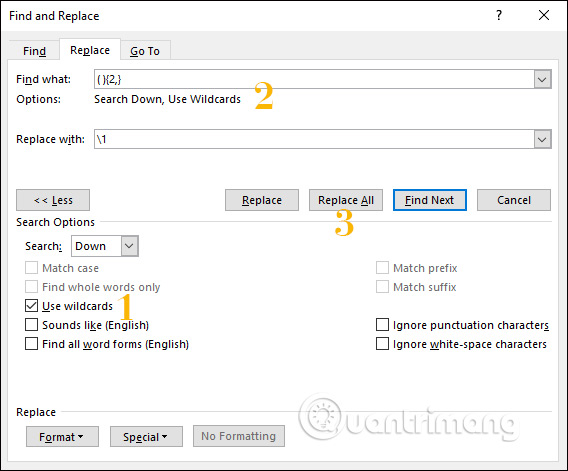
How To Remove Spacing Between Lines In Word Psadoleo

How To Set Text Spacing And Placement In CSS Webucator
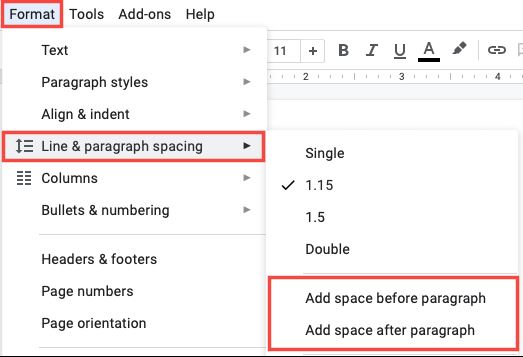
Web Select a line spacing option To change your paragraph spacing click Single 1 15 1 5 or Double To change your spacing between paragraphs click Remove space before paragraph or Add
Web To remove extra spaces between paragraphs in Google Docs follow the steps below Open the document on Google Docs Select the text that needs to be fixed Click Format on the menu bar and select Line amp paragraph spacing Choose one of these options gt add space before paragraph or add space after

Web Feb 6 2023 nbsp 0183 32 How to Get Rid of Extra Space in a Google Document Step 1 The first step is to select the text that you want to adjust You can do this by clicking and dragging your Step 2 Once you ve selected the text click on the Format tab at the top of the page Step 3 Then click on Line Spacing and
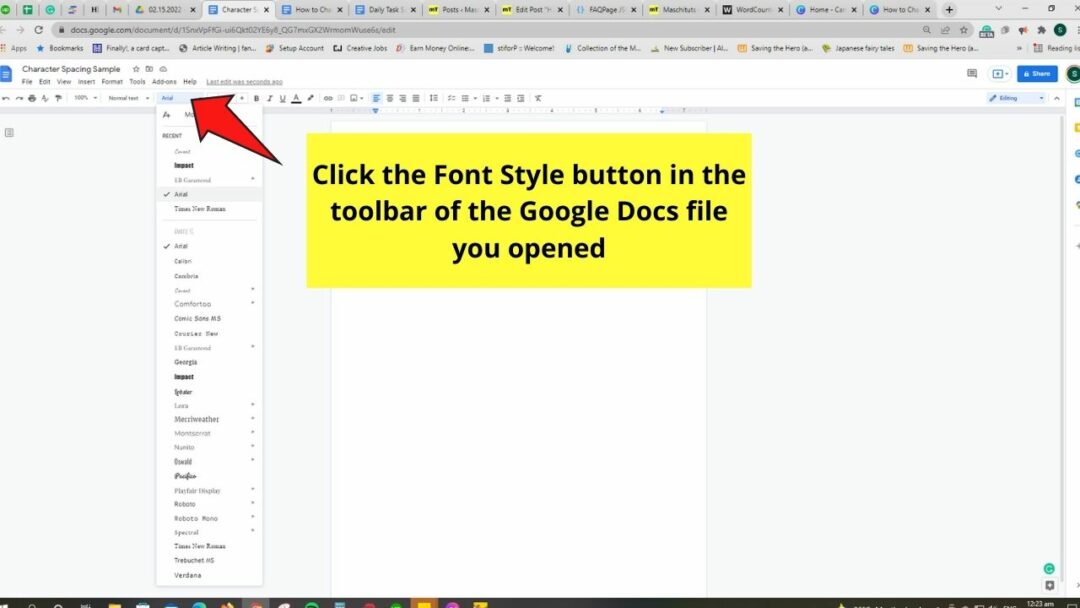
Web This help content amp information General Help Center experience Search Clear search
Web Sep 9 2023 nbsp 0183 32 Tip 4 Finally use keyboard shortcuts to speed up the process To remove extra space between lines simply press Ctrl 1 to single space your document To remove space before or after a paragraph place your cursor at the beginning or end of the paragraph and press Ctrl or Ctrl respectively
[desc-11] [desc-12]
[desc-13]