How To Remove Existing Remote Origin Use Existing Apple ID Problem Solved How To Remove Existing Apple How To Remove Dllkit Pro Lanetacardio How To Change Git Remote Origin URL DevsDay ru 14 How To Remove Frequently Used Emojis Full Guide 07 2023 How To Remove Cad Manager Tools Thegreenjza Jul 12 2023 nbsp 0183 32 To remove a remote origin in git we can use the git remote command followed by the rm origin git remote rm origin Now you can add a new origin url by using the following
Dec 30 2023 nbsp 0183 32 To remove the remote origin use the git remote remove or git remote rm command followed by the remote name which is origin in this case Run the following Sep 19 2023 nbsp 0183 32 1 min Table Of Contents 01 Removing and adding 02 Updating Have you ever encountered this error remote origin already exists when wanting to add one Let s see how
How To Remove Cad Manager Tools Thegreenjza Error Remote Origin Already Exists How To Remove An Existing Connection In Excel File Microsoft Window And Door Installer Course Advice Training Tools UBoom How To Remove O365 Account From Windows 10 Garelegant How To Remove Yourself From The Internet TechRadar UK Mobile Operators Urged To Remove Data Costs For Online Learning How To Remove Jb Weld Find Out How To Remove Yourself From FastPeopleSearch Permanently TechCult
How To Remove Existing Remote Origin
 How To Remove Existing Remote Origin
https://i.ytimg.com/vi/mFVam8gc5KQ/maxresdefault.jpg
This error means that the remote name you want to use already exists To solve this either use a different remote name or rename the original remote Removing a remote repository Use
Templates are pre-designed documents or files that can be used for numerous functions. They can conserve effort and time by offering a ready-made format and design for developing various kinds of material. Templates can be utilized for individual or expert projects, such as resumes, invitations, leaflets, newsletters, reports, discussions, and more.
How To Remove Existing Remote Origin

Mastering Git Understanding Git Remote Add Origin
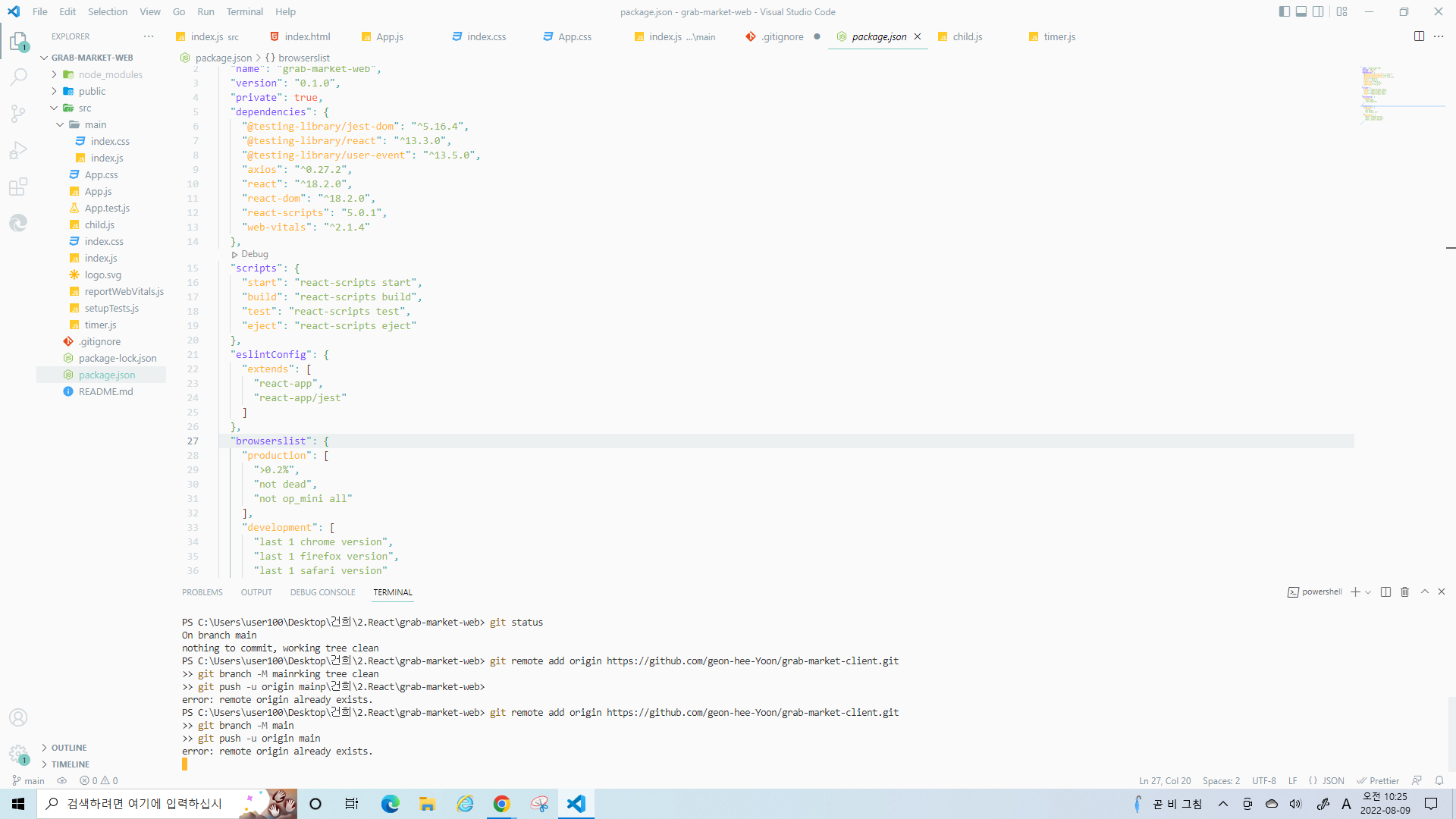
Error Remote Origin Already Exists

How To Remove An Existing Connection In Excel File Microsoft

Window And Door Installer Course Advice Training Tools UBoom

How To Remove Yourself From The Internet TechRadar

UK Mobile Operators Urged To Remove Data Costs For Online Learning

Step 3 Remove the Remote Origin To delete the origin remote execute git remote rm origin This removes the entire remote connection named quot origin quot from your repository Pro

Oct 26 2023 nbsp 0183 32 git remote remove command followed by the name of the remote origin you wish to remove For example if your remote origin is named origin you can run the
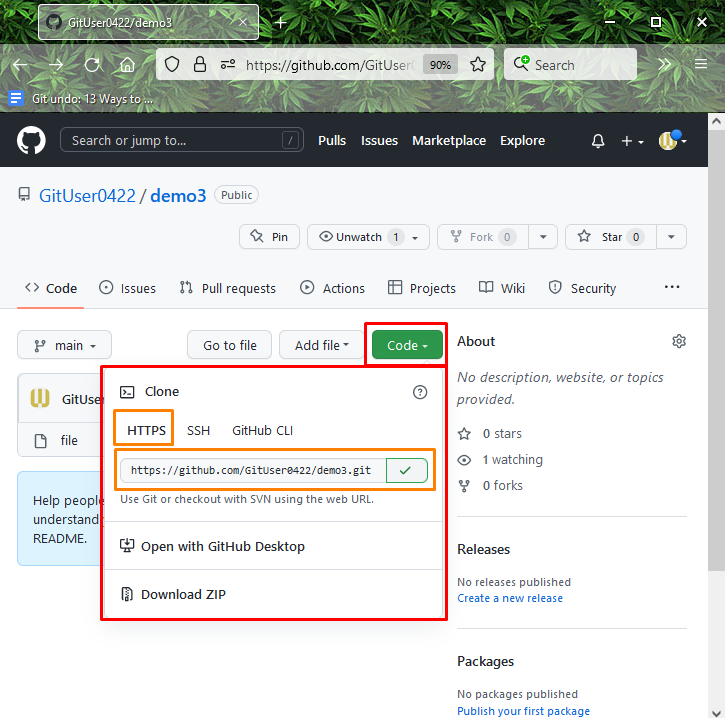
May 2 2023 nbsp 0183 32 First open a terminal and change into the directory that holds your repository cd repos tensorflow Second list the remotes git remote v origin

Steps to Remove Remote Origin Verify the Remote Origin To verify the remote origin use the following command in the Git command line git remote v Remove the Remote Origin

Feb 2 2024 nbsp 0183 32 To remove a Git remote origin run the following command git remote rm lt remote gt Here lt remote gt is the name of the remote origin we want to remove For instance
Feb 7 2020 nbsp 0183 32 To remove a remote navigate to the directory your repository is stored at and use the git remote rm or git remote remove command followed by the remote name git Aug 24 2023 nbsp 0183 32 Open the terminal and navigate to the local repository directory Type the command git remote v to view the list of remote repositories Identify the remote origin and
Dec 22 2021 nbsp 0183 32 git remote remove origin or shorten it as bash git remote rm origin The second route to git remove remote is to navigate to the directory containing the repo and