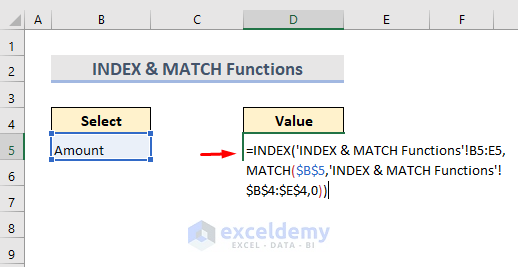
How To Pull Data From Another Sheet In Excel Using Vba How To Pull Data From Another Sheet In Excel Midargus Check Automatically Update One Excel Worksheet From Another Worksheets Curriculum How To Pull Data From Another Sheet Based On A Criteria In Excel Google Sheets YouTube Complete Guide On Pulling Data From Another Sheet In Excel Vlookup Example Between Two Sheets In Excel 2013 Iweky Vrogue Web Dec 28 2023 nbsp 0183 32 STEPS Select Cell E5 Type the formula VLOOKUP C5 Sheet2 B5 C8 2 0 NOTE Here first of all we put the lookup value that we wanted to search in the next sheet Then select the sheet range from the next sheet Also input the column number in which we want to pull out the data Finally for the exact
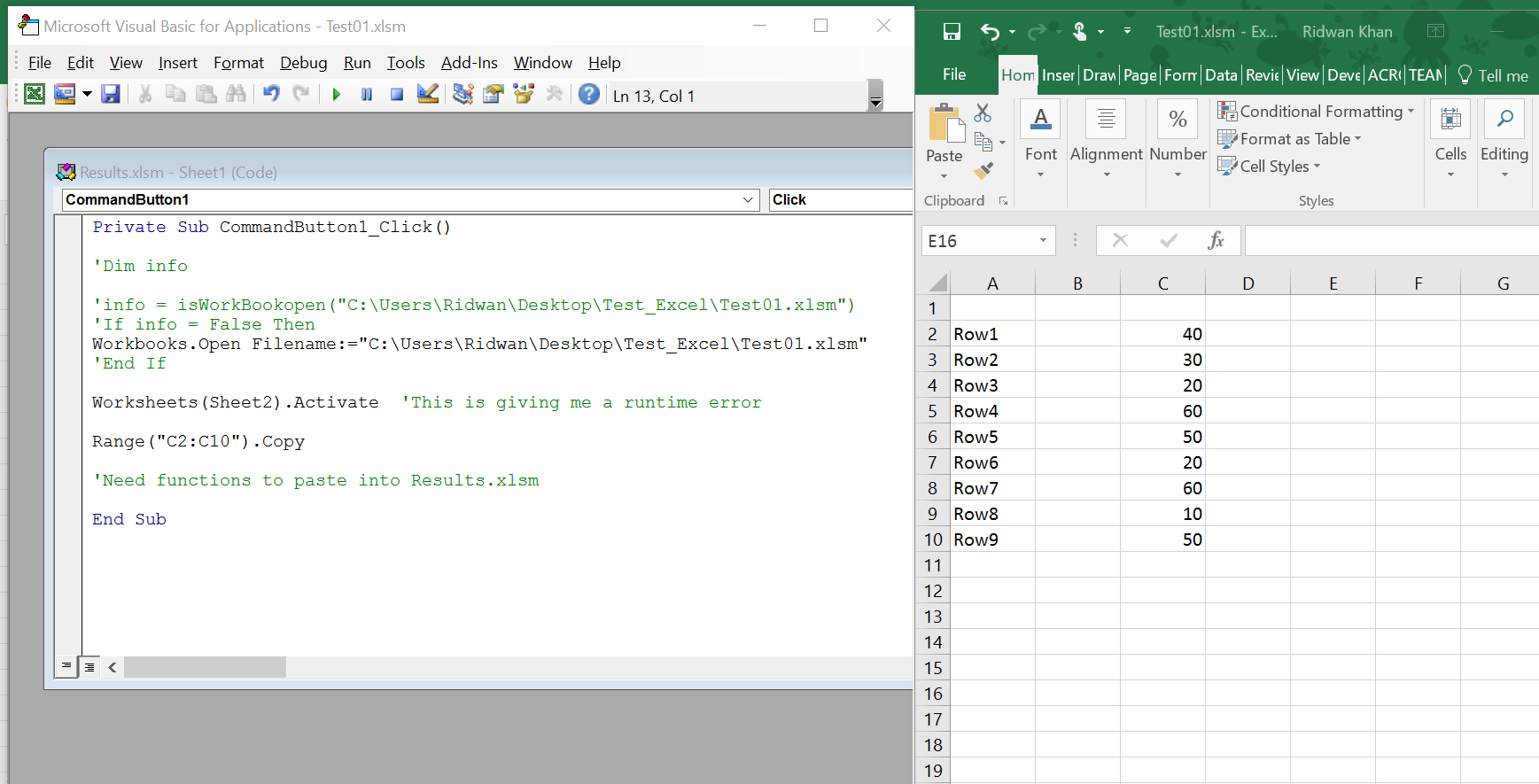
Web Sep 13 2011 nbsp 0183 32 The best and easiest way to copy data from a workbook to another is to use the object model of Excel Option Explicit Sub test Dim wb As Workbook wb2 As Workbook Dim ws As Worksheet Dim vFile As Variant Set source workbook Set wb ActiveWorkbook Open the target workbook vFile Web Writing a macro to transfer data between worksheets involves identifying the source and destination worksheets selecting the cells to transfer and using VBA code to copy and paste the data
Vlookup Example Between Two Sheets In Excel 2013 Iweky Vrogue How To Pull Data From Another Sheet Based On Criteria In Excel How To Pull Data From Another Sheet Based On Criteria In Excel How To Pull Data From Another Sheet Based On Criteria In Excel How To Pull Data From Another Sheet Based On Criteria In Excel Rows Copy Vba Excel Mifasr Free Nude Porn Photos How To Pull Data From Another Sheet Based On Criteria MSOfficeGeek Excel How To Pull Data From Another Sheet Based On Criteria Statology Vlookup To Other Workbooks Managing Updating Sharing Files With Formula Links Excel Campus
How To Pull Data From Another Sheet In Excel Using Vba
 How To Pull Data From Another Sheet In Excel Using Vba
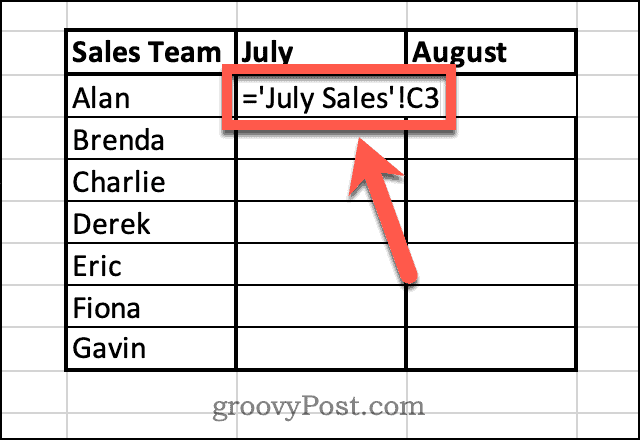
https://www.groovypost.com/wp-content/uploads/2022/05/how-to-pull-data-from-another-sheet-in-excel-cell-reference.png
Web Mar 21 2024 nbsp 0183 32 Table of Contents In Short The Easiest Way to Pull Data From Another Sheet in Excel How to Get Data From Another Sheet in Excel Using Cell References How to Pull Data From Another Sheet in Excel Based on Cell Value How to Insert Data From Another Sheet in Excel Using VLOOKUP Frequently Asked Questions
Templates are pre-designed documents or files that can be utilized for various functions. They can conserve time and effort by supplying a ready-made format and design for developing different type of material. Templates can be utilized for individual or professional jobs, such as resumes, invitations, flyers, newsletters, reports, discussions, and more.
How To Pull Data From Another Sheet In Excel Using Vba

Excel How To Pull Data From Another Sheet Based On Criteria Statology

How To Pull Data From Another Sheet Based On Criteria In Excel
How To Pull Data From Another Sheet Based On Criteria In Excel

How To Pull Data From Another Sheet Based On Criteria In Excel
Rows Copy Vba Excel Mifasr Free Nude Porn Photos

How To Pull Data From Another Sheet Based On Criteria MSOfficeGeek
Web Last updated Feb 17 2024 While working with large Microsoft Excel sometimes we need to extract data from one sheet to another for the convenience of our work We can easily do that by using the VBA Macros Applying a VBA code to extract data from one sheet to another is an easy task

Web Worksheets quot Sales quot Range quot B1 B25 quot End Sub Now we actually need to get the total or sum of all those values so we wrap the previous object call in a WorksheetFunction of Sum like so Sub MySum WorksheetFunction Sum Worksheets quot Sales quot Range quot B1 B25 quot End Sub Yet that s

Web 2 days ago nbsp 0183 32 Suppose you want to automate the pull data process from one worksheet to another on Excel online app Since VBA won t work there you can use Office Scripts Find below the steps you should try

Web Jul 17 2015 nbsp 0183 32 Fairly new to VBA so it s probably an easy fix Cheers Sub ExtractData Define sheets Dim SAPDump As Worksheet Dim Extract As Worksheet Set sheets Set SAPDump ActiveSheet Set Extract ThisWorkbook Sheets quot Extract quot Define row and column counters Dim r As Long Dim c As Long Set last non empty column Dim

Web Last updated Dec 28 2023 In this article I ll show you how to pull data from multiple worksheets into one worksheet with Visual Basic of Applications VBA in Excel Pull Data from Multiple Worksheets in Excel VBA Quick View Sub Pull Data from Multiple WorkSheets Horizontally Dim Sheet Names As Variant
Web Jan 1 2021 nbsp 0183 32 2 Answers Sorted by 1 Finally I got the answer it is the INDIRECT function in the above case if user enter the value on cell B2 of sheet1 then the formula is INDIRECT quot Sheet2 A quot amp B2 Share Improve this answer answered Jan 3 2021 at 14 34 ADH THE TECHIE GUY 111 1 1 6 Add a comment 0 You can use a reference to the Web Oct 23 2014 nbsp 0183 32 sum DoIt Worksheets quot Sheet1 quot Range quot A2 quot Value Worksheets quot Sheet2 quot Range quot Z1 quot Value end sub You can call the DoIt sub with a button for example and it will keep your Sheet1 cell A2 clean of formulas answered Oct 22 2014 at 21 27 MarcoK 71 1 3 10
Web Jul 25 2022 nbsp 0183 32 Step 1 Enter Data into the First Sheet First let s enter the following dataset into the first sheet of an Excel workbook Step 2 Define Criteria Now suppose we would like to pull each of the rows that contain Mavs in the Team column into Sheet2 To do so we can define this criteria in Sheet2 Step 3 Pull the Data from the First Sheet