How To Print Pdf Without Comments Printing A PDF With Without Comments PDF Studio Knowledge Base Printing A PDF With Without Comments PDF Studio Knowledge Base Word Print Without Comments Word Print Without Comments Wondershare PDFelement Word Documents To PDF Without Comments YouTube Web Apr 3 2023 nbsp 0183 32 1 Select the Print button in the main toolbar 2 Select the Summarize Comments button in the Print dialog box 3 Select Yes in the dialog box asking if you would like to include the summarized comments in the printout 4 Select the Print button in the Print dialog box
Web May 23 2023 nbsp 0183 32 For the greatest control over how comments are printed choose gt Print With Comments Summary from the Comments list Filter the comments to show only those you want in the summary In the Comments list click Filter Comments and choose the categories of comments you want to show Web Aug 23 2022 nbsp 0183 32 Print a PDF Choose File gt Print or click icon in the toolbar Select a Printer and number of Copies to print Optional Click Properties to open the Printer properties For more information see your printer documentation Under Pages to Print select an option All prints all pages in the PDF Current page prints the current page in
Word Documents To PDF Without Comments YouTube The Best How To Print Pdf With Comments References Dakwah Islami The Best How To Print Pdf With Comments References Dakwah Islami The Best How To Print Pdf With Comments References Dakwah Islami Word Dokument Verschiebt Sich Beim Drucken Aktualisiert November 2022 How To Print PDF In Booklet Format In 5 Easy Steps Module Printing 3 Ways How To Print PDF Without Margins 2022 EaseUS List Of How To Make Pdf Font Bigger When Printing With New Ideas Solved Print Pdf With No Margin In Adobe Reader HP Support Community
How To Print Pdf Without Comments
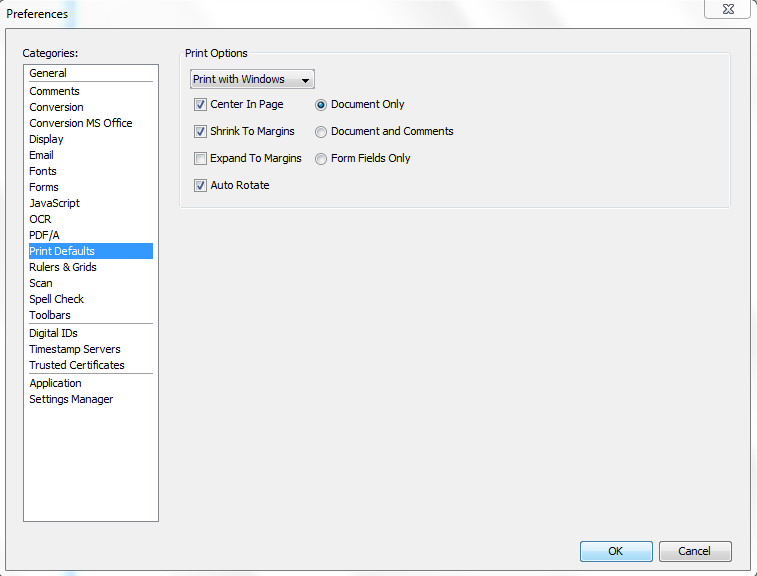 How To Print Pdf Without Comments
https://kbpdfstudio.qoppa.com/wp-content/uploads/Comment.png
Web Mar 17 2017 nbsp 0183 32 Erin Wright Writing 64 7K subscribers Subscribed 221 69K views 7 years ago How to Use Adobe Acrobat This tutorial shows three ways to print PDFs with comments and mark ups in Adobe
Templates are pre-designed documents or files that can be used for different functions. They can save time and effort by supplying a ready-made format and layout for creating different type of content. Templates can be utilized for individual or expert tasks, such as resumes, invites, leaflets, newsletters, reports, presentations, and more.
How To Print Pdf Without Comments

How To Print Pdf Without Comments

The Best How To Print Pdf With Comments References Dakwah Islami

The Best How To Print Pdf With Comments References Dakwah Islami
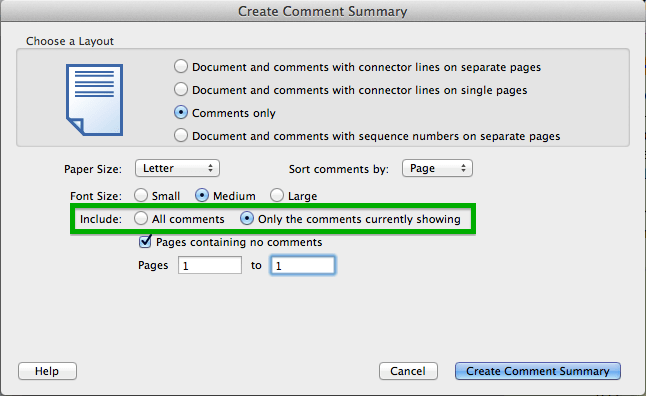
The Best How To Print Pdf With Comments References Dakwah Islami
How To Print PDF In Booklet Format In 5 Easy Steps Module Printing
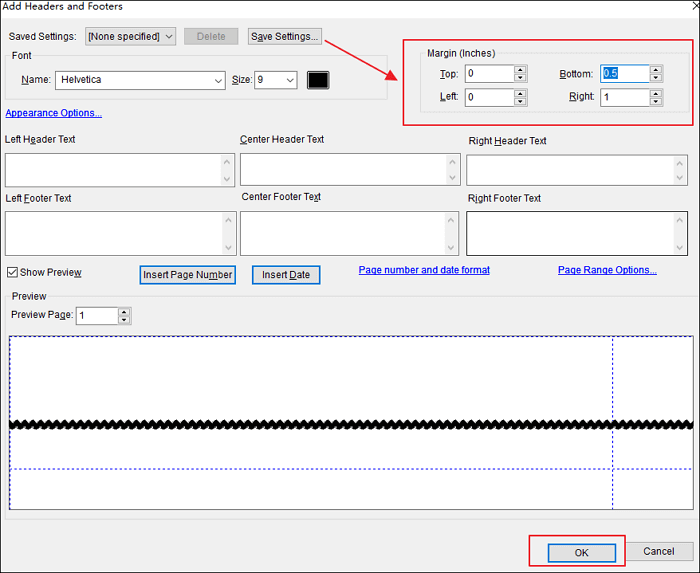
3 Ways How To Print PDF Without Margins 2022 EaseUS
Web Sep 19 2020 nbsp 0183 32 Step 1 Open the Word document with comments showing in the markup area Step 2 Go to File gt Print Here you can clearly see that the print preview display the comments
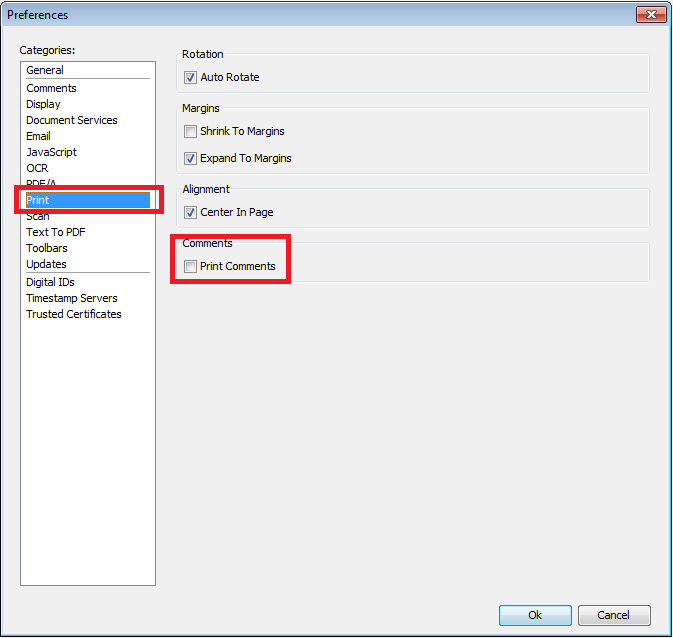
Web May 23 2023 nbsp 0183 32 Follow these steps in Adobe Acrobat or Reader to print PDF comments print in place comments in PDF print pop up comments in PDF print all comments in PDF print a list of comments in PDF print a summary of comments in your PDF
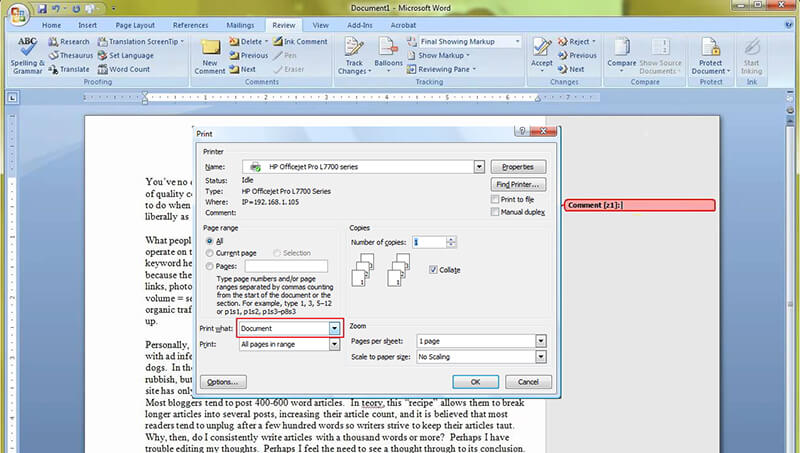
Web Jan 12 2017 nbsp 0183 32 Open PDF Select Print and then you need to select Adobe PDF as your printer Summarize Comments Click on Print and save the pdf choosing location When you will open again you will see the Comment summarized in
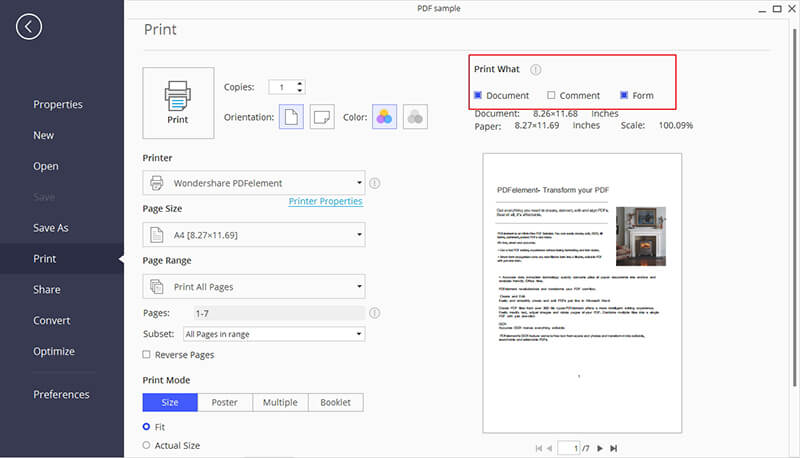
Web 3 13K subscribers 1 5K views 1 year ago Adobe Acrobat Pro Dc more Hello everyone Today I will show you How to print pdf without comments using Adobe Acrobat Pro DC Facebook
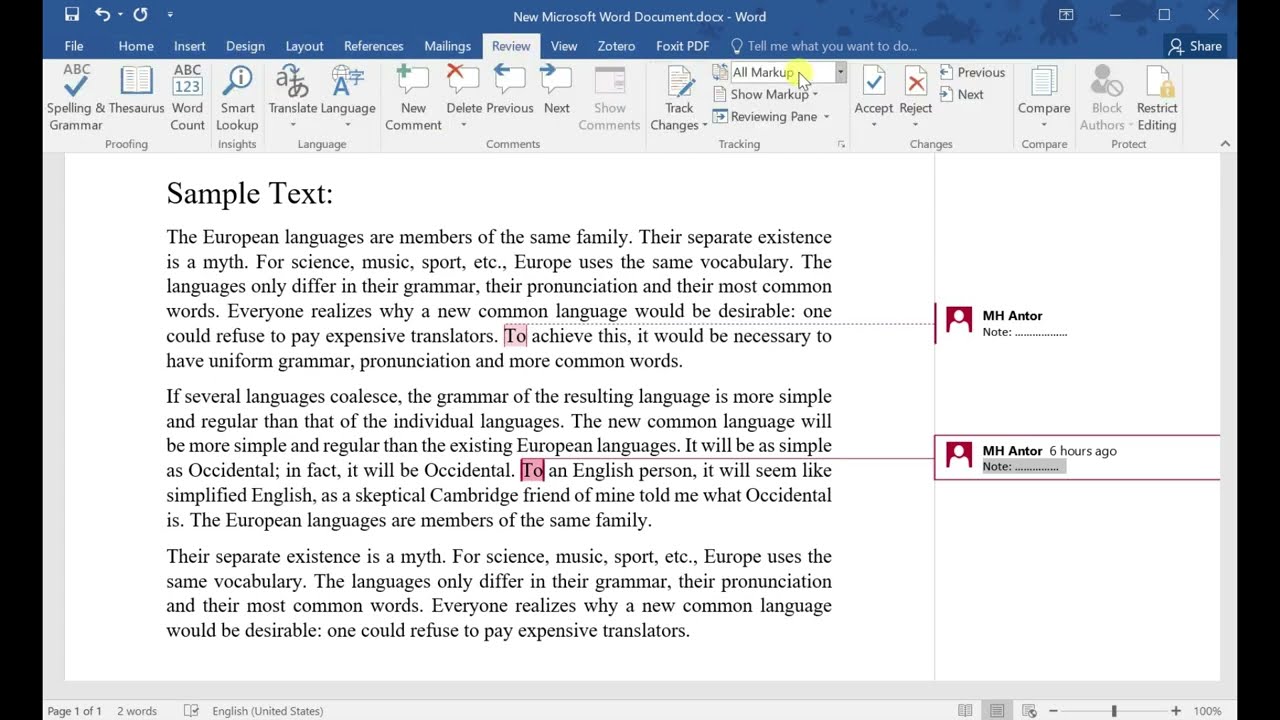
Web How to Print Files with or without Comments and Track Changes in Microsoft Word By Erin Wright This tutorial shows how to print files with or without in Microsoft Word We will also look at how to print a list of comments and
Web Feb 9 2012 nbsp 0183 32 Select Print And Pop ups and deselect Hide Comment Pop ups When Comments List is Open Click OK After that when you can enable to print a pdf with a comment you visit Epson Support Web Dec 1 2015 nbsp 0183 32 There are actually two primary ways of printing a document with comments Neither one of them is very obvious The first can be found in the print dialog box Print with comment summary The most obvious way to accomplish this task is to print a document with comments Go to File gt Print
Web Apr 30 2024 nbsp 0183 32 Part 1 Steps to do Word Print without Comments Part 2 Advantages of PDF Format Part 3 How to Print without Comments in PDF document Steps to do Word Print without Comments Print Word Documents without Comments on Word 2016 Open your word document Click on quot Show Markup quot in the tracking group found on the