How To Ignore Blank Spaces In Python C mo Eliminar Celdas En Blanco En Excel How To Print With Spaces In Python How To Ignore Blank Series In Legend Of Excel Chart ExcelDemy How To Ignore Blank Cells When Using Formulas In Excel Statology Python Split Ignore Empty How To Ignore Empty Spaces Example Code Learn how to update apps on Android Related resources Fix problems with the Google Play app How to update apps on Android
Important Before you set up a new Gmail account make sure to sign out of your current Gmail account Learn how to sign out of Gmail From your device go to the Google Account sign in You can easily work with your files with Google Drive for desktop You can also Keep local files safe Your computer files are securely stored in the cloud Keep files up to date across
Python Split Ignore Empty How To Ignore Empty Spaces Example Code How To Ignore Blank Cells In Range In Excel 8 Ways ExcelDemy How To Ignore Blank Cells In Excel Bar Chart 4 Easy Methods How To Ignore Blank Cells In Excel Bar Chart 4 Easy Methods How To Ignore Blank Cells In Excel Bar Chart 4 Easy Methods How To Ignore Blank Cells In Excel Bar Chart 4 Easy Methods How To Ignore Blank Cells When Using Formulas In Excel Smart Calculations How To Ignore Blank Cells In Google Sheets Stack Overflow How To Ignore Blank Cells In Range In Excel 8 Ways ExcelDemy
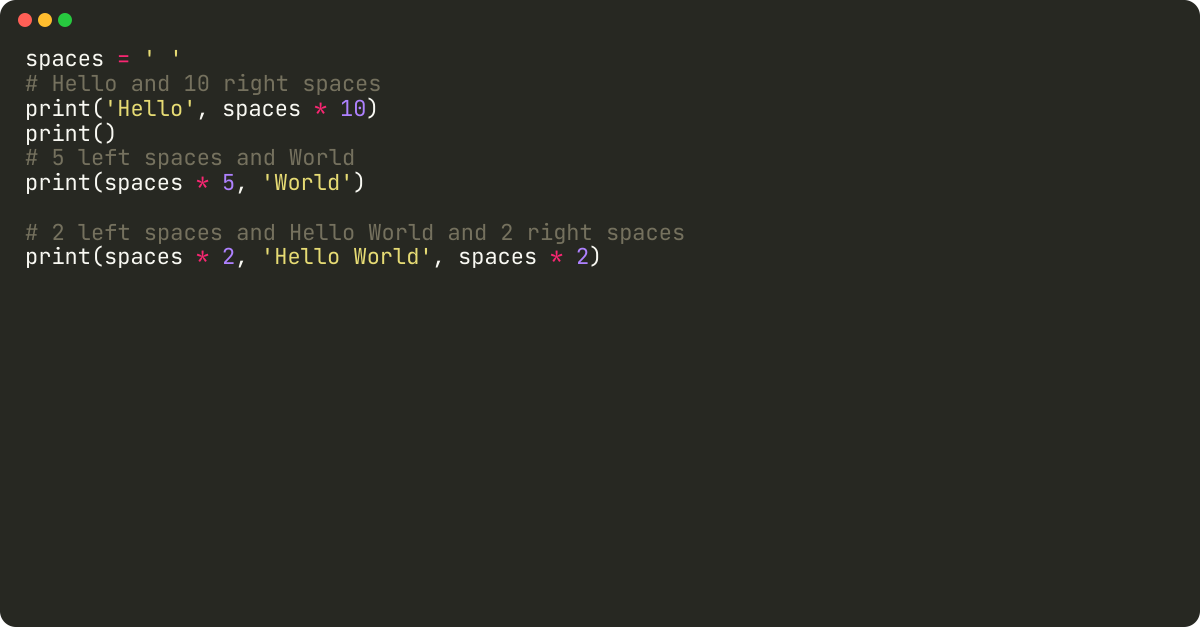
How To Ignore Blank Spaces In Python
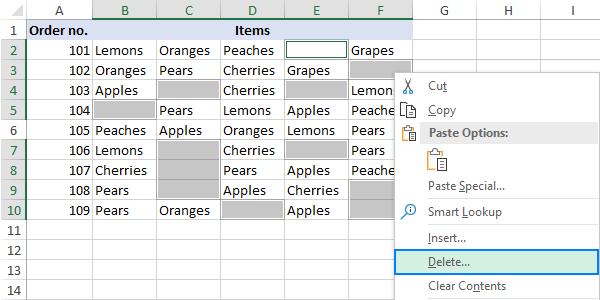 How To Ignore Blank Spaces In Python
https://expertogeek.com/wp-content/uploads/2022/06/1656198825_865_Como-eliminar-celdas-en-blanco-en-Excel.png
How to install Chrome Important Before you download you can check if Chrome supports your operating system and other system requirements
Templates are pre-designed documents or files that can be utilized for different purposes. They can save time and effort by supplying a ready-made format and layout for producing various sort of content. Templates can be utilized for individual or expert tasks, such as resumes, invitations, leaflets, newsletters, reports, presentations, and more.
How To Ignore Blank Spaces In Python

How To Ignore Blank Series In Legend Of Excel Chart ExcelDemy

How To Ignore Blank Cells In Range In Excel 8 Ways ExcelDemy

How To Ignore Blank Cells In Excel Bar Chart 4 Easy Methods

How To Ignore Blank Cells In Excel Bar Chart 4 Easy Methods

How To Ignore Blank Cells In Excel Bar Chart 4 Easy Methods

How To Ignore Blank Cells When Using Formulas In Excel Smart Calculations
How to install Chrome Important Before you download you can check if Chrome supports your operating system and other system requirements
Sign in to Gmail Tip If you sign in to a public computer make sure to sign out before you leave the computer Learn how to sign in on a device that s not yours

To find your username follow these steps You need to know A phone number or the recovery email address for the account The full name on your account Follow the instructions to

Important When you create a Google Account for your business you can turn business personalization on A business account also makes it easier to set up Google Business Profile

On your computer open Chrome At the top right click More Delete browsing data Choose a time range like Last hour or All time Select the types of information you want to remove Click
[desc-11] [desc-12]
[desc-13]