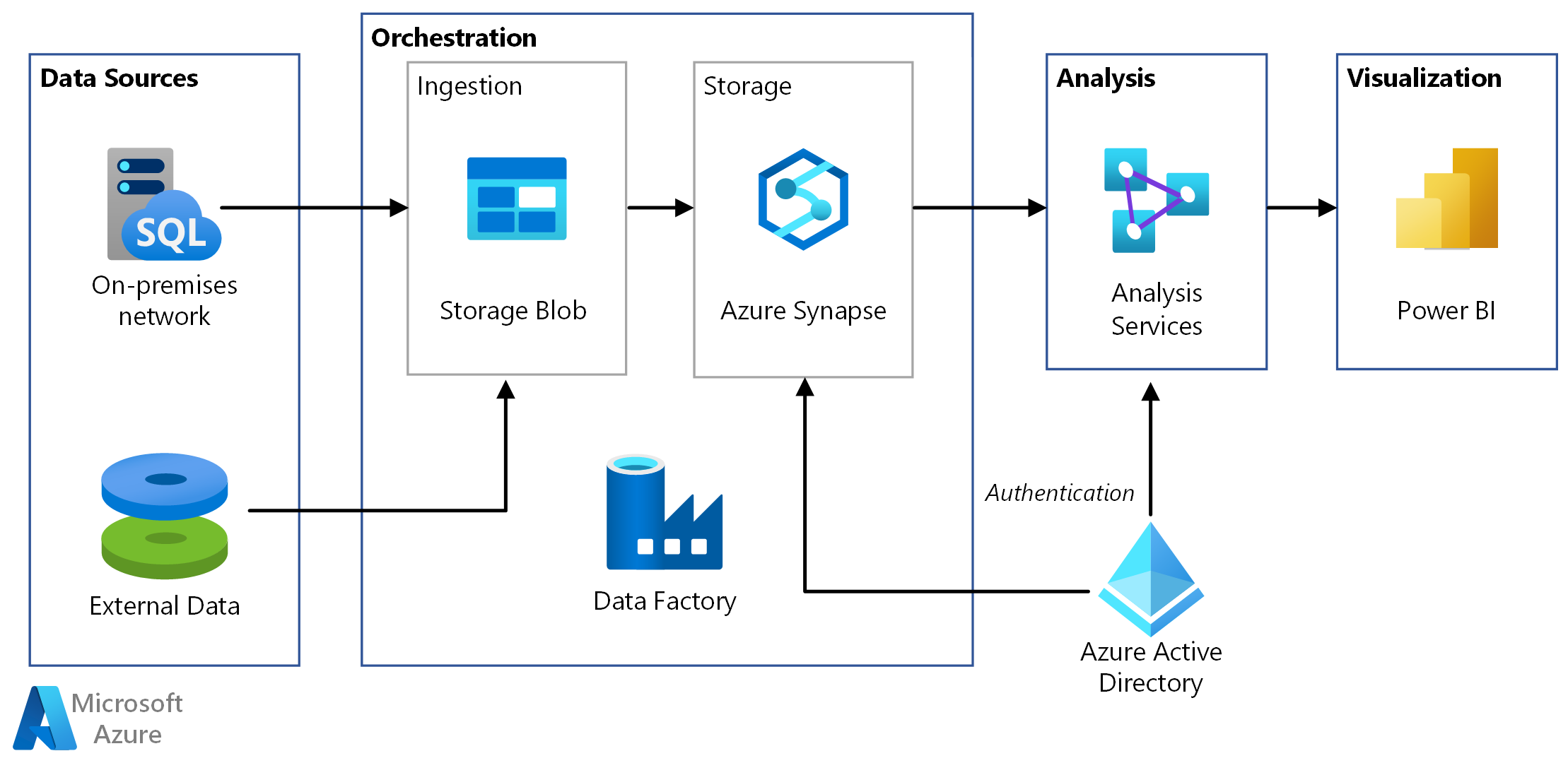
How To Get Data From Excel To Database How To Upload Data From Excel To Database Using Spring Boot YouTube How To Read Data From An Excel Sheet And Insert It Into A Database Excel Power BI Get Data From Excel Everything You Need To Know RADACAD Automated Enterprise BI Azure Architecture Center Microsoft Learn Web Select Data gt Get Data gt From Database gt From PostgreSQL Database In the PostgreSQL Database dialog box specify the PostgreSQL Database Server you want to connect to in the Server Name section If you want to import data using native database query specify your query in the SQL Statement box
Web Oct 11 2023 nbsp 0183 32 Here s how to use power query to quickly import your data into any Excel file Go to the Data tab Click on the Get Data command Choose the From File option Choose the From Excel Workbook option in the submenu This will open a file picker menu where you can navigate to your Excel database file Web Oct 13 2023 nbsp 0183 32 Get data To start working with your data in Power Query you need to import it from a source PQ supports many different data sources such as files databases online services and more The three most common sources can be accessed directly from the Excel ribbon on the Data tab in the Get amp Transform Data group These primary
Automated Enterprise BI Azure Architecture Center Microsoft Learn SqlBulkCopy MVC Bulk Import Insert Data From Excel To Database Using How To Import Excel Into Access 8 Steps with Pictures WikiHow Excel TheSpreadsheetGuru Vlookup Example Between Two Sheets In Excel 2013 Iweky Vrogue Excel Spreadsheet Converter Hopsapje Riset Youtube Import Data From Excel To Excel Macro Geraturbo Mise En Forme Conditionnelle Dans Power BI Import Data From A Web Page In Excel YouTube
How To Get Data From Excel To Database
 How To Get Data From Excel To Database
https://i.ytimg.com/vi/3VNdnz9pqak/maxresdefault.jpg
Web Aug 31 2022 nbsp 0183 32 To connect Excel to a database in SQL Database open Excel and then create a new workbook or open an existing Excel workbook In the menu bar at the top of the page select the Data tab select Get Data select From Azure and then select From Azure SQL Database In the SQL Server database dialog box type the Server name you
Pre-crafted templates provide a time-saving service for producing a varied range of files and files. These pre-designed formats and designs can be made use of for numerous personal and professional projects, consisting of resumes, invitations, flyers, newsletters, reports, discussions, and more, simplifying the content development procedure.
How To Get Data From Excel To Database
Read Excel Data And Insert Into Mysql Database Using PHP Webslesson

SqlBulkCopy MVC Bulk Import Insert Data From Excel To Database Using

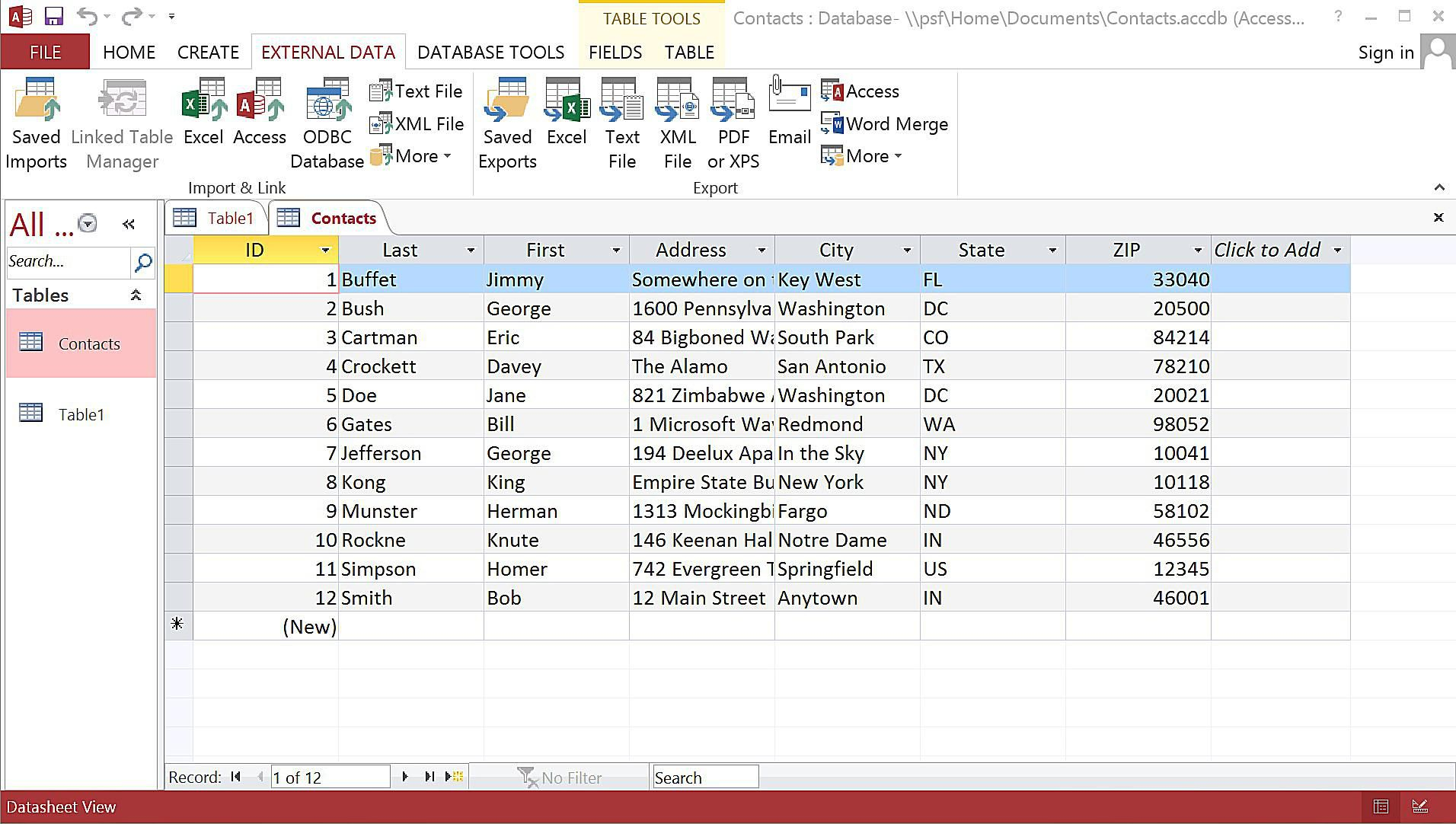
How To Import Excel Into Access 8 Steps with Pictures WikiHow

Excel TheSpreadsheetGuru
Excel Spreadsheet Converter Hopsapje Riset

Youtube Import Data From Excel To Excel Macro Geraturbo

Web Nov 11 2021 nbsp 0183 32 1 Using SQLizer to create a sql file 2 Use Dropbase to create an Instant Database 3 Export to SQL Server 4 Use Airtable to visualize your data 0 5 Convert your Excel file to a csv then use csv tools Most tools recommend that you convert your Excel file to a csv and then export to a database
Web Nov 10 2017 nbsp 0183 32 the SQL Server Import and Export Wizard In this article steps for importing data from an Excel file to a SQL Server database will be explained using the SQL Server Import and Export Wizard including some of problems that can occur during the processes

Web Selecting data from a database You retrieve data from a database by creating a query which is a question that you ask about data stored in an external database For example if your data is stored in an Access database you might want to know the sales figures for a specific product by region

Web Oct 21 2019 nbsp 0183 32 Method 1 Using Microsoft Access Download Article 1 Open Microsoft Access It s the red app with an A Doing so opens the Access template page Access is designed for use with Excel and comes bundled with Excel in Microsoft Office Professional and is only available for Windows 2 Click Blank database
Web When checked and File option with the Browse for folder button will appear Click on this option in which the file for import data in SQL database will be selected In this case dbo Excel data Excel file will be selected Click Open to continue Click OK to close the Add Import source window
Web Switch to Excel and open the worksheet that has data that you want to import Select the range of cells that contain the data that you want to import Right click within the selected range and then click Name a Range or Define Name In the New Name dialog box specify a name for the range in the Name box and click OK Web Oct 22 2019 nbsp 0183 32 From the comments above it s become clearer now that the issue you face is how to build the SQL statements inside VBA However you are very much closer than you think This function below will build an insert statement for each row of data provided the columns in the Excel tab is exactly equal to and in exact order as the fields in the SQL
Web This article shows you how to move your data from Excel to Access and convert your data to relational tables so that you can use Microsoft Excel and Access together To summarize Access is best for capturing storing querying and sharing data and Excel is best for calculating analyzing and visualizing data