How To Format Write Protected Usb With Cmd How To Format Write Protected USB Drive Using Cmd On Windows 10 Solved How To Format Write protected Disk Easily In Windows 10 8 7 7 Ways To Fix The Disk Is Write Protected Error Of USB Drive How To Format Write Protected USB Pen Drive 7 Ways EaseUS How To Format Write protected USB Pen Drive In Windows 11 10 If you re having trouble accessing a Google product there s a chance we re currently experiencing a temporary problem You can check for outages and downtime on the Google Workspace
By adding utm campaign parameters to the destination URLs you use in referral links and ad campaigns you can see which campaigns refer traffic When a user clicks a referral link the Jan 14 2010 nbsp 0183 32 how about what about how about what about 1 how about 2 what
How To Format Write protected USB Pen Drive In Windows 11 10 Format Write Protected USB Flash Drive Using CMD How To Format Write Protected USB Drive And Memory Card How To Format Write Protected Pen Drive Usb Flash Drive Or Memory Card Format Write Protected USB Flash Drive Using CMD How To Format Write Protected USB Drive Using Cmd On Windows 10 Usb How To Remove Write Protection From USB Flash Drive Using Cmd YouTube Best Free USB Format Tool Format USB Successfully On Windows PC How To Format Write Protected USB Or Sd Card TooEasier
How To Format Write Protected Usb With Cmd
 How To Format Write Protected Usb With Cmd
https://cdn.wintechlab.com/wp-content/uploads/2019/05/Format-USB-using-Command-prompt-windows-10-768x462.jpg
In Incognito mode third party cookies are blocked by default If a site that relies on third party cookies doesn t work as expected you can try temporarily allowing them for that site Learn
Templates are pre-designed files or files that can be used for various functions. They can conserve effort and time by supplying a ready-made format and layout for developing different kinds of content. Templates can be utilized for personal or professional tasks, such as resumes, invitations, leaflets, newsletters, reports, presentations, and more.
How To Format Write Protected Usb With Cmd
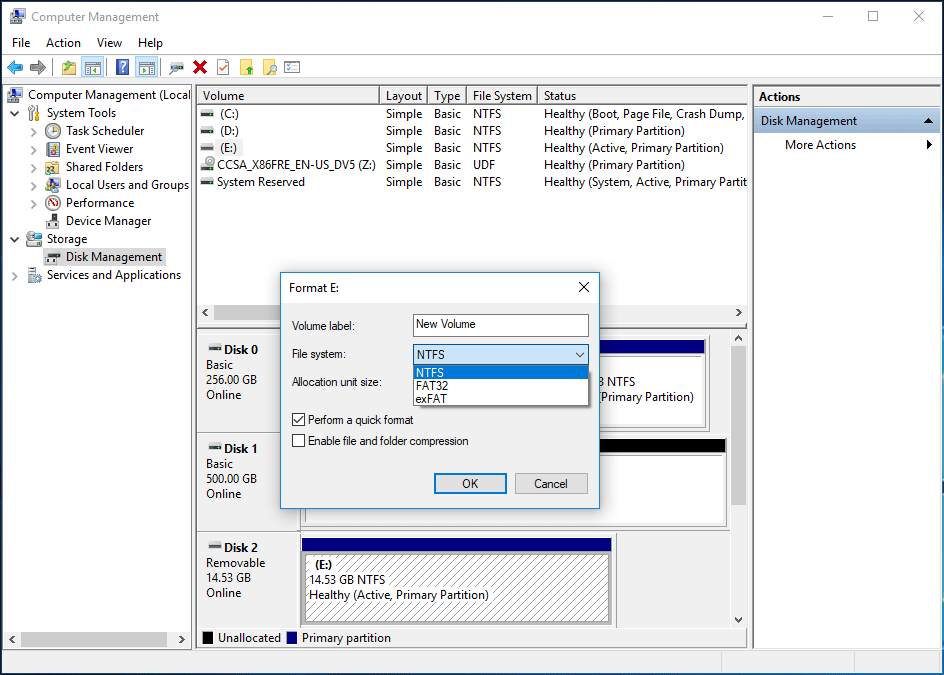
The Disk Is Write protected Remove It From USB Windows 10 8 7
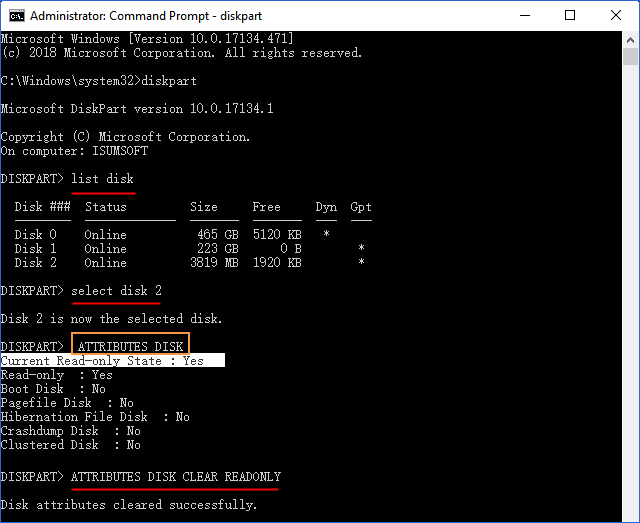
Format Write Protected USB Flash Drive Using CMD
How To Format Write Protected USB Drive And Memory Card

How To Format Write Protected Pen Drive Usb Flash Drive Or Memory Card

How To Format Write Protected USB Drive Using Cmd On Windows 10 Usb
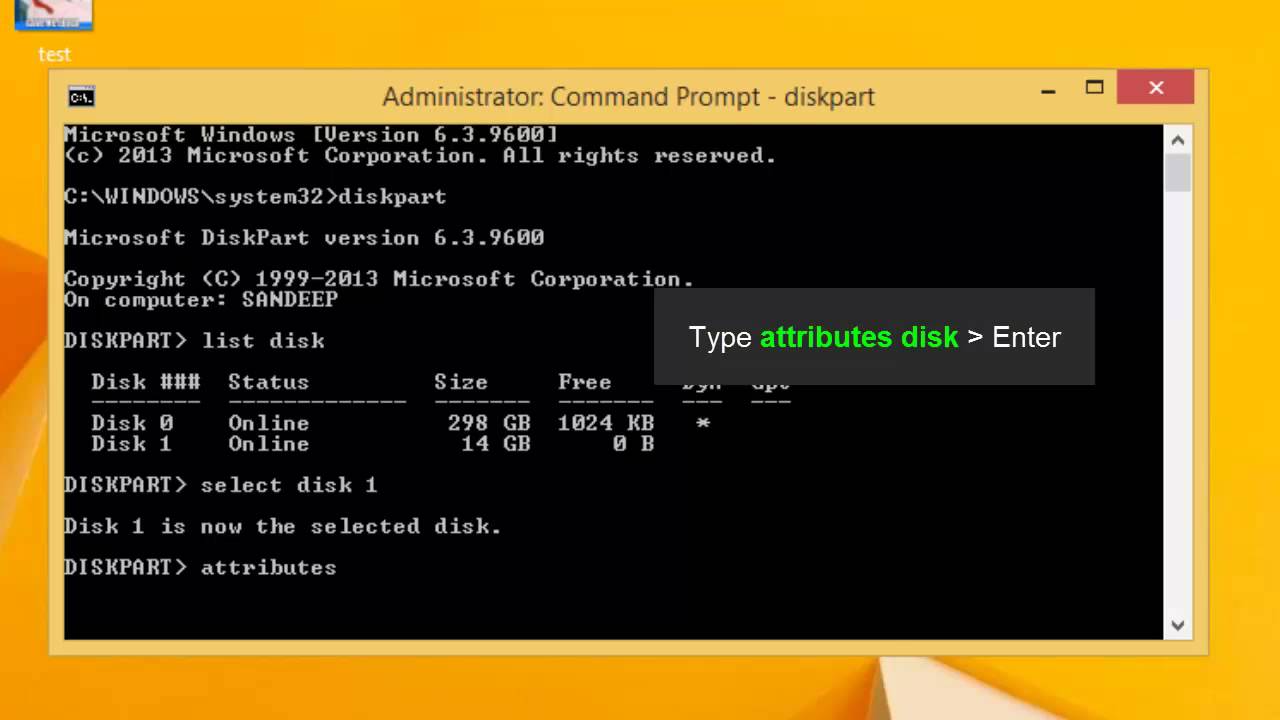
How To Remove Write Protection From USB Flash Drive Using Cmd YouTube

How to install Chrome Important Before you download you can check if Chrome supports your operating system and other system requirements

You can get directions for driving public transit walking ride sharing cycling flight or motorcycle on Google Maps If there are multiple routes the best route to your destination is blue All other

Google Chrome tips Google Chrome tips From productivity to customization learn how to get things done more quickly with your browser

If you forgot your password or username or you can t get verification codes follow these steps to recover your Google Account That way you can use services like Gmail Pho

Official Google Play Help Center where you can find tips and tutorials on using Google Play and other answers to frequently asked questions
[desc-11] [desc-12]
[desc-13]