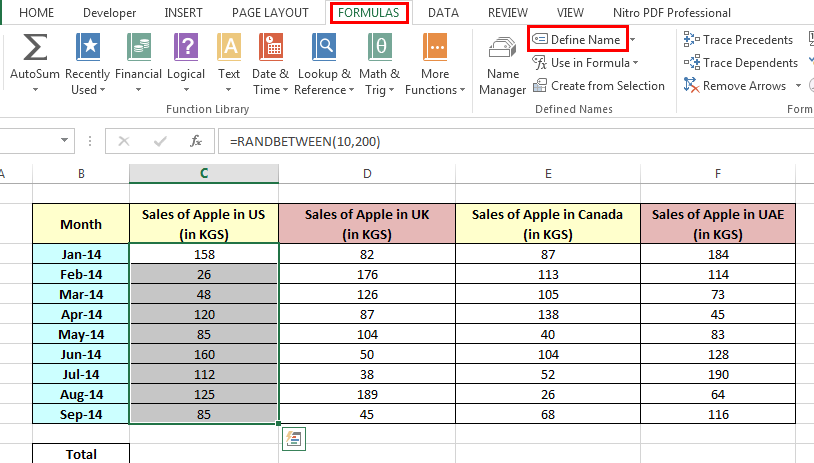
How To Do Data Range In Excel How To Delete Blank Rows In Data Range In Excel YouTube Range In Excel Examples How To Find Range In Excel Interval De Date n Excel Invatatiafaceri ro Range Name Excel How To Calculate Data Range And Sample Variance In Excel 2010 YouTube Web Jan 29 2021 nbsp 0183 32 What to Know Highlight the desired range of cells and type a name in the Name Box above column A in the worksheet Alternatively highlight the desired range select the Formulas tab on the ribbon then select Define Name To manage range names go to the Formulas tab select Name Manager choose a name then select Delete or Edit
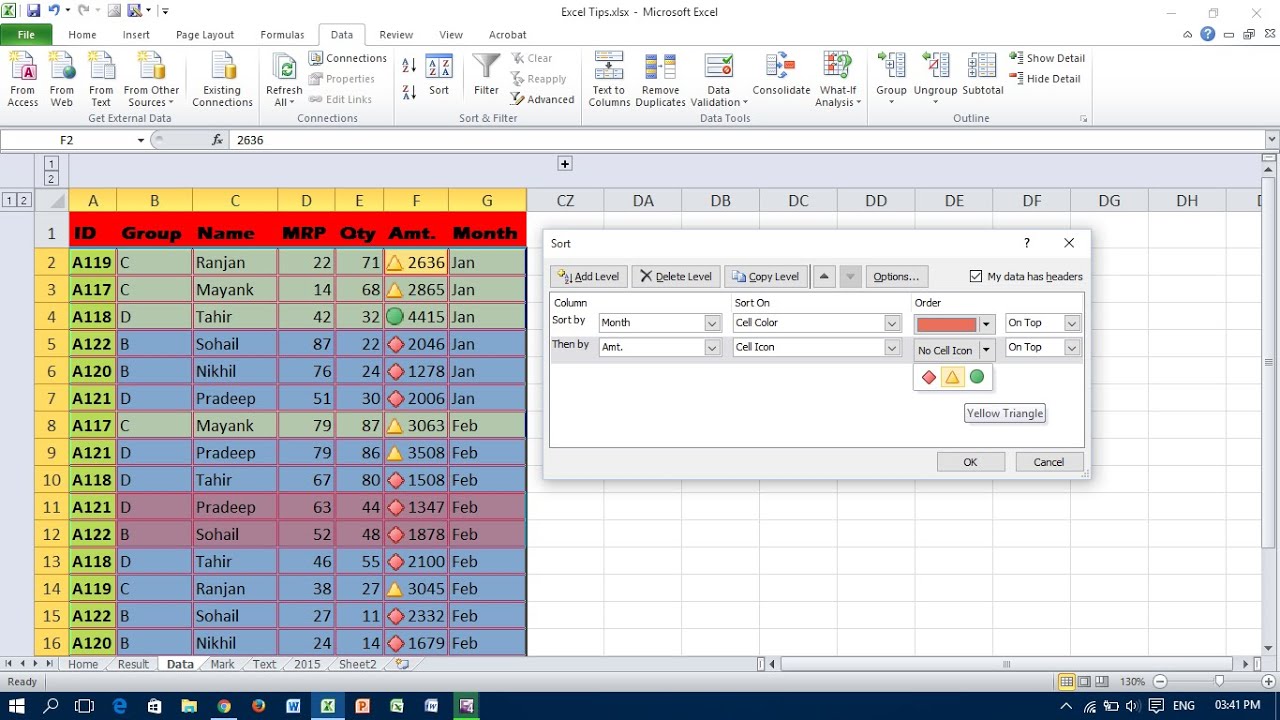
Web A named range is just a human readable name for a range of cells in Excel For example if I name the range A1 A100 quot data quot I can use MAX to get the maximum value with a simple formula MAX data max value The beauty of named ranges is that you can use meaningful names in your formulas without thinking about cell references Once you have Web To do so first convert the table to a range by selecting any cell in the table and then clicking Table Tools gt Convert to range Select any cell within the range you want to sort On the Data tab in the Sort amp Filter group click Sort
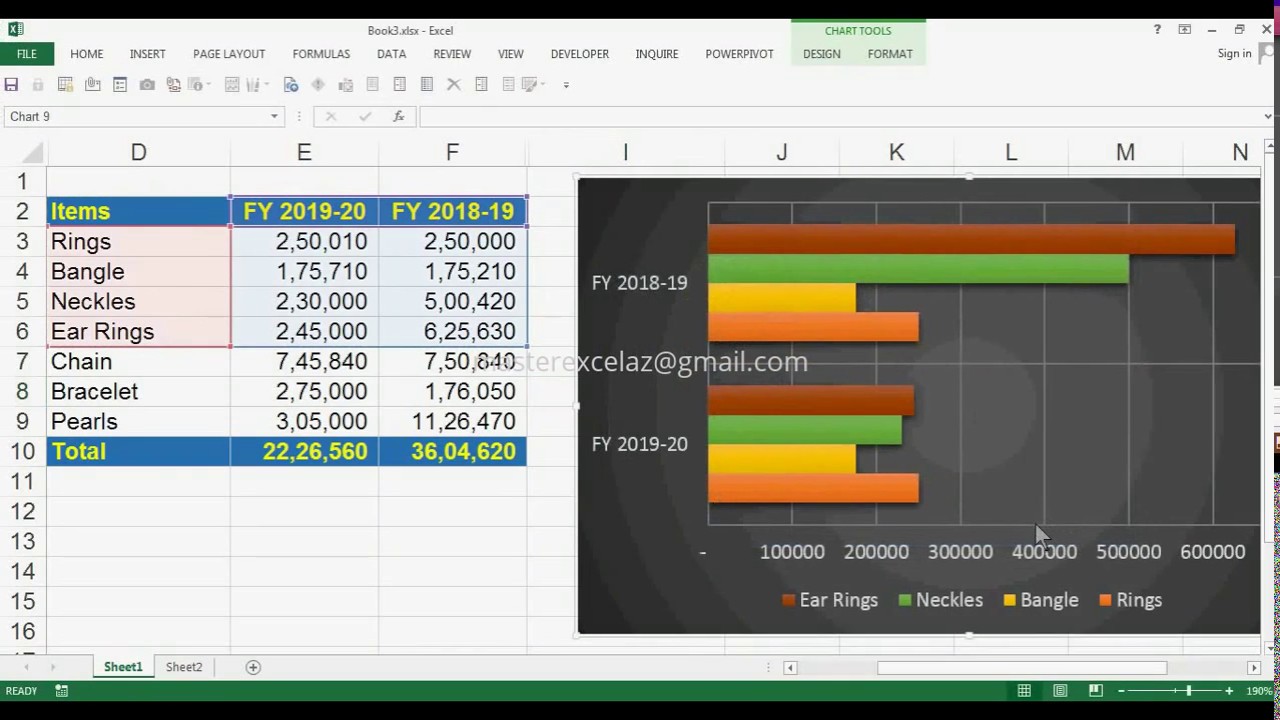
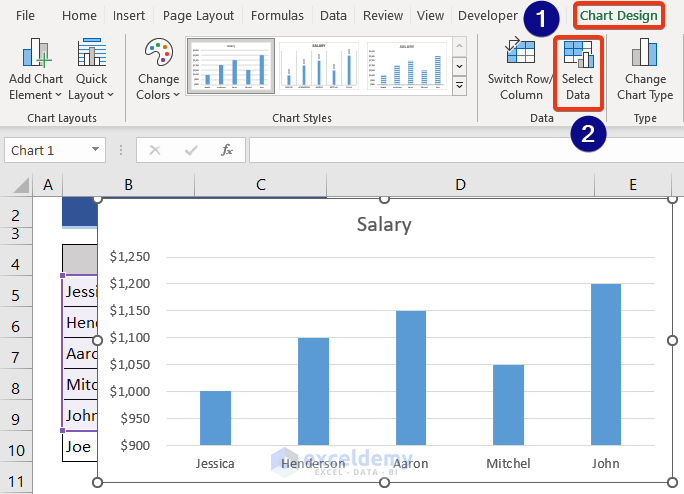
How To Calculate Data Range And Sample Variance In Excel 2010 YouTube How To Change Data Range In Chart In MS Excel 2013 Basic Excel Skill How To Expand Chart Data Range In Excel 5 Suitable Methods How To Expand Chart Data Range In Excel 5 Suitable Methods How To Select A Large Data Range In One Click In Excel Microsoft How To Expand Chart Data Range In Excel 5 Suitable Methods Sort A Data Range In Excel YouTube Range Bar Graph Excel KennethKellas Excel Change Data Range In A Chart Using VBA ITecNote
How To Do Data Range In Excel
 How To Do Data Range In Excel
https://i.ytimg.com/vi/7hddcOz10UY/maxresdefault.jpg
Web The concept of a cell range is one of most important ideas in Excel A range is a rectangular group of cells For example you can refer to the first 10 cell in column A with a range like this A1 A10 first 10 cells in column A In Excel the colon is a range operator and separates the first reference from the last reference in a range
Pre-crafted templates provide a time-saving option for producing a diverse variety of documents and files. These pre-designed formats and designs can be made use of for numerous personal and expert tasks, consisting of resumes, invitations, flyers, newsletters, reports, presentations, and more, simplifying the material creation process.
How To Do Data Range In Excel
Named Range In Excel
How To Change Data Range In Chart In MS Excel 2013 Basic Excel Skill

How To Expand Chart Data Range In Excel 5 Suitable Methods

How To Expand Chart Data Range In Excel 5 Suitable Methods
How To Expand Chart Data Range In Excel 5 Suitable Methods
Sort A Data Range In Excel YouTube

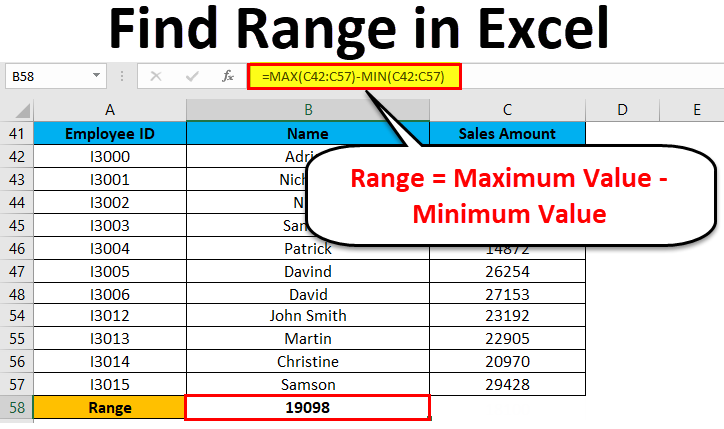
Web Mar 14 2022 nbsp 0183 32 How to Calculate Range in Excel Open your Excel sheet and select the cell where you want to display the range for your data set For this example we have our numbers in cells A1 through A5 and use this formula MAX A1 A5 MIN A1 A5 The first part of the formula MAX A1 A5 finds the highest value in the data set
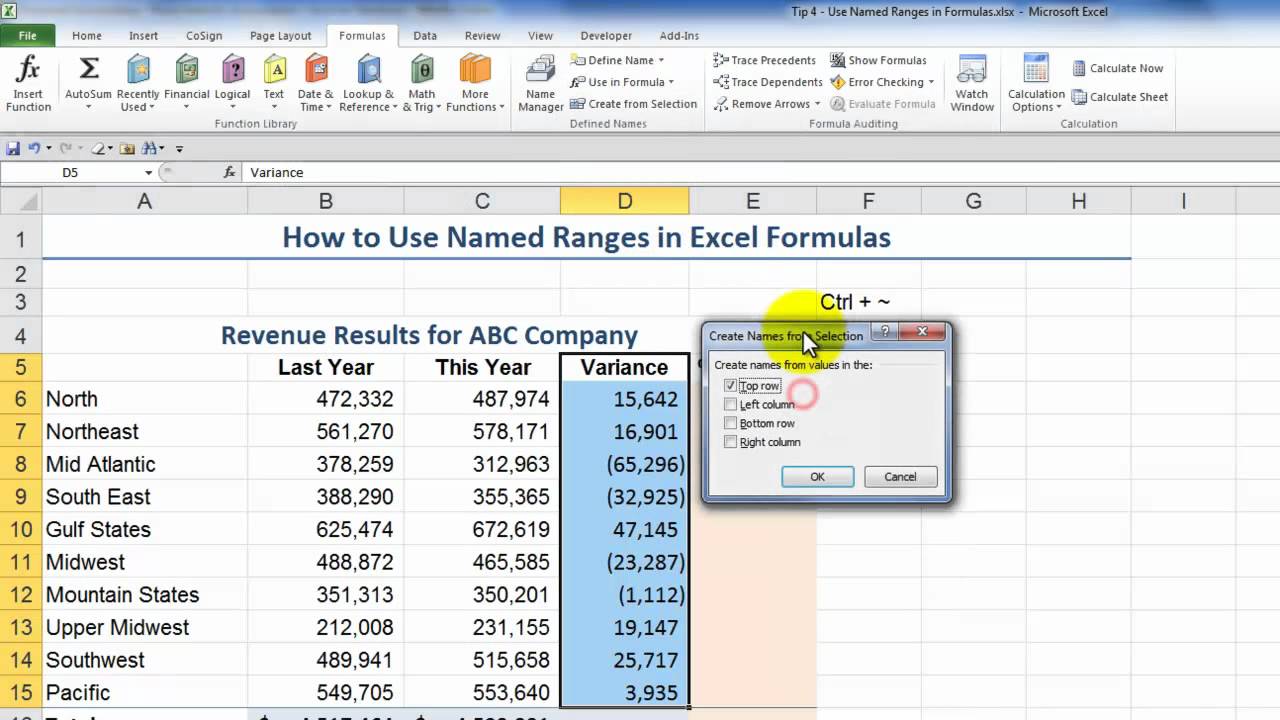
Web Mar 17 2017 nbsp 0183 32 How to Create Named Ranges in Excel Here are three ways to create Named Ranges in Excel Method 1 Using Define Name Here are the steps to create Named Ranges in Excel using Define Name Select the range for which you want to create a Named Range in Excel Go to Formulas gt Define Name

Web You can quickly create a named range by using a selection of cells in the worksheet Note Named ranges that are created from selecting cells have a workbook level scope Select the range you want to name including the row or column labels Click Formulas gt
Web 2 Drag the range to its new location Copy Paste a Range To copy and paste a range execute the following steps 1 Select the range right click and then click Copy or press CTRL c 2 Select the cell where you want the first cell of the range to appear right click and then click Paste under Paste Options or press CTRL v

Web To test whether your data is correctly entered as a range try clicking on one cell in the range and pressing the shortcut key combination CTRL If you don t have a number keyboard press CTRL SHIFT 8 This will select what Excel sees as the range If it doesn t select the right data review your data for empty cells or rows
Web How to Find the Range in Excel Calculation of the range is a very simple process requiring three basic arithmetic operations Finding the largest value Finding the smallest value Finding the difference between the two Given below are two methods to quickly calculate the range of a set of numbers in Excel Web Aug 11 2023 nbsp 0183 32 A range is a difference between the Largest maximum value and the Shortest minimum value in a given dataset in mathematical terms Range defines the spread of values in any dataset It calculates by a simple formula like below Range Maximum Value Minimum Value
Web Feb 4 2020 nbsp 0183 32 Create a Dynamic Defined Range in Excel Create a Two Way Dynamic Defined Range Your Excel data changes frequently so it s useful to create a dynamic defined range that automatically expands and contracts to the