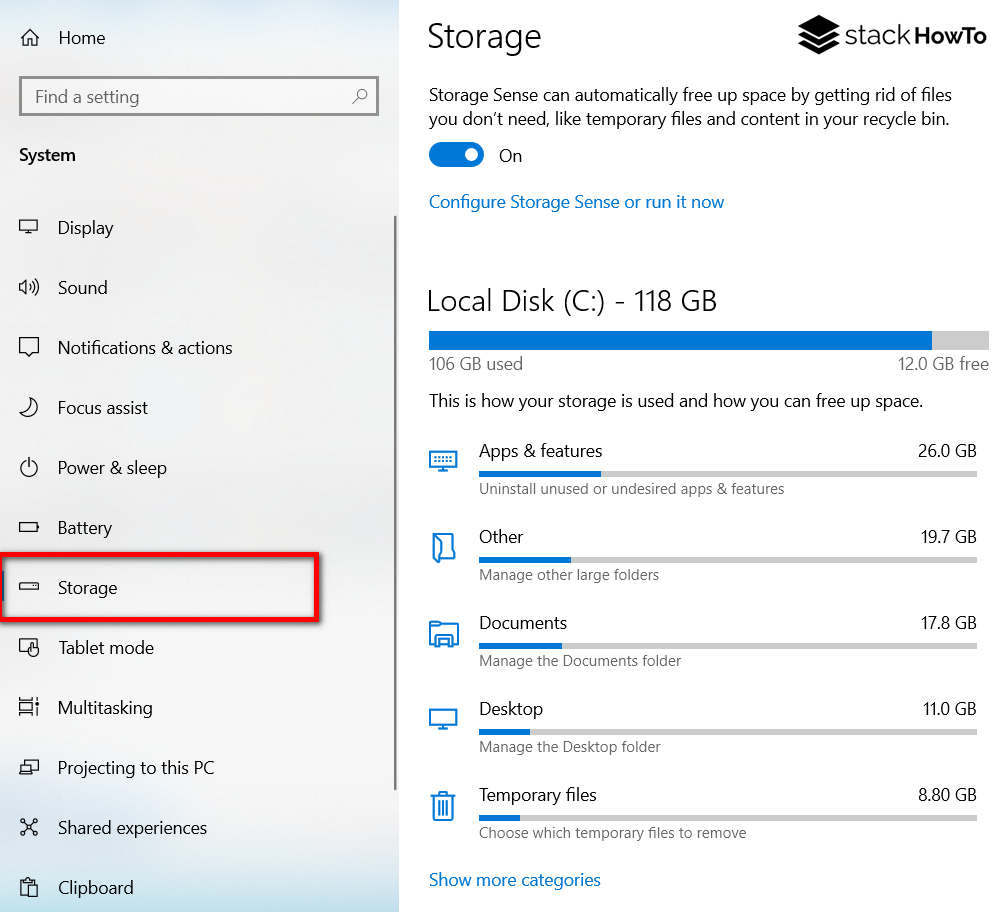
How To Delete Previous Windows How To Delete Previous Version Of Windows On Windows 10 YouTube How To Delete Previous Windows Installations After Update WINDOWS 10 How To Delete Previous Windows Installation Files In Windows 11 10 How To Delete Previous Version Of Windows In Windows 10 StackHowTo How To Delete Previous Version Of Windows 10 After Windows 10 1909 If you want to remove the previous version after you upgrade the easiest method is to use Storage sense in the Settings app Follow the steps below for your version of the Windows operating system Windows 10 Open Settings Select System Select Storage In the Storage sense section choose Change how we free up space automatically
Type exit and press Enter Run the delete Windows old command Run the following command to remove theWindows old folder replacing C with your drive letter if necessary RD S Q C Windows will also remove it automatically after about one month Upgraded from an old version of Windows You have a Windows old folder on your computer and it s using up a huge amount of space You can delete it but it s different from deleting a normal folder The Windows old folder isn t something new with Windows 10
How To Delete Previous Version Of Windows 10 After Windows 10 1909 How To Delete Previous Windows Installation And Free Up Space YouTube 2 MIN TIPS How To Delete Previous Version Of Windows 10 After Update Win old How To Delete Previous Windows Installation Folder After How To Delete Previous Version Of Windows In Windows 10 StackHowTo How To Delete Temporary Files In Windows 7 with Pictures How To Remove Previous Windows Installation Files On Windows 11 How To Delete Previous Windows Installation Files In Windows 11 10 How To Delete Previous Windows Version System Folder
How To Delete Previous Windows
 How To Delete Previous Windows
https://i.ytimg.com/vi/dnBadBePKjk/maxresdefault.jpg
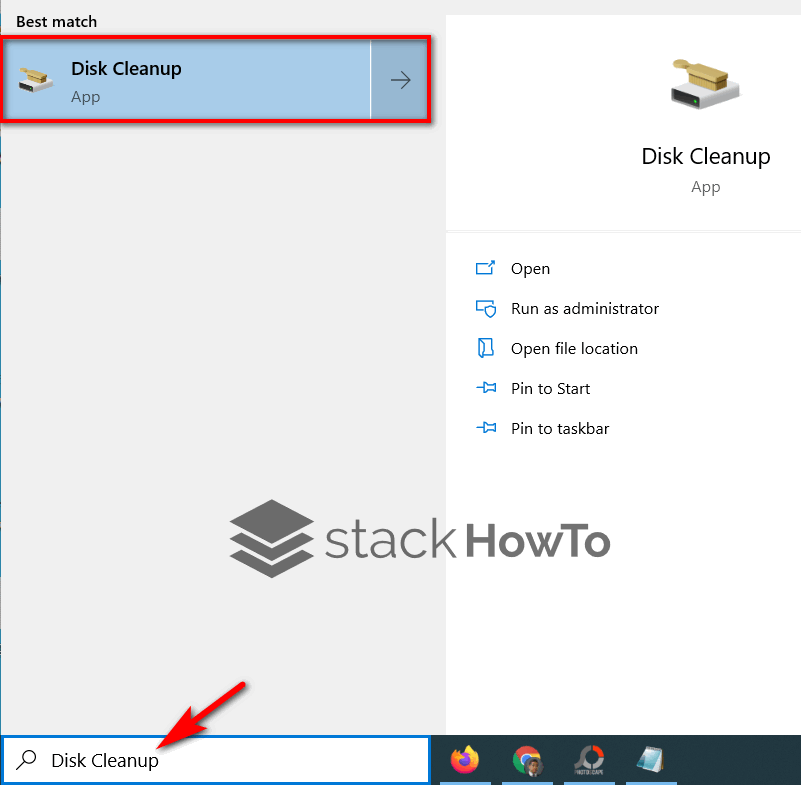
Step 1 Click in Windows search field type Cleanup then click Disk Cleanup Step 2 Click the Clean up system files button Step 3 Wait a bit while Windows scans for files then scroll
Pre-crafted templates provide a time-saving option for producing a diverse variety of files and files. These pre-designed formats and layouts can be made use of for numerous personal and professional projects, including resumes, invitations, flyers, newsletters, reports, presentations, and more, improving the material creation procedure.
How To Delete Previous Windows
How To Delete Previous Version Of Windows In Windows 10 StackHowTo

How To Delete Previous Windows Installation And Free Up Space YouTube

2 MIN TIPS How To Delete Previous Version Of Windows 10 After Update

Win old How To Delete Previous Windows Installation Folder After

How To Delete Temporary Files In Windows 7 with Pictures
How To Remove Previous Windows Installation Files On Windows 11

1 Open your Windows Settings You can do this easily by clicking Settings or the gear icon in your Windows Start menu On both Windows 10 and 11 Windows old and other previous operating system files are deleted automatically 10 days after the upgrade 1 You can delete Windows old early to reclaim several gigabytes of disk space

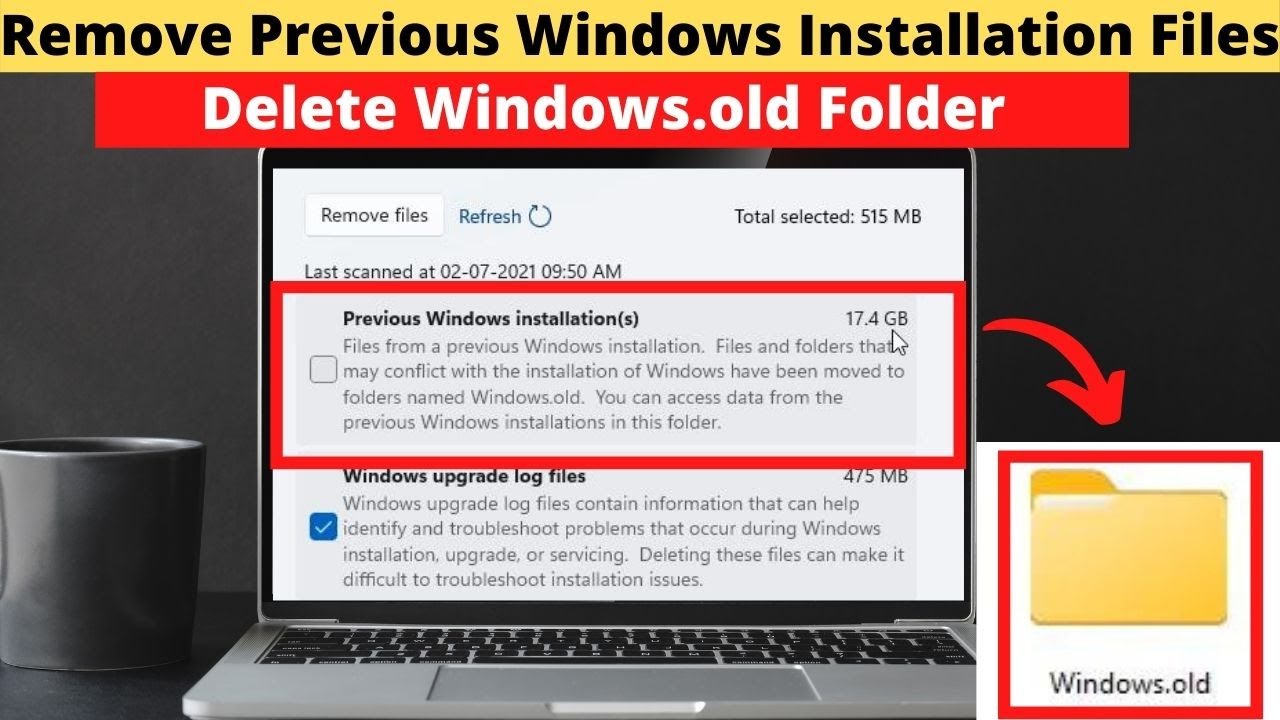
Press the Windows logo key on your keyboard then select Settings System Storage Open Storage Settings Under your hard drive information select Temporary files Select the Previous version of Windows check box and then select Remove files Related topics Free up drive space in Windows SUBSCRIBE RSS FEEDS Need more help Want more options

To remove the Windows old folder from the Temporary files settings use these steps Open Settings Click on System Click on Storage Under the Storage sense section click the Temporary
Select the checkbox for Previous Windows installations from the list of files to delete Select Previous Windows installation to delete the Windows old folder

Select the top best match result at the top When the Disk Cleanup window opens press the Clean up System Files button at the bottom It might take a few moments for the tool to scan your PC
Go to the Windows search bar This is the magnifying glass icon on the left side of your taskbar next to the windows logo Type Cleanup Launch the Disk Cleanup app Click the Clean up system files button The system will generate files that you can clean up and their corresponding sizes If you have multiple drives select the C drive Step 2 Click on Settings Step 3 Then go to System Step 4 Once in the system settings click on Storage in the left pane Step 5 Click on Configure Storage Sense or run it now Step 6 Here in the Free up space now section check the box Delete previous version of Windows and click on the Clean Now button
Created on November 12 2022 Question How do I delete my old Windows 11 PC backups since I had to reset my PC many times the past 30 days or so Saturday November 12th 2022 I just want my current list of apps and all to select to restore from my backups when I set up Windows 11