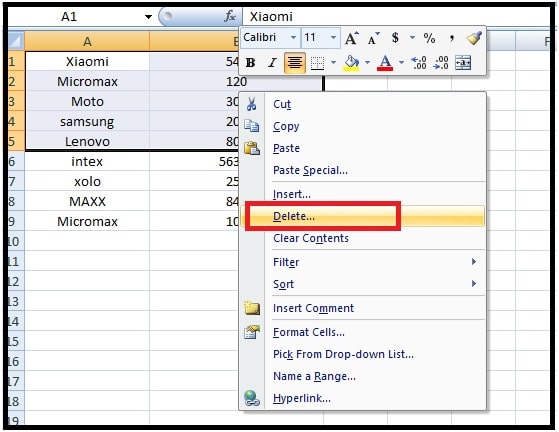
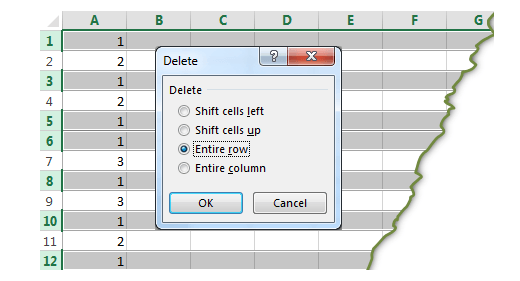
How To Delete Multiple Rows In Excel How To Delete Same Rows Or Ranges Across Multiple Sheets In Excel How To Delete Blank Rows In Excel 5 Fast Ways To Remove Empty Rows Riset How To Delete Multiple Blank Cells At A Time In MS Excel Excel 2003 Microsoft Excel ZanZ How To Delete Multiple Rows In Microsoft Excel All At Once Www vrogue co Right click one of the selected rows and click on Delete A Delete dialog box will pop up and you will be asked to confirm that you want to delete the selected rows Click OK to delete the rows It is that simple You can also use the Ctrl key and click on each row s header to select individual rows before deleting them
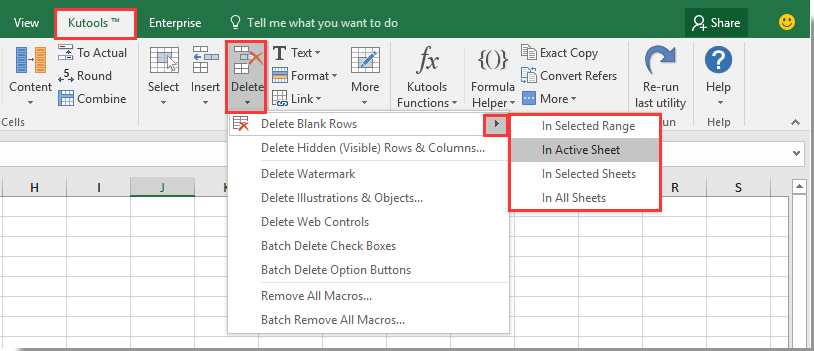
Steps Select the range of rows Right Click on the selection area Click on Delete from the Context menu Read More Delete Multiple Rows in Excel Using Formula 3 Remove Non Consecutive Multiple Rows If you want to delete a range of rows that are not next to each other then you can follow this guide step by step Steps Here comes the need to delete a row remove multiple rows or only remove blank rows in Excel Read this guide until the end to find out ways to delete a row in Excel that suits different personal and business needs Let s
How To Delete Multiple Rows In Microsoft Excel All At Once Www vrogue co How To Delete Empty Rows In Excel 14 Steps with Pictures Remove Blank Rows In Excel Delete Empty Columns And Sheets Riset how To Delete Multiple Rows In Excel Part 3 Biblipole How To Delete Blank Rows In Microsoft Excel Quickly And Easily Riset Delete Multiple Columns Or Rows Column Row Workbook Worksheet How To Delete Multiple Rows In Excel Kittylasopa How To Delete Multiple Rows In Excel With Condition 3 Ways ExcelDemy How To Remove Duplicate Rows In Excel
How To Delete Multiple Rows In Excel
 How To Delete Multiple Rows In Excel
https://www.extendoffice.com/images/stories/doc-excel/doc-delete-rows-below/doc-delete-all-rows-below-02.png
One way to delete multiple rows is by using the Ctrl key with the minus key shortcut to select and delete a range of rows at once Another method is using the Ctrl Shift Down arrow key combination to select all rows below the active cell Then with multiple rows selected use the Ctrl minus key shortcut to delete the selected rows
Pre-crafted templates provide a time-saving option for developing a varied range of files and files. These pre-designed formats and designs can be used for numerous individual and professional projects, consisting of resumes, invitations, leaflets, newsletters, reports, discussions, and more, streamlining the content development process.
How To Delete Multiple Rows In Excel
How To Delete Multiple Excel Rows At The Same Time 99Media Sector

How To Delete Empty Rows In Excel 14 Steps with Pictures

Remove Blank Rows In Excel Delete Empty Columns And Sheets Riset
how To Delete Multiple Rows In Excel Part 3 Biblipole
Delete Multiple Columns Or Rows Column Row Workbook Worksheet
How To Delete Multiple Rows In Excel Kittylasopa
Method 1 Delete Multiple Adjacent Rows Using the Excel shortcut The keyboard shortcut is the simplest way to delete multiple rows in Excel To do so we can follow the steps outlined below Choose the row headers of inactive customers Select the first row then hold the shift key on your keyboard and then select the last row
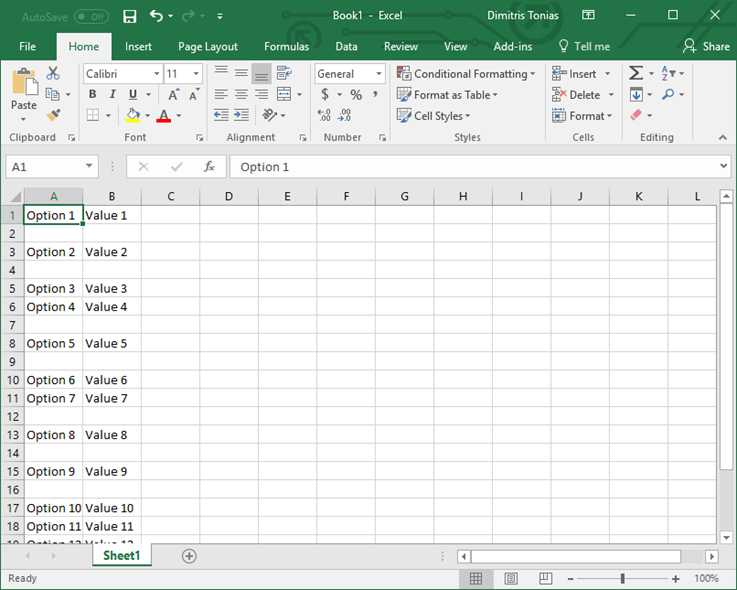
Deleting Multiple Rows in Excel Contiguous Rows Deleting Multiple Rows in Excel Non Contiguous Delete Records In the Dataset Only Without Deleting Cells on the Sides Delete Rows Based on Cell Color Delete Rows Based on Cell Value Delete Rows in an Excel Table Deleting Rows Using VBA
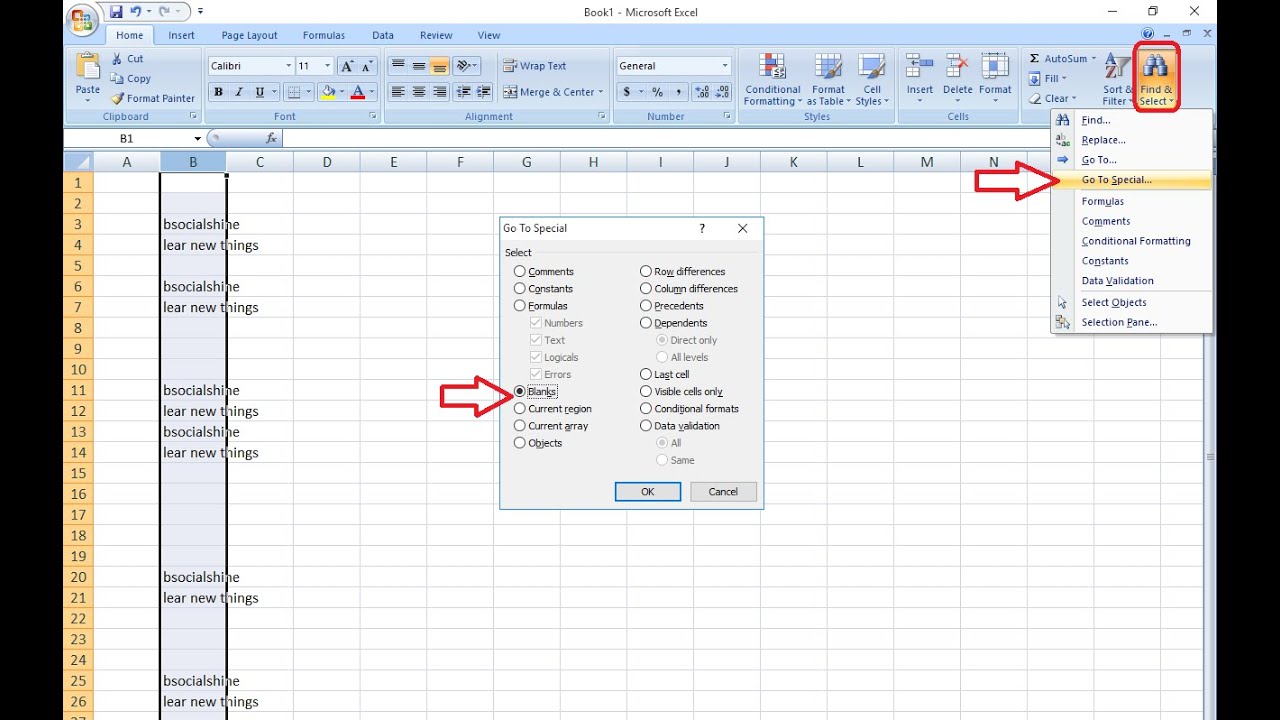
Excel Basics In some cases there is a need to delete multiple rows of data in Excel When dealing with large data sets there are several ways you can delete individual rows as well as thousands Here we are going to demonstrate several ways this can be done Mass Delete Data after row using shortcuts

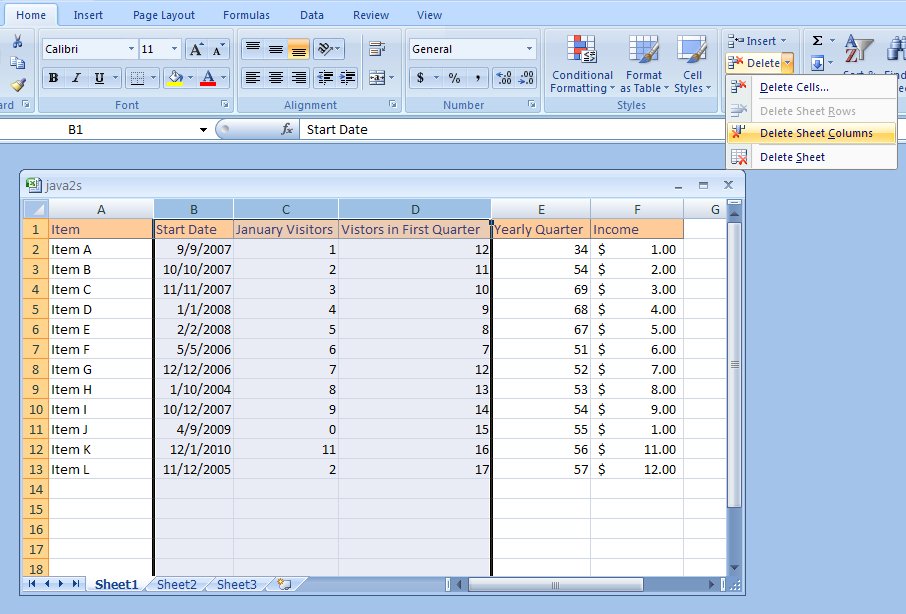
To delete multiple rows in your worksheet select the rows you wish to delete by clicking on the row header and dragging down to the header of the last row you wish to delete Right click on the row header and select Delete OR In the Ribbon select Home Cells Delete Delete Sheet Rows Delete Non Adjacent Rows To delete

Step 1 Select the rows you want to delete by clicking and dragging the row numbers on the left hand side of the worksheet Step 2 Go to the Home tab on the Ribbon Menu Step 3 Click on the Delete drop down menu and select Delete Sheet Rows Method 3 Using the right click menu
[desc-11] [desc-12]
[desc-13]