How To Create Shared Library In C Linux Differences Between Static And Dynamic Libraries By Felipe Londo o Static Library And Shared Library In C Using GCC Linux Ubuntu YouTube How To Create Shared Folders In OneDrive For Business How To Gallery C Gdb How To Learn Which Shared Library Loaded A Shared Library In Identify Onedrive Shortcuts In A Folder From Powershell Super User Google Chrome tips From productivity to customization learn how to get things done more quickly with your browser
To know whether this is a problem with the webpage or Chrome try to open the page in another browser like Firefox or Safari If it works in another browser try the steps below Uninstall and reinstall Chrome There could be something wrong with your Chrome profile that s causing problems Uninstall Chrome and make sure to check the box to delete browsing data Then If you forgot your password or username or you can t get verification codes follow these steps to recover your Google Account That way you can use services like Gmail Pho
Identify Onedrive Shortcuts In A Folder From Powershell Super User How To Use ICloud Shared Photo Library Apple Support BW Anatomy Of Linux Dynamic Libraries Vrogue 3 1 Linux Vs Windows coding Static Vs Shared Libraries YouTube Shared dynamic Libraries In The C Programming Language Shared Memory Synchronization C Dynamic Loading Of A Shared Library Also Create And Load One On How To Create A Shared Mailbox In Office 365 Easy365manager Vrogue
How To Create Shared Library In C Linux
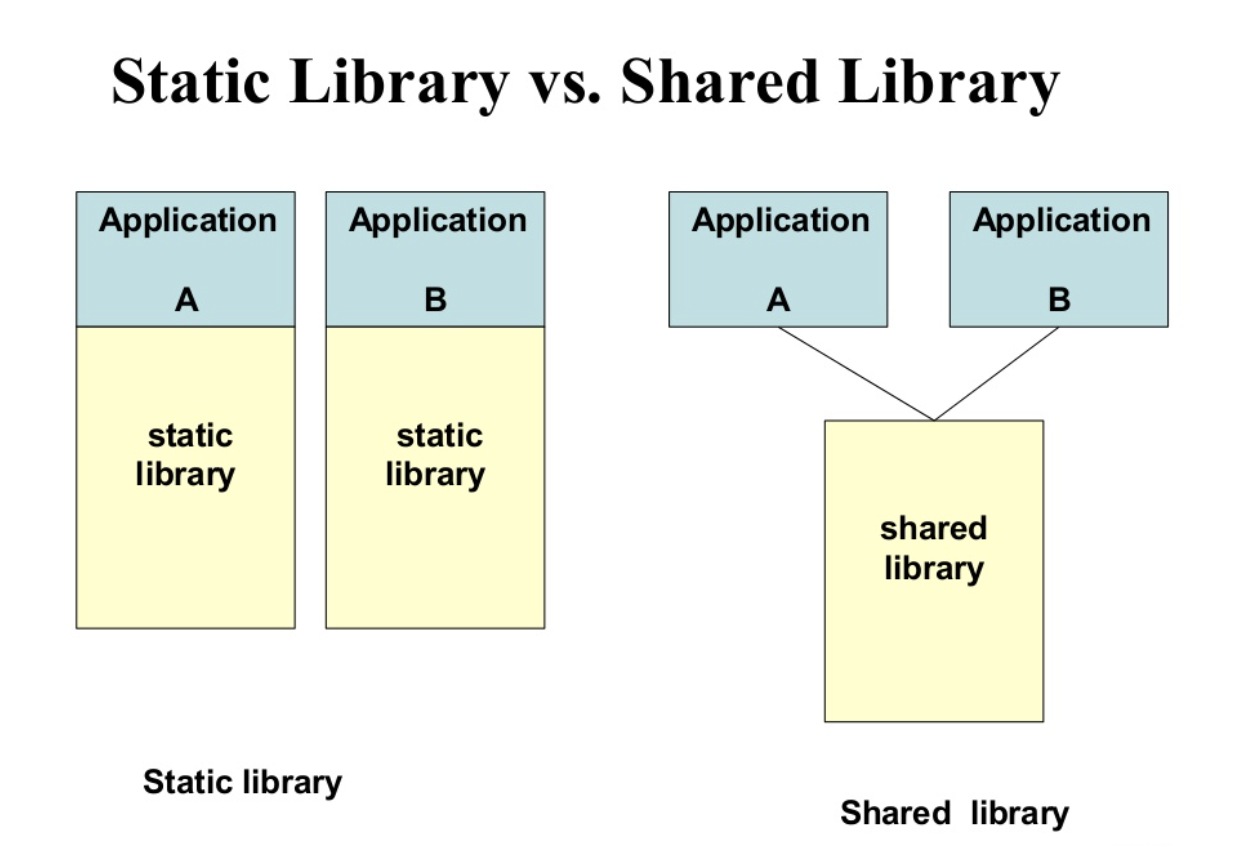 How To Create Shared Library In C Linux
https://miro.medium.com/max/1400/1*vpxOrzsC4rxl0fZDEqqOKg.png
Official Google Play Help Center where you can find tips and tutorials on using Google Play and other answers to frequently asked questions
Templates are pre-designed files or files that can be utilized for numerous functions. They can conserve time and effort by supplying a ready-made format and design for creating different type of content. Templates can be utilized for individual or expert jobs, such as resumes, invites, flyers, newsletters, reports, presentations, and more.
How To Create Shared Library In C Linux

How To Create Shared Library On Linux With Eclipse YouTube
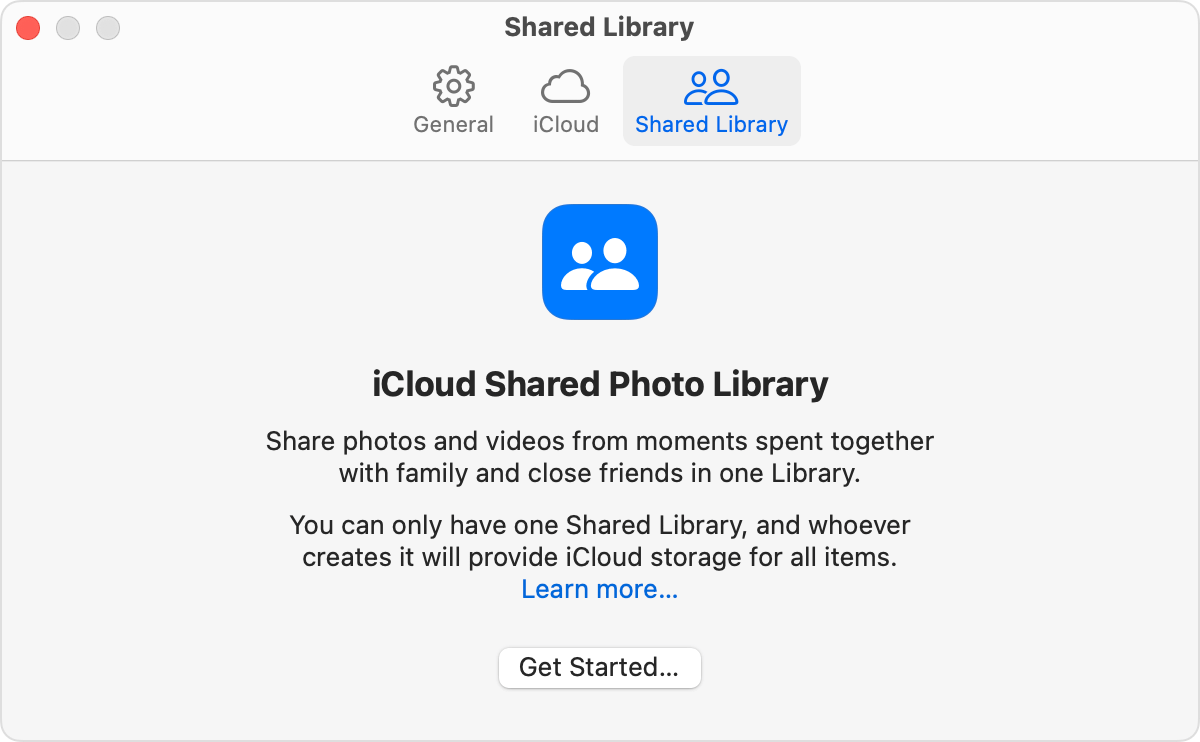
How To Use ICloud Shared Photo Library Apple Support BW

Anatomy Of Linux Dynamic Libraries Vrogue

3 1 Linux Vs Windows coding

Shared dynamic Libraries In The C Programming Language

Shared Memory Synchronization
How to install Chrome Important Before you download you can check if Chrome supports your operating system and other system requirements

Analytics Academy on Skillshop is a collection of free e learning courses designed by Analytics experts to help users get the most out of Google Analytics Google Analytics currently offers 4 training
Official Gmail Help Center where you can find tips and tutorials on using Gmail and other answers to frequently asked questions

Get started with Analytics Collect and manage data Report and explore Advertising and attribution Audiences and remarketing Manage accounts properties and users Google Analytics 360 Policies and data privacy
To easily manage and share content across all of your devices and the cloud use Google s desktop sync client Drive for desktop If you edit delete or move a file on the Cloud the same change happens on your computer and devices and vice versa In this way your files are always up to date and can be accessed from any device Open files stored on the Cloud directly on
[desc-11] [desc-12]
[desc-13]