How To Create Menus In Wordpress How To Create Menus In WordPress GETLearners Wordpress Menu New Menu How To Create Menus In WordPress Website Dropdown Menus YouTube How To Create Menus In WordPress How To Build Website Using WordPress Amazon Plearning How To Create Menus In WordPress 2021 SEO One Page How To Create Menus In WordPress Quickly Easliy Creating Menu Issue Solved YouTube Step 1 Create a New Menu in WordPress Step 2 Add Your Navigation Items Step 3 Organize Your Menu s Structure
WordPress comes with a drag and drop menu interface that you can use to create header First log in to your WordPress dashboard then navigate to Appearance Menus You might see a menu in place already and you can either edit
How To Create Menus In WordPress Quickly Easliy Creating Menu Issue Solved YouTube How To Create Menus In WordPress Twenty Twenty Three Theme Wplearners How To Create Menus In WordPress WordPress Tutorial For Beginner Part 6 YouTube How To Add A Menu In WordPress How To Create Menus In Wordpress Step By Step Wordpress Menu Tutorial Https youtu be Working With Menus In WordPress Part Of The WordPress Beginners Series YouTube How To Create Menus In Avada YouTube How To Create Menus In WordPress High Tech Point How To Create Menus On Your Wordpress Blog Youtube Video Wordpress Tutorial For Beginners
How To Create Menus In Wordpress
 How To Create Menus In Wordpress
https://i.pinimg.com/736x/cc/56/be/cc56be9299c9cd8bda4b0509b62bc96e.jpg
To customize the default menu of your website you have to enter the WordPress dashboard click on Appearance and then on Menus The first thing
Pre-crafted templates use a time-saving solution for creating a diverse variety of files and files. These pre-designed formats and designs can be used for various individual and professional tasks, including resumes, invitations, leaflets, newsletters, reports, presentations, and more, simplifying the material creation procedure.
How To Create Menus In Wordpress

How To Create Menus In WordPress Full Guide Including Screen Options YouTube

How To Create Menus In WordPress Twenty Twenty Three Theme Wplearners
How To Create Menus In WordPress WordPress Tutorial For Beginner Part 6 YouTube
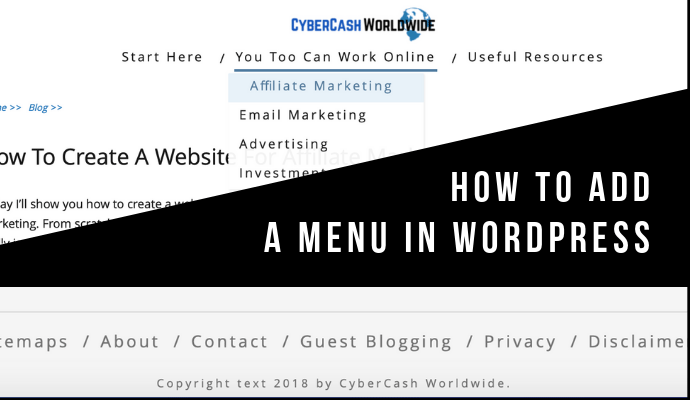
How To Add A Menu In WordPress

Working With Menus In WordPress Part Of The WordPress Beginners Series YouTube

How To Create Menus In Avada YouTube

Login to the WordPress Dashboard From the Appearance menu on the left hand side of the Dashboard select the Menus option to bring up the Menu Editor

Go to Apperance Menus page and click on create a new menu The following the instructions in the article create new menu by adding your pages

Go to your WordPress Admin Dashboard Navigate to Appearance and select Menus from the drop down Click Create a new menu Give your menu a name

Repeat the same process whenever you want to create more menus easily you can Create

Wondering how to create a menu in WordPress In this short tutorial guide I will teach you how
Creating a new WordPress menu Click the Create a new menu button and enter a name in the Menu Name field Under Menu Settings Display Adding Custom Menus to Pages in WordPress Navigate to Appearance Menus from your WordPress Dashboard Click on the Manage Locations tab From here you can
The dedicated screens within WordPress belie how complex your menus can be You re also able to display menus in several locations on your site