How To Create A Shared Document In Google Docs How To Create A Shared Google Drive Sopscience How To Create A Shared Folder In Google Drive Tip Reviews News Tips And Tricks Share Excel File Online Excel How To Make A Shared Document In Excel 2010 Natural Buff Dog Share Docs And Assignments With Students Using Google Drive Shared Folders Educational Find the file or folder in Google Drive Google Docs Google Sheets or Google Slides Open or select the file or folder Click Share or Share Find the person you want to stop
On your computer go to drive google On the left click Shared drives At the top left click New Enter a name for the shared drive Click Create Who you can add to a shared Step 1 How to Share a Document in Google Docs To see your current share setting when you have a document open in Google Docs simply hover over the Share button at the top right of your document There you ll see a popover that shows the current document privacy which will always be private
Share Docs And Assignments With Students Using Google Drive Shared Folders Educational Google Drive Download Folder Ascsecolorado How To Create A Shared Document Changing The Name Of A Shared Document On Office 365 Solved Access SharePoint Document Library Folder Contents Power Platform Community Onedrive Download Shared Video Caqweins Google Drive TheFastCode How To Create A Shared Document In Microsoft PowerPoint YouTube How To Edit A Shared Document In Google Drive YouTube
How To Create A Shared Document In Google Docs
 How To Create A Shared Document In Google Docs
http://www.wikihow.com/images/1/1a/Share-Google-Docs-Step-12.jpg
1 Go to docs google and sign into your account 2 Either create a new document by clicking the colorful plus sign New in the top left corner or find an existing document from your
Pre-crafted templates provide a time-saving solution for producing a varied series of documents and files. These pre-designed formats and layouts can be made use of for different personal and professional tasks, consisting of resumes, invites, leaflets, newsletters, reports, discussions, and more, simplifying the content development procedure.
How To Create A Shared Document In Google Docs

Create New Google Drive Shared Document
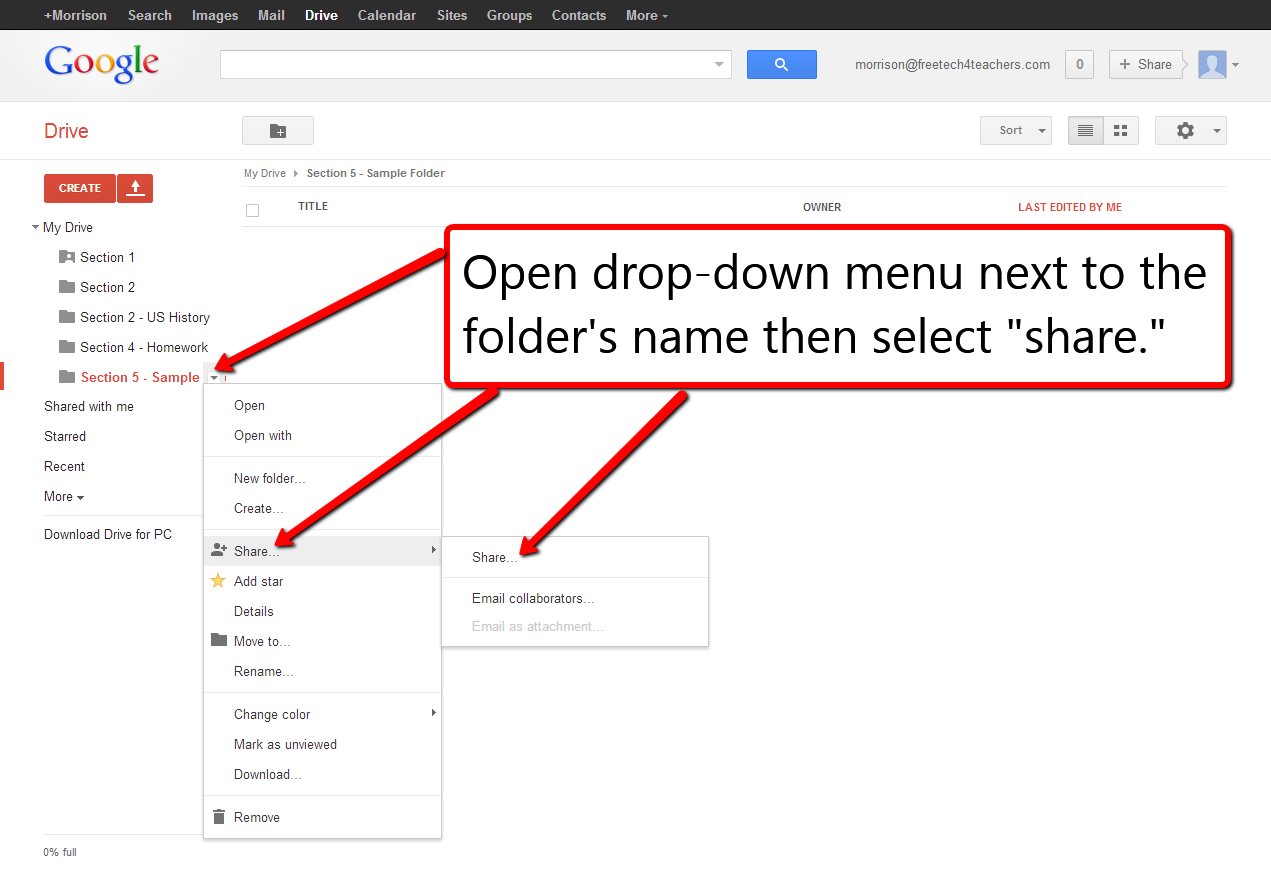
Google Drive Download Folder Ascsecolorado

How To Create A Shared Document

Changing The Name Of A Shared Document On Office 365
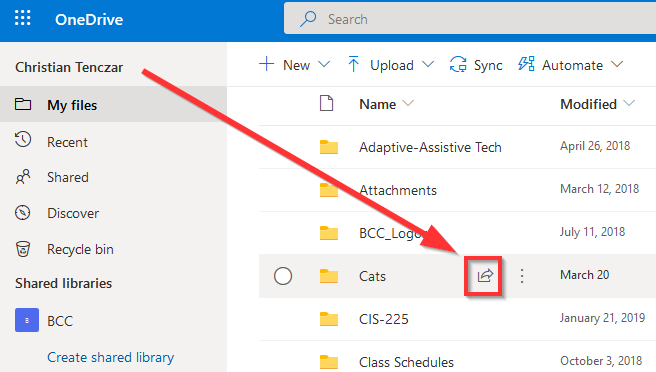
Onedrive Download Shared Video Caqweins

Google Drive TheFastCode

Quick Links Set Up Sharing With Specific People Set Up Sharing With a Link Change Permissions After Sharing Stop Sharing a Document One of the best features of online applications like Google Docs Sheets and Slides is the ability to share documents
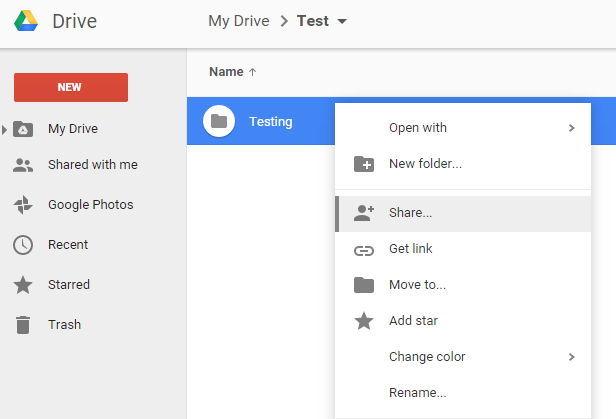
Step 1 Find the file you want to share Share a single file Tip If you have a pending request to share an open document at the top right you ll find a dot next to Share On a
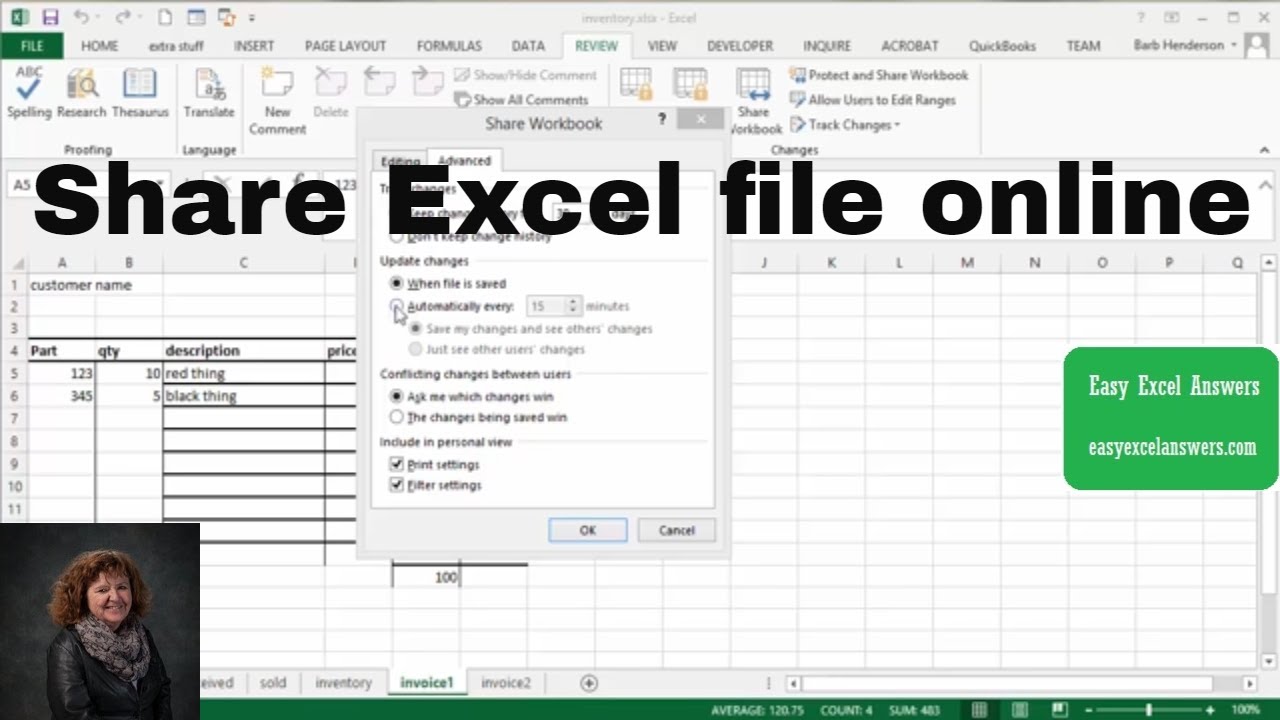
Select the file you want to share Share Enter the email address you want to share with If you use a work or school account you can share with suggested recipients

Step 1 Find the file that you want to share Share a single file Tip If you have a pending request to share an open document at the top right you ll find a dot next to Share On a
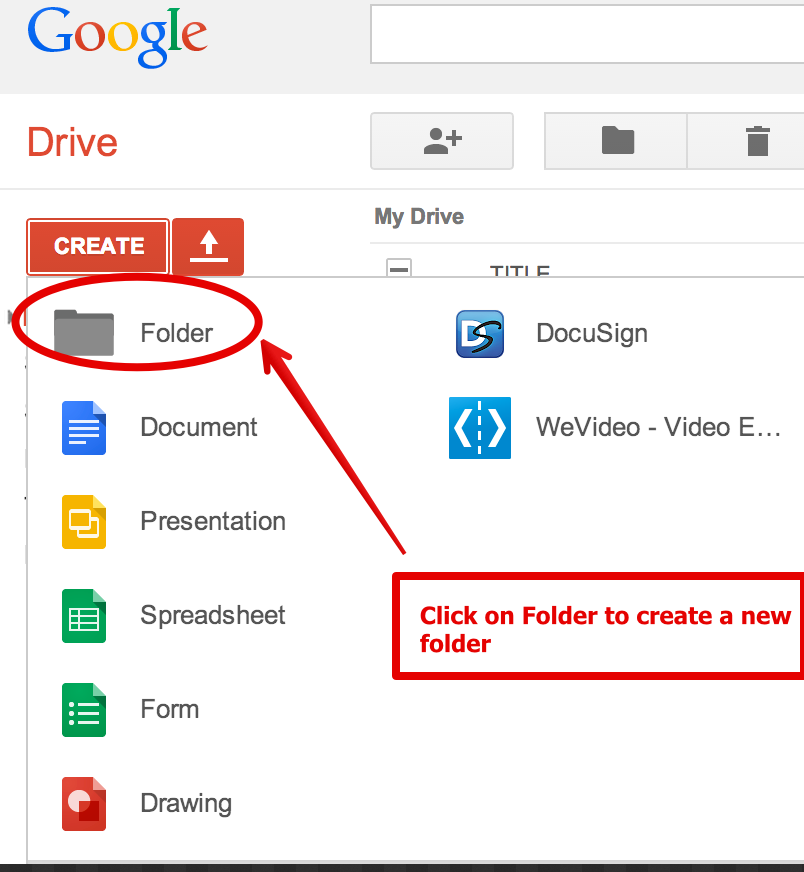
1 Open the Google Docs file you want to share You can share any of your Google Docs files either by clicking it in your Google Drive or by signing in to Google Docs and clicking the file there 1 To access the file in your Google Drive go to https drive google in a web browser
Create and collaborate on online documents in real time and from any device Try Docs for Work Go to Docs Don t have an account See what you can do with Google Docs Seamless Sharing and collaborating on files Google Drive makes sharing your files simple It also allows multiple people to edit the same file allowing for real time collaboration Watch the video below to learn more about these features Google Drive Sharing and Collaborating Watch on Sharing files
0 00 3 59 How To Create and Share a Google Doc Full Tutorial Dusty Porter 372K subscribers Join Subscribed 2 3K 239K views 7 years ago In this video tutorial I show you how to