How To Create A Search Function In Excel Create A Search Box In Excel In Easy Steps H M SEARCH Ti n ch Excel B Sung H ng Lo t B Tr M i Trong Excel Excel VBA How To Create A Search Function In Microsoft Excel 2010 Excel Search Function Excel How To Use Search Function In Excel For Multiple Words YouTube Use VLOOKUP to search one row or column or to search multiple rows and columns like a table It s a much improved version of LOOKUP Watch this video about how to use VLOOKUP If you are using Microsoft 365 use XLOOKUP it s not only faster it also lets you search in any direction up down left right
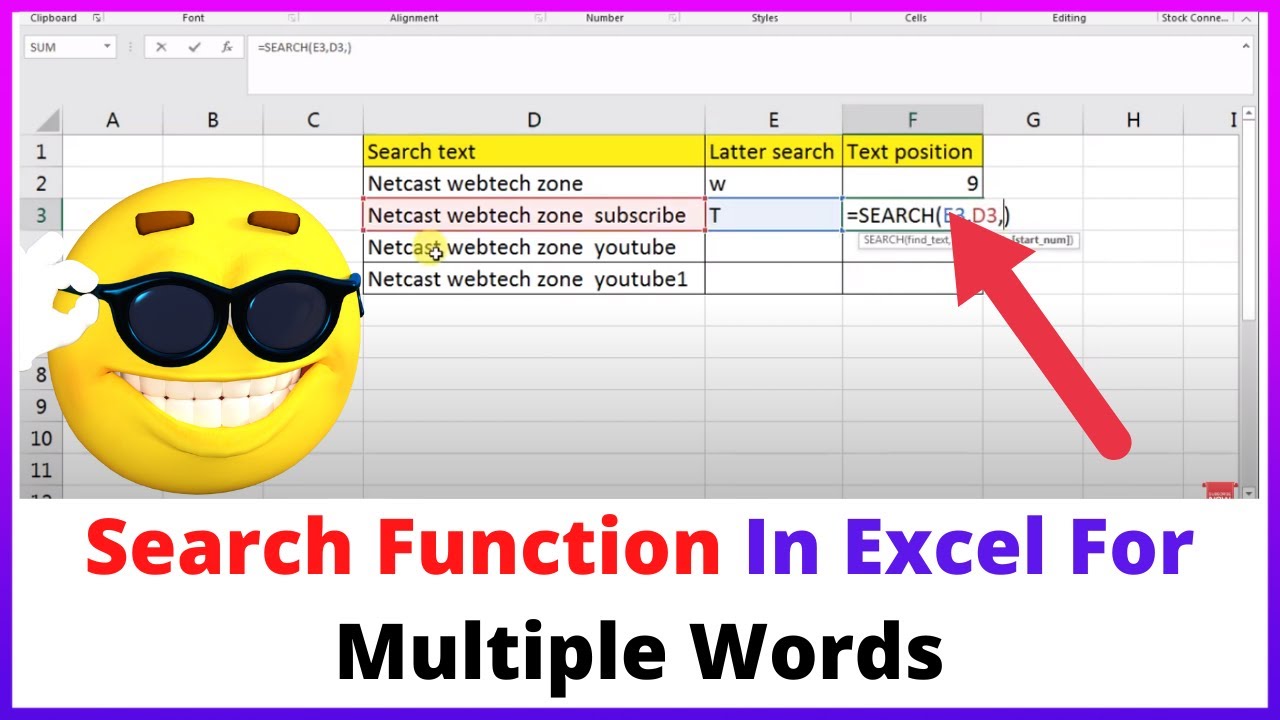
Creating A Search Box In Excel It s unfortunate Excel does not have a form control search box maybe in the future as I could see that type of tool opening the doors to a ton of creative and time saving functionalities But luckily there are a few different methods you can use to create a search box on your own SEARCH returns the number of the character at which a specific character or text string is first found beginning with start num Use SEARCH to determine the location of a character or text string within another text string so that you can use the MID or REPLACE functions to change the text Syntax SEARCH find text within text start num
How To Use Search Function In Excel For Multiple Words YouTube 16 4 Find Search Function In Excel Excel Tutorial For Beginner 2022 Search Function In Excel How To Use Search Function In Excel Formula Examples How To Use Search Box In Excel Step By Step Guide To Create Search Box In Excel FIND Vs SEARCH Function In Excel YouTube How To Use The Search Function In Excel YouTube Search And Find Functions Gambaran SEARCH In Excel Formula Examples How To Use SEARCH Function
How To Create A Search Function In Excel
 How To Create A Search Function In Excel
https://www.excel-easy.com/examples/images/search-box/search-box.png
UDF is a custom function that takes data performs a calculation and returns the desired result The source data can be numbers text dates booleans and even arrays The result of calculations can be a value of any type that Excel works with or an array of such values In other words UDF is kind of an upgrade of standard Excel functions
Pre-crafted templates provide a time-saving solution for creating a diverse variety of files and files. These pre-designed formats and designs can be made use of for various individual and professional tasks, including resumes, invitations, leaflets, newsletters, reports, presentations, and more, simplifying the material production procedure.
How To Create A Search Function In Excel

Search Function In Excel JafarPP in

16 4 Find Search Function In Excel Excel Tutorial For Beginner 2022

Search Function In Excel How To Use

Search Function In Excel Formula Examples How To Use
FIND Vs SEARCH Function In Excel YouTube
How To Use The Search Function In Excel YouTube
Create custom functions in Excel Excel for Microsoft 365 Excel for Microsoft 365 for Mac Excel for the web More Although Excel includes a multitude of built in worksheet functions chances are it doesn t have a function for every type of calculation you perform The designers of Excel couldn t possibly anticipate every user s calculation needs
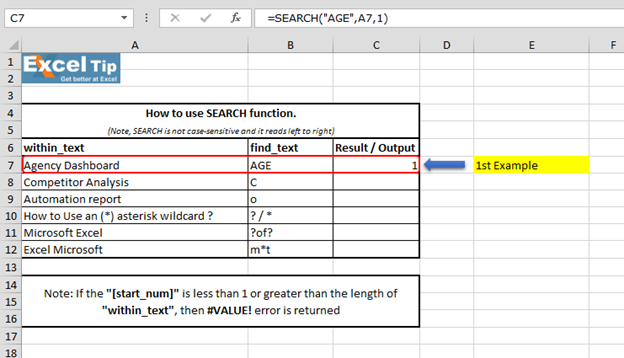
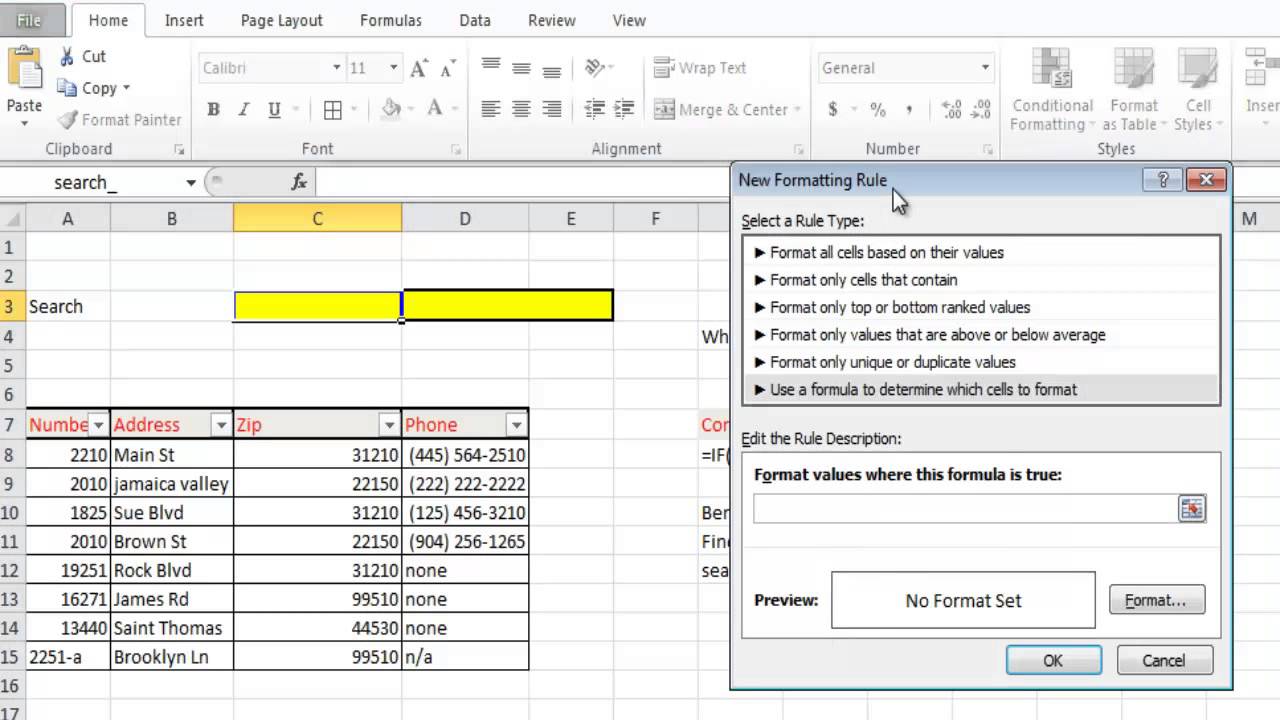
1 Use Conditional Formatting to Create a Search Box in Excel In this section we will create a search box using conditional formatting This is an easy procedure We will apply conditional formatting to create a search box Let s take a look back at our dataset and follow the instructions below to create a search box in Excel Steps
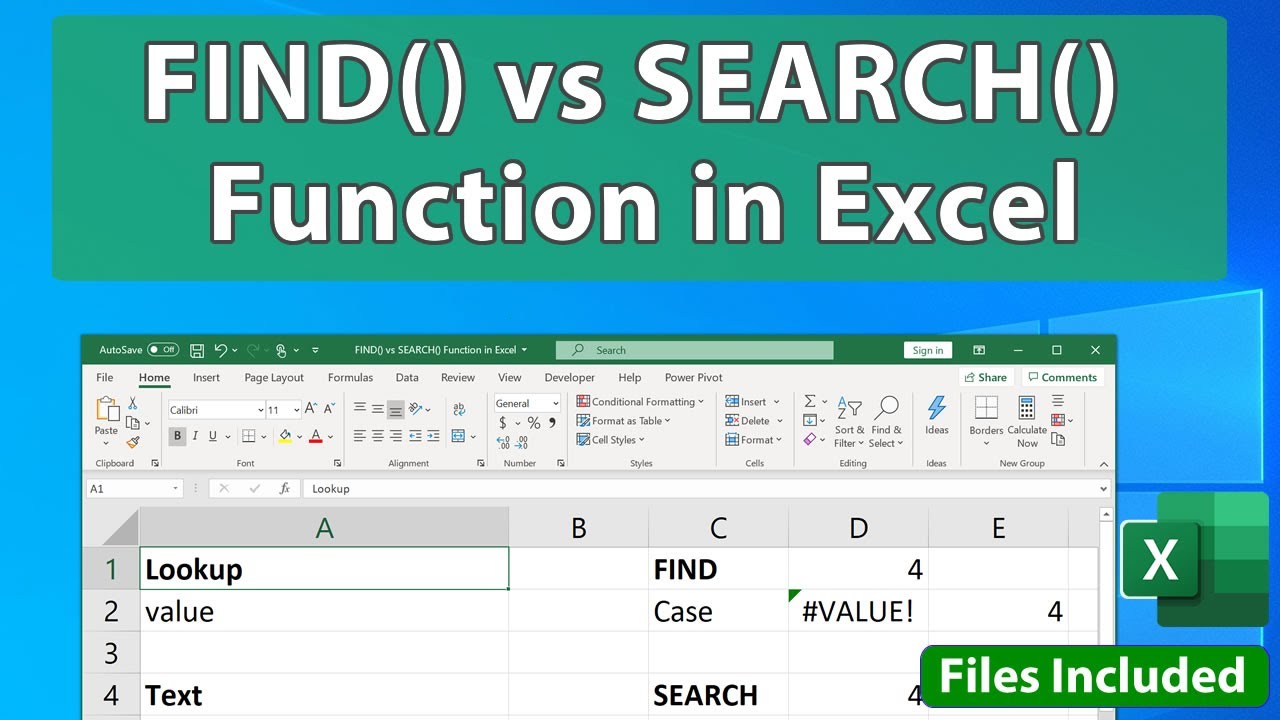
The FIND function in Excel is used to return the position of a specific character or substring within a text string The syntax of the Excel Find function is as follows FIND find text within text start num The first 2 arguments are required the last one is optional Find text the character or substring you want to find

The SEARCH function gives us the position of a substring in a given string when we provide a parameter of the position to search from Thus this formula takes three arguments substring the string itself and position to start the search For example suppose we want to search the Thank substring in the provided text or string Thank you
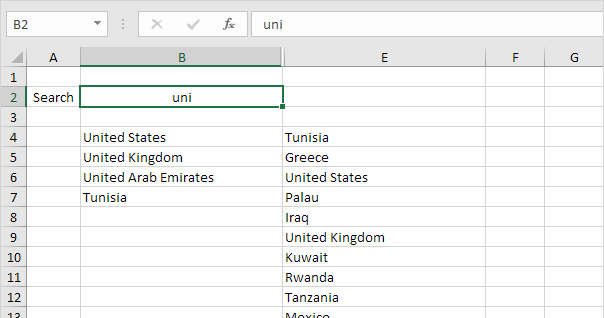
The solution we will build allows us to type in a collection of letters click a dropdown arrow and display a list of items that contain those letters anywhere in the item If we wish to see the full list we erase any and all letters from the search cell and click the dropdown arrow With no items to search for the complete list is displayed
How to create Custom Search Option In excel In this intermediate excel tutorial I ll show you how you can create your very own search feature in excel You In this step by step overview learn how to add an advanced search box to your Excel workbook You can insert a search box with no knowledge of VBA or coding Imagine you have a cookie
Step 1 Getting a unique list of items Select all the Countries and paste it into a new worksheet Select the country list Go to Data Remove Duplicates In the Remove Duplicates dialogue box select the column in which you have the list and click Ok This will remove duplicates and give you a unique list as shown below