How To Create A Clear Filter Button In Excel Filter Button How To Add Filter Button In Excel For Analyze The Data filter In 5 Min How To Use Advanced Filter Button In Excel YouTube How To Make Filter Button In Excel With Using Macro I Record Macro In Excel YouTube 518 Sorting Filtered Table Data With Column Filter Button In Excel 2016 YouTube Excel Search Button Using Macro Filter Button In Excel YouTube Web Dec 3 2013 nbsp 0183 32 To make this a one click process Add a Clear button to the Quick Access Toolbar QAT Select a cell in a pivot table or an Excel table Click the Clear button and all the filters are cleared
Web First you should create a shape button and then apply a code at last tie the code to the shape button Please do as follows 1 Click Insert gt Shapes gt Rectangles to select the Rectangle shape and then drag the Web Jul 19 2018 nbsp 0183 32 Clear the filters on your sheet or Table Turn the macro recorder on Developer Tab gt Record Macro button Give the macro a name Choose to Store
Excel Search Button Using Macro Filter Button In Excel YouTube 5 Ways To Add A Sort Button In Microsoft Excel Tech Hunter24 Excel For Mac Filter Chart Series Positivelasopa How To Filter And Sort Data In Microsoft Excel TurboFuture Callisto From Voyager 1 The Planetary Society Column Menu s Filter Clear Button Throw s Error In Ej2 Grid Issue 13 Syncfusion ej2 How To Remove Empty Rows In Excel Online HOWTOMREOV How To Remove The Filter In Excel Javatpoint Tableau Add Reset Clear Filter Button And Fix Filter Button Not Working YouTube
How To Create A Clear Filter Button In Excel
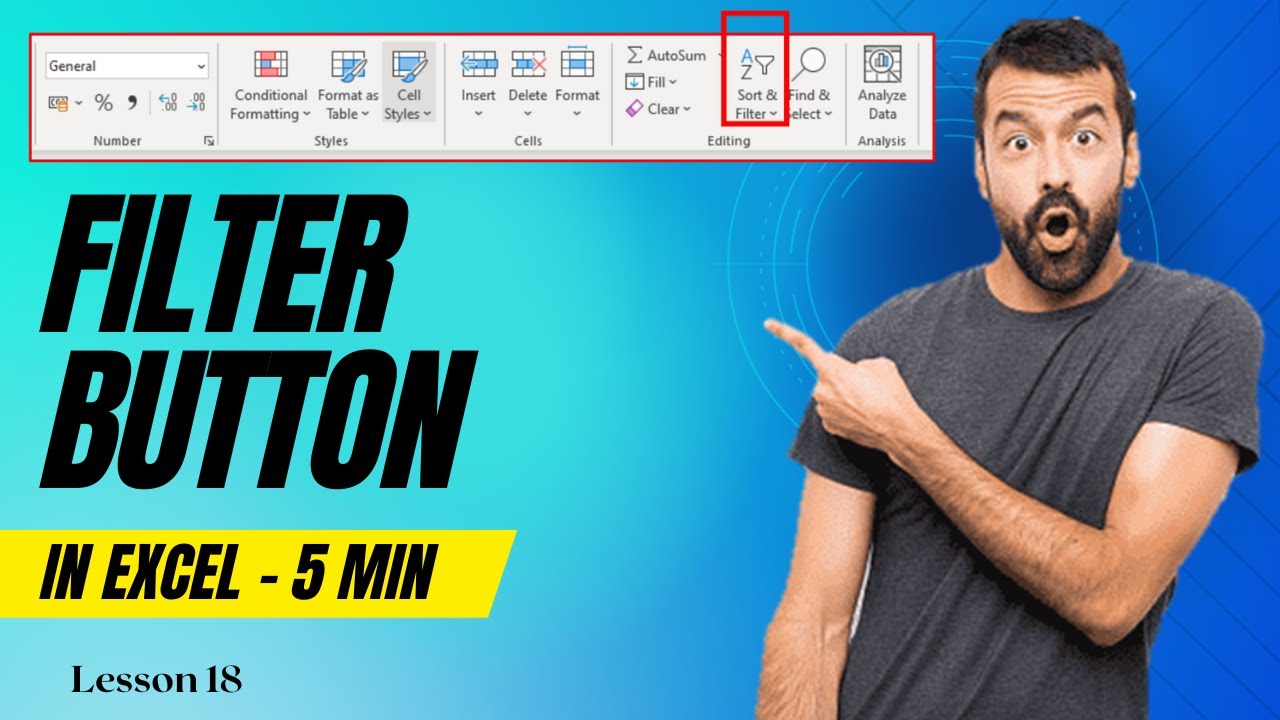 How To Create A Clear Filter Button In Excel
https://i.ytimg.com/vi/bcYonkj4wLM/maxresdefault.jpg
Web Jun 25 2013 nbsp 0183 32 Main Button to Filter Everything Make a clear filter of everything and return to the standard list in the pivot table by pressing a main button The button clear everything of what you have made some
Pre-crafted templates provide a time-saving solution for creating a diverse series of documents and files. These pre-designed formats and designs can be made use of for various personal and expert tasks, consisting of resumes, invitations, leaflets, newsletters, reports, presentations, and more, improving the material creation process.
How To Create A Clear Filter Button In Excel

Clear Filter Free Interface Icons
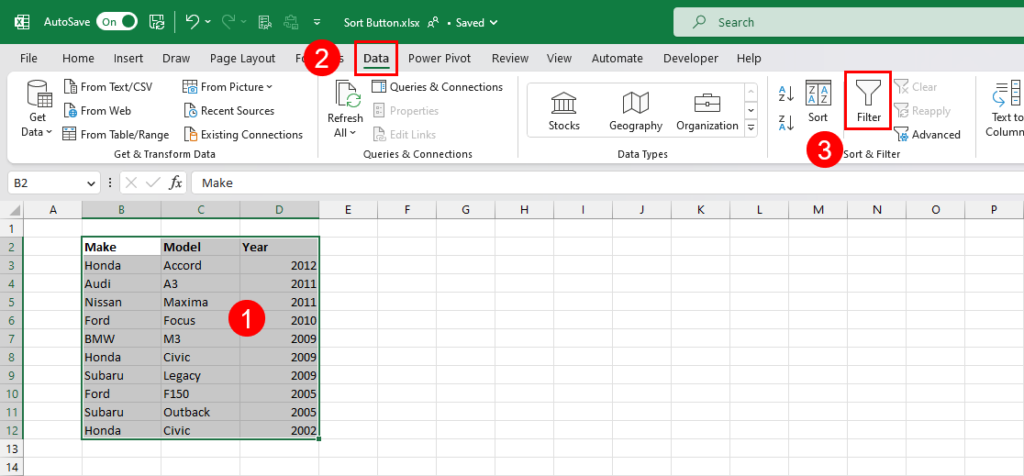
5 Ways To Add A Sort Button In Microsoft Excel Tech Hunter24
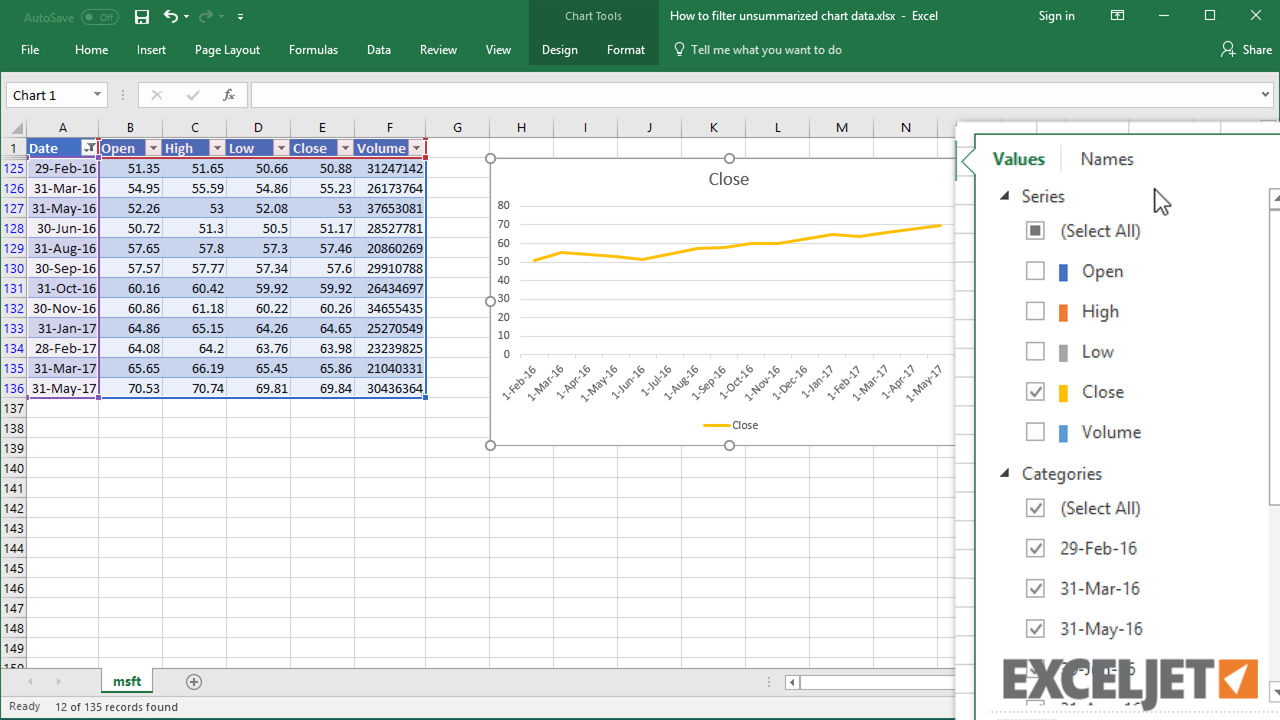
Excel For Mac Filter Chart Series Positivelasopa
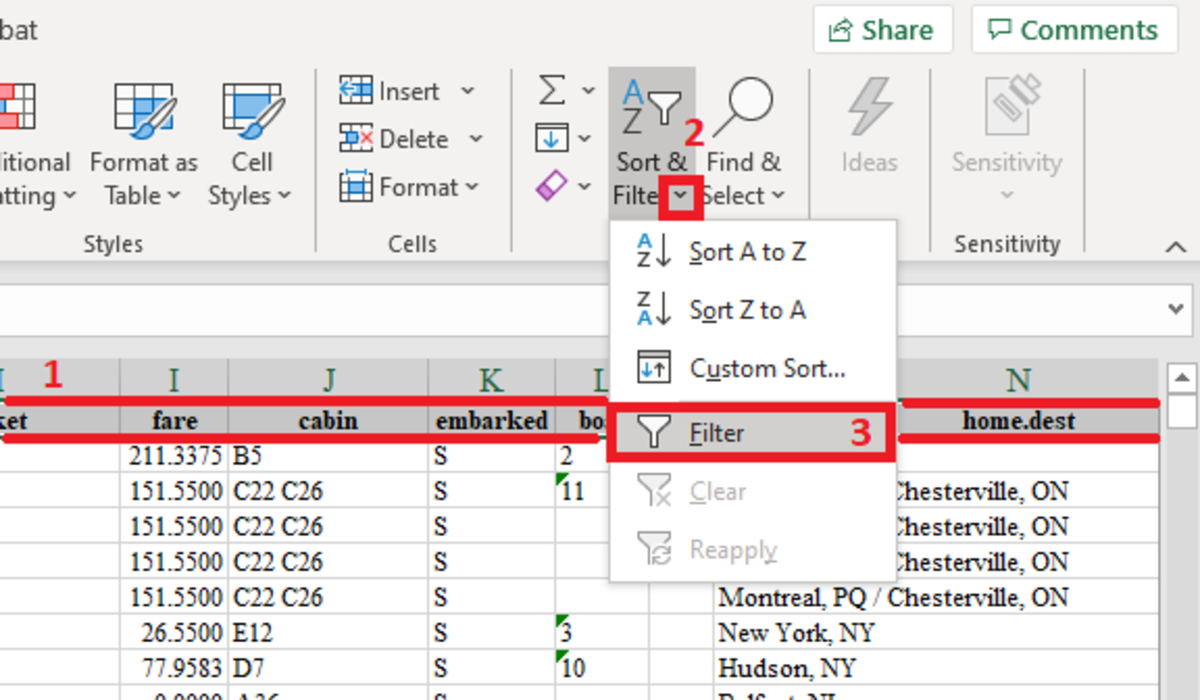
How To Filter And Sort Data In Microsoft Excel TurboFuture

Column Menu s Filter Clear Button Throw s Error In Ej2 Grid Issue 13 Syncfusion ej2

How To Remove Empty Rows In Excel Online HOWTOMREOV
Web May 31 2018 nbsp 0183 32 Jun 09 2018 08 28 PM You can make the macro smart enough to look for the presence of a filter If you want to show all data then Sub DisplayEverything If

Web Dec 20 2018 nbsp 0183 32 Select the ClearMySlicers option and your filter is ready to go As a last step you should right click your button one more time

Web To clear a filter for one column in a multicolumn range of cells or table click the Filter button on the heading and then click Clear Filter from lt Column Name gt Note If no

Web Oct 27 2014 nbsp 0183 32 Select Data gt Filter Select the column header arrow Select Text Filters or Number Filters and then select a comparison like Between Enter the filter criteria and

Web Windows macOS Web You can use a slicer to filter data in a table or PivotTable with ease Create a slicer to filter data in a table or PivotTable Format a slicer Make a slicer
Web On the Data tab in the Sort amp Filter group click Filter Click the arrow in the column header to display a list in which you can make filter choices Note Depending on the type of data Web You can use a Form control button or a command button an ActiveX control to run a macro that performs an action when a user clicks it Both these buttons are also known
Web Aug 2 2023 nbsp 0183 32 Click on the quot Insert quot button in the quot Controls quot group and select the form control you want to use as your clear button Options include buttons checkboxes and