How To Create A Chart Data Range In Excel Modify Excel Chart Data Range CustomGuide Making Range Charts In Excel YouTube Excel Pie Chart Photos Create A Chart Bar Chart Data Development Quick Free Bar Graphs MICROSOFT EXCEL EASY WAY TO CREATE A CHART IN KOKOCOMPUTERS Web How to create an Excel chart with a dynamic range that you select Think Outside The Slide Basic dynamic charts A standard chart in Excel uses a defined set of cells for the category axis and the data values This works for most charts But what if you want to create a chart where the data range gets bigger or smaller based on criteria
Web Dec 20 2023 nbsp 0183 32 To make our dataset a dynamic named range follow the instruction below Go to the Formulas tab in the Ribbon Click the Define Name option In the New Name window type Year same as the header name for convenience in the Name input box Web Oct 4 2022 nbsp 0183 32 1 Creating the chart range as a table One way you can set up a dynamic chart range in Excel is to put your data into a table That way Excel can easily see where you data starts and ends Suppose you have the following data You could show this on a chart but if you needed to add or remove rows from it your chart wouldn t automatically
MICROSOFT EXCEL EASY WAY TO CREATE A CHART IN KOKOCOMPUTERS How To Change Chart Data Range In Excel 5 Quick Methods Create A Chart From The Selected Range Of Cells Top 4 Ways How To Create Chart In Excel Using Python Create Info Riset How To Expand Chart Data Range In Excel 5 Suitable Methods How To Create A Chart With Date And Time On X Axis In Excel Gambaran How To Expand Chart Data Range In Excel 5 Suitable Methods Excel Format A Chart Data Series Range Bar Graph Excel KennethKellas
How To Create A Chart Data Range In Excel
 How To Create A Chart Data Range In Excel
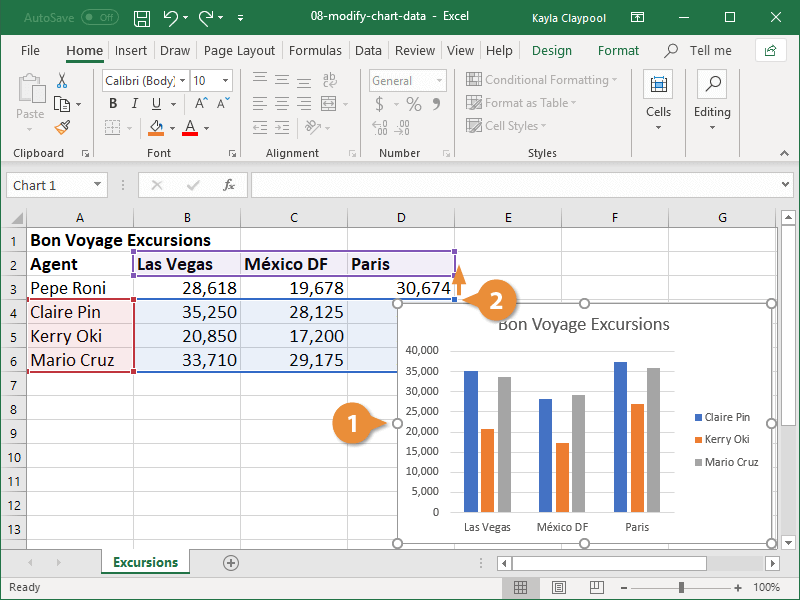
https://www.customguide.com/images/lessons/excel-2019/excel-2019--modify-chart-data--01.png
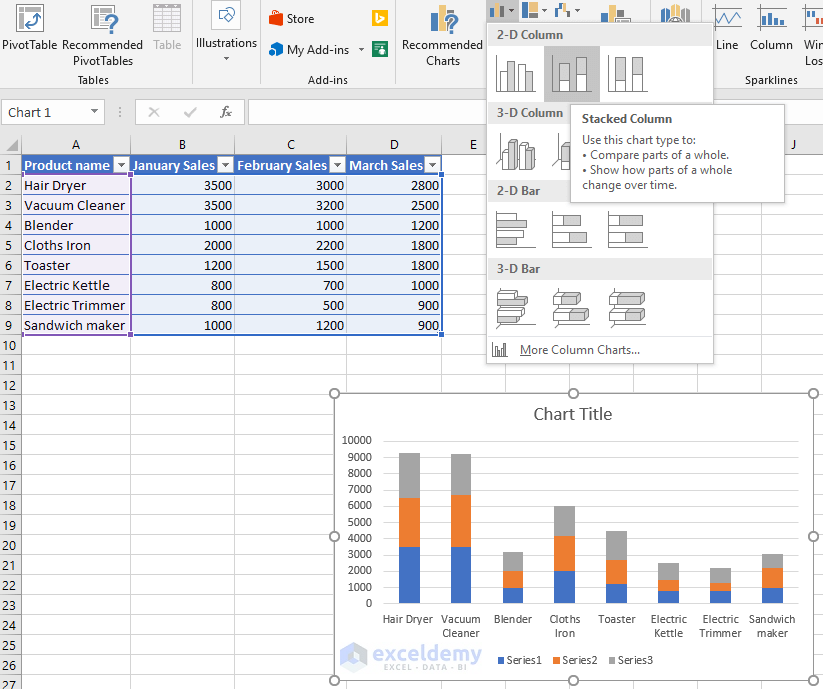
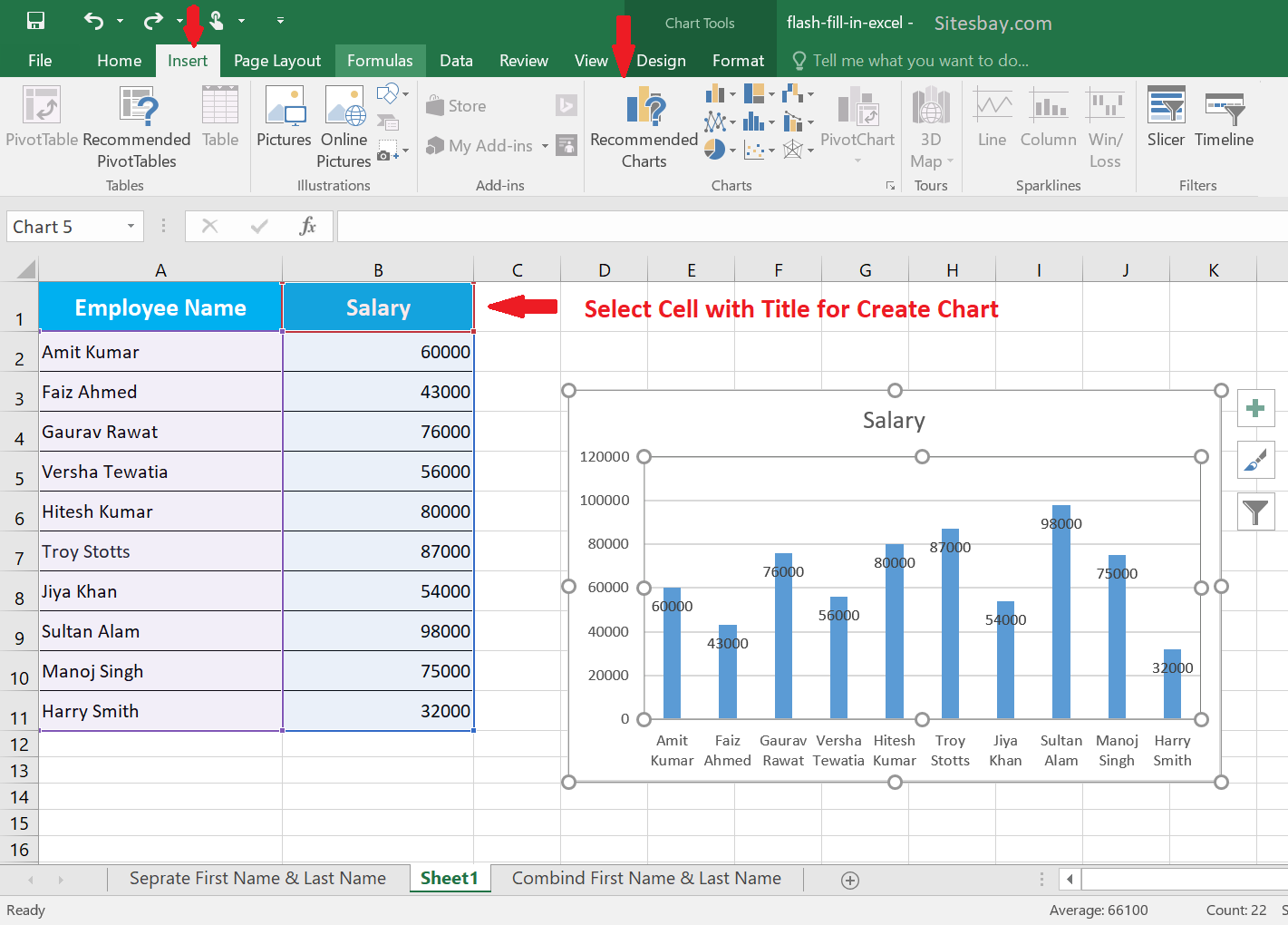
Web Create a chart Select data for the chart Select Insert gt Recommended Charts Select a chart on the Recommended Charts tab to preview the chart Note You can select the data you want in the chart and press ALT F1 to create a chart immediately but it might not be the best chart for the data
Pre-crafted templates offer a time-saving service for developing a varied series of files and files. These pre-designed formats and designs can be made use of for different personal and expert jobs, consisting of resumes, invites, leaflets, newsletters, reports, presentations, and more, improving the content production process.
How To Create A Chart Data Range In Excel

Create Charts In Excel Sheet In Same Sheet Along With Data C

How To Change Chart Data Range In Excel 5 Quick Methods
Create A Chart From The Selected Range Of Cells Top 4 Ways
How To Create Chart In Excel Using Python Create Info Riset
How To Create A Chart With Date And Time On X Axis In Excel Gambaran

How To Expand Chart Data Range In Excel 5 Suitable Methods
Web Feb 8 2023 nbsp 0183 32 Dynamic Chart Ranges Intro Consider the following sample data set analyzing profit margin fluctuations Basically there are two ways to set up a dynamic chart range Converting the data range into a table Using

Web Last updated Dec 21 2023 Sometimes you may need to change a chart data range in Excel In this article I will explain how to change a chart data range in Excel Here I have described 5 methods to change a chart data range in Excel For your better understanding I will use a sample dataset Which has 3 columns

Web To create a chart you need to select at least one cell in a range of data a set of cells Do one of the following If your chart data is in a continuous range of cells select any cell in that range Your chart will include all the data in the range If your data isn t in a continuous range select nonadjacent cells or ranges

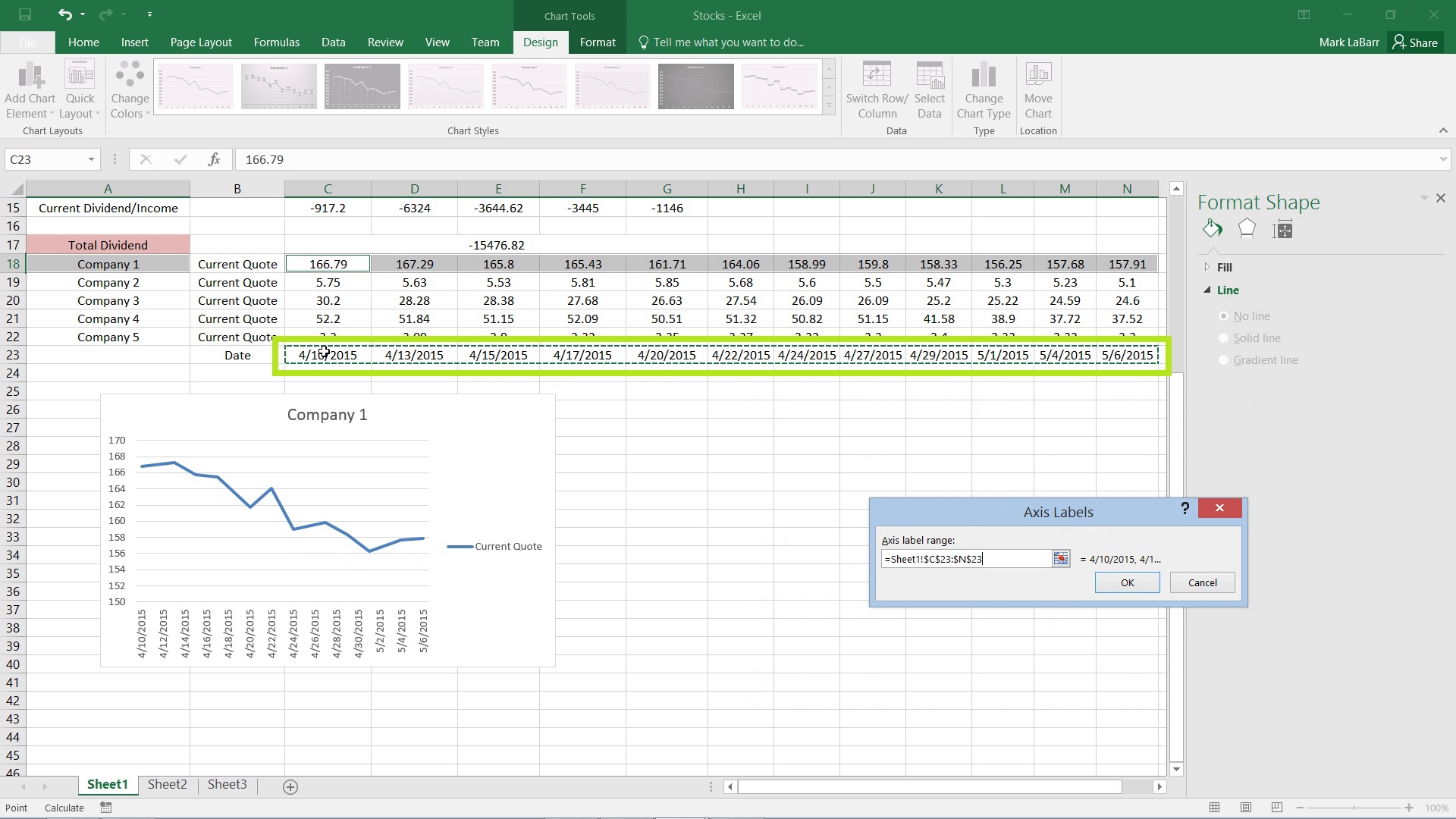
Web Dec 20 2023 nbsp 0183 32 STEP 1 Create Excel Column Chart In the first step we need to create a column chart You can create other types of charts using the same method To do so create a section where you will type the dates We have created From and To sections like the picture below After that select the range B6 C10
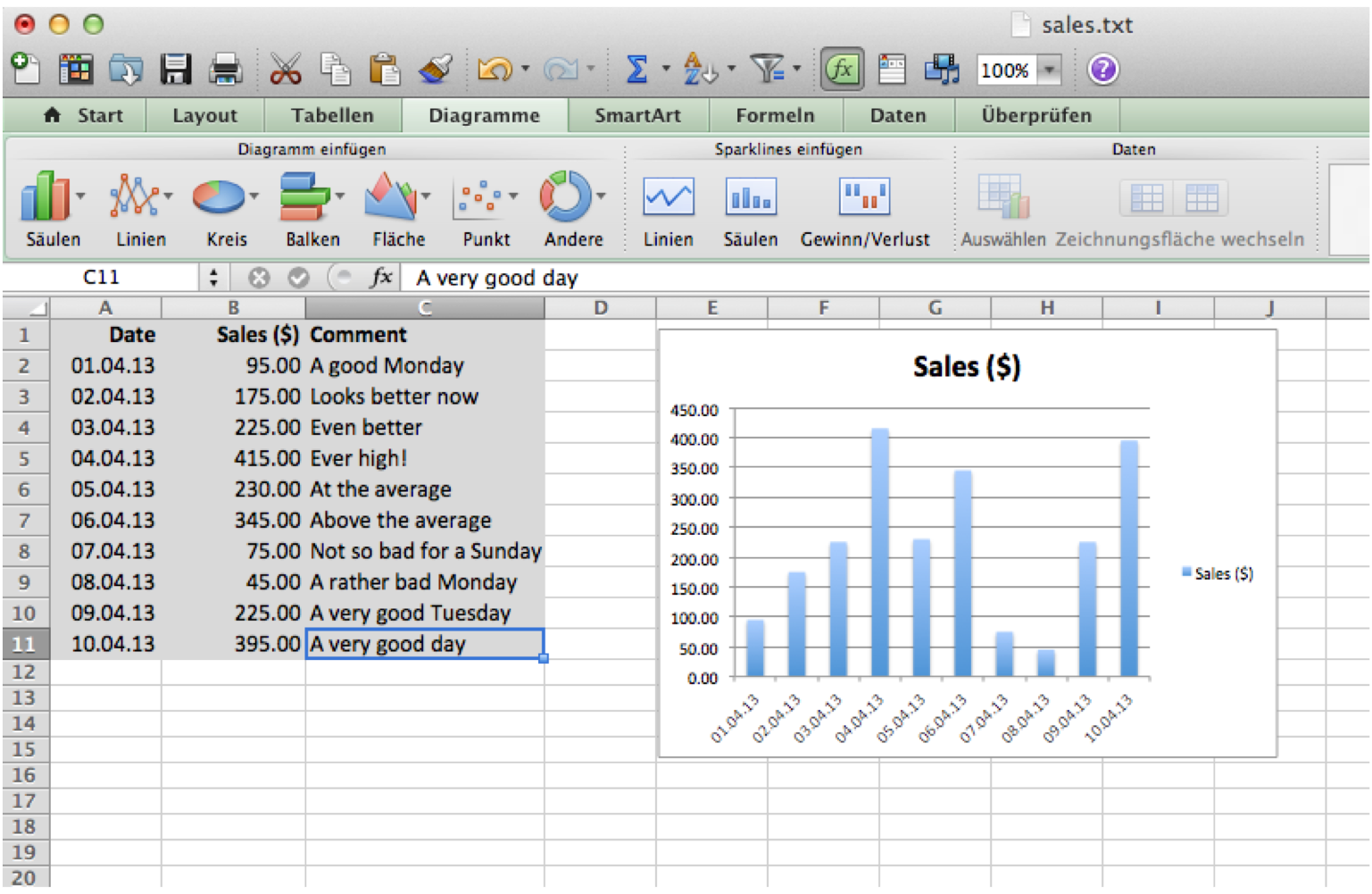
Web Step 1 Creating Dynamic Named Ranges Step 2 Create a Chart Using these Named Ranges What is a Dynamic Chart Range A dynamic chart range is a data range that updates automatically when you change the data source This dynamic range is then used as the source data in a chart
Web Nov 8 2016 nbsp 0183 32 How do you chart a wide range of values There are numerous solutions to this each with pros and cons I m showing these in Excel charts of course but they apply no matter what charting package you may be using It s easy enough to think of an example The following two charts show monthly sales data Web Change the data in your chart Use your chart in another program Use Power View to create interactive charts Creating a chart is not a simple one step process Get started with a recommended chart and continue adding all finishing touches that produce the professional looking chart you want
Web Aug 19 2017 nbsp 0183 32 How to Create a Dynamic Chart Range in Excel YouTube TrumpExcel 332K subscribers 505 83K views 6 years ago Excel Tips amp Tricks When you create a chart in Excel and the source