How To Copy File Path In Visual Studio Code How To Copy A File Path On A Mac How To Copy File Path Windows YouTube What Is Copy As Path In Windows 11 And What Does It Do Vrogue How To Copy File Path In Windows 11 Helpful Information On How To Copy File Path In Professional Email YouTube I wish there was a VSCode command that displays a file picker that I can select any file on my computer s memory and that file ends up in a folder opened as workspace For example 3 In VSCode select the file media files file1 and it lands in workspace as folders project1 file1 How to do it I can t find anything
If you are on macOS use Cmd X and Cmd V instead Select the file in explorer Press Ctrl X Select the folder you d like to move the file to Press Ctrl V You can also use the arrow keys to navigate to the folder to which you want to move the file The Explorer is used to browse open and manage all of the files and folders in your project VS Code is file and folder based you can get started immediately by opening a file or folder in VS Code After opening a folder in VS Code the contents of the folder are shown in the Explorer You can do many things from here
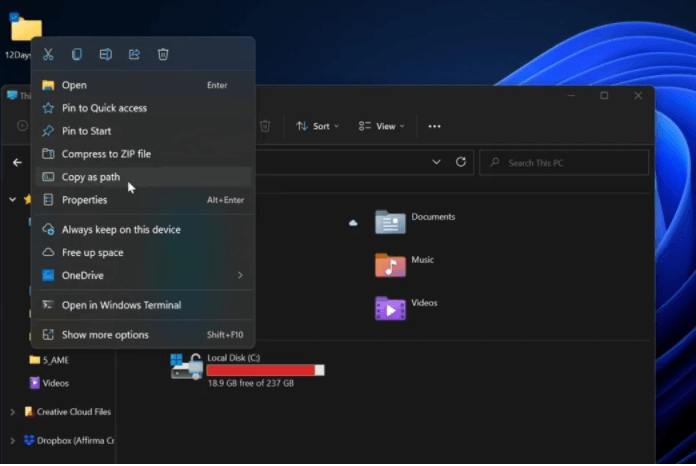
Helpful Information On How To Copy File Path In Professional Email YouTube How To Copy File Path On Mac Onlineguys 2 Ways To Copy The Full Path Of Files And Folders In Windows 10 11 2 Ways To Copy The Full Path Of Files And Folders In Windows 10 11 How To Copy File Path In Windows 11 How To Copy File Path On Mac How To Extract Multiple ZIP Files At Once MiniTool Copy File Folder Path To Clipboard From Windows Right Click Menu How To Copy File Path Windows 10
How To Copy File Path In Visual Studio Code
 How To Copy File Path In Visual Studio Code
https://www.groovypost.com/wp-content/uploads/2023/06/copy-file-path-mac.png
As of vscode 1 59 you can enable using the separator even on Windows for the Copy Relative Path command Explorer Copy Relative Path Separator set to explorer copyRelativePathSeparator auto default Uses operating system specific path separation character Use slash as path separation character
Pre-crafted templates use a time-saving option for producing a diverse variety of documents and files. These pre-designed formats and layouts can be made use of for numerous personal and expert projects, including resumes, invitations, flyers, newsletters, reports, presentations, and more, simplifying the material production procedure.
How To Copy File Path In Visual Studio Code
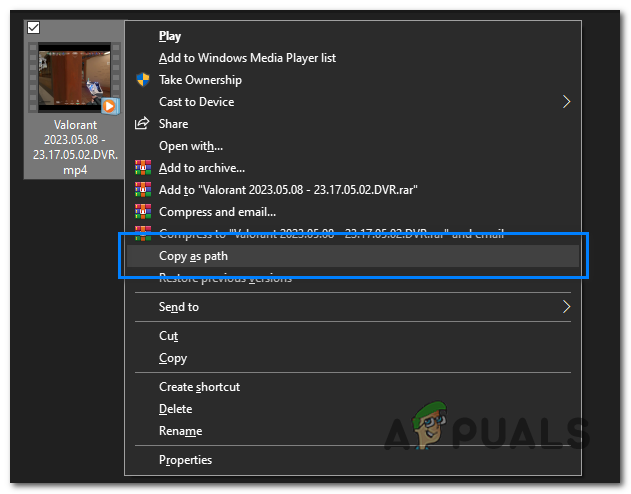
How To Copy The File Path In Windows 10 11 Appuals

How To Copy File Path On Mac Onlineguys
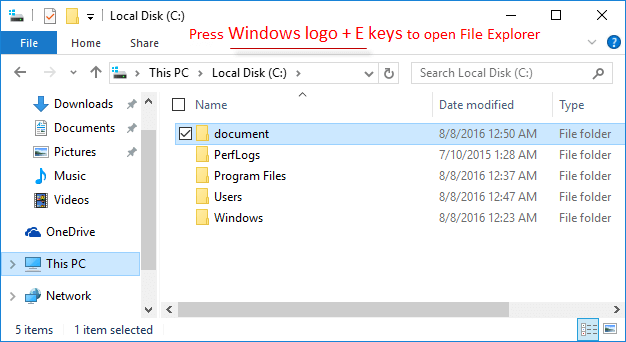
2 Ways To Copy The Full Path Of Files And Folders In Windows 10 11
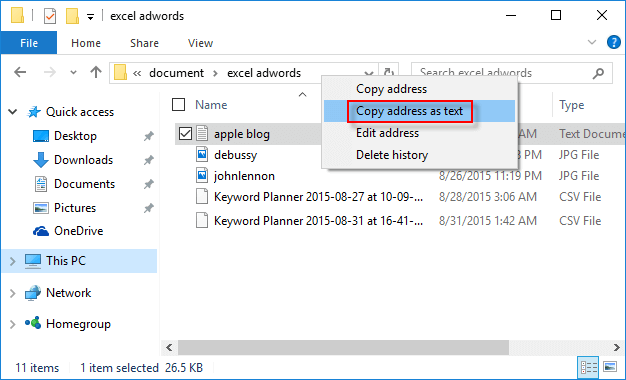
2 Ways To Copy The Full Path Of Files And Folders In Windows 10 11

How To Copy File Path On Mac
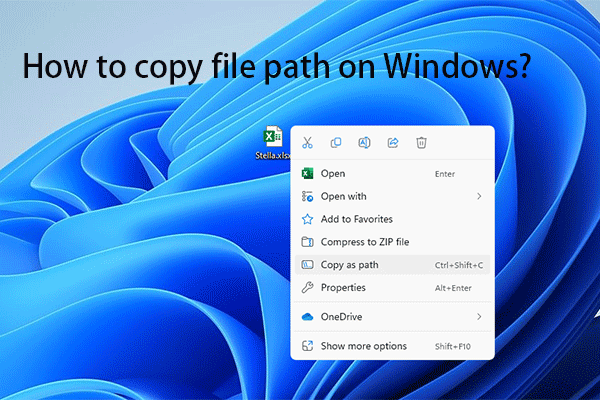
How To Extract Multiple ZIP Files At Once MiniTool

Today s VS Code tip copy path and copy relative pathRight click on a file in VS Code s explorer to copy the file s absolute or workspace relative path to th

Copy a file path using the shortcut ctrl cmd shift c and paste relative path to this file using ctrl cmd shift v There is no easy way to import files We need to manually enter the path to another file by looking at the file tree and breadcrumbs Simplifying file import by providing 3 ways to import the relative path Copy paste path from

Ctrl P Quick Open Go to File Ctrl Shift N New window instance Ctrl Shift W Close window instance Ctrl User Settings Ctrl K Ctrl S Keyboard Shortcuts Basic editing Ctrl X Cut line empty selection Ctrl C Copy line empty selection Alt Move line up down Shift Alt Copy line up down Ctrl Shift K Delete line
Keyboard Shortcut P Windows Linux Ctrl P Tip Type to view command suggestions Typing commands such as edt and term followed by a space will bring up dropdown lists Navigate between recently opened files Repeat the Quick Open keyboard shortcut to cycle quickly between recently opened files Open multiple files from Quick Open

Copy Path for Visual Studio Code Copy the relative path from the current file to the selected file Copy the project path of a file or directory How to use Select the file from the explorer and click on the desired option Extension Settings Add for relative paths pointing to the same directory copyRelativeFilePath addLeadingDot true
Extension for Visual Studio Code Pathify is an extension for Visual Studio Code that copies relative path of the current opened file into the clipboard Extension that will insert a copy directory path command to the file title context menu in Visual Studio Code Like Current Dir path to clipboard in Notepad Requirements Extension Settings Known Issues On Linux the xclip package might not be installed by default To fix run sudo apt install xclip
9 Answers Sorted by 106 You could do this with a post build event Set the files to no action on compile then in the macro copy the files to the directory you want Here s a post build Macro that I think will work by copying all files in a directory called Configuration to the root build folder