How To Close Debug Console In Vscode Resuelto Sugerencias Para Corregir La Depuraci n De C En Visual Studio DOS Geek Du Sud Client Aiguille Debug Console Visual Studio Code Martin Luther King Junior Solide En Arri re Debugging Vscode docs Debug A NET Console Application Using Visual Studio Code NET Microsoft Learn Du Sud Client Aiguille Debug Console Visual Studio Code Martin Luther King Junior Solide En Arri re 1 Answer Sorted by 0 Open the vscode directory in your project and look for the launch json file Make sure that the console property is set to integratedTerminal Here s an example configuration
Removing dynamic in memory launch configurations You can remove the generated configurations with Command Palette P Windows Linux Ctrl Shift P and using the command Debug Select and Start Debugging In the dropdown it lists all your existing debug configurations If you hover over the dynamic configurations a clickable trashcan Note that the internalConsole does not allow standard input i e ask for user input via the console so this solution may not be workable See alternative solution in this answer I verified via logging a defect that there is some disconnect with how Python extension is requesting the terminal but it not being reused by the core VS Code framework The Python code guys say it SHOULD be
Du Sud Client Aiguille Debug Console Visual Studio Code Martin Luther King Junior Solide En Arri re Visual Studio Code Python Debug In Visual Code Studio Is Giving Error Why Stack Overflow Riset Run C C Code In Terminal Instead Of Debug Console In VSCode On MacOS Stack Overflow The Witcher 3 Wild Hunt How To Enable Debug Console Steams Play VS Code Build Run And Debug In C GeeksforGeeks Debug C CSharp With VSCode How To Enable Debug Mode Project Zomboid Dimunity How Do I Close Fmod Studio Debug Unity FMOD Forums
How To Close Debug Console In Vscode
 How To Close Debug Console In Vscode
http://dosgeek.com/wp-content/uploads/2021/11/debug-c-in-visual-studio-4.png
You can debug Windows applications created using Cygwin or MinGW by using VS Code To use Cygwin or MinGW debugging features the debugger path must be set manually in the launch configuration launch json
Pre-crafted templates use a time-saving solution for developing a varied variety of files and files. These pre-designed formats and layouts can be used for various individual and professional projects, including resumes, invitations, leaflets, newsletters, reports, presentations, and more, streamlining the material development procedure.
How To Close Debug Console In Vscode
Du Sud Client Aiguille Debug Console Visual Studio Code Martin Luther King Junior Solide En Arri re
Visual Studio Code
Python Debug In Visual Code Studio Is Giving Error Why Stack Overflow Riset

Run C C Code In Terminal Instead Of Debug Console In VSCode On MacOS Stack Overflow
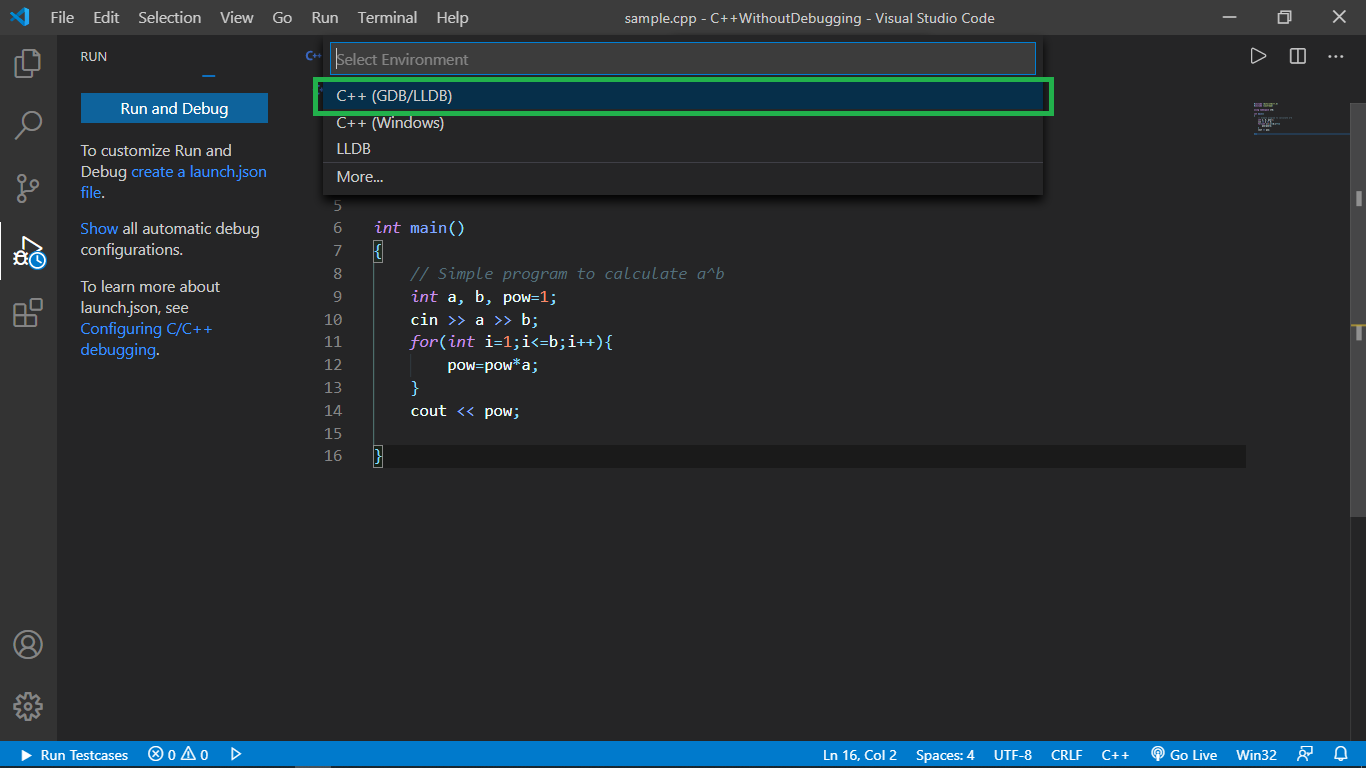
VS Code Build Run And Debug In C GeeksforGeeks
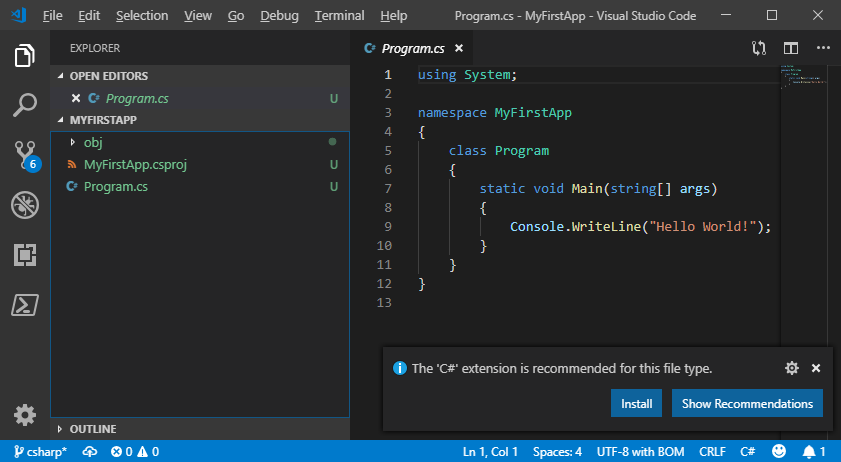
Debug C CSharp With VSCode
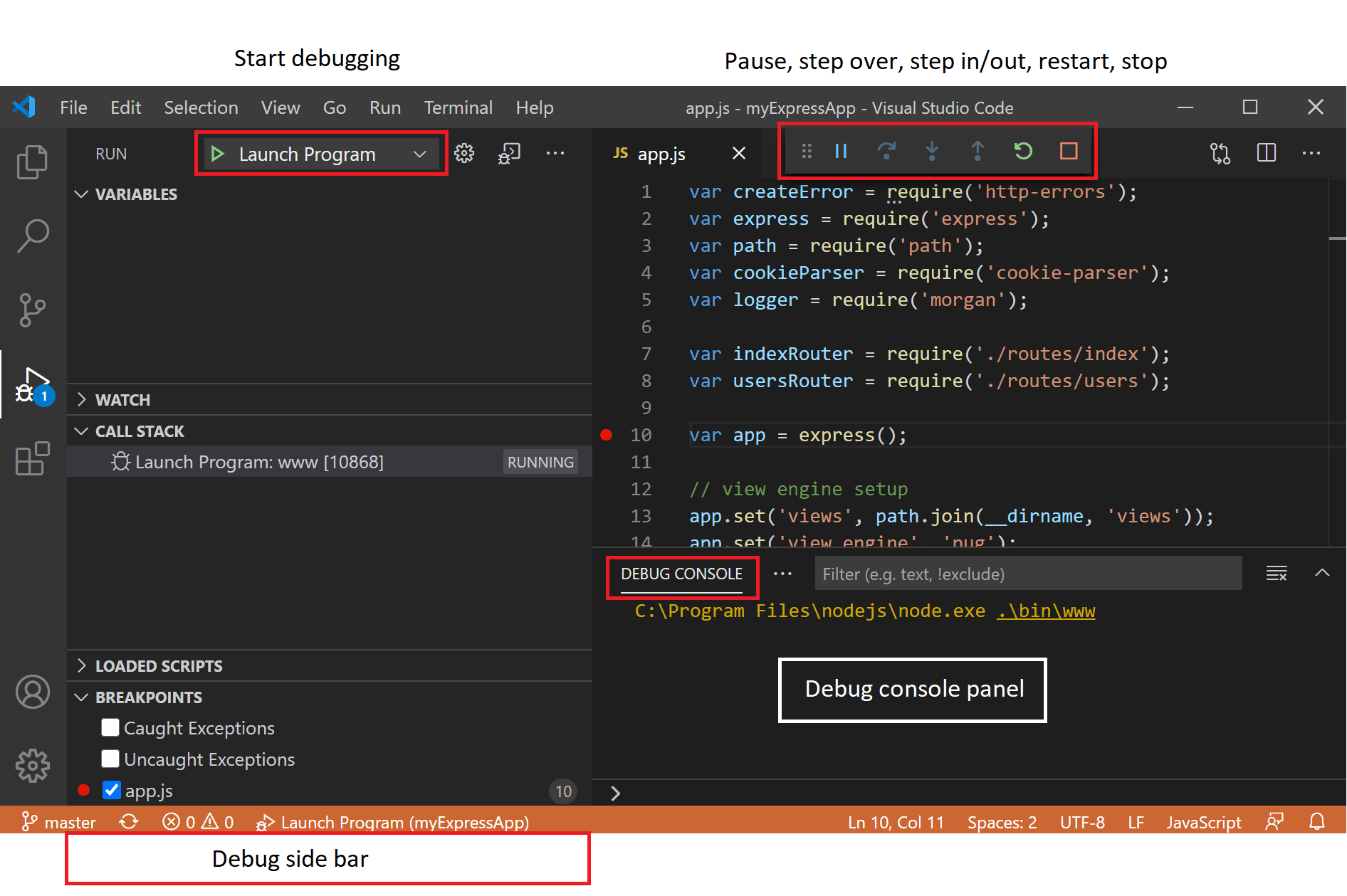
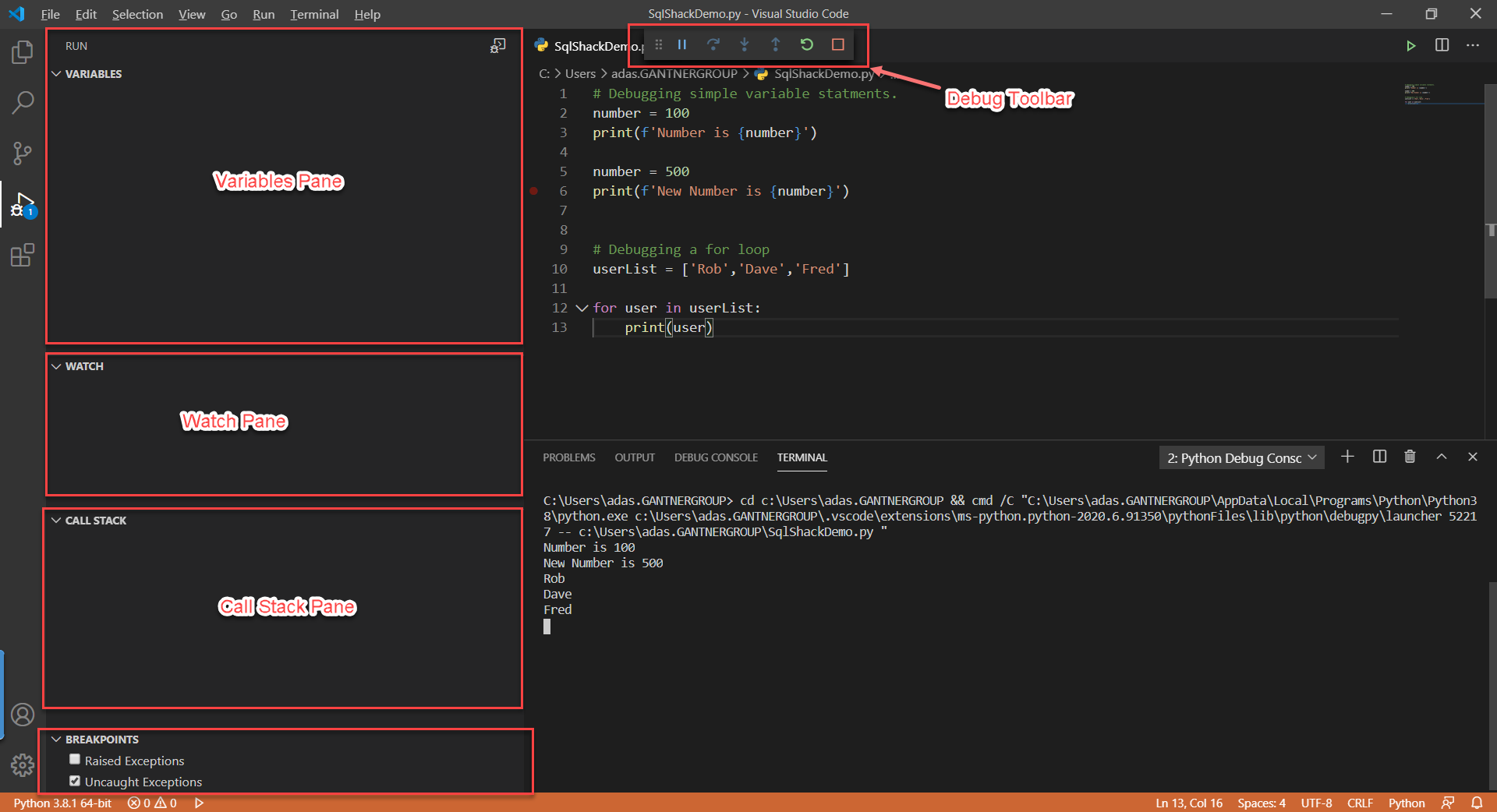
To run or debug a simple app in VS Code select Run and Debug on the Debug start view or press F5 and VS Code will try to run your currently active file However for most debugging scenarios creating a launch configuration file is beneficial because it allows you to configure and save debugging setup details
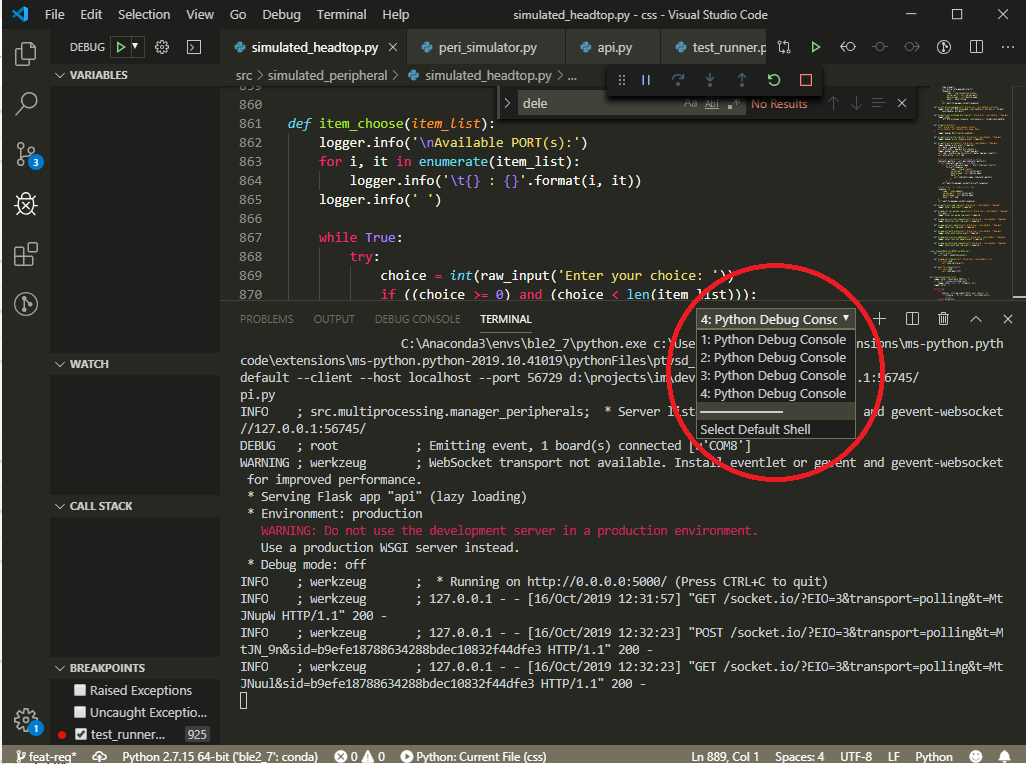
Consider adding some source to back the affirmation setting are just wrong and useless From the other answers and comments it looks like ctrl k has been added as a default shortcut after this question was answered If that is the case An explanation of that with maybe some link to the docs would be awesome

Projects 1 Wiki Security Insights New issue Option to hide Debug Console after debugging session is stopped 82931 Closed aeon0 opened this issue on Oct 20 2019 13 comments Fixed by 83249 If the console was open before the session was started it should also stay open after debugging session was ended
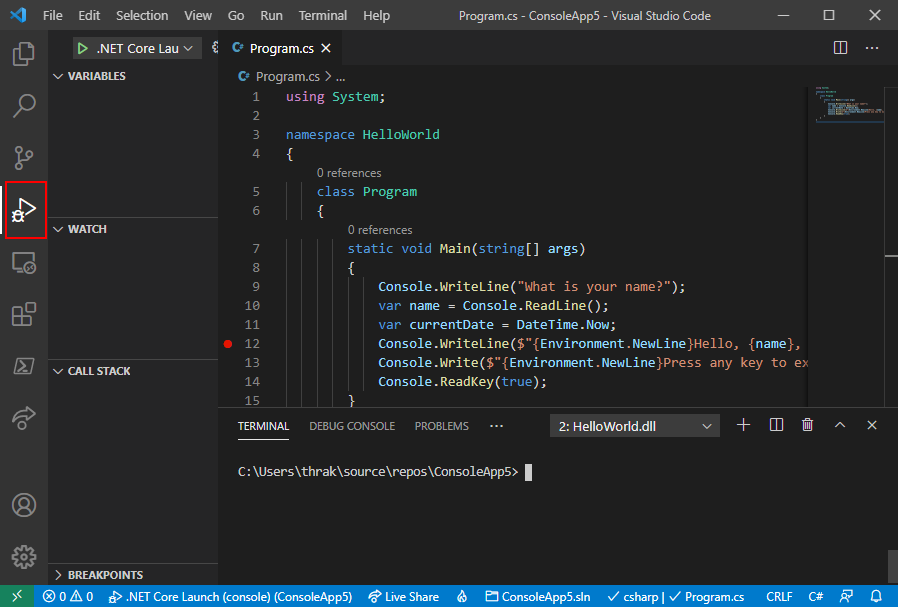
Clear terminal and debug console in vscode

2 Answers Sorted by 3 The tasks json file in VSCode 1 57 now has a property called close is in the presentation property And you can use it to close the terminal Automatically close task terminals The task presentation property has a new close property Setting close to true will cause the terminal to close when the task exits
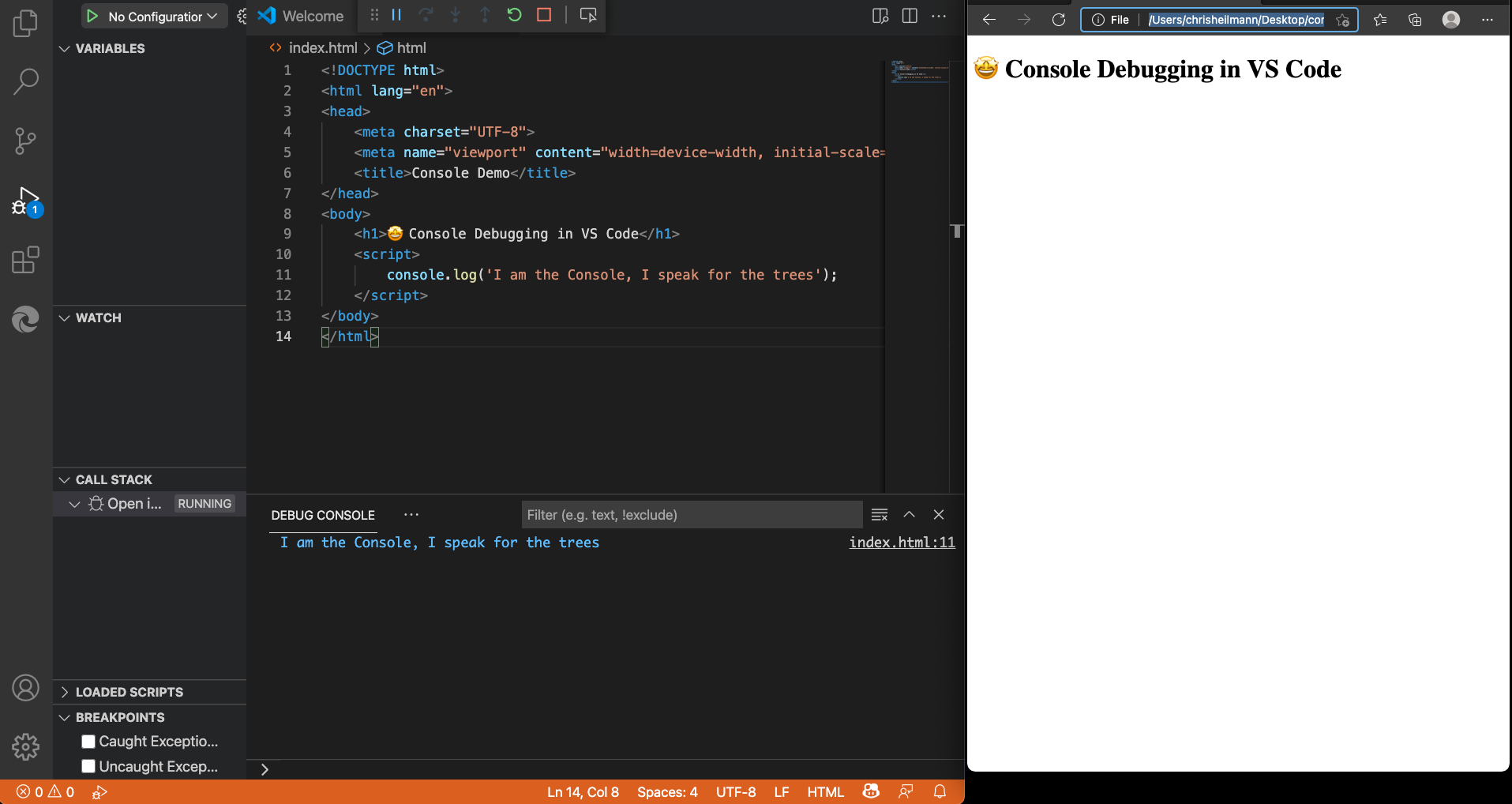
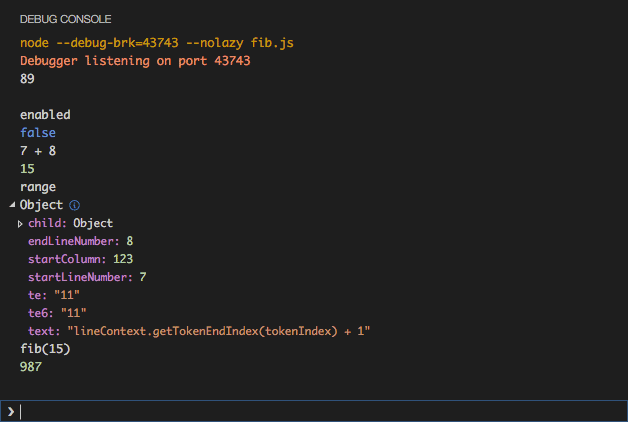
In this tutorial we will show you how to run and debug a program in VS Code We ll take a tour of the Run and Debug view explore some debugging features and end by setting a breakpoint Tip To use the debugging features demonstrated in this video for Node js you will need to first install Node js To follow along with the Python portion of Today s VS Code basics the debug consoleThe debug console lets you explore and interact with your program as it is being debugged View the output of your pr
The top right button in the Debug Console window with the hamburger menu and the tiny x does nothing when I click on it even though I read it s supposed to show a drop down menu with a close option All other suggestions I ve seen close both the terminal and debug console Anyone else encountered this problem Thanks so much for any tips