How To Check Node Path In Windows How To Program Node Mcu Using Android Phone How To Check Node Mcu There Is No Available Node Please Check Node Status On The Monitoring How To Check Node Version In Visual Studio Code Terminal Ee bonds Node Js How To Check Node Version In Windows Cmd Web Aug 3 2022 nbsp 0183 32 Usually it s there by default but you can check it using below command pankaj pankaj echo PATH usr bin bin usr sbin sbin usr local bin Library Java JavaVirtualMachines jdk1 7 0 60 jdk Contents Home bin usr local apache maven 3 0 5 bin pankaj pankaj Below are some sample commands to check the
Web Mar 7 2023 nbsp 0183 32 If you use any other format for installing node js on your PC you should put the system variable path for node js as follows PATH C Users username AppData Roaming npm C Program Files path to the nodejs folder PATH C Users admin AppData Roaming npm C Program Files nodejs Web Nov 26 2011 nbsp 0183 32 You should check if the path C Program Files x86 nodejs is present in your PATH If not add it via the system properties persistent change In any case restart your command prompt it ll reload the PATH variable If you re lucky it should work now
How To Check Node Version In Windows Cmd How To Update Node Js To The Latest Version Linuxbuz Riset Anatomy Practical The Lymphatic System Diagram Quizlet How To Check Node js Version Check Node Version Pi Setup Install Node Check Node Version PJG Creations How To Check Node Version In Visual Studio Code Terminal How To Change The Download Path On Windows 11 Technipages Www vrogue co export node path Godot Forums Lymph Node Pathology Dictionary MyPathologyReport ca
How To Check Node Path In Windows
 How To Check Node Path In Windows
https://i.ytimg.com/vi/tYBTscBHsHI/maxresdefault.jpg
Web Aug 31 2019 nbsp 0183 32 const homeDir require os homedir See https www npmjs package os const desktopDir homeDir Desktop console log desktopDir It should work on Windows and MacOS Actually the name is always Desktop regardless of language
Pre-crafted templates offer a time-saving option for developing a varied series of files and files. These pre-designed formats and designs can be utilized for numerous personal and professional projects, consisting of resumes, invitations, leaflets, newsletters, reports, discussions, and more, enhancing the content creation procedure.
How To Check Node Path In Windows

How To Check If A File Exists In Node js DEV Community

How To Update Node Js To The Latest Version Linuxbuz Riset

Anatomy Practical The Lymphatic System Diagram Quizlet

How To Check Node js Version Check Node Version

How To Check Node Version In Visual Studio Code Terminal

How To Change The Download Path On Windows 11 Technipages Www vrogue co

Web Feb 2 2019 nbsp 0183 32 Select the disk where you want to install nodejs gt MacintoshHD clicked install This package has installed Node js v10 15 1 to usr local bin node npm v6 4 1 to usr local bin npm Make sure that usr local bin is in your PATH Checked usr local bin is in PATH

Web Dec 20 2021 nbsp 0183 32 How do I find the Node Path for node js on my windows machine Node path for the test runner and tasks is required and if absent node is looked up in PATH However the default is not happening and I think I need to

Web Mar 14 2020 nbsp 0183 32 how to set path for node js I installed node js in my windows7 64 bit but when i am trying to run the command its giving me an error CALL quot C Program Files nodejs node exe quot quot C Program Files nodejs node modules npm bin npm cli js quot prefix g is not recognised as internal or external command
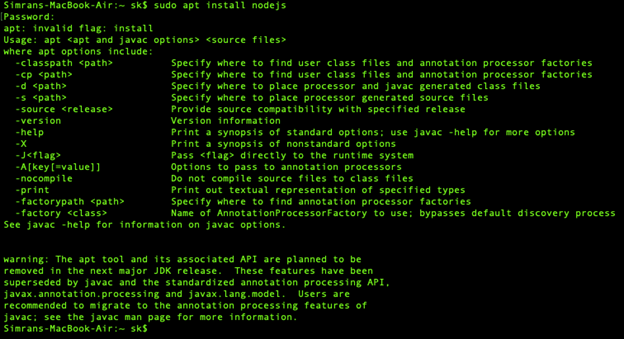
Web Nov 20 2015 nbsp 0183 32 The directory needs to be on the path so use setx M to set the system path under HKEY LOCAL MACHINE This is what requires you to run this in a shell with administrator permissions Tell npm to use this new path Note folder isn t visible in PATH in this shell so you must open a new window
Web Feb 18 2020 nbsp 0183 32 Check default install location C Program Files nodejs or Go to System Settings gt Add or Remove Programs and filter by node it should show you if you have it installed For me it shows as title quot Node js quot and description quot Node js Foundation quot with no version specified Install size is 52 6MB
Web The default operation of the node path module varies based on the operating system on which a Node js application is running Specifically when running on a Windows operating system the node path module will assume that Windows style paths are being used So using path basename might yield different results on POSIX and Windows On POSIX Web The usual way to run a Node js program is to run the globally available node command once you install Node js and pass the name of the file you want to execute If your main Node js application file is app js you can call it by typing node app js Above you are explicitly telling the shell to run your script with node
Web You can join two or more parts of a path by using path join const name joe path join users name notes txt users joe notes txt You can get the absolute path calculation of a relative path using path resolve path resolve joe txt Users joe joe txt if run from my home folder