How To Check Mysql Version In Linux How To Check MySQL Version 5 Easy Commands Ubuntu Linux How To Check MySQL Version In Linux MyTechMint How To Find MySQL Version In Linux Using The CLI NixCraft How To Check The MySQL Version LinuxCapable How To Find MySQL Version In Linux Using The CLI NixCraft Verkko 3 helmik 2024 nbsp 0183 32 What Makes Knowing Your MySQL Version Necessary Check MySQL Version on Linux via Command Line The Prerequisites Method 1 Use the
Verkko Method 1 Using the MySQL Command Line Tool The easiest way to check the MySQL version is by using the MySQL command line client Open the Linux terminal Verkko 12 tammik 2023 nbsp 0183 32 From the Command Line Use the following command to check the version of your local MySQL server This command is not specific to any operating system This command is compatible with all
How To Find MySQL Version In Linux Using The CLI NixCraft How To Check MySQL Version Using Workbench Linux Consultant How To Check MySQL Version In Linux Including Ubuntu Linux Tutorial Hub How To Find Your MySQL Server s Instance Name Systran Box How To Check MySQL Version Using Workbench Linux Consultant Linux mysql How To Check MySQL Version In Linux MyTechMint Check Your Current MySQL Version In 6 Ways Devart Blog How To Check MySQL Version Number Geeks Worldwide
How To Check Mysql Version In Linux
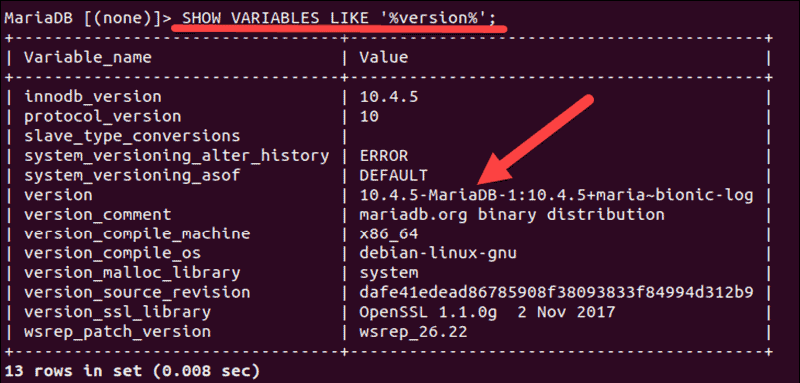 How To Check Mysql Version In Linux
https://phoenixnap.com/kb/wp-content/uploads/2021/04/show-variables-like-version-mysql.png
Verkko How to Check MySQL Version in both Linux and Windows The easiest method for checking your MySQL version number is to follow MySQL with the V command like
Pre-crafted templates provide a time-saving option for creating a varied series of files and files. These pre-designed formats and designs can be made use of for various personal and expert projects, including resumes, invitations, leaflets, newsletters, reports, discussions, and more, simplifying the material production procedure.
How To Check Mysql Version In Linux
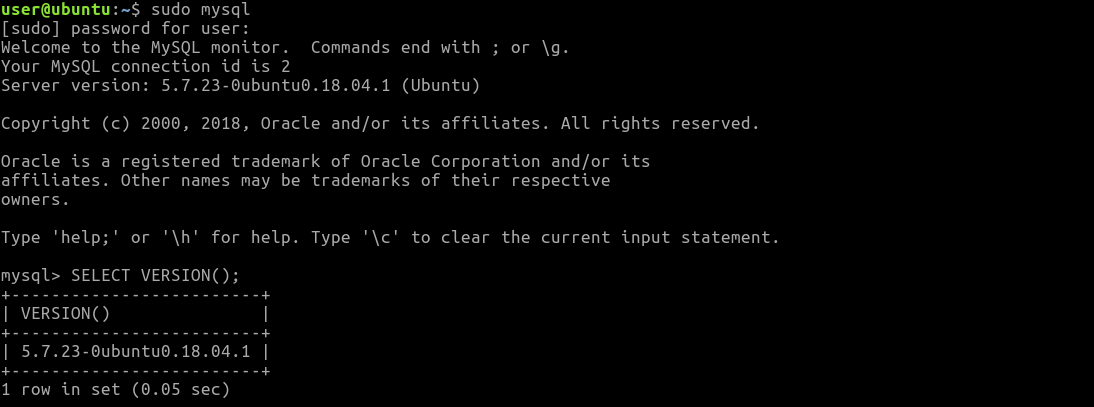
How To Check MySQL Version In Ubuntu

How To Check MySQL Version Using Workbench Linux Consultant
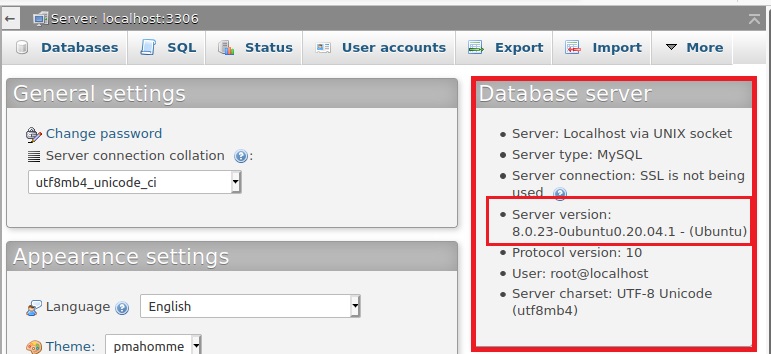
How To Check MySQL Version In Linux Including Ubuntu Linux Tutorial Hub

How To Find Your MySQL Server s Instance Name Systran Box

Linux mysql
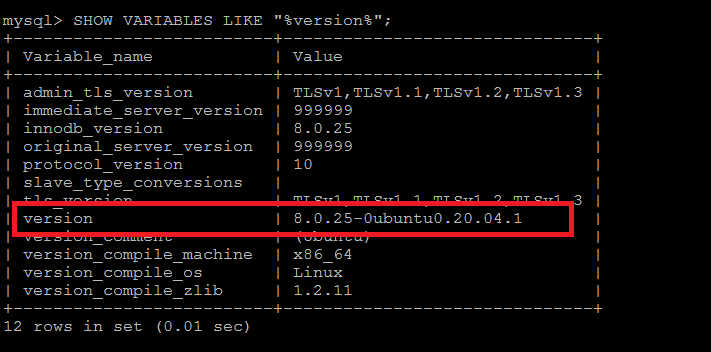
How To Check MySQL Version In Linux MyTechMint
Verkko 11 hein 228 k 2019 nbsp 0183 32 The easiest way to find the MySQL version is with the command mysql V The command mysql V is not OS specific This

Verkko 24 tammik 2012 nbsp 0183 32 Linux Mysql view version Package version For RedHat CentOS operating systems rpm qa grep mysql For Debian

Verkko 10 syysk 2022 nbsp 0183 32 Type the following mysql command at the Linux or Unix shell prompt mysql e STATUS Set mysql user u host h prompt for the password mysql

Verkko 17 lokak 2021 nbsp 0183 32 On your command terminal use the Database CLI tool Check version using Mysql shell Use the Status command Use phpMyAdmin to find the MySQL

Verkko 14 hein 228 k 2022 nbsp 0183 32 Open the command line and enter this command mysql V The response would be this 2 From the MySQL Client When you run the MySQL
Verkko 16 hein 228 k 2023 nbsp 0183 32 There are several ways to check the MySQL version In this article we will cover three primary methods using the command line interface using a script Verkko 28 tammik 2022 nbsp 0183 32 To use the status command run the following command mysql gt status Use the query version variables as suggested to acquire more
Verkko 14 kes 228 k 2018 nbsp 0183 32 1 Answer Sorted by 2 The lastest mysql client server officially supported by Ubuntu 18 04 is version 5 7 Unless you added PPA for later version of