How To Check Content Server Version In Linux How To Check Content Plagiarism How To Check Content Quality Online Greensoft How To Optimize Content And Check Its Quality TechyPlum How To Store JSON Documents In Redis With Python Redis Developer Hub Web Apr 9 2024 nbsp 0183 32 Open the terminal prompt and then type the following commands Login to the remote server using the ssh command For example ssh user linux unix server ip To check PHP version run
Web May 1 2022 nbsp 0183 32 The best way to check Linux version is using cat etc os release command This command will list Linux distribution name and release version information It works on almost all Linux system Web Oct 21 2022 nbsp 0183 32 Under NetBackup Management gt gt Host Properties gt gt Choose Master Media Client server gt gt Select the Server from the list gt gt Right Click and Connect If there is no access to the Admin Console the version can be obtained through the following command line To find the version using Command Line For Windows
How To Store JSON Documents In Redis With Python Redis Developer Hub Blog Digital Media Company Grammarly Citation Generator Sterling School How To Check OS Version With Linux Command Line TecAdmin How To Check The Unix Version Plantforce21 How To Check Tomcat Version In Linux EASY Commands Docker Support With Documentum Content Server 7 3 How To Check Ubuntu Version In Linux Command Line Linuxhowto How To Check Redhat Linux Version Poretunity
How To Check Content Server Version In Linux
 How To Check Content Server Version In Linux
https://bn.nshamim.com/wp-content/uploads/2022/08/stencil.facebook-photo.jpg
Web Jun 30 2019 nbsp 0183 32 The simplest way to check Linux version is by using the hostnamectl command without any arguments For example the below hostnamectl command will return the Linux distribution name version and codename in use along with the currently loaded Linux kernel version hostnamectl Static hostname x220 Icon name computer
Pre-crafted templates provide a time-saving option for developing a diverse range of files and files. These pre-designed formats and designs can be used for various personal and professional jobs, consisting of resumes, invitations, flyers, newsletters, reports, discussions, and more, improving the material production procedure.
How To Check Content Server Version In Linux

How To Check Content Uniqueness Study Woo

Blog Digital Media Company

Grammarly Citation Generator Sterling School
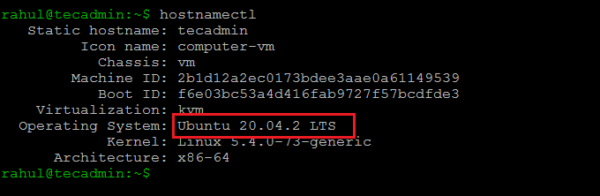
How To Check OS Version With Linux Command Line TecAdmin
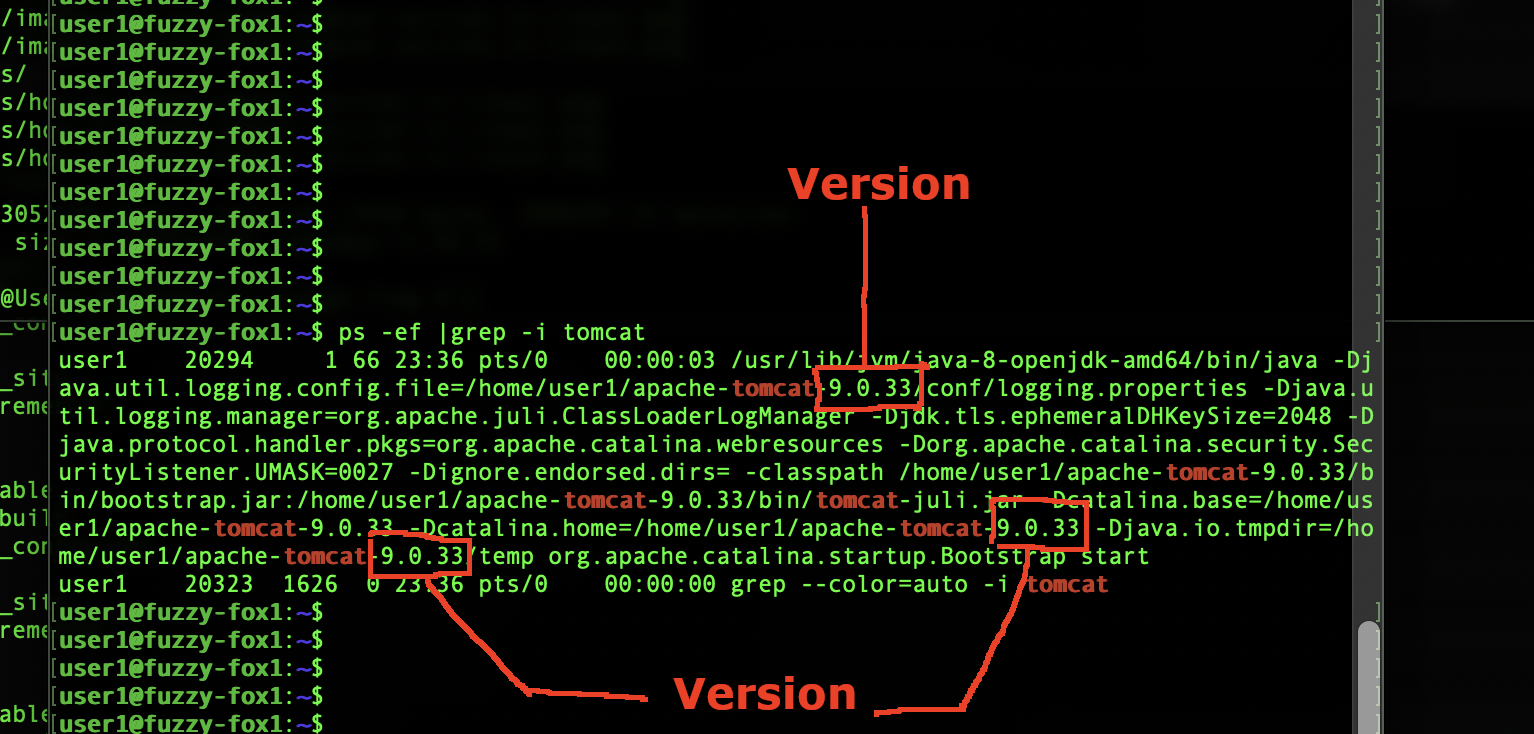
How To Check Tomcat Version In Linux EASY Commands

Docker Support With Documentum Content Server 7 3

Web Feb 17 2015 nbsp 0183 32 we get the below response which doesn t have the version details serverType quot SAP HTTP Content Server quot serverVendorId quot SAP AG quot serverPatch quot 1 quot serverStatus quot running quot serverDate quot 2015 02 17 quot serverTime quot 15 36 09 quot startUpDate quot 2015 02

Web You can execute cat etc redhat release to check the Red Hat Linux RH version if you use an RH based OS Another solution that may work on any linux distributions is lsb release a And the uname a command shows the kernel version and other things Also cat etc issue shows your OS version This file shows in the telnet command

Web Sep 2 2023 nbsp 0183 32 The simplest way to check Linux version is to see the content of the etc os release file cat etc os release It will show an output similar to this NAME quot Ubuntu quot VERSION quot 20 04 1 LTS Focal Fossa quot

Web 5 days ago nbsp 0183 32 The procedure to find os name and version on Linux Open the terminal application bash shell For remote server login using the ssh ssh user server name Type any one of the following command to find os

Web Nov 14 2020 nbsp 0183 32 The uname command displays several system information including the Linux kernel architecture name version and release To find out what version of the Linux kernel is running on your system type the
Web Dec 27 2023 nbsp 0183 32 How to Check Your Linux Distribution Name and Version from the Command Line The Comprehensive Guide TheLinuxCode By Linux Code December 27 2023 As a Linux system administrator developer or power user knowing details about your operating system environment is absolutely essential Web Jul 5 2021 nbsp 0183 32 1 Checking the Apache Version Using WebHost Manager Find the Server Status section and click Apache Status You can start typing apache in the search menu to quickly narrow your selection The current version of Apache appears next to the server version on the Apache status page In this case it is version 2 4 41
Web Aug 11 2022 nbsp 0183 32 Generally you can check the version of the Linux operating system via the uname command This command prints out all the information about your system It can be accessed via the etc os release file and will display the kernel architecture name and release information