How To Change Wordpress Theme Manually How To Change Wordpress Theme Without Losing Content In Hindi Wordpress Me Theme Kaise Change How To Change Your Website Theme On Wordpress 2019 YouTube How To Change WordPress Website Theme Without Losing Your Content Upload External Theme In WP How To Change Your Active WordPress Theme Through Your Database SERPCOM SEO Web Design How To Change WordPress Theme Without Going Live Here s how you can do that From your dashboard go to Appearance Themes Add Ne w and click on Upload Theme Click on Choose File and upload the zip file of the theme you downloaded Once the upload is complete click on Install Now WordPress will take a few minutes to install the theme
Click Appearance Themes A popup message will appear above your active theme saying something like New version available Update now Click the hyperlinked text Update now WordPress will automatically download and unzip the theme package and replace the old theme files with the new ones If you want to change your theme manually you must work through your WordPress database You ll need to connect your website to WordPress using an FTP clien t 2 Go to the themes folder and select a theme Once you can access your FTP client navigate to the wp content themes folder
How To Change WordPress Theme Without Going Live Easy Guide To Change WordPress Theme Via PhpMyAdmin WPcademy How To Change Wordpress Theme In 4 Steps 2022 Updated How To Install Anzu WordPress Theme Manually Visualmodo How To Change The Theme For Your WordPress Website How To Install Theme Wordpress Manually Psadosilver How To Change Your WordPress Theme Without Breaking Your Site Beginner s Guide How To Change A WordPress Theme How To Change WordPress Theme YouTube
How To Change Wordpress Theme Manually
 How To Change Wordpress Theme Manually
https://i.ytimg.com/vi/ZDA9cTwV02w/maxresdefault.jpg
We also have a full guide on How to Install a WordPress Theme Hover your mouse over a theme to see the Live Preview and Activate options Click the Activate button to enable the theme Remember this will not delete the content currently on your website though you may need to make tweaks to fit the new theme
Templates are pre-designed files or files that can be utilized for numerous functions. They can conserve effort and time by supplying a ready-made format and layout for producing different type of material. Templates can be utilized for personal or professional projects, such as resumes, invitations, flyers, newsletters, reports, discussions, and more.
How To Change Wordpress Theme Manually

Easy Guide To Change WordPress Theme Via PhpMyAdmin WPcademy
Easy Guide To Change WordPress Theme Via PhpMyAdmin WPcademy

How To Change Wordpress Theme In 4 Steps 2022 Updated

How To Install Anzu WordPress Theme Manually Visualmodo
How To Install Theme Wordpress Manually Psadosilver

How To Change Your WordPress Theme Without Breaking Your Site

First you need to install and activate this free plugin For detailed instructions see our step by step guide on how to install a WordPress plugin Upon activation visit the Settings Theme Switcha page from the WordPress dashboard and check the box next to the Enable theme switching option

Fill out the form fields as shown here Create a Test FTP Account The important things to note are the Directory in which the FTP account will start Make sure this path points to your main WordPress directory containing the folders wp includes wp content etc etc Fill out your username and passwords and click Create FTP

In the next section we will explore common issues that can occur when updating a WordPress theme manually Related How To Create A Professional Portafoli Tips And Examples Common Issues When Updating a WordPress Theme Manually While manually updating your WordPress theme is important it can sometimes result in issues or errors

Switch a Theme To change the theme of your site follow these steps Visit your site s dashboard Go to Appearance Themes Your site s current theme will be first in the list labeled as Active Browse through the available themes and choose one that you like Click the three dots icon and select Activate

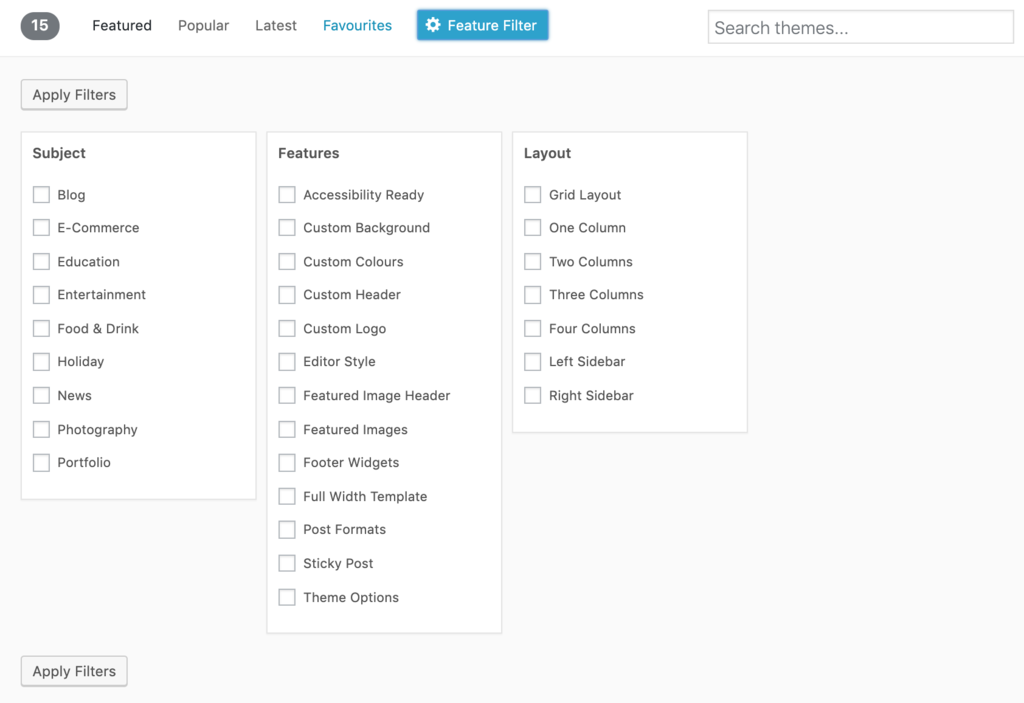
Step 3 Activate Your New Theme You already know what your website will look like once you switch themes so it s time to get to work Close the Customizer and move to the Appearance Themes tab Then click on the Activate button for your new theme How to activate a theme in WordPress
Creating a child theme consists of four steps Create a new folder in wp content themes In that folder create a stylesheet In that stylesheet tell WordPress that this is a child theme of your existing theme Add copies of the files you want to edit to the child theme and edit them there Method 1 Using a Code Snippets Plugin to Preserve Customizations Recommended If you added custom code to your WordPress theme files the easiest way to save it is by moving it to the WPCode plugin before updating your theme To get started go to Appearance Theme File Editor from the WordPress dashboard
First download the zip file you bought in the theme marketplace or commercial provider 2 Navigate to Appearance Themes Then log in to your WordPress account and go to Appearance in the menu on the left of the dashboard and select Themes 3 On the themes page select Add New at the top of the page