How To Change Screen Timeout Windows 10 How To Change Lock Screen Timeout Before Display Turn Off On Windows 10 Windows 10 Lock Screen Timeout How To Change Screen Time Out Change Screen Timeout In Windows 7 VisiHow How To Change Screen Timeout Setting In Windows 10 YouTube Windows 10 Lock Screen Timeout How To Change Screen Time Out Web Jul 31 2019 nbsp 0183 32 0 00 1 23 How to Change Screen Timeout Setting in Windows 10 Tutorial MDTechVideos 538K subscribers Join Subscribe 565 137K views 4 years ago How to Change Screen Timeout
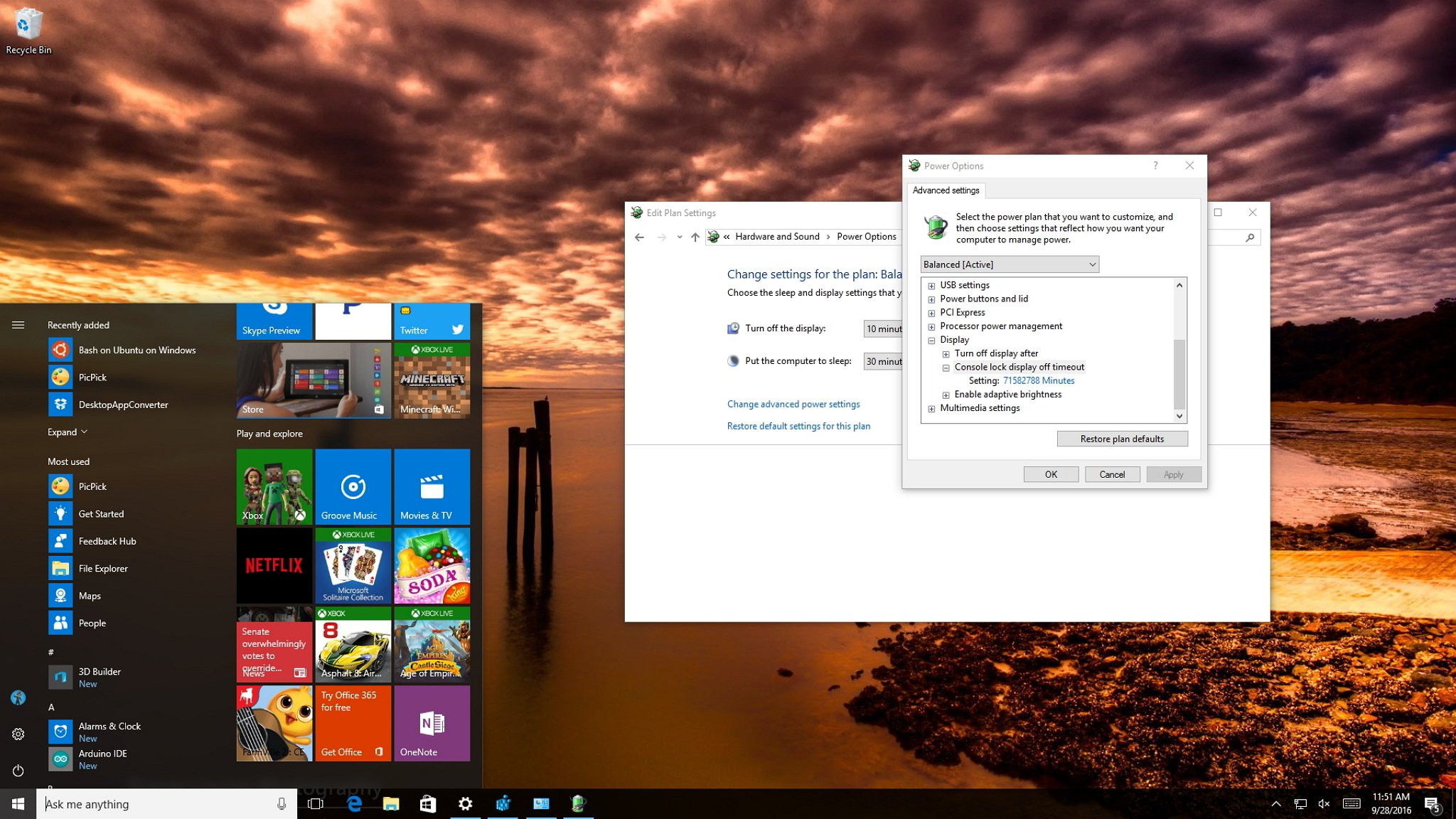
Web Sep 30 2016 nbsp 0183 32 On Advanced settings scroll down and expand the Display settings You should now see the Console lock display off timeout option double click to expand Change the default time of 1 minute Web Feb 24 2022 nbsp 0183 32 You can change Screensaver lock screen timeout settings in Windows 11 10 using Screensaver Settings Registry Editor or Group Policy Editor Screensaver Settings Registry Editor Group
Windows 10 Lock Screen Timeout How To Change Screen Time Out Windows 10 Lock Screen Timeout How To Change Screen Time Out How To Set Screen Time Out In Windows 10 YouTube Windows 10 Lock Screen Timeout How To Change Screen Time Out Windows 10 Lock Screen Timeout How To Change Screen Time Out How To Change Screen Timeout In Window 10 Laptop Screen Time Kese How To Change Screen Timeout Settings On Windows 11 PC Or Laptop YouTube How To Change Lock Screen Timeout In Windows 11 4 Ways How To Change Screen Timeout On Windows 10 11 Laptops Or Desktop 2022
How To Change Screen Timeout Windows 10
 How To Change Screen Timeout Windows 10
https://www.windowscentral.com/sites/wpcentral.com/files/styles/larger/public/field/image/2016/09/console-lock-display-timeout-windows-10.jpg?itok=3FYRmvq7
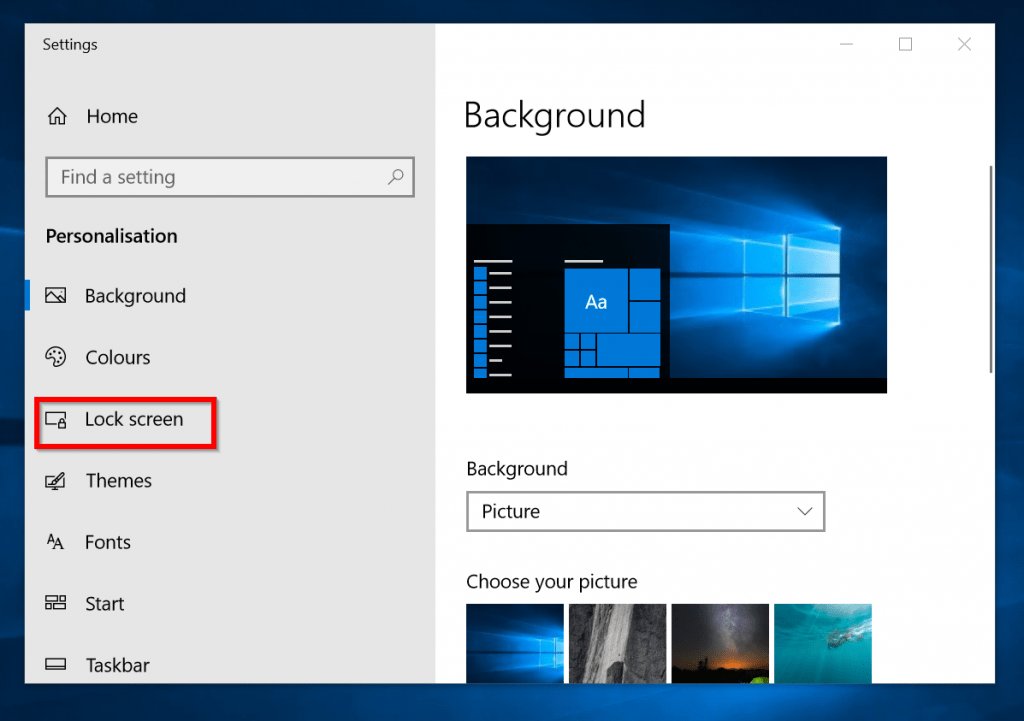
Web Feb 18 2022 nbsp 0183 32 Click on Advanced and then click on Run as Administrator Click Next and follow the on screen instructions to complete the troubleshooting process Method 2 After running the troubleshooter set up Screen time out settings to required time and check Follow the Steps below Right click Desktop and select Personalization
Pre-crafted templates use a time-saving solution for developing a varied series of documents and files. These pre-designed formats and layouts can be made use of for various personal and professional projects, including resumes, invitations, flyers, newsletters, reports, discussions, and more, improving the content creation procedure.
How To Change Screen Timeout Windows 10
Windows 10 Lock Screen Timeout How To Change Screen Time Out

Windows 10 Lock Screen Timeout How To Change Screen Time Out
How To Set Screen Time Out In Windows 10 YouTube
Windows 10 Lock Screen Timeout How To Change Screen Time Out

How To Change Screen Timeout In Window 10 Laptop Screen Time Kese
How To Change Screen Timeout Settings On Windows 11 PC Or Laptop YouTube

Web Feb 12 2016 nbsp 0183 32 how to change screen time out setting in Windows 10 1 Right click Desktop and select Personalization 2 Click on Lock Screen and select Screen time out settings 3 You can change to the required time in the drop down under Screen
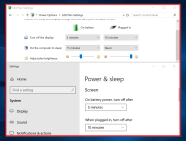
Web Aug 28 2022 nbsp 0183 32 How to Change the Windows 10 Lock Screen Timeout Add Timeout Setting to Power Options by Editing the Registry Manually To add the timeout setting to power options you Download Our One Click Hack If you don t feel like diving into the Registry yourself we ve created some a couple of Change

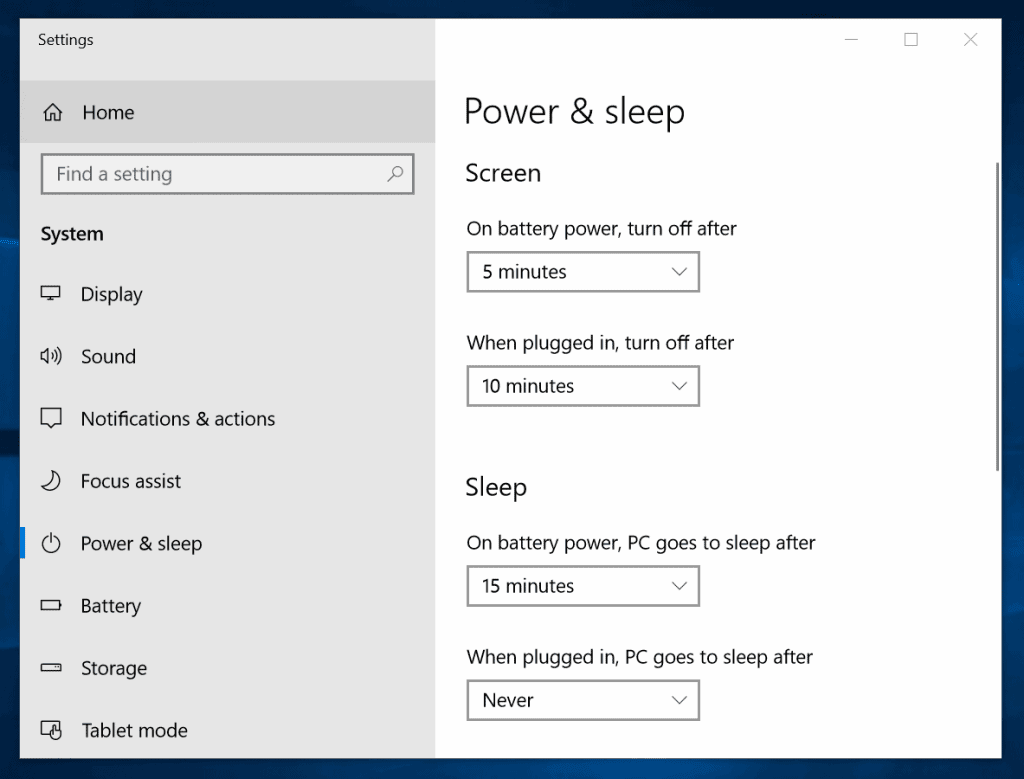
Web To adjust power and sleep settings in Windows 10 go to Start and select Settings gt System gt Power amp sleep Under Screen select how long you want your device to wait before turning the screen off when you re not using your device
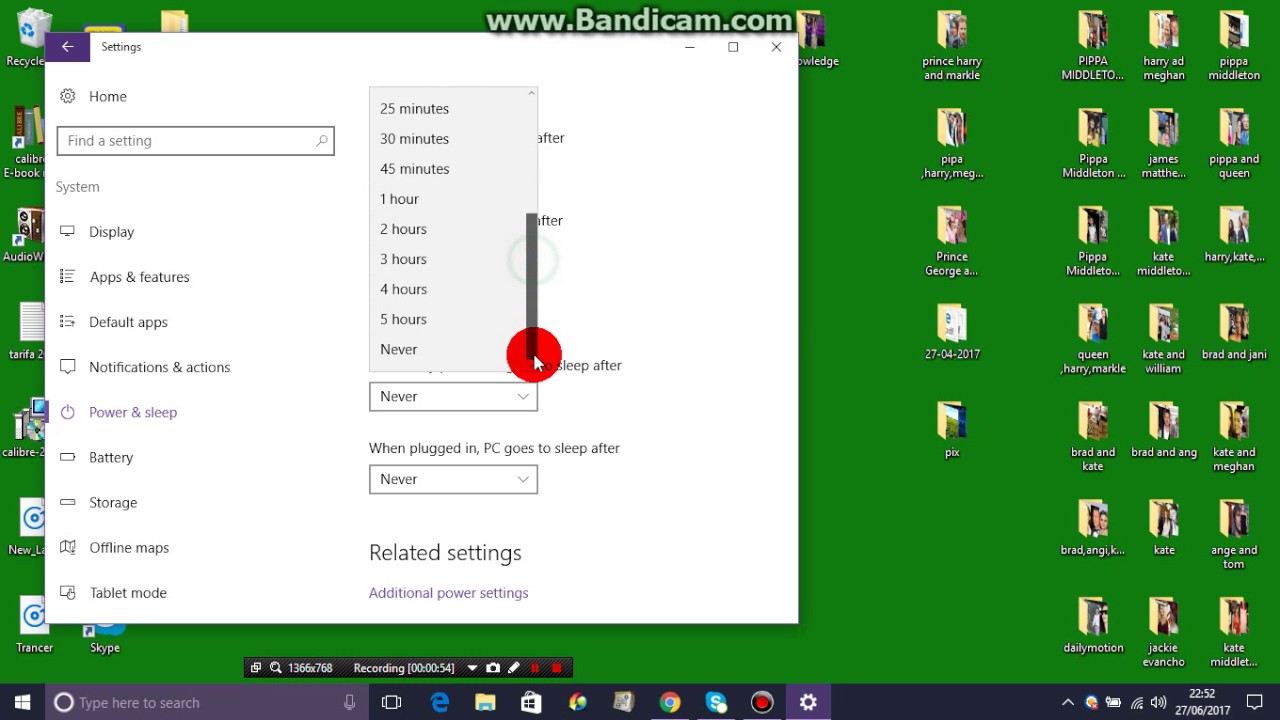
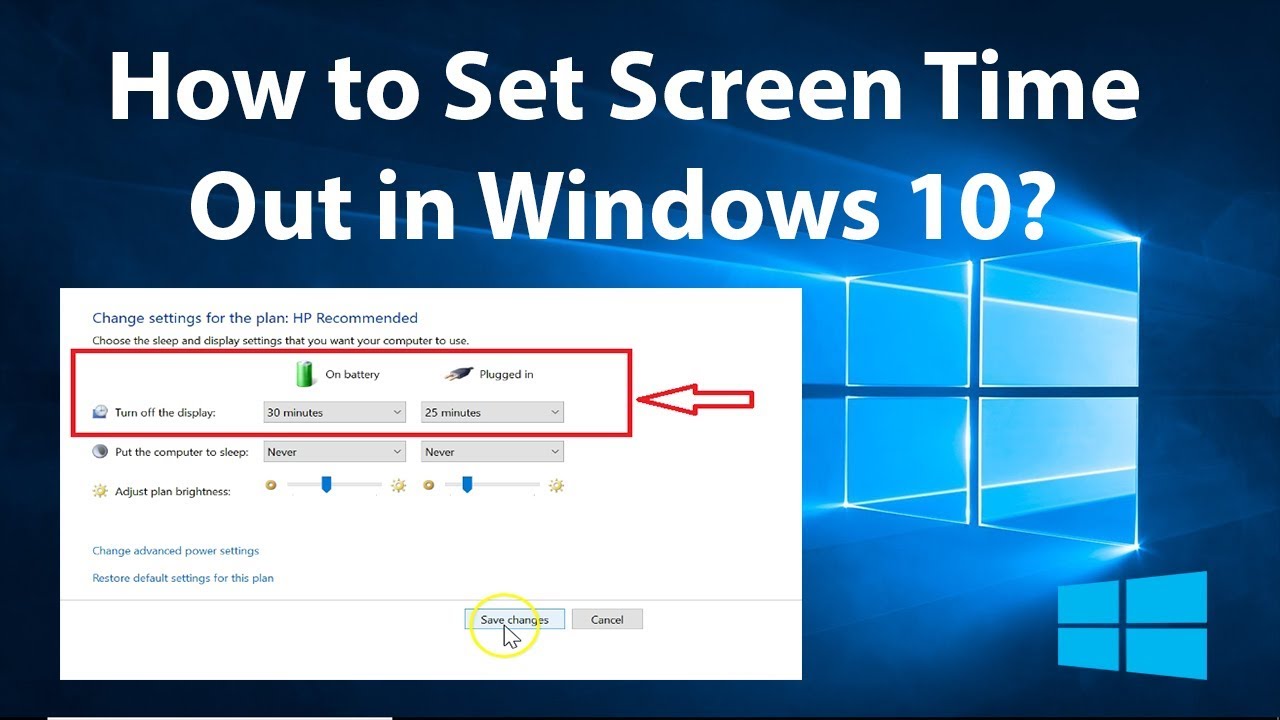
Web Aug 23 2022 nbsp 0183 32 You can change the screen turn off timeout on Windows 11 10 by using Settings app The Control Panel Command Prompt Let s see all these methods in detail

Web Method 3 Enter a command using Command Prompt to change the lock screen timeout Press the Windows R keys on your keyboard to open up the Run utility Type in cmd and press Ctrl Shift Enter to When the Command Prompt launches input the following command and press Enter powercfg exe
[desc-11] [desc-12]
[desc-13]