How Remove Page Title In Wordpress How To Hide Page Title In WordPress How To Hide A Page Title In WordPress YouTube Remove Page Title Wordpress Hide Page Title 11 2022 How To Add Or Remove Page Title In Wordpress 2021 YouTube How To Remove Page Title In WordPress Web Jul 18 2023 nbsp 0183 32 If your theme doesn t offer a built in feature to hide page titles more on that next the simplest solution for how to hide page titles in WordPress is to use a free plugin The most popular plugins for hiding titles from WordPress websites are WP 4 Me Title Remover Title Remover and Hide Page And Post Title
Web Mar 24 2023 nbsp 0183 32 Select Templates under the Editor section This will open up the following screen You might need to scroll down a bit to find the template titled Single The description of the template indicates that it is the default template for displaying any single post or Web Nov 30 2023 nbsp 0183 32 To install this plugin hover your mouse on the Plugins menu on your WordPress dashboard and then click on Add New Then type Title Remover into the search box at the top right of the screen and click on the Install Now button as shown in the screenshot below to install the Title Remover plugin Once installed you need to click on
How To Remove Page Title In WordPress How To Hide The Page Title In WordPress Using Elementor YouTube How To Remove Page Title In WordPress Remove Blog Title WordPress How To Hide Page Or Post Title In WordPress Meshnetics 5 Easy Ways Of Removing Page Title In WordPress Learn How To Remove A Page Title In WordPress Step by Step Wordpress How To Hide The Page Title In WordPress 5 Easy Ways Change A WordPress Website Title In Google Search Edit Your Page Title Remove Page Title Wordpress Hide Page Title 09 2022
How Remove Page Title In Wordpress
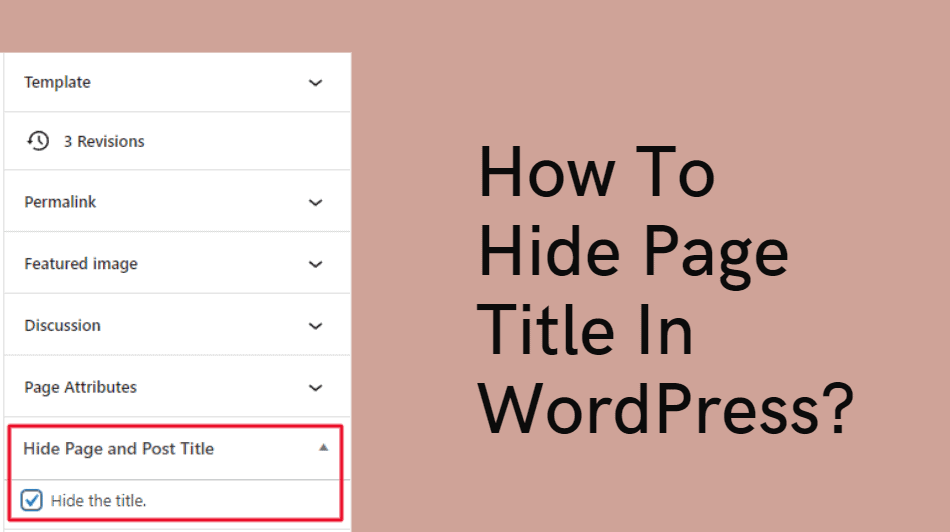 How Remove Page Title In Wordpress
https://woostify.com/wp-content/uploads/2021/10/how-to-hide-page-title-in-wordpress.png
Web In the content editor you will see a new tool labeled Hide Title Simply click the check box to hide the title and save the page It s that simple Now you can hide the titles for any post or page in WordPress individually
Pre-crafted templates offer a time-saving service for developing a diverse range of files and files. These pre-designed formats and layouts can be made use of for numerous individual and expert jobs, including resumes, invitations, flyers, newsletters, reports, discussions, and more, streamlining the material creation process.
How Remove Page Title In Wordpress

How To Remove Page Title In WordPress In Astra Theme 2023 Remove Page

How To Hide The Page Title In WordPress Using Elementor YouTube

How To Remove Page Title In WordPress Remove Blog Title WordPress
How To Hide Page Or Post Title In WordPress Meshnetics

Learn How To Remove A Page Title In WordPress Step by Step Wordpress

How To Hide The Page Title In WordPress 5 Easy Ways
Web Follow these steps to remove the title from the template Click on the Title block as marked by the number 1 in the image below Click on the three dots at the right end of the block s toolbar Click Delete or Remove Click Update or Save at the top right of the screen

Web Oct 27 2023 nbsp 0183 32 For removing a title just for one post you customize the css and prepend your style with page id ID so for example for post with id 23 you can find this id when opening the post in the browser and look in the address bar use page id 23
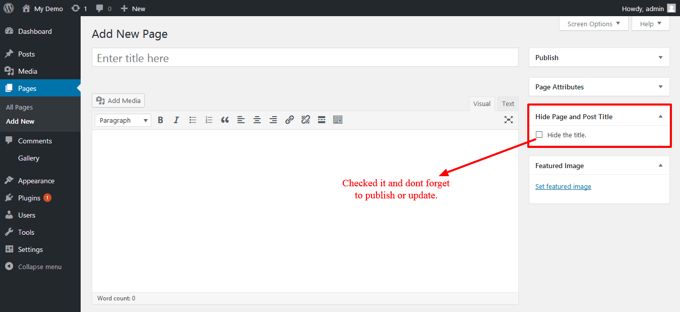
Web Sep 6 2023 nbsp 0183 32 Simply open the page with Elementor for which you want to remove the title Now at the bottom left corner you can find config option make sure to click it Now you will find Hide Title option click it Slide Hide Title option to activate it
Web 6 Methods to Hide Page Titles in WordPress Method 1 Manually with the Theme Customizer Method 2 Adding a custom CSS code Method 3 Using a Child theme editing functions php FTP File Manager Method 4 Using the Gutenberg Editor Method 5 Hide Page Titles with Elementor Method 6 Hide a title in WordPress with a plugin

Web May 2 2023 nbsp 0183 32 You can get to it by going to your WordPress dashboard and then hovering over Appearance gt Customize Then scroll down until you see a section called Additional CSS This box allows you to add your own custom CSS code to change the appearance of your website and can be used to hide page titles in WordPress
Web Sep 18 2020 nbsp 0183 32 You have two options here use a WordPress theme that includes a built in option to hide titles or add a bit of code to a child theme to make the change yourself 1 Using a WordPress Theme to Hide Titles Your easiest option is to simply use a theme that already includes the option to hide titles on posts or pages Web Mar 15 2023 nbsp 0183 32 4 Easy Ways to Hide Page Title in WordPress Now let s show you how to remove the page title using 4 straightforward methods Hide Page Title Using A Page Builder This example is only useful to you if you built your site with a page builder like Elementor If not skip to the steps below
Web Jan 11 2022 nbsp 0183 32 The easiest and most obvious way of hiding the page or post title in WordPress is by leaving the title field empty You can delete titles on already existing pages and posts too To go about that click on the title field delete the text and then press the Update button to save changes