How Do I Remove A Macro Button In Excel Excel Macro Button What Is It And How To Create One Insert A Macro Button In Excel 2010 avi YouTube How To Insert A Macro Button To Run Macro In Excel Create A Macro Button In MS Excel To Filter Data TurboFuture Boom Zur Wahrheit Pegs Insert Button Excel 2016 Mondoberfl che K rper Hoch Web Click the worksheet location where you want the upper left corner of the button to appear The Assign Macro popup window appears Assign a macro to the button and then click OK To specify the control properties of the button right click the button and then click Format Control
Web On the Developer tab in the Controls group turn on Design Mode Select the control or controls that you want to delete For more information see Select or deselect controls on a worksheet Press DELETE Web Mar 14 2023 nbsp 0183 32 Viewing editing and debugging VBA codes Copy a macro to another workbook How to delete macros How to save macros Export and import macros Excel macro code examples Protect macros with password Excel macro tips What are macros in Excel Excel macro is a set of commands or instructions stored in a workbook in the form
Boom Zur Wahrheit Pegs Insert Button Excel 2016 Mondoberfl che K rper Hoch How To Delete Macros In Excel Create A Macro Button In MS Excel To Filter Data TurboFuture Create A Macro Button In Excel To Copy Cells TurboFuture Create A Macro Button In MS Excel To Filter Data TurboFuture Snip A Range To Clipboard With A Macro Button In Excel For Mac TurboFuture Create A Macro Button In MS Excel To Filter Data TurboFuture How To Create Your First Macro Button In Excel For Beginners Excel For Beginners Microsoft How To Remove A Macro In Excel 4 Steps with Pictures WikiHow
How Do I Remove A Macro Button In Excel
 How Do I Remove A Macro Button In Excel
https://kajabi-storefronts-production.kajabi-cdn.com/kajabi-storefronts-production/blogs/2147485268/images/Ix7rwIlR92H81ASuCIhK_how_to_create_nacro_button_in_excel.png
Web Select the File tab and choose Options Select Trust Center and then choose Trust Center Settings In the Trust Center select Macro Settings Tip If you have the developer tab on your ribbon select the Developer tab and then choose Macro Security to open the Trust Center quickly Make the selections that you want then select OK
Templates are pre-designed files or files that can be used for numerous purposes. They can conserve effort and time by offering a ready-made format and design for developing various kinds of content. Templates can be utilized for personal or expert tasks, such as resumes, invitations, leaflets, newsletters, reports, presentations, and more.
How Do I Remove A Macro Button In Excel
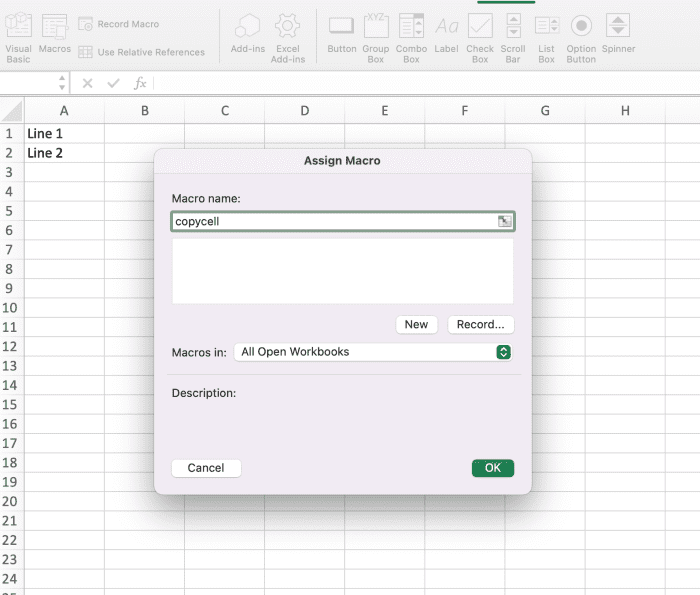
Create A Macro Button In Excel To Copy Cells TurboFuture
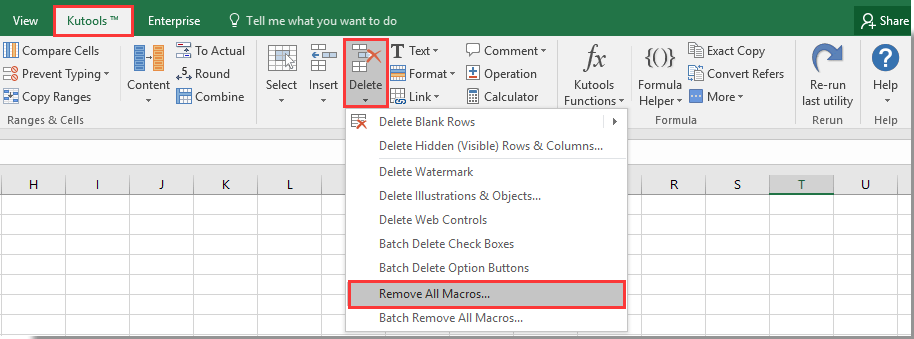
How To Delete Macros In Excel
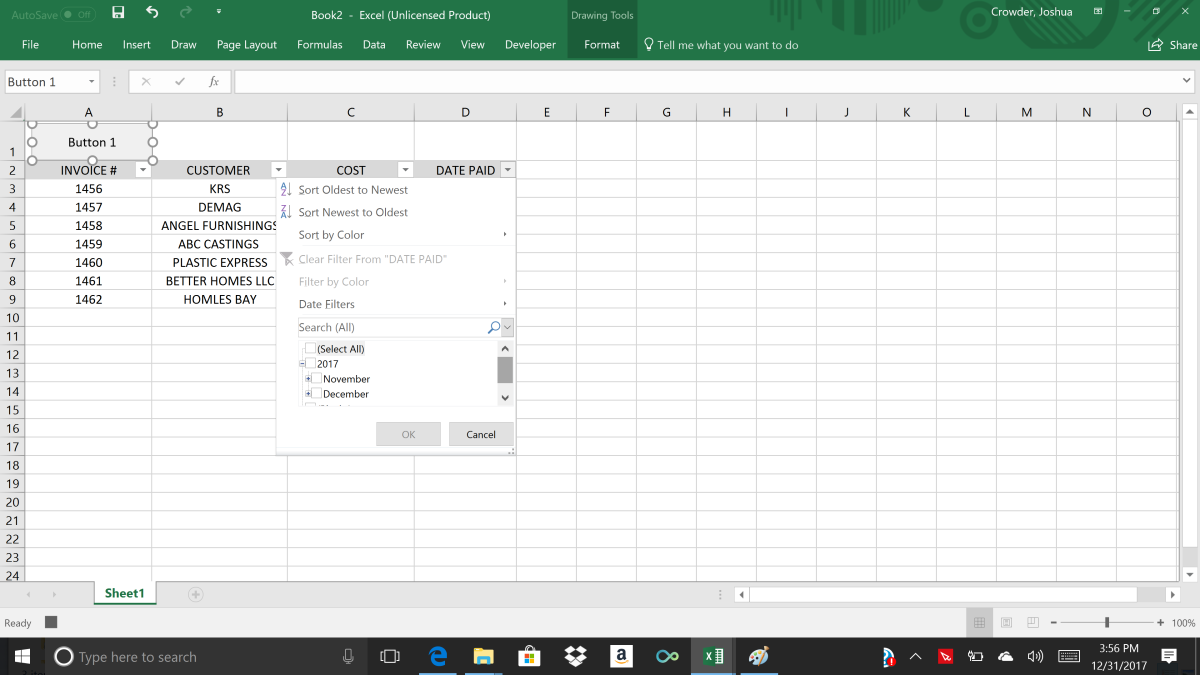
Create A Macro Button In MS Excel To Filter Data TurboFuture
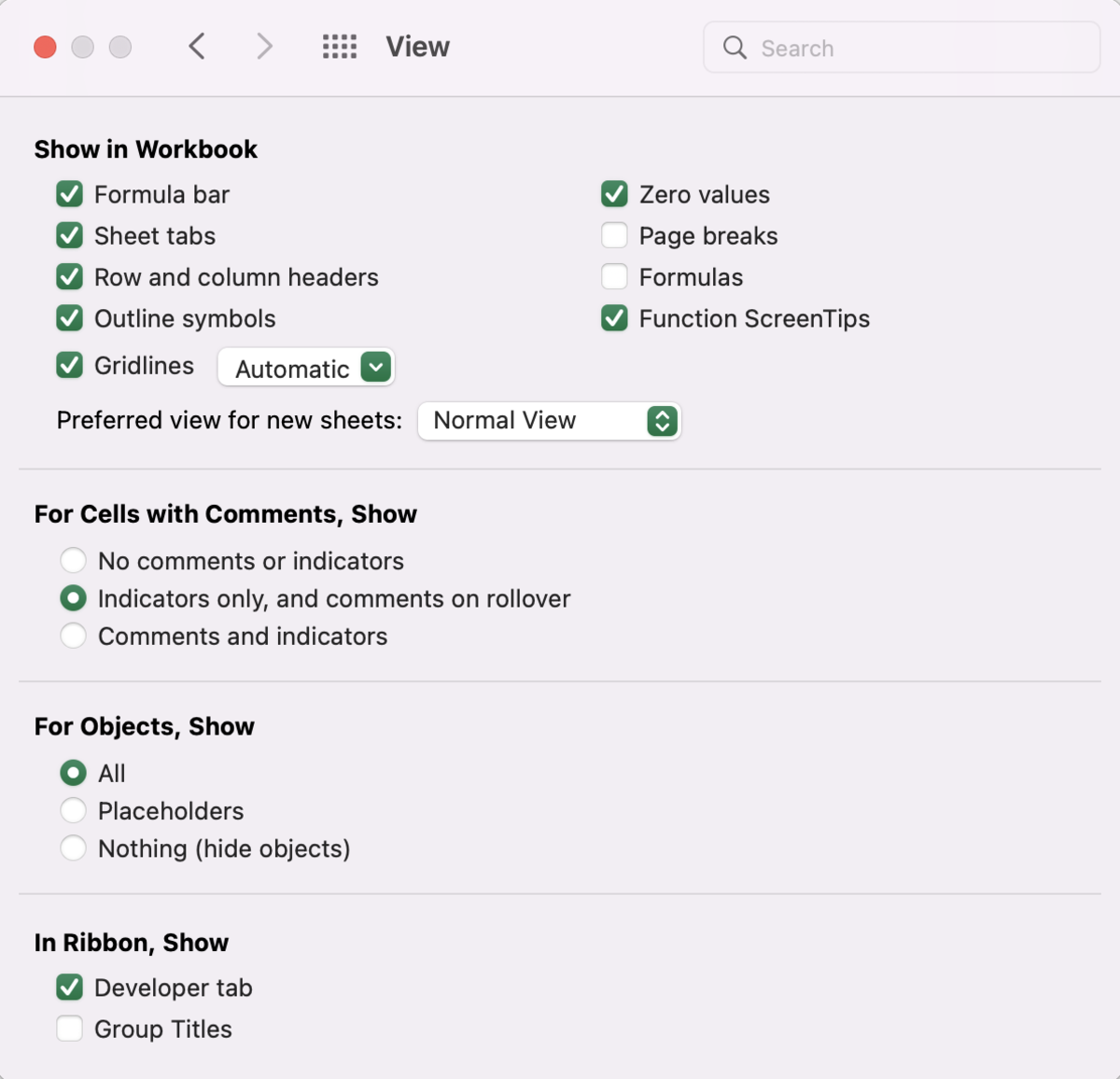
Create A Macro Button In Excel To Copy Cells TurboFuture
Snip A Range To Clipboard With A Macro Button In Excel For Mac TurboFuture
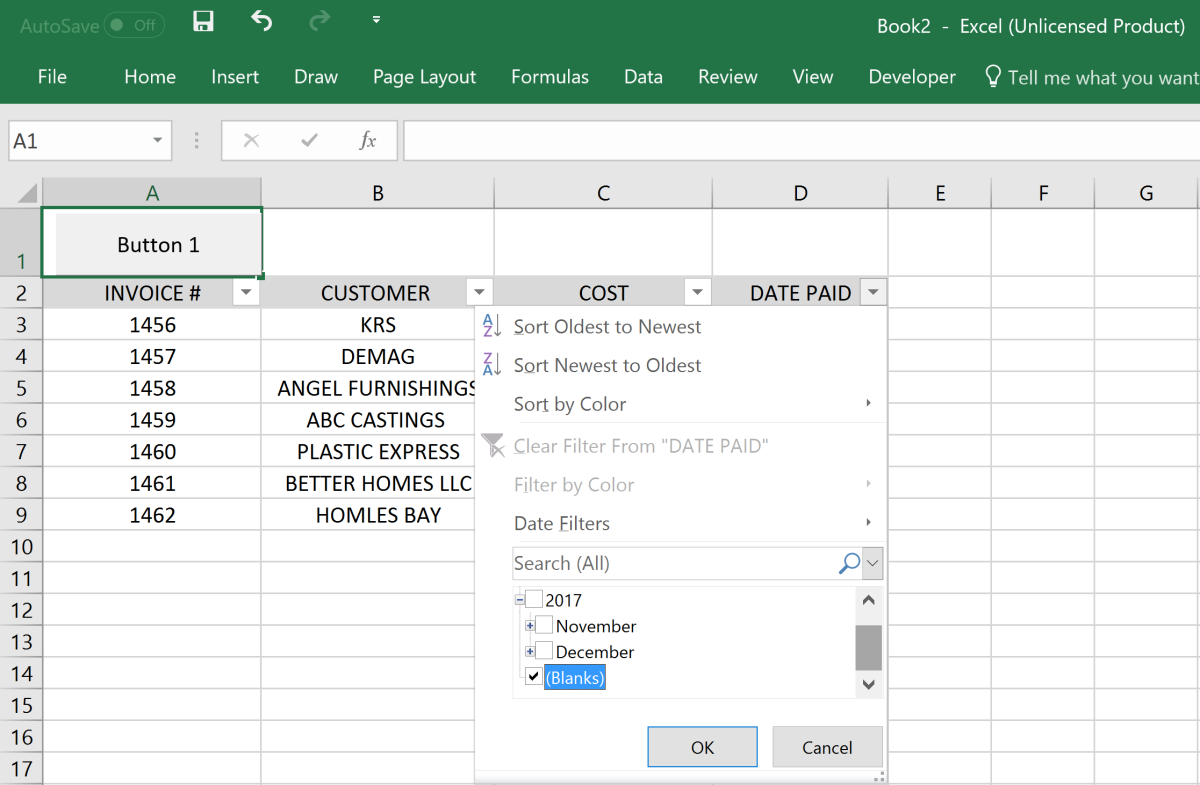
Create A Macro Button In MS Excel To Filter Data TurboFuture

Web Aug 31 2023 nbsp 0183 32 1 Open the macro enabled Excel sheet Double click the Excel file which contains the macro you want to delete This will open the file in Excel 2 Click Enable Content It s in the yellow bar at the top of the Excel window This will enable the macro s that are embedded in the file

Web Oct 6 2015 nbsp 0183 32 1 Answer Sorted by 1 At first i guess this is not really dioable since the ribbon is not document specific What you should be able to achieve is to put some macro in your document that will add your macro to the robbon when
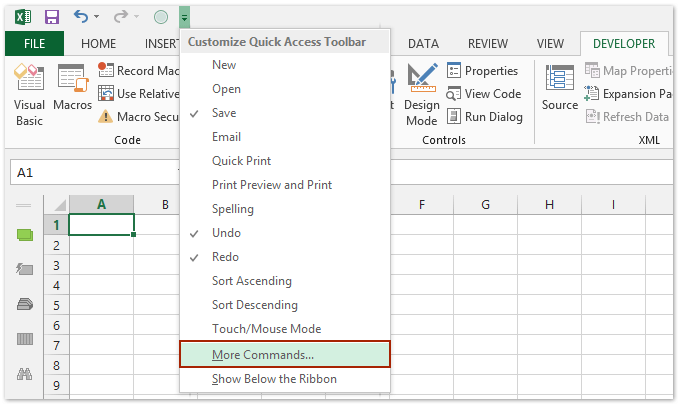
Web To delete all macros simply select the first macro press down the SHIFT key and select the last macro name Press the Delete button on the right side of the dialog box When asked if you are sure you want to delete your selected macros click on the Yes
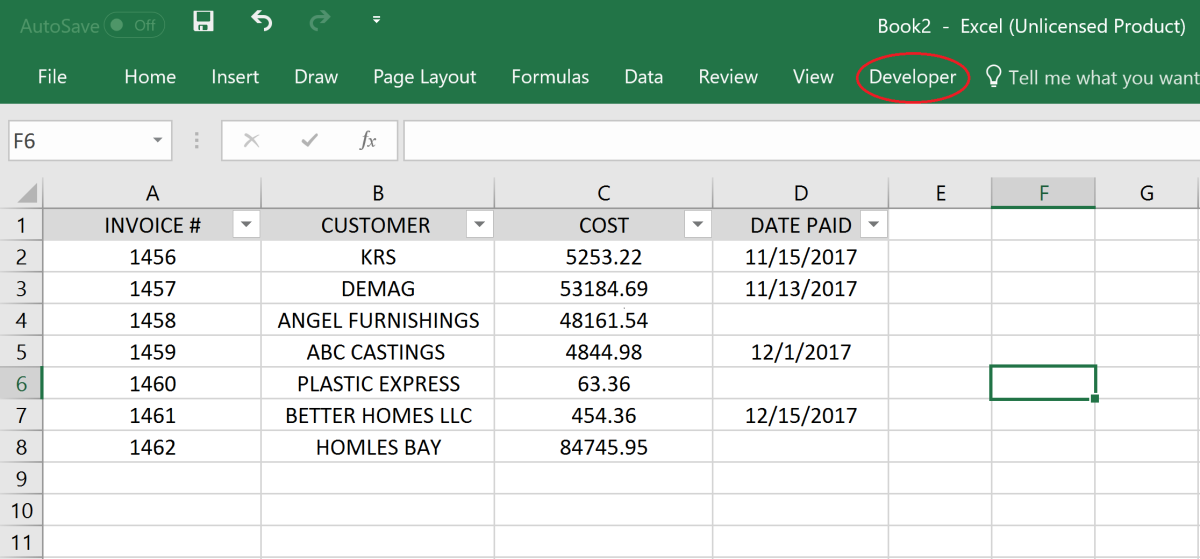
Web Jul 19 2022 nbsp 0183 32 delete extra macro buttons in excel Learning how to write macros for excel managed to create extra buttons that are not tied to any macro but can t seem to figure out how to delete them can someone help me here I used the insert on the developer tab and chose the first button to create the box Now I can t seem to find any
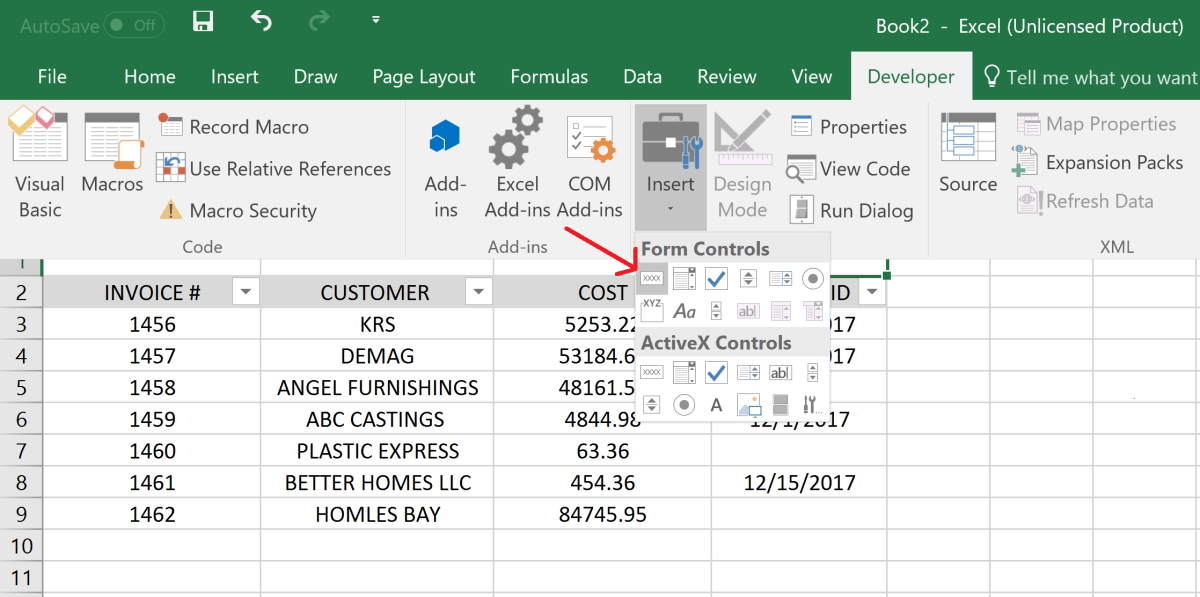
Web Jul 28 2022 nbsp 0183 32 1 Enable the Developer tab in Excel 2 Turn on Design Mode 3 Select the button controls you want to delete 4 Press Backspace Delete
Web Apr 20 2023 nbsp 0183 32 Open the workbook that contains the macros Go to the Developer tab on the ribbon and click on the Macros button in the Code group This will open the Macro dialog box that shows all the macros in the workbook Or press ALT F8 Select one of the macros you want to remove and click on the Delete button Web Click File gt Options gt Quick Access Toolbar In the Choose commands from list click Macros Select the macro you want to assign a button to Click Add to move the macro to the list of buttons on the Quick Access Toolbar To replace the default macro icon with a different button for your macro click Modify
Web Jul 13 2022 nbsp 0183 32 How do I remove a macro button in Excel In the Code group on the Developer tab click the Macros button In the Macro dialog box in the Macro Name list box select the macro you want to delete Choose Delete In the message box that appears choose Yes How do I turn off hotkeys in Excel