Host Only Adapter Virtualbox Internet Not Working Virtualbox Windows 10 Bridged Adapter Avefte Ubuntu VirtualBox Host only Adapter With Static IP And Apache Super Network Of VirtualBox Instances With Static IP Addresses And Internet Windows How To Uninstall Remove Or Delete VirtualBox Drivers VirtualBox SXWZ WEB Be sure that the Host only adapter is set to the adapter you created and you have quot Allow All quot for the Promiscuous Mode plus the quot Cable Connected quot option is checked
WEB Hosts running recent macOS versions do not support host only adapters These adapters are replaced by host only networks which define a network mask and an IP address WEB VirtualBox has created a second network interface called the quot VirtualBox Host Only Ethernet Adapter quot and given that adapter the IP of 192 168 33 1 Since you can ping
VirtualBox SXWZ Oracle VirtualBox Missing Host Only Adapter Solution YouTube How To Install Virtualbox Host Only Ethernet Adapter Adapter View How To Install Virtualbox Host Only Ethernet Adapter Adapter View Networking Host only Network With Virtual Box And Windows Host Cara Instalasi Mikrotik NANA NUR VITA SARI Fix No Network Connectivity Bridged Adapter VirtualBox Internet Connections Virtualbox Internet Connection Networking VirtualBox VM With Bridged Adapter Can t Access Internet
Host Only Adapter Virtualbox Internet Not Working
 Host Only Adapter Virtualbox Internet Not Working
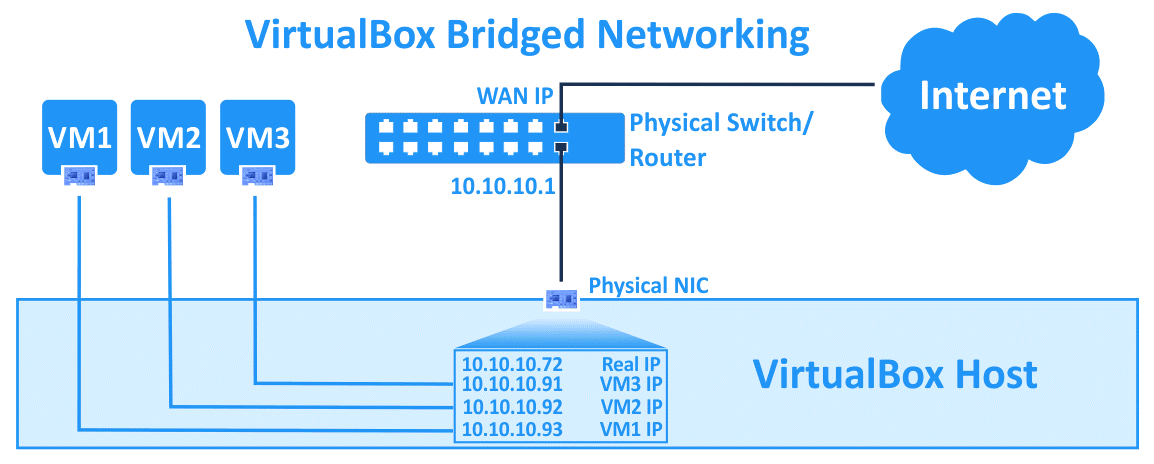
https://www.nakivo.com/blog/wp-content/uploads/2019/07/VirtualBox-network-settings-–-bridged-networking.png
WEB Here s is how you can fix this if you have a version older than 2018 From the main menu select File gt Preferences Ctrl G NOT the settings of a single vm Select Network in the list on the left You should see an empty
Pre-crafted templates provide a time-saving solution for producing a varied variety of documents and files. These pre-designed formats and designs can be utilized for different personal and professional tasks, consisting of resumes, invites, leaflets, newsletters, reports, presentations, and more, enhancing the content creation procedure.
Host Only Adapter Virtualbox Internet Not Working
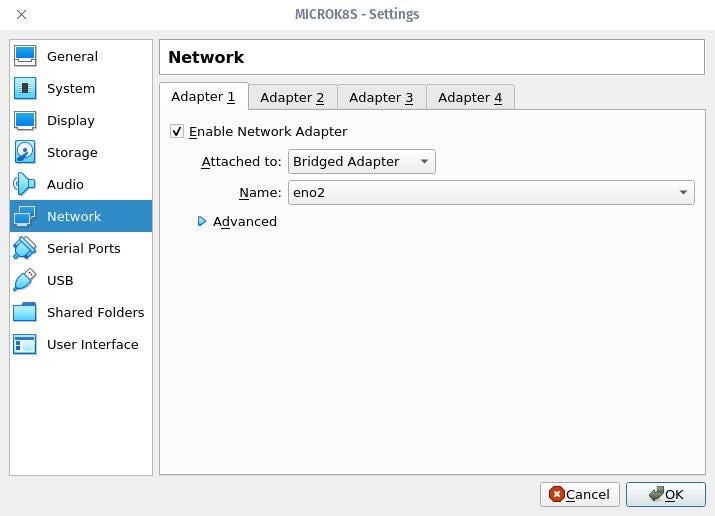
How To Fix A VirtualBox Bridged Network Issue TechRepublic

Oracle VirtualBox Missing Host Only Adapter Solution YouTube
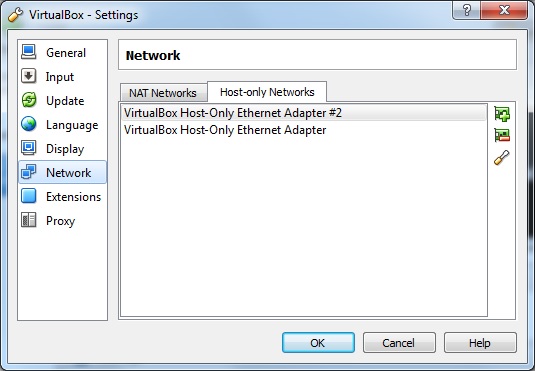
How To Install Virtualbox Host Only Ethernet Adapter Adapter View
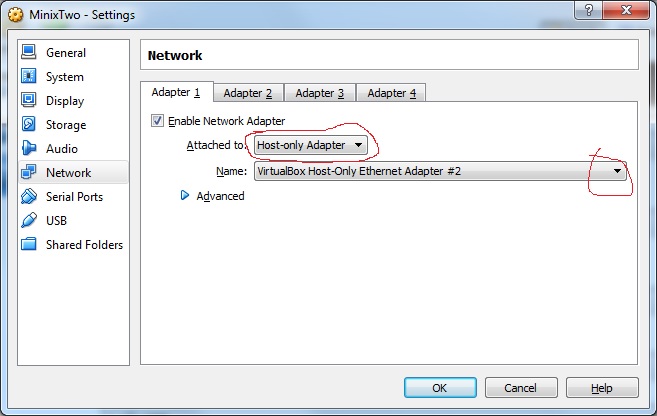
How To Install Virtualbox Host Only Ethernet Adapter Adapter View

Cara Instalasi Mikrotik NANA NUR VITA SARI
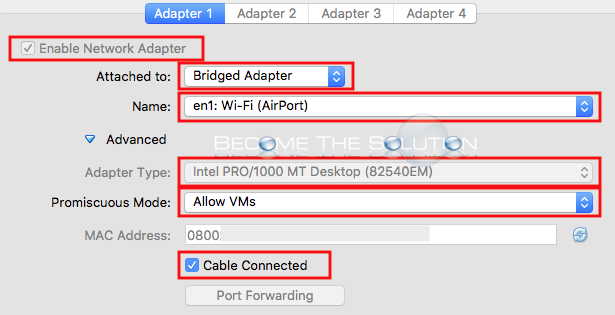
Fix No Network Connectivity Bridged Adapter VirtualBox
WEB You can try this Open the main Virtualbox window File menu gt Preferences gt Network gt Host Only Networks Put your mouse over the Host Only adapter shown there and

WEB Hi guys I managed to solved this issue by disabling all VirtualBox Host Only Ethernet Adapter under the Control Panel gt Network amp Internet gt Network Connections

WEB In VirtualBox gt Preferences gt Network set up a host only network Mine is called vboxnet0 it is manually configured ip 192 168 56 1 netmask 255 255 255 0 no dhcp

WEB In the Networking section of the Virtual Machine s settings choose an adapter tab Tick Enable Network Adapter For internet access a NAT adapter is the easiest option
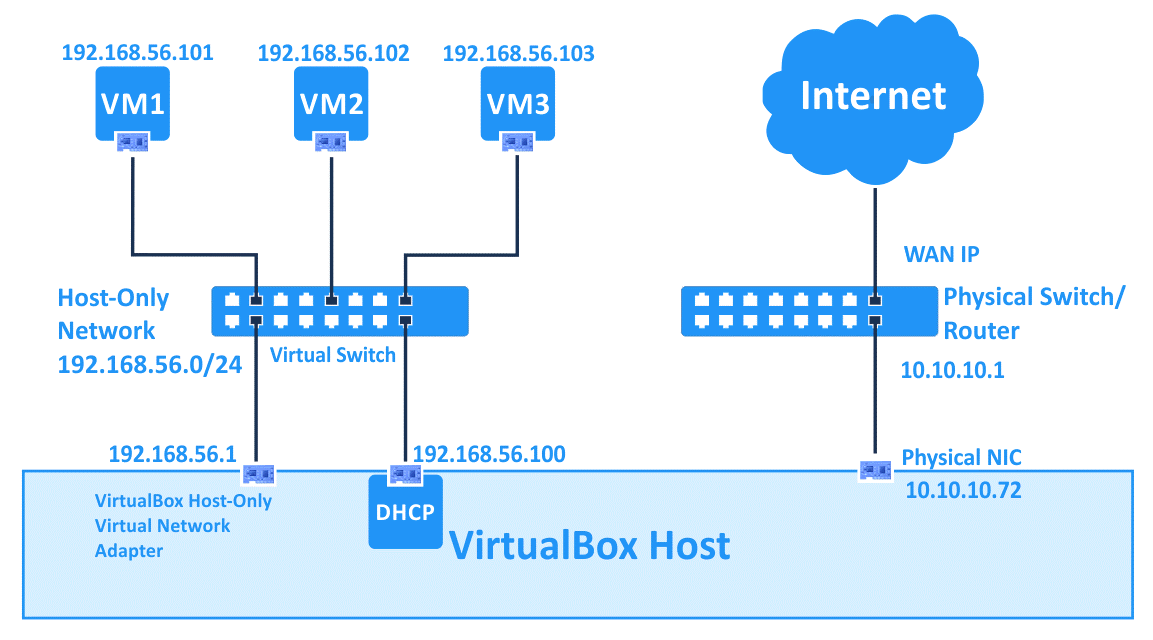
WEB Jun 20 2016 nbsp 0183 32 Could not find Host Interface Networking driver Please reinstall Check if you still have the quot VirtualBox Host Only Ethernet Adapter quot connection in quot Control
WEB A friend of mine victormcirone found a solution Go to VirtualBox network adapter properties under Windows control panel select quot TCP IPv4 quot and go to its properties WEB It is a complete guide to have the accesses quot VM lt gt Host quot quot VM1 lt gt VM2 quot and quot VM gt Internet quot on the guests using a single network interface quot host only quot on VirtualBox
WEB Trying to access the internet on a virtualbox VM with Ubuntu 20 04 1 LTS and a WiFi adapter The VM has 2 network adapters NAT and host only with a host only adapter