Hikvision Camera Factory Reset How To Fix A Hikvision Camera Factory Resetting Whenever It Reboots How To Fix A Hikvision Camera Factory Resetting Whenever It Reboots HIKVISION IP CAMERA RESET TO DEFAULT WITH BUTTON SWITCH YouTube How To Reset A HikVision IP Camera Using The Pushbutton Updated 30th Assistance Adding A New Hik Camera On My 7604 IP Cam Talk How to manually factory reset a camera 1 Press and hold down the reset button for 30 seconds while the camera is on then power it down To upgrade the firmware of a Hikvision IP camera first download the appropriate firmware from here Note The firmware are region specific Upgrading firmware developed for another region may cause
If you would like to support the channel I have put together a Amazon wish list Thanks everyone for the support https www amazon ca hz wishlist ls 14EKK0T Disconnect the camera s power supply Press the reset button and keep it held down Restore the power supply while continuing to hold down the button Keep the button pressed for a further 10 seconds Release the button and wait for the camera to reboot
Assistance Adding A New Hik Camera On My 7604 IP Cam Talk Factory Reset Hikvision IP Camera YouTube Hikvision Ds 2cd1141 i Hard Reset Button Factory Default How To Fix A Hikvision Camera Factory Resetting Whenever It Reboots IP Camera Factory Reset Instructions Worldeyecam Hikvision Eci t22f Factory Reset see Comment For Details R Forbid Leave Misunderstanding How To Reset Hikvision Ip Camera To How To Reset Hikvision Camera Factory Default Settings Reset Hikvision Camera To Factory Settings BYRGPUB COM
Hikvision Camera Factory Reset
Hikvision Camera Factory Reset
https://www.use-ip.co.uk/forum/attachments/reset4-jpg.761/
Hikvision How to Video Guide Series from NetviewCCTV co ukALL the latest Hikvision CCTV Surveillance products available on wwwviewcctv co uk UK s leading
Templates are pre-designed files or files that can be utilized for various purposes. They can save effort and time by offering a ready-made format and design for creating different sort of content. Templates can be used for personal or professional projects, such as resumes, invites, leaflets, newsletters, reports, presentations, and more.
Hikvision Camera Factory Reset
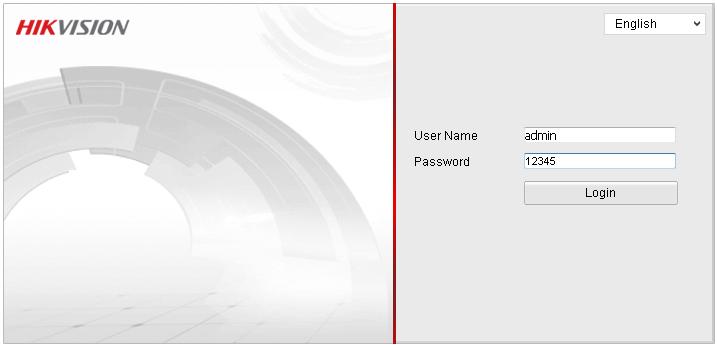
Hikvision IP Camera Default Password

Factory Reset Hikvision IP Camera YouTube

Hikvision Ds 2cd1141 i Hard Reset Button Factory Default
How To Fix A Hikvision Camera Factory Resetting Whenever It Reboots

Hikvision Eci t22f Factory Reset see Comment For Details R
Forbid Leave Misunderstanding How To Reset Hikvision Ip Camera To
Press and hold the reset button Connect the camera power supply Keep holding the reset button for 15 seconds Release the reset button After the camera reset you need to use the SAPD tool or a web browser to setup it again since it will lose all the previous configuration The Hikvision cameras with hard reset button
How to manually factory reset a camera 1 Press and hold down the reset button for 30 seconds while the camera is on then power it down 2 Continue to hold the reset button down for a second 30 seconds then power it back up To upgrade the firmware of a Hikvision IP camera first download the appropriate firmware from here Note The

Learn how to reset a Hikvision camera to factory defaultIn this video I show how to reset the Hikvision camera to factory default If you lost the password a
There are different ways to reset a Hikvision camera to factory default here we mainly talk about two ways 1 Hikvision camera hard reset If you have an IP camera just open it up and look for the reset button Usually the reset button is located close to the memory card slot Please kindly check some models for example Bullet DS 2CD2086G2 I

Dec 6 2022 In this video I show how to reset a Hikvision camera to recover from a lost password You just need to press and hold the reset button for 10 seconds while connecting the power
How to reset dome camera HIKVISION IP CAMERA RESET TO DEFAULT How To Reset Hikvision IP Network Bullet Camera to default settings Reset a hikvision camera with reset 0 00 1 27 How to Video Reset your Hikvision DVR NVR Back To Factory Default Tronic Extreme 87 subscribers Subscribe Subscribed 41 Share 37K views 3 years ago A New Video Added to our New How
Back to HiTools list SADP V3 1 2 1 62 88MB 2023 12 08 SADP software is used for searching the online devices in the same network It supports viewing the device information activating the device editing the network parameters of the device and resetting the device password etc Hikvision uses strictly necessary cookies and related