Highlight Duplicates In Google Sheets How To Find And Highlight Duplicates In Google Sheets The Easiest Way How To Highlight Duplicates In Google Sheets Layer Blog Z Druhej Ruky portova Kopec Google Spreadsheets Highlight Duplicates Columns Potla i Inov cie How To Highlight Duplicates In Google Sheets Gambaran Highlight Duplicates In Google Sheets Top 5 Methods [desc-7]
Highlighting duplicates in Google Sheets requires conditional formatting using the custom formula COUNTIF A A A1 1 Let s review how to use it TIP If you d rather not dive into formulas just yet you can download an add on from Google Sheets that will find and highlight duplicates for you 1 [desc-8]
Highlight Duplicates In Google Sheets Top 5 Methods Google Sheets Duplicate Values The Ultimate Guide To Using Conditional Formatting In Google How To Highlight Duplicates In Google Sheets ExcelNotes Highlight Duplicates In Google Sheets Conditional Formatting Vs Add on Z Druhej Ruky portova Kopec Google Spreadsheets Highlight Duplicates Columns Potla i Inov cie How To Find And Highlight Duplicates In Google Sheets The Easiest Way How To Highlight Duplicates In Google Sheets How To Highlight Duplicates In Google Sheets Layer Blog How To Highlight Duplicates In Google Sheets 2023 Quick Easy YouTube
Highlight Duplicates In Google Sheets
 Highlight Duplicates In Google Sheets
https://8020sheets.com/wp-content/uploads/2021/07/Duplicates-1024x794.png
[desc-9]
Pre-crafted templates provide a time-saving solution for producing a diverse variety of files and files. These pre-designed formats and designs can be utilized for numerous individual and professional tasks, consisting of resumes, invitations, flyers, newsletters, reports, discussions, and more, improving the material production process.
Highlight Duplicates In Google Sheets
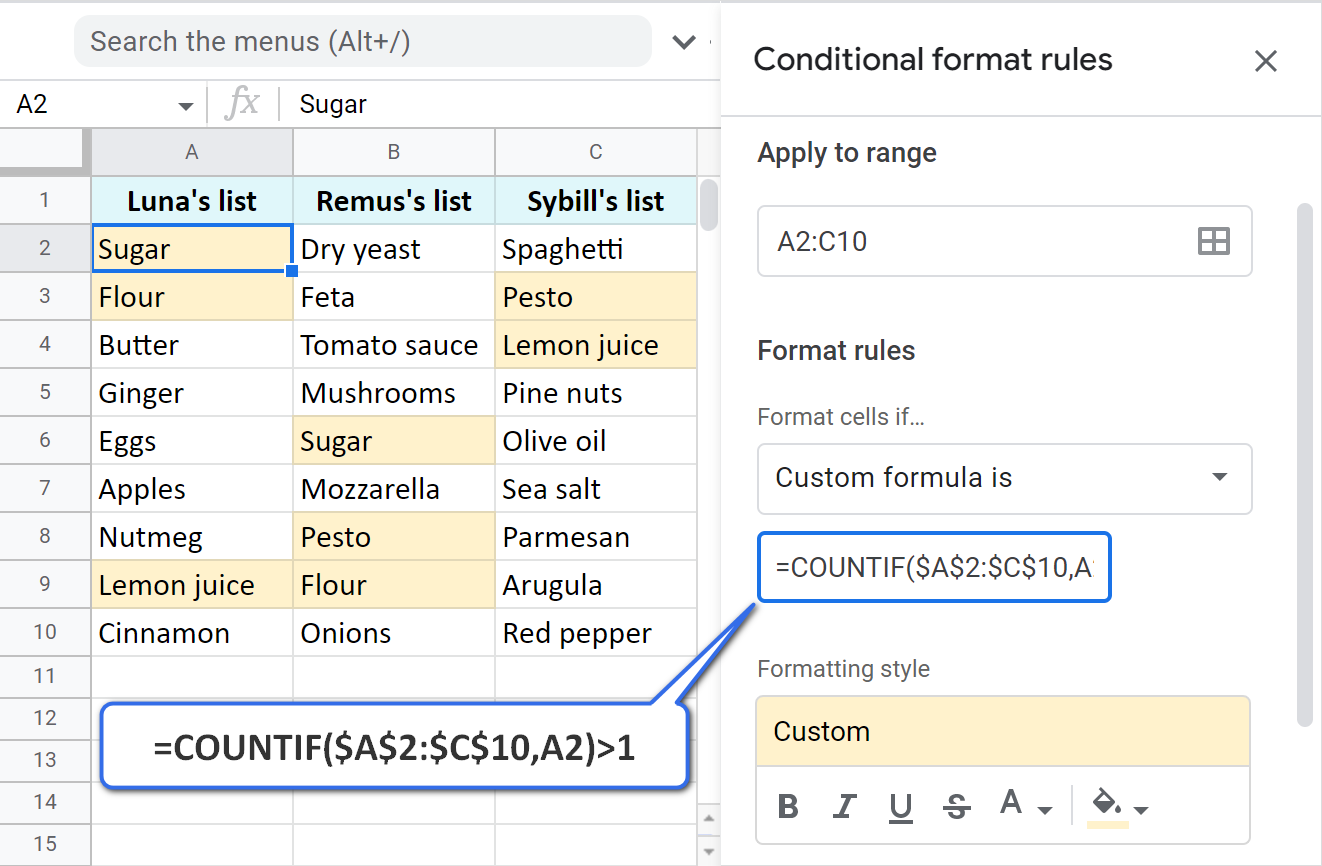
Z Druhej Ruky portova Kopec Google Spreadsheets Highlight Duplicates Columns Potla i Inov cie
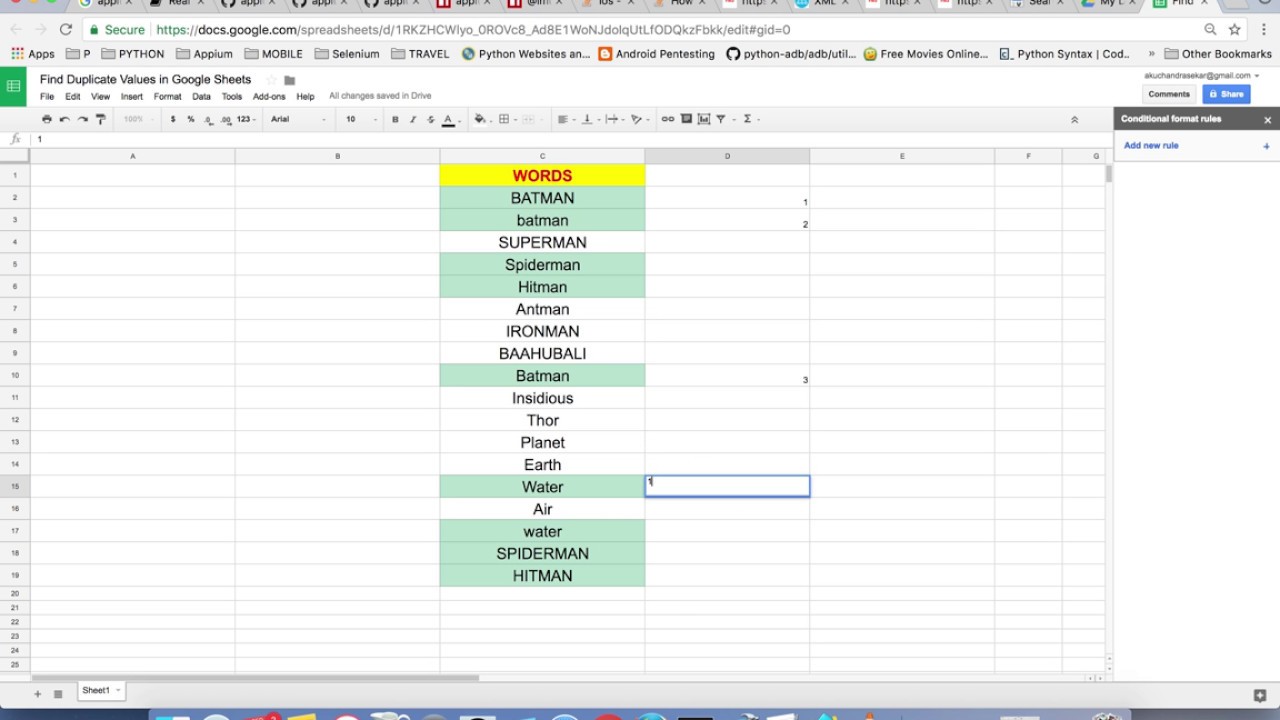
Google Sheets Duplicate Values The Ultimate Guide To Using Conditional Formatting In Google
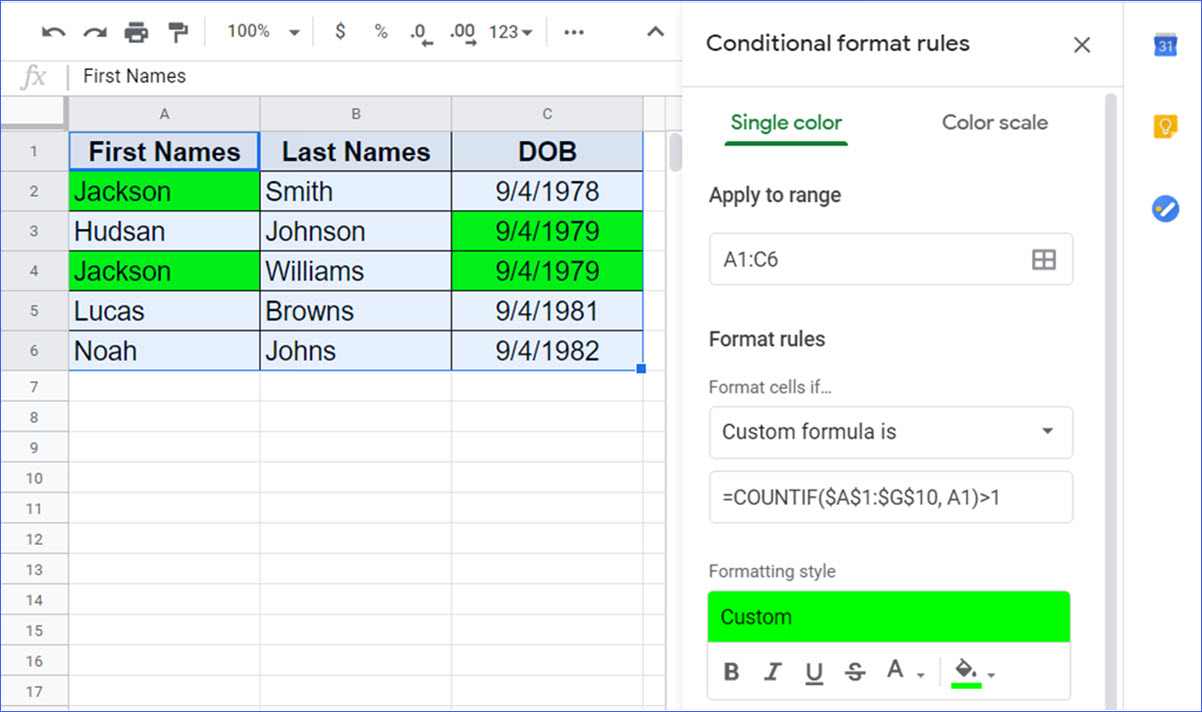
How To Highlight Duplicates In Google Sheets ExcelNotes
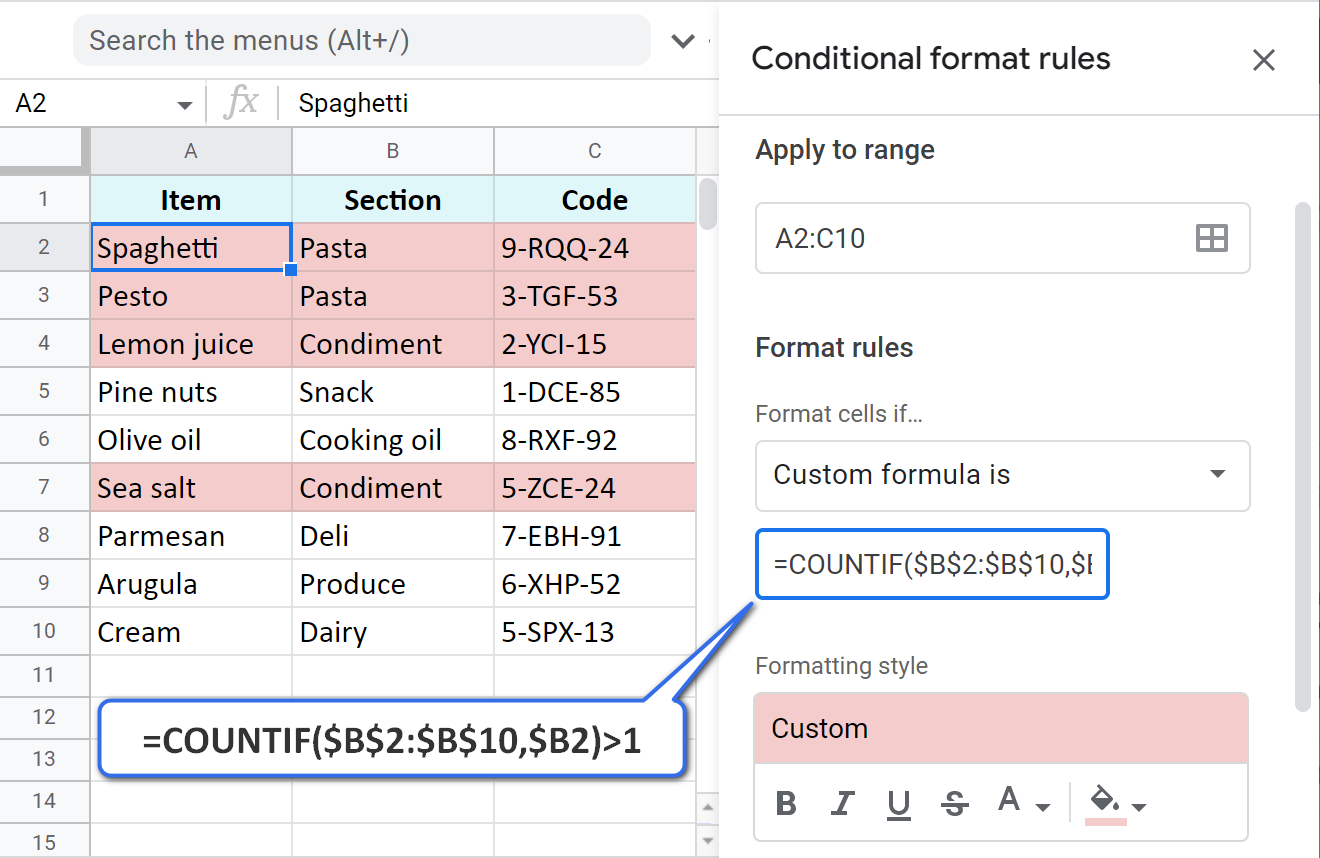
Highlight Duplicates In Google Sheets Conditional Formatting Vs Add on

How To Find And Highlight Duplicates In Google Sheets The Easiest Way
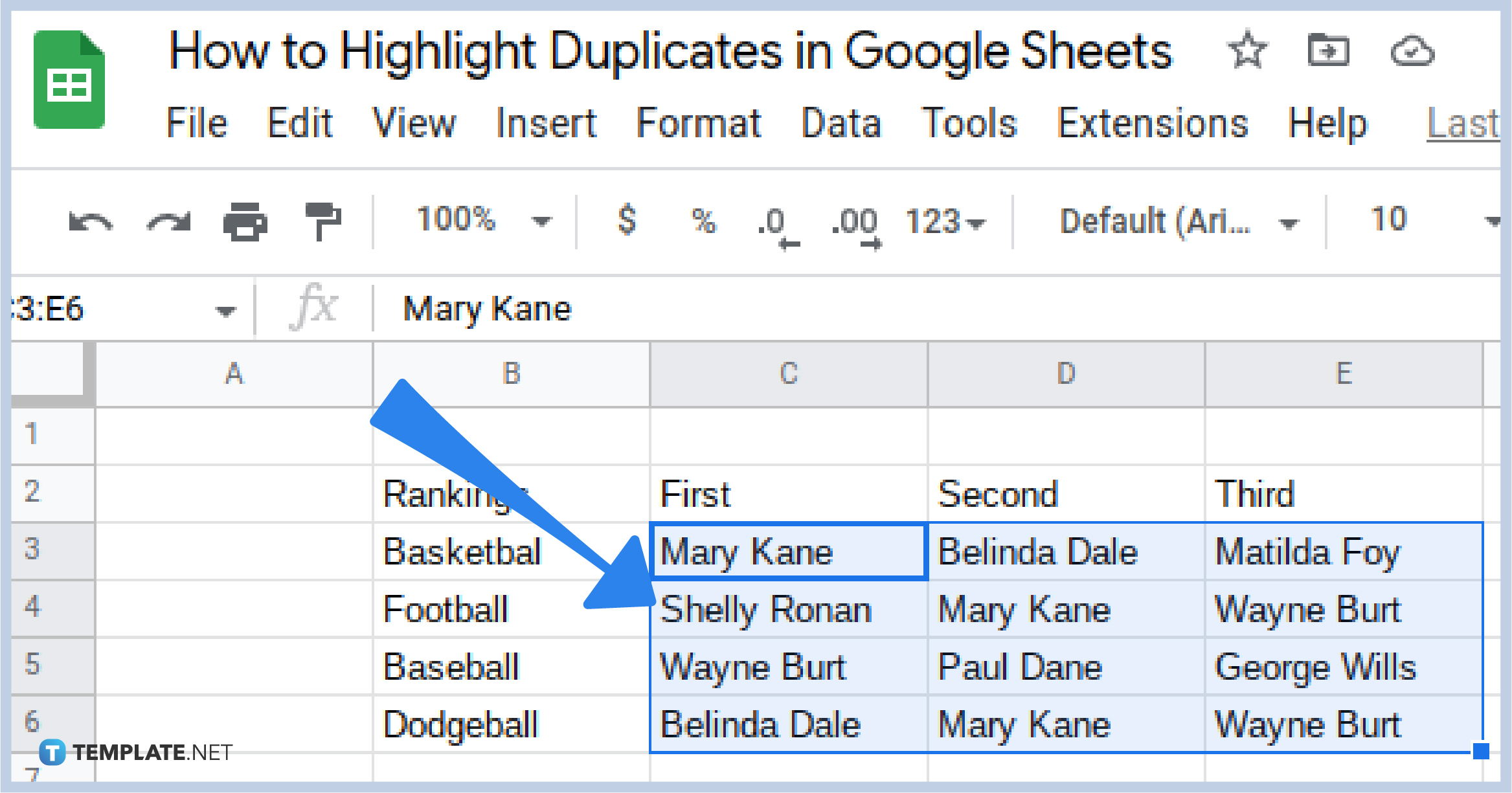
How To Highlight Duplicates In Google Sheets

Edit Add or Delete a Conditional Formatting Rule To edit a rule select it make your changes and click Done To set up an additional rule select Add Another Rule To remove a rule hover your cursor over it and click the trash can icon

How To Highlight Duplicates in Multiple Columns Choose the Add another rule option Ensure the range where you ll highlight duplicate cells is correct If it isn t you can change it from the Apply to Click on the Format cells if drop down and then click on the Custom formula is
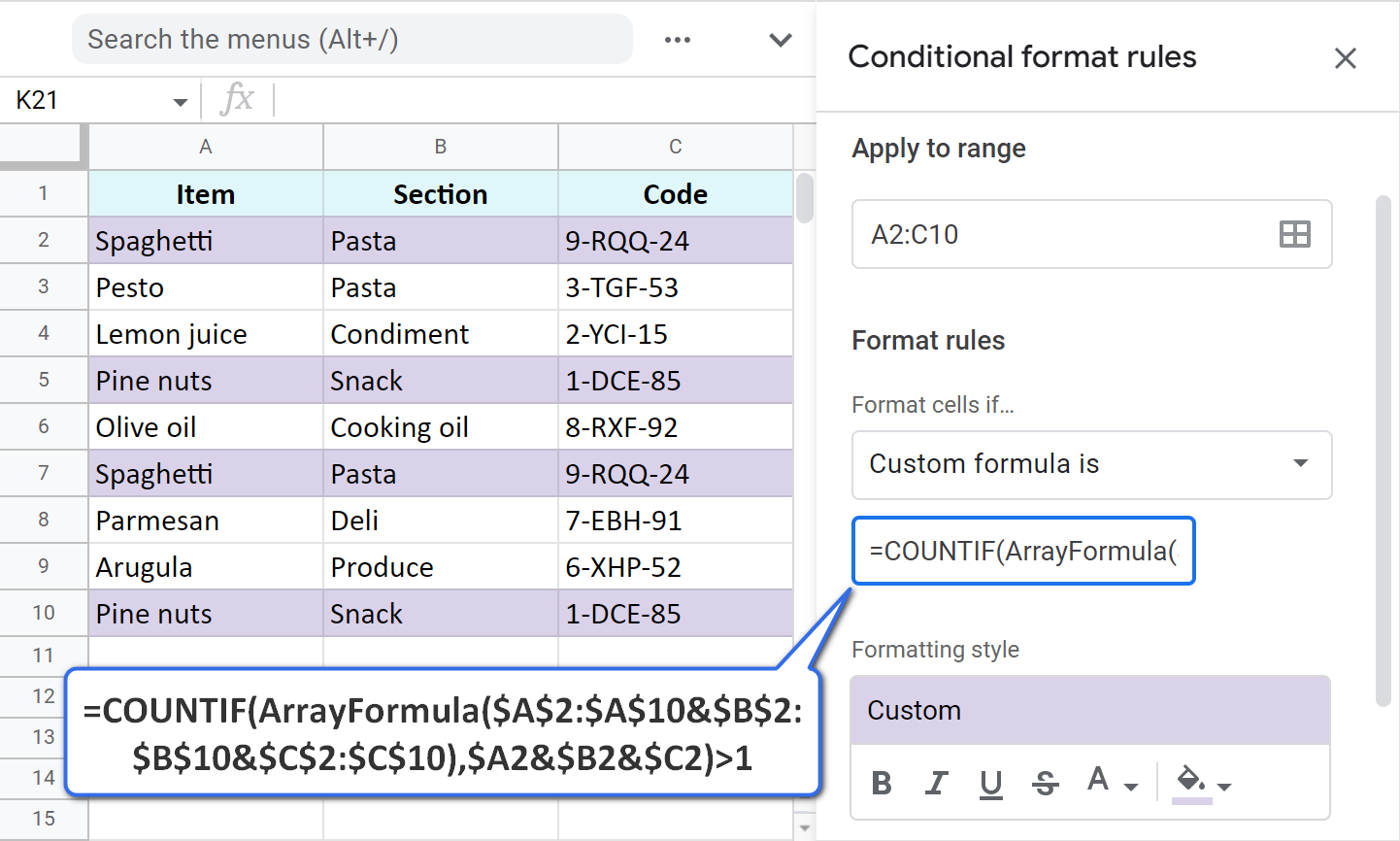
Step by Step How to Highlight Duplicates in Google Sheets With Pictures Step 1 Open your spreadsheet First head to Google Sheets and open the spreadsheet you want to check for duplicate Step 2 Highlight the data you want to check Next left click and drag your cursor over the data you
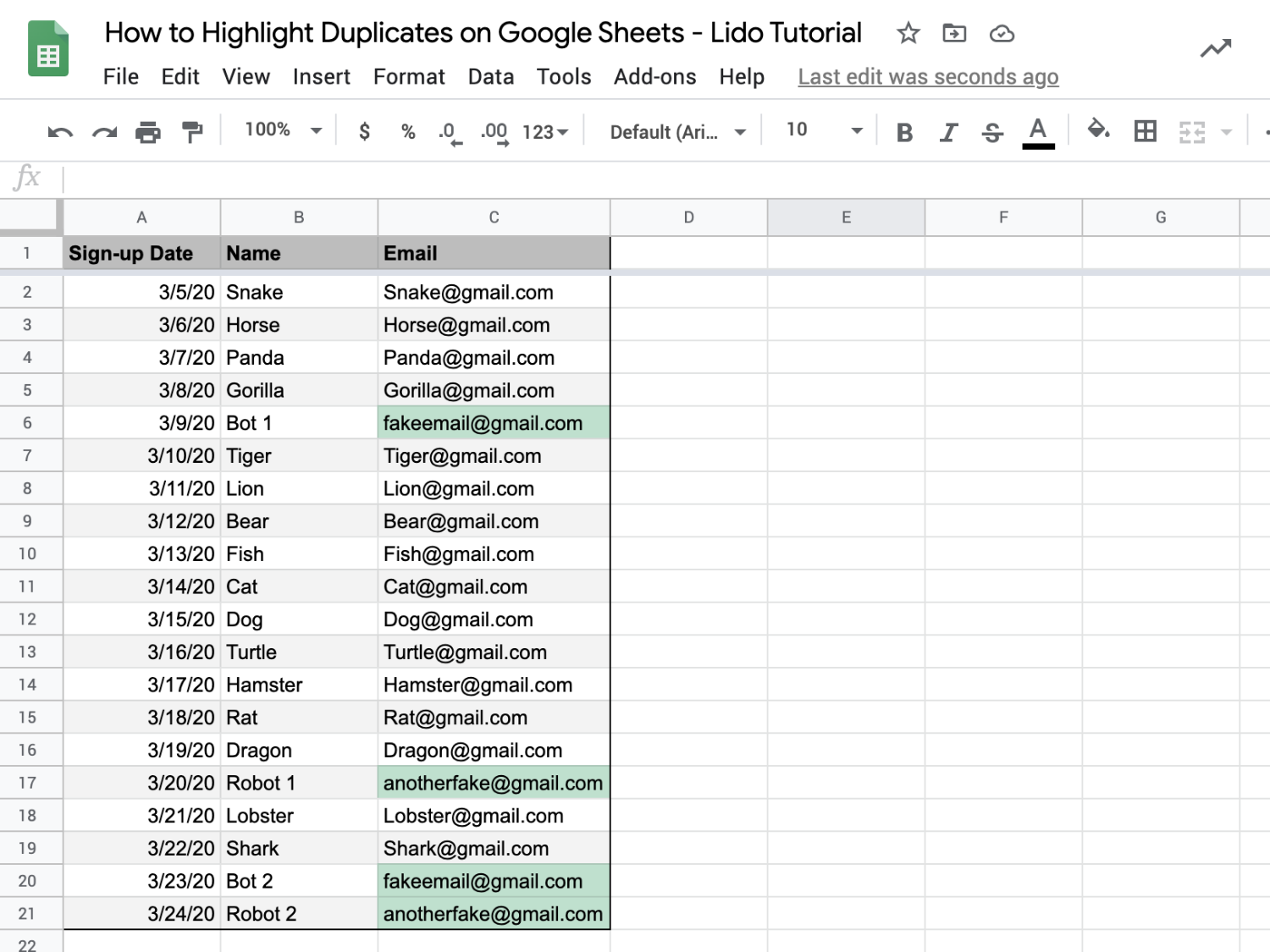
To highlight duplicates in Google sheets follow these steps Select the range cells that contain the data with duplicates in it On the top toolbar click Format then click Conditional formatting Click Add another rule Under the Format rules section under the drop down that says Format
Step 1 Open Google Sheets on your preferred web browser Open Google Sheets Step 2 Create a new spreadsheet and enter your dataset or open your existing spreadsheet with the dataset Step
[desc-11] [desc-12]
[desc-13]