Highlight Duplicate Values In Excel Formula Highlight Duplicate Values In Excel Find Remove Duplicates Duplicacy Formula In Google Sheet Studiosinriko Highlight Duplicate Values Excel Formula Exceljet Excel Highlight Duplicate Unique Cells How To Highlight Duplicate Values In Two Excel Columns Without Highlighting Duplicate Values 1 Select the range A1 C10 2 On the Home tab in the Styles group click Conditional Formatting 3 Click Highlight Cells Rules Duplicate Values 4 Select a formatting style and click OK Result Excel highlights the duplicate names Note select Unique from the first drop down list to highlight the unique names Triplicates
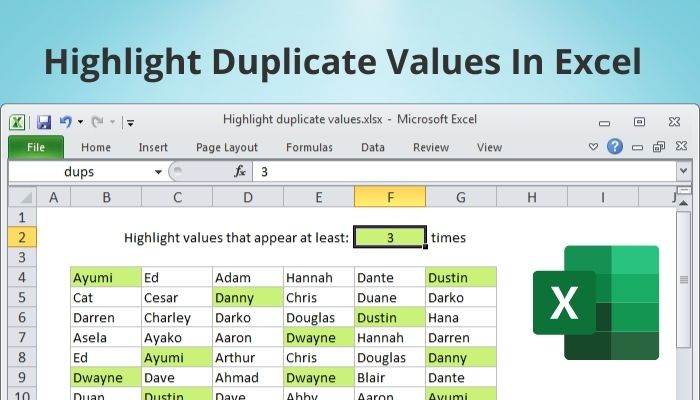
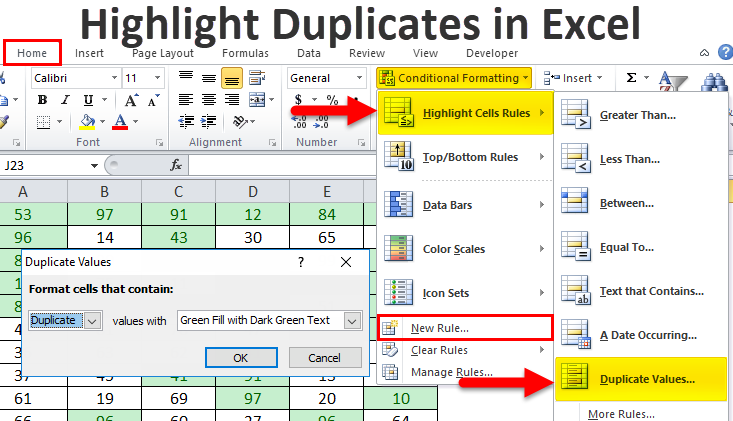
Excel contains a built in preset for highlighting duplicate values with conditional formatting but it only works at the cell level If you want to find and highlight duplicate columns you ll need to use your own formula as explained below To highlight duplicate columns you can use a formula based on the SUMPRODUCT function In the example shown the formula used to highlight duplicate The process of highlighting the duplicate values in a selected range of data can be broken into four steps Step 1 Open the Home Tab Step 2 Click on Conditional Formatting Styles Group Step 3 Select Highlight Cells Rules Step 4 Click on Duplicate Values
How To Highlight Duplicate Values In Two Excel Columns Without Highlighting Duplicate Values How To Highlight Cells With Same duplicate Values In Excel How To Highlight Duplicates In Microsoft Excel How To Merge Duplicate Rows In Excel Kultools Nradr MS Excel Tutorial How To Highlight Duplicate Values In Microsoft Excel Without Deleting Them Get How To Set Duplicate Formula In Excel Full Formulas Excel Find Duplicates In A Range Muslisac How To Find And Highlight Duplicates In Google Sheets The Easiest Way Highlight Duplicate Values In Excel TeachExcel
Highlight Duplicate Values In Excel Formula
 Highlight Duplicate Values In Excel Formula
https://10scopes.com/wp-content/uploads/2022/08/highlight-duplicate-values-in-excel.jpg
The Data Set To highlight duplicate values we need to Select cells A2 to D6 with your mouse From the home tab in the ribbon go to Conditional Formatting New Rule Figure 3 Example of how to Apply Conditional Formatting Click on Use a formula to determine which cells to format Figure 4 Applying the Formula
Pre-crafted templates use a time-saving solution for developing a diverse range of files and files. These pre-designed formats and designs can be used for different personal and professional projects, consisting of resumes, invitations, leaflets, newsletters, reports, discussions, and more, simplifying the content production process.
Highlight Duplicate Values In Excel Formula
Compare Two Lists And Highlight Differences Check Duplicate Excel Trang Th ng Tin V Gi o

How To Highlight Cells With Same duplicate Values In Excel

How To Highlight Duplicates In Microsoft Excel
How To Merge Duplicate Rows In Excel Kultools Nradr
Get How To Set Duplicate Formula In Excel Full Formulas
Excel Find Duplicates In A Range Muslisac
For a duplicate formula to return something more meaningful than the Boolean values of TRUE and FALSE enclose it in the IF function and type any labels you want for duplicate and unique values IF COUNTIF A 2 A 8 A2 1 Duplicate Unique
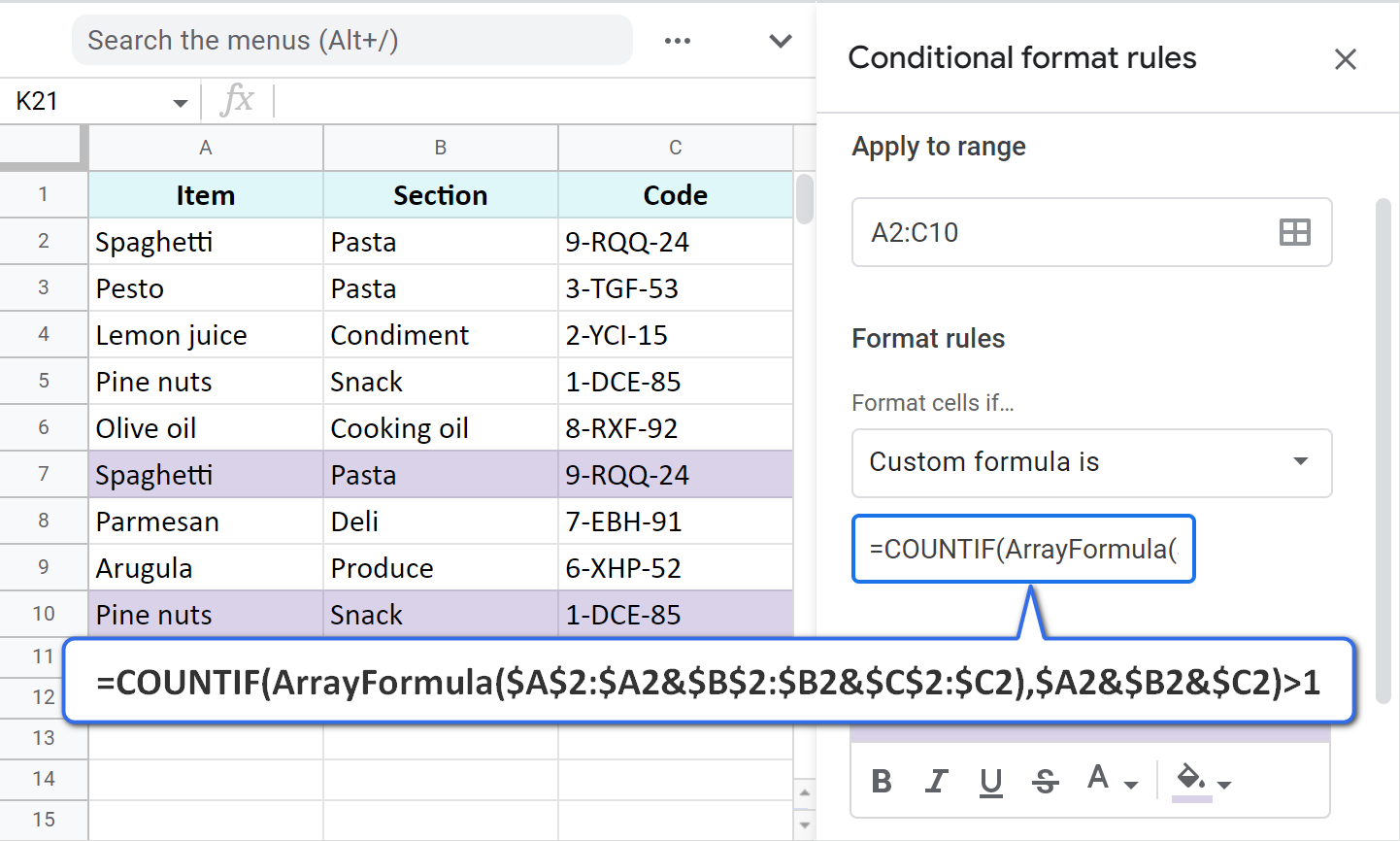
If you want to highlight duplicate rows in an unsorted set of data and you don t want to add a helper column you can use a formula that uses the COUNTIFS function to count duplicated values in each column of the data For example if you have values in the cells B4 D11 and want to highlight entire duplicate rows you can use rather ugly formula
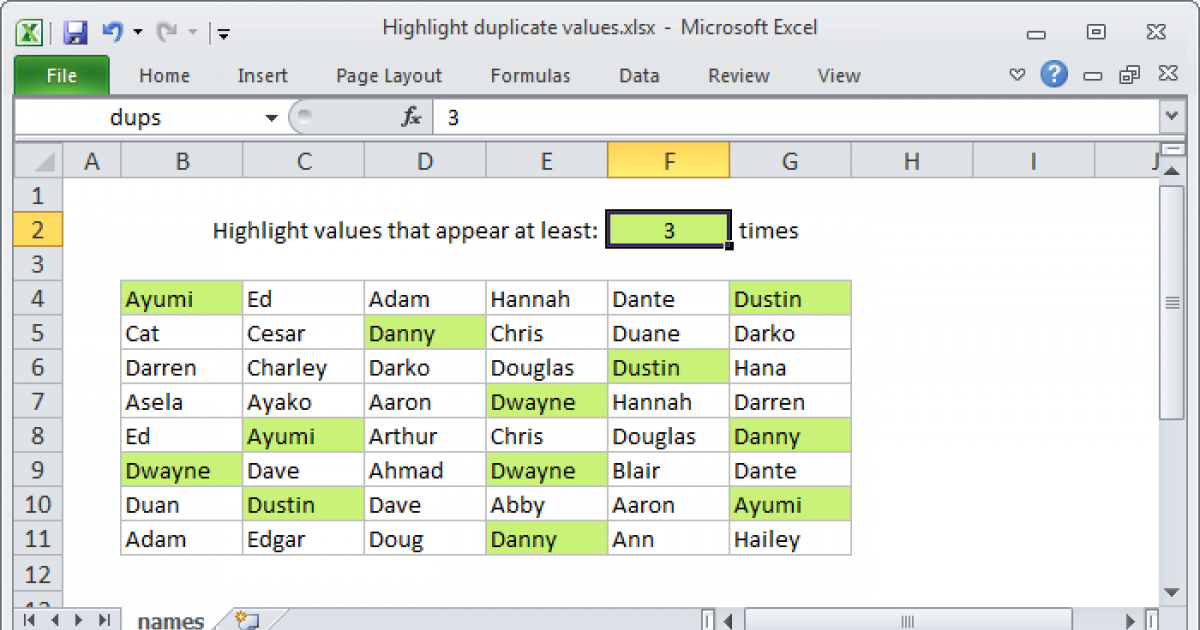
Select the data you want to check for duplicates This can be a column a row or a range of cells On the Home tab in the Styles group click Conditional Formatting Highlight Cells Rules Duplicate Values The Duplicate Values dialog window will open with the Light Red Fill and Dark Red Text format selected by default

In Excel s ribbon at the top click the Data tab Then from the Data Tools section choose Remove Duplicates it s an icon with an X on it On the Remove Duplicates box if you ve included column headers in your selection then enable the My Data Has Headers option
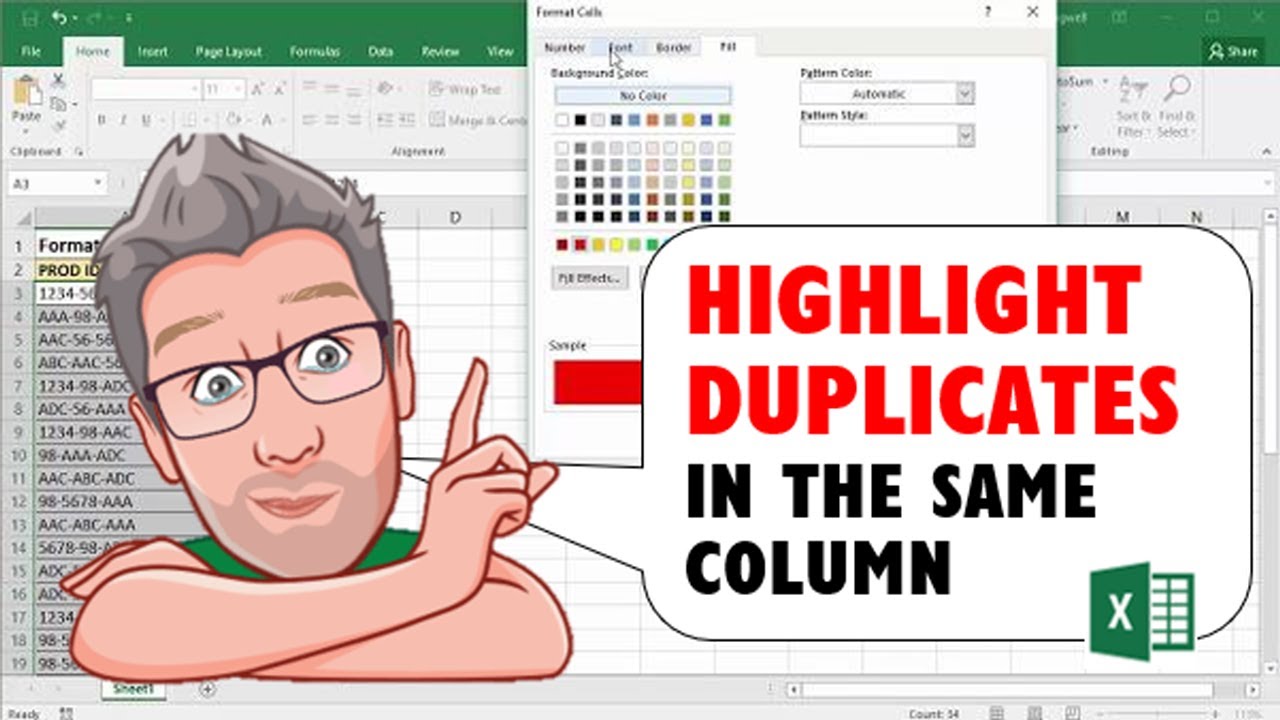
Click Conditional Formatting move to Highlight Cell Rules and choose Duplicate Values in the pop out menu When the Duplicate Values window displays you should immediately see your duplicates highlighted with the default formatting applied However you can change this if you wish
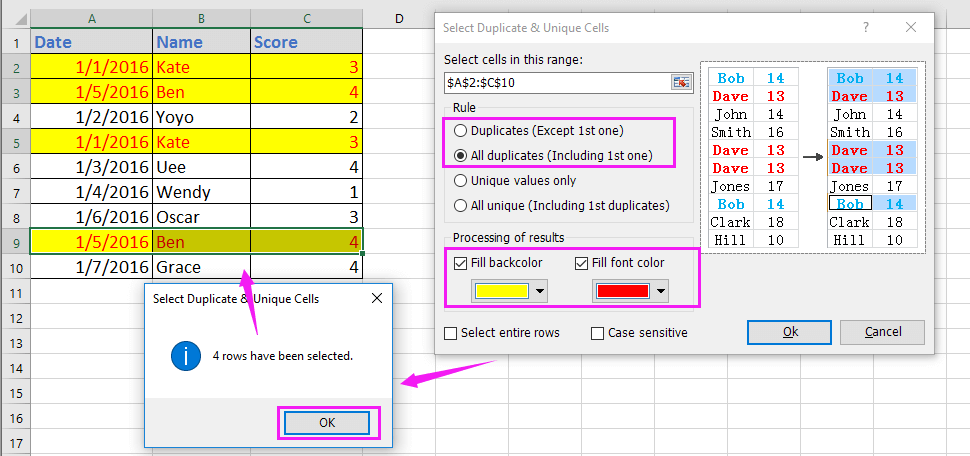
How to find duplicates in Excel This comprehensive guide shows you how to instantly highlight all the duplicate values and rows in your data using Excel s in built tools Why Highlight Duplicate Values There can be numerous reasons why one would want to highlight or sort out duplicate values from a data set Select Home Conditional Formatting Highlight Cells Rules Duplicate Values In the box next to values with pick the formatting you want to apply to the duplicate values and then select OK Remove duplicate values When you use the Remove Duplicates feature the duplicate data is permanently deleted
To highlight duplicates and non unique values follow these steps Step 1 Open Spreadsheet with Microsoft Excel Step 2 Now select the dataset in which you want to check for duplicates Don t