Hide Multiple Columns In Excel Vba How To Hide Multiple Columns In Excel YouTube What Is A Row In A Spreadsheet Within Hide And Unhide Columns Rows Hide Multiple Blank Columns At Once In Excel Using VBA YouTube VBA To Hide And Unhide Columns On Conditional Basis Excel VBA Example How To Hide Multiple Columns In Excel 5 Easy Methods WEB VBA Hide Columns allows you to hide columns using the Hidden property of the Columns object With VBA Hide Columns Using Column Number you can hide columns directly by specifying their column numbers offering a straightforward method for customizing data visibility within your Excel worksheet
WEB Mar 22 2023 nbsp 0183 32 To hide multiple columns select one or more cells in each column and then press the key combination To hide non adjacent columns click on the header of the first column press and hold the Ctrl key while clicking on each additional column to select them and then use the hiding shortcut WEB Sep 12 2021 nbsp 0183 32 This example finds all the cells in the first four columns that have a constant quot X quot in them and hides the column that contains the X Sample code provided by Dennis Wallentin VSTO amp NET amp Excel Sub Hide Columns Excel objects
How To Hide Multiple Columns In Excel 5 Easy Methods Hide And Unhide Columns Rows And Cells In Excel How To Add Plus Sign In Excel To Hide Rows In This Excel Tutorial For How To Hide Multiple Columns In Excel 5 Easy Methods VBA Hide Columns How To Hide Columns In Excel Using VBA Code Solved How To Hide Multiple Sets Of Columns In VBA 9to5Answer How To Hide Multiple Columns In Excel 5 Easy Methods How To Hide Multiple Columns In Excel For Office 365 WindowBrain How To Hide Or Unhide Columns And Rows In Excel MakeUseOf
Hide Multiple Columns In Excel Vba
 Hide Multiple Columns In Excel Vba
https://i.ytimg.com/vi/CxqbolPH4mg/maxresdefault.jpg
WEB Dec 18 2023 nbsp 0183 32 We can easily hide multiple columns in Excel by using the keyboard shortcuts Mouse Right Click Format command and VBA Macros In this article we ll learn five quick and suitable ways to hide multiple columns
Templates are pre-designed files or files that can be utilized for different functions. They can conserve effort and time by providing a ready-made format and layout for creating various type of content. Templates can be used for personal or expert tasks, such as resumes, invites, flyers, newsletters, reports, discussions, and more.
Hide Multiple Columns In Excel Vba

How To Hide Multiple Columns In Excel 5 Easy Methods

Hide And Unhide Columns Rows And Cells In Excel

How To Add Plus Sign In Excel To Hide Rows In This Excel Tutorial For

How To Hide Multiple Columns In Excel 5 Easy Methods
Solved How To Hide Multiple Sets Of Columns In VBA 9to5Answer

How To Hide Multiple Columns In Excel 5 Easy Methods
WEB Step by step explanation of how to hide or unhide rows and columns using Excel VBA 16 macro examples for different situations that you can use right now
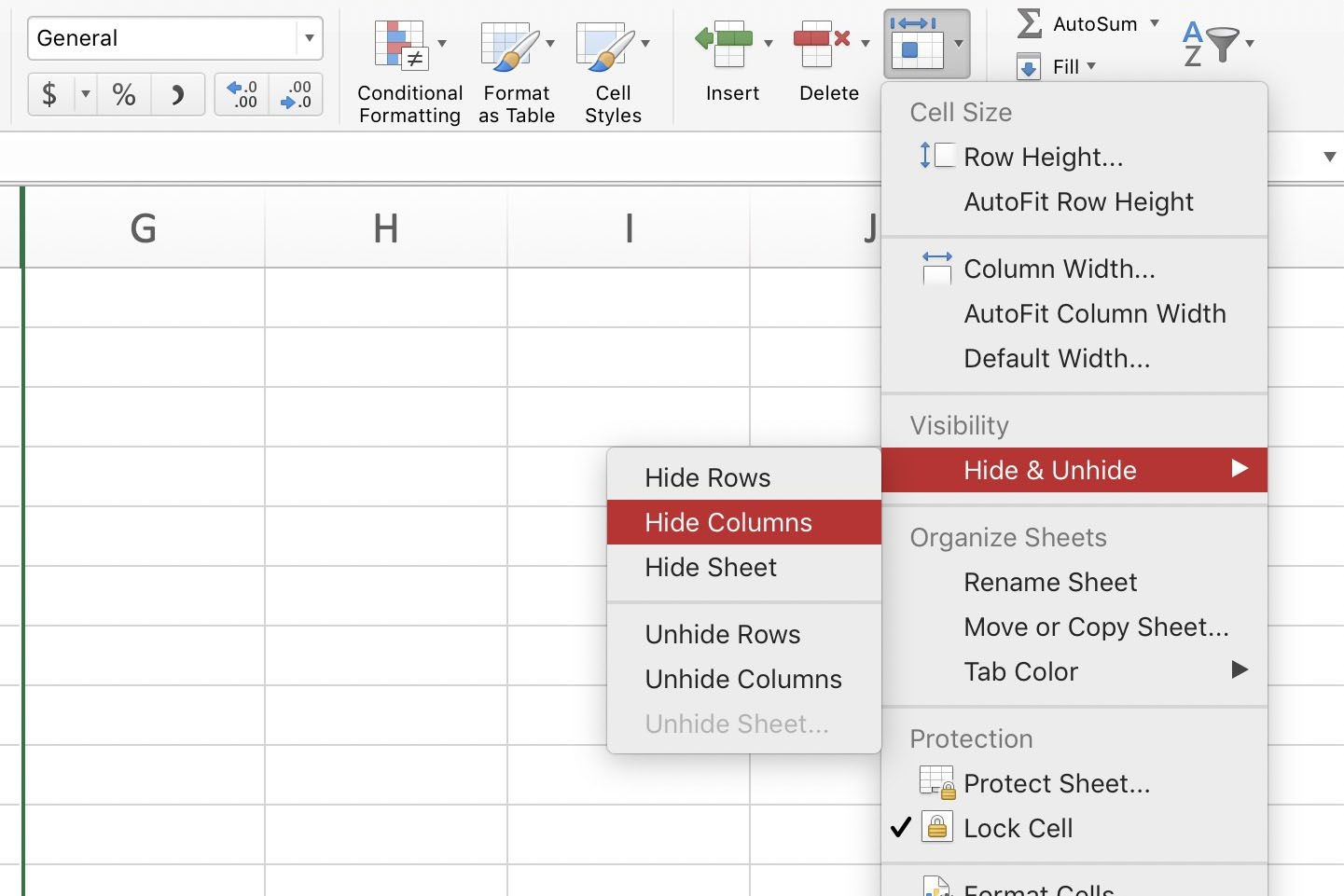
WEB Mar 6 2023 nbsp 0183 32 On sheet 1 I have columns A and B Column A contains the names of headers which are present on sheets 2 5 In column B is a drop down for quot hide unhide quot I have tried to write a macro to achieve this but my sequential If statements error with an if block error message

WEB Feb 24 2013 nbsp 0183 32 Based on the value stored in a specific cell such as A1 of a worksheet I would like to hide a number of columns in the worksheet starting with column B Examples of what I am trying to do If the value of cell A1 10
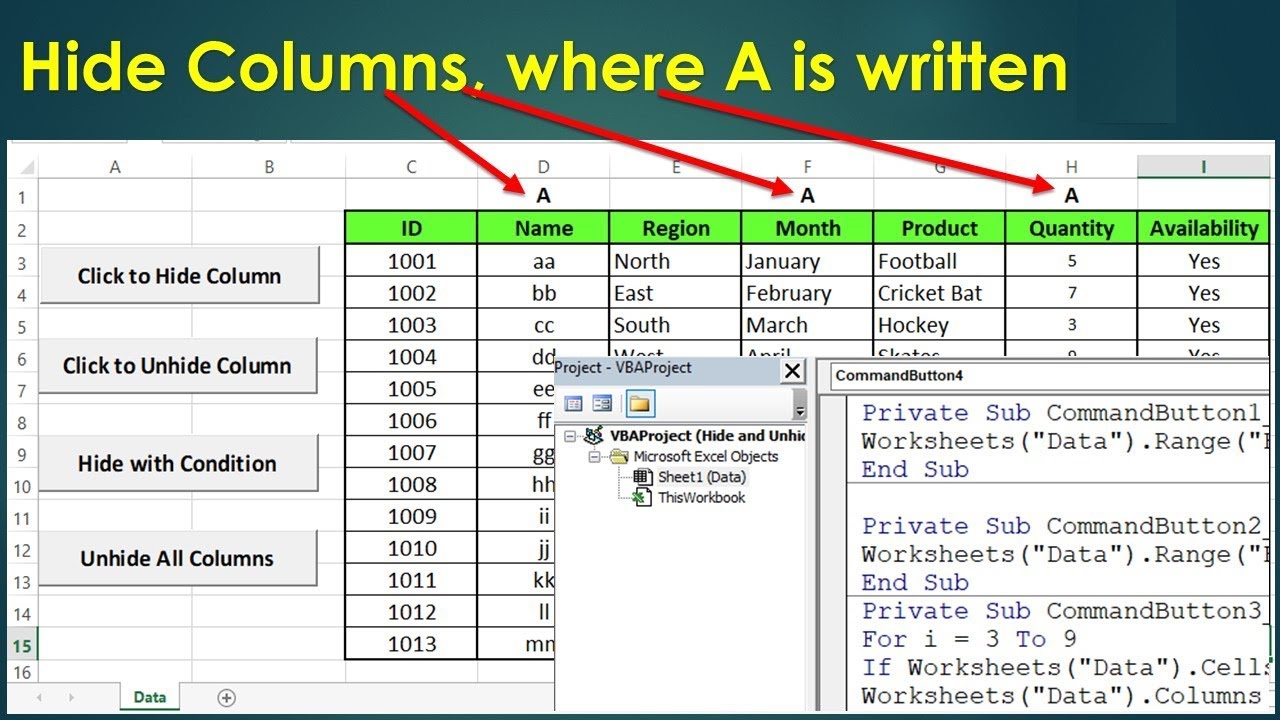
WEB Aug 17 2022 nbsp 0183 32 To unhide columns or rows simply set the Hidden Property to FALSE Columns quot B B quot Hidden False or Rows quot 2 2 quot Hidden False Unhide All Columns or Rows To unhide all columns in a worksheet use Columns or Cells to reference all columns Columns EntireColumn Hidden False or

WEB Jan 1 2024 nbsp 0183 32 To specify the column to be hidden we need to use the RANGE object Table of contents Excel VBA Hide Columns How to Hide Columns in VBA Example 1 Hide using Range Object Example 2 Hide using Columns Property Example 3 Hide Multiple Columns Example 4 Hide Columns with Single Cell Example 5 Hide
WEB Feb 14 2020 nbsp 0183 32 So to hide a column simply set its Hidden property to True Columns 1 Hidden True If you want to use letter notation you can do so with quotation marks Columns quot A quot Hidden True There s nothing more to it As you might expect setting the property to False unhides the column WEB Hide columns using VBA in Excel Hiding one or more columns on a worksheet Hiding a column can be simple Below code hides column C on the active worksheet If you set the property Hidden to False the column becomes visible again Columns quot D quot Hidden True Below code hides multiple columns D E and F
WEB Jul 9 2018 nbsp 0183 32 I have a worksheet with values in columns B G In the same sheet in cell A1 I have made a drop down list using data validation with values like A B and C What I require is when I select cell value A then columns B C need to be visible and the other columns should be hidden from D G