Hibernate One To Many Mapping Xml Example Hibernate One To Many Mapping Example Annotation DigitalOcean One To Many Mapping Hibernate Technical Topic Hareesh Soni Blog Hibernate One To Many Mapping Example Annotation DigitalOcean Hibernate One To Many Mapping Example Annotation Latest All Learning Hibernate One To Many Mapping Example Annotation Latest All Learning mybatis hibernate mybatis hibernate mybatis hibernate
Oct 14 2021 nbsp 0183 32 How to Specify Hiberfile Type as Full or Reduced in Windows 10 Hibernation files are used for hybrid sleep fast startup and standard hibernation described earlier There are Sep 22 2017 nbsp 0183 32 How to do them without breaking something Sleep in my computers are hybrid desktop and not hybrid laptop Quick boot is off
Hibernate One To Many Mapping Example Annotation Latest All Learning Hibernate One To Many Mapping Using XML Javadoubts Hibernate One To Many Mapping Tutorial XML Mapping Maven 3 Raja PLECI Hibernate One To Many Mapping Using Java Annotations Hibernate One To One Mapping PremAseem me One To One Mapping In Hibernate Map Of The World Hibernate One To Many Mapping Using XML Javadoubts Hibernate One To Many XML Mapping Bag Example Hibernate One To Many Mapping Tutorial XML Mapping Maven 3
Hibernate One To Many Mapping Xml Example
 Hibernate One To Many Mapping Xml Example
https://journaldev.nyc3.digitaloceanspaces.com/2014/05/Hibernate-One-To-Many-Mapping-Project1.png
Sep 27 2016 nbsp 0183 32 POWERCFG h ON from and elevated command line Full system restore reset from settings Still I cant see the option to hibernate in advanced power options When I look in
Templates are pre-designed documents or files that can be used for numerous purposes. They can save time and effort by supplying a ready-made format and design for producing various type of content. Templates can be used for personal or expert projects, such as resumes, invitations, leaflets, newsletters, reports, presentations, and more.
Hibernate One To Many Mapping Xml Example
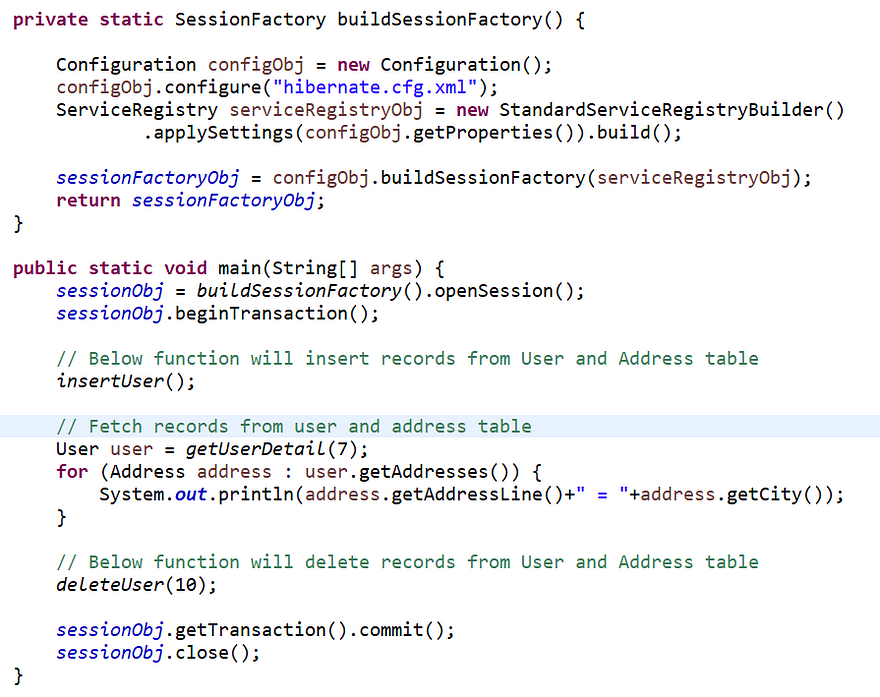
Hibernate One To Many Mapping Using XML Javadoubts
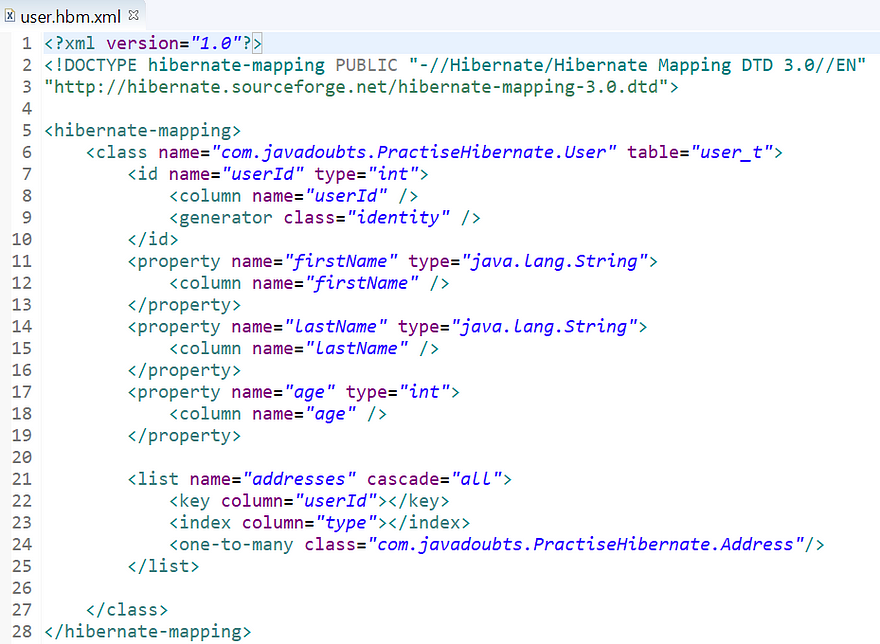
Hibernate One To Many Mapping Using XML Javadoubts

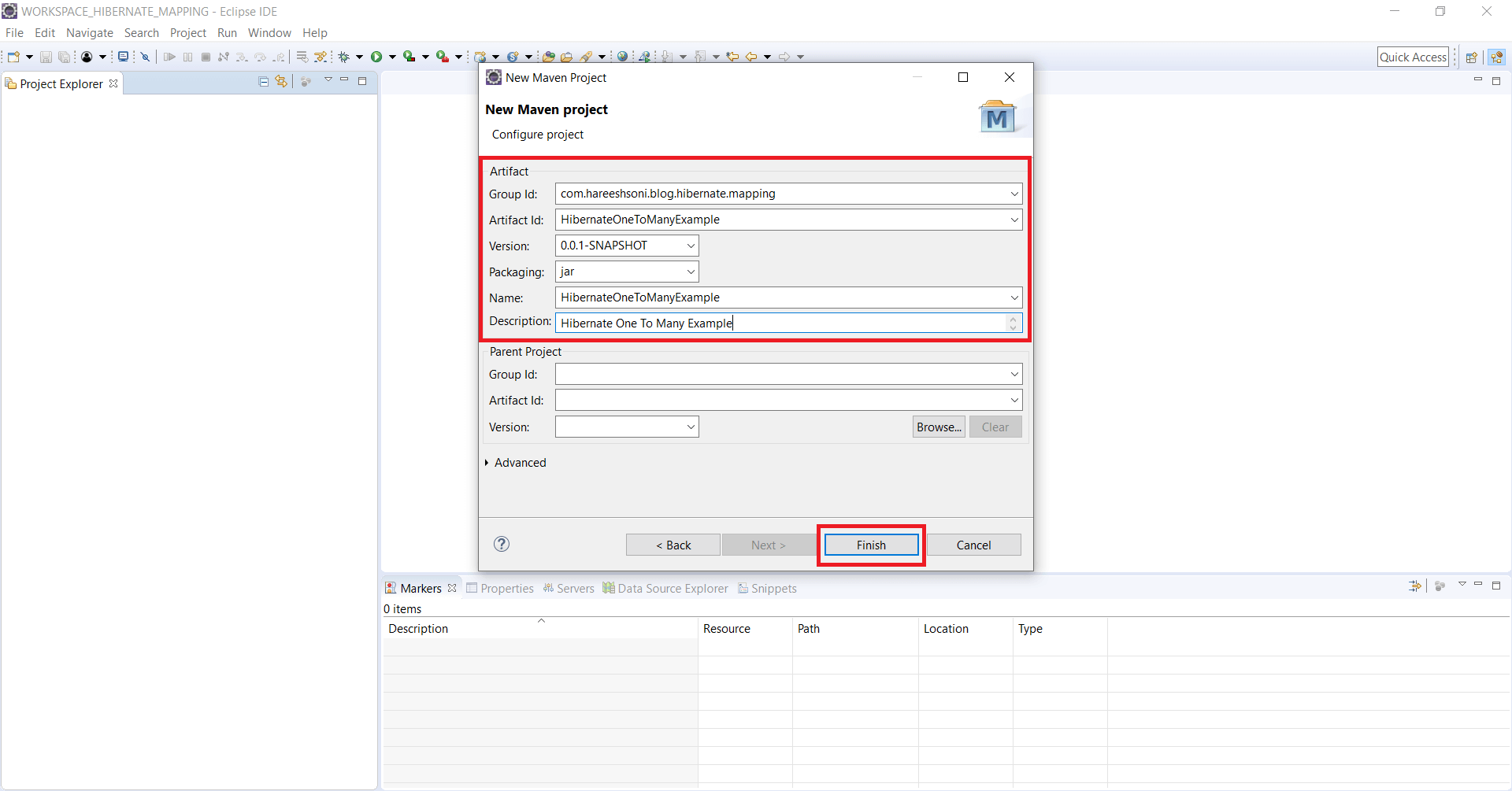
Hibernate One To Many Mapping Tutorial XML Mapping Maven 3

Raja PLECI Hibernate One To Many Mapping Using Java Annotations
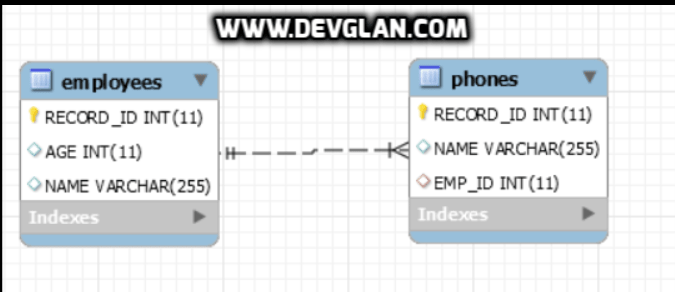
One To One Mapping In Hibernate Map Of The World

Hibernate One To Many Mapping Using XML Javadoubts

Jan 31 2023 nbsp 0183 32 The Hibernate after setting in Power Options allows users to specify how long in minutes the computer is inactive idle before automatically hibernating This tutorial will show
Oct 31 2021 nbsp 0183 32 How to Hibernate the Computer in Windows 10 Information Hibernate is a power saving state designed primarily for laptops and might not b
Apr 29 2020 nbsp 0183 32 PC won t hibernate Greetings everyone Early this month I made some changes to my PC and now it won t hibernate anymore I installed a new video card moved the boot

Oct 31 2021 nbsp 0183 32 How to Add or Remove Hibernate from Power menu in Windows 10 Information Hibernate is a power saving state designed primarily for laptops

Sep 19 2020 nbsp 0183 32 Enable or Disable Shut Down Restart Sleep and Hibernate in Power Menu for All Users in Local Group Policy Editor The Local Group Policy Editor is only available in the
[desc-11] [desc-12]
[desc-13]