Hibernate Auditing Example How To Implement Conditional Auditing With Hibernate Envers Hibernate 5 Annotation Example YouTube GitHub Bulbul ismail sample spring envers Sample Audit Mechanism Hibernate Envers How To Implement A Conditional Audit Log YouTube Hibernate Envers For Auditing Since Data Is Too Important Nowadays Oct 31 2021 nbsp 0183 32 How to Add or Remove Hibernate from Power menu in Windows 10 Information Hibernate is a power saving state designed primarily for laptops
Oct 31 2021 nbsp 0183 32 How to Hibernate the Computer in Windows 10 Information Hibernate is a power saving state designed primarily for laptops and might not b Jan 3 2017 nbsp 0183 32 The hibernate events tend to happen while watching DirecTV Now I m not sure it is hibernate Here is what happens The computer shuts down I have to hit the power button to
Hibernate Envers For Auditing Since Data Is Too Important Nowadays Introduction To Hibernate Envers Entity Auditing With Hibernate Envers Hibernate Envers Query Data From Your Audit Log Setting Up Hibernate Envers With Spring Boot PROGRESSIVE CODER Hibernate Envers How To Retrieve DTOs From Your Envers Audit Logs Hibernate Envers Example Examples Java Code Geeks 2022 Setting Up Hibernate Envers With Spring Boot PROGRESSIVE CODER Audit Entities With Hibernate Envers Adam Zar ba Software Engineer
Hibernate Auditing Example
 Hibernate Auditing Example
https://thorben-janssen.com/wp-content/uploads/2017/11/Hibernate-Envers-How-to-Implement-Cond-768x427.png
Jan 16 2018 nbsp 0183 32 Power Consuption Sleep versus Hibernate I am clear at least I think I am that the difference between sleep and hibernate is that while both preserve open windows unsaved
Pre-crafted templates use a time-saving option for developing a diverse series of documents and files. These pre-designed formats and designs can be made use of for numerous personal and professional tasks, consisting of resumes, invites, flyers, newsletters, reports, discussions, and more, streamlining the material development procedure.
Hibernate Auditing Example

Advanced Auditing With Hibernate Envers DivInisoft

Introduction To Hibernate Envers
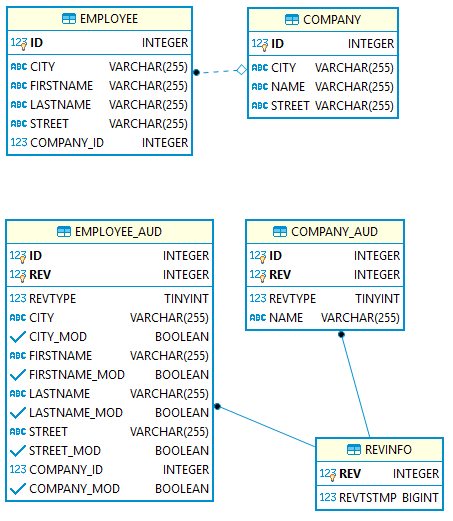
Entity Auditing With Hibernate Envers

Hibernate Envers Query Data From Your Audit Log

Hibernate Envers How To Retrieve DTOs From Your Envers Audit Logs
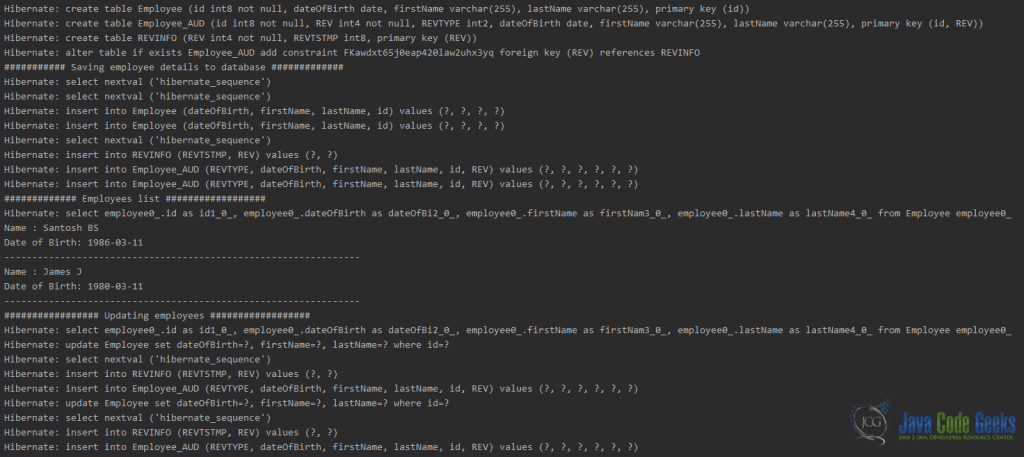
Hibernate Envers Example Examples Java Code Geeks 2022
Apr 29 2020 nbsp 0183 32 PC won t hibernate Greetings everyone Early this month I made some changes to my PC and now it won t hibernate anymore I installed a new video card moved the boot

Sep 19 2020 nbsp 0183 32 Enable or Disable Shut Down Restart Sleep and Hibernate in Power Menu for All Users in Local Group Policy Editor The Local Group Policy Editor is only available in the
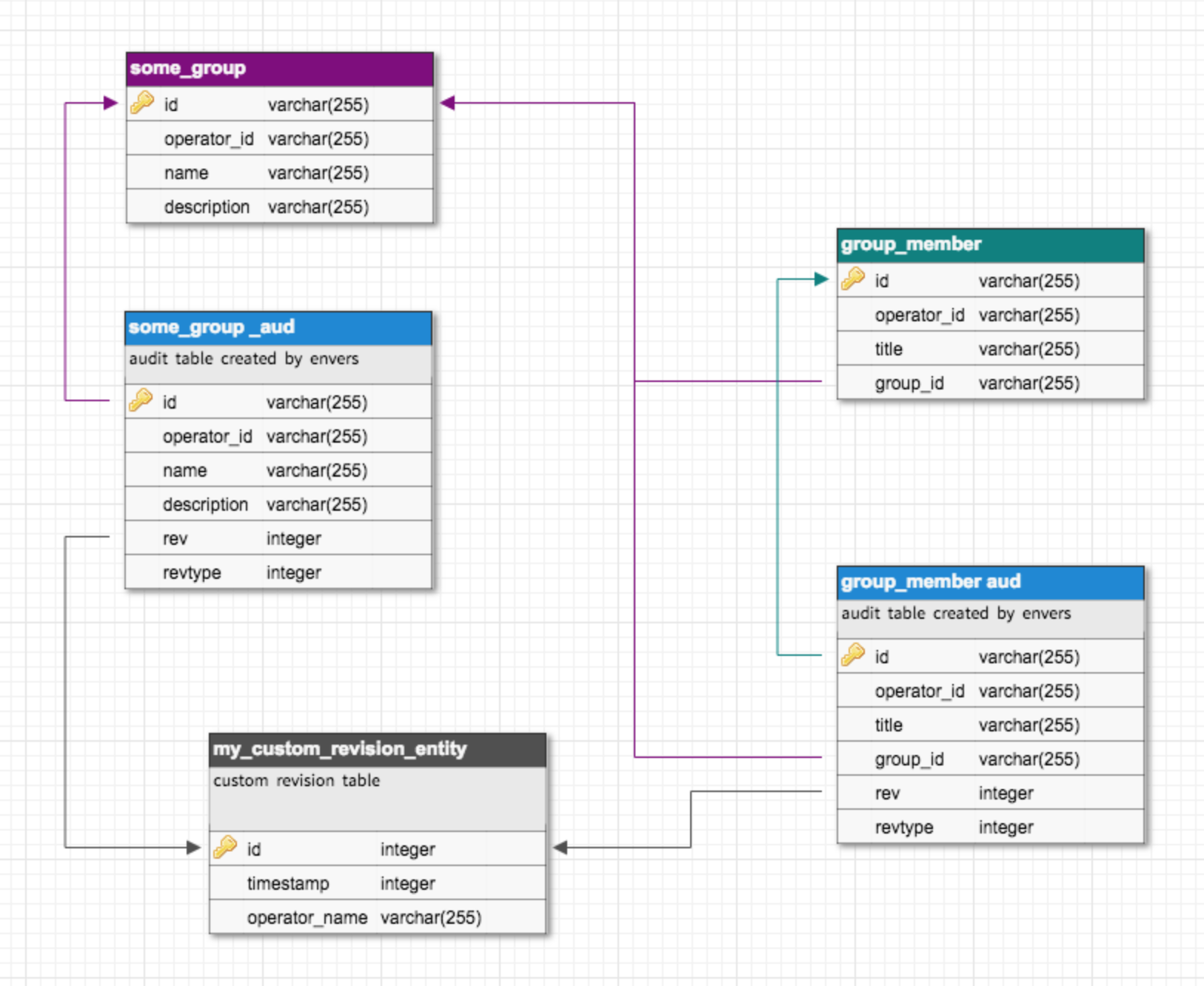
Jan 31 2023 nbsp 0183 32 The Hibernate after setting in Power Options allows users to specify how long in minutes the computer is inactive idle before automatically hibernating This tutorial will show

Sep 27 2016 nbsp 0183 32 POWERCFG h ON from and elevated command line Full system restore reset from settings Still I cant see the option to hibernate in advanced power options When I look in

Sep 22 2017 nbsp 0183 32 How to do them without breaking something Sleep in my computers are hybrid desktop and not hybrid laptop Quick boot is off
[desc-11] [desc-12]
[desc-13]