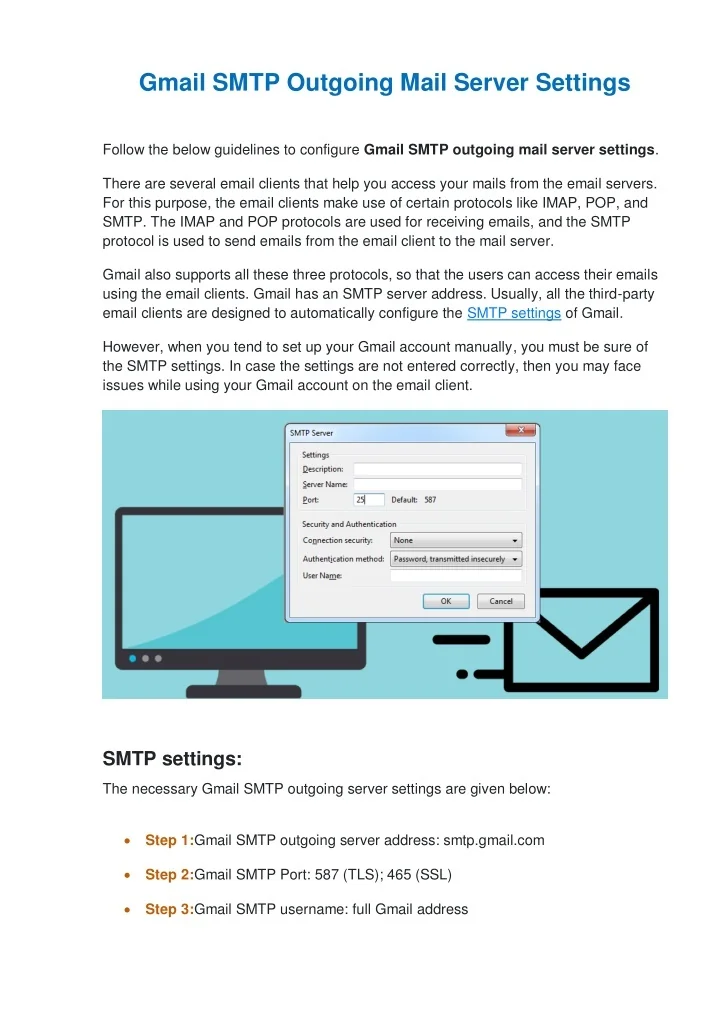
Gmail Smtp Outgoing Server Not Working PPT Configuration Of Gmail SMTP Outgoing Mail Server Settings PowerPoint Presentation ID 5 Ways To Fix Yahoo SMTP Server Not Working Error Fix Cannot Send Mail The Connection To The Outgoing Server Failed IPhone BENISNOUS Gmail Smtp Not Working Gmail Or Server SMTP Setup SlickRemix I Have Tried Ports 10 25 Windows Mail Can t Contact My SMTP Outgoing Server I Tthink Something Changed In The Software The outgoing SMTP server smtp gmail supports TLS If your client begins with plain text before issuing the STARTTLS command use port 465 for SSL or port 587 for TLS Session length limits Gmail POP sessions are limited to about 7 days Gmail IMAP sessions are limited to about 24 hours If the session was authenticated using OAuth
To set up an IMAP mail message server follow this tutorial 1 First log in to the Gmail Google App and click on Settings in the top right 2 Then click on Settings and go to the Forwarding and POP IMAP tab 3 In the IMAP Access section click on Enable IMAP and then Save Changes 4 Setup steps On the device or in the app for server address enter smtp gmail For Port enter one of the following numbers For SSL enter 465 For TLS enter 587 For authentication enter your complete Google Workspace email address for example your name solarmora and password
Windows Mail Can t Contact My SMTP Outgoing Server I Tthink Something Changed In The Software Land Park Revival Contemporary Pool Sacramento By Change Of Seasons Gary Kernick Houzz Gmail SMTP Settings For IPhone Mac And Dvr Guidelines Step by Step EP 34 Moodle GMail SMTP Outgoing Moodle E Mail User YouTube Cannot Configure External Outgoing SMTP Server Without Authentication In Gmail through Web Unable To Send Email With Outlook Using Comcast Outgoing Server SMTP By THE COMPUTER REPAIR Gmail Smtp Not Working Here s A Simple Quick Fix updated 2021 How To Fix Gmail SMTP Server Is Not Working Emailprosolution Microsoft Outlook 2010 Mail Setup SMTP Knowledge Base
Gmail Smtp Outgoing Server Not Working
 Gmail Smtp Outgoing Server Not Working
https://image5.slideserve.com/11153808/gmail-smtp-outgoing-mail-server-settings-n.jpg
This help content information General Help Center experience Search Clear search
Templates are pre-designed files or files that can be used for numerous purposes. They can conserve effort and time by supplying a ready-made format and design for creating various type of content. Templates can be utilized for personal or expert projects, such as resumes, invitations, flyers, newsletters, reports, presentations, and more.
Gmail Smtp Outgoing Server Not Working

SMTP Configurations

Land Park Revival Contemporary Pool Sacramento By Change Of Seasons Gary Kernick Houzz

Gmail SMTP Settings For IPhone Mac And Dvr Guidelines Step by Step
EP 34 Moodle GMail SMTP Outgoing Moodle E Mail User YouTube
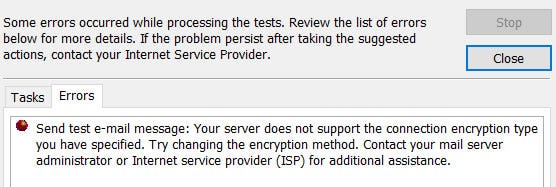
Unable To Send Email With Outlook Using Comcast Outgoing Server SMTP By THE COMPUTER REPAIR
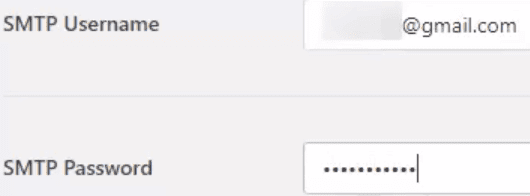
Gmail Smtp Not Working Here s A Simple Quick Fix updated 2021
Yes It s not working after removing the option by google But nothing to worry It s still very simple to send email To send email again you need to do this as bellow Login to your gmail Go to Security setting and Enable 2 factor authentication After enabling this you can see app passwords option Click here

I checked my hotmail settings on the computer and under the sync email settings I enabled POP and changed the server name to the following settings but it still doesn t work Previous server names that was used for IMAP was imap mail outlook and SMTP was smtp mail outlook but these do not seem to work anymore New IMAP Setting incoming

Ensure the IMAP tab isn t greyed out Enter gmail as the Host Name The User Name is your FULL gmail address Host Name for Outgoing Mail Server SMTP is smtp gmail Tap Save Once completed tap Settings Your IMAP Account Advanced Enter Incoming settings as follows SSL ON Authentication Password

This help content information General Help Center experience Search Clear search

How to resolve GMail IMAP and SMTP Auth Failures Gmail Community Gmail Help
This help content information General Help Center experience Search Clear search Most people know Gmail for its clean interface and useful features like search operators and add ons But you can also use Gmail for more the Gmail SMTP server With the Gmail SMTP server you ll be able to send emails from your Gmail account using other email clients such as Outlook or Thunderbird But more importantly you can also use Gmail s SMTP server to send emails from your
In order to configure your Gmail server settings open your email settings on Heimdal Email Security or another email client product that you might be using and type in these settings for Gmail Server Name smtp gmail Port 465 SSL 587 TLS Sender Email Address Your email address Test Email Address email address to receive