Github Pages Settings Setting Up A Blog With GitHub Pages And Jekyll Thomas Dev blog Aalto FITech101 Courses Hosting Your HUGO Blog On Github Pages In 1 Hour The Full Cycle How To Create A Personal Blog Using Gatsby Github Pages Github Hosting A Decentralized Application For Free With GitHub Pages Breta Web Data collection Further reading You can use GitHub Pages to host a website about yourself your organization or your project directly from a repository on GitHub
Web In this article About access control for GitHub Pages sites About subdomains for privately published sites Changing the visibility of your GitHub Pages site You can manage access control for your project site by publishing the Web 59 I m not sure if the site just needed some time to show up but I was getting a 404 error after pushing my master branch Then I changed my theme in the repo s settings
Hosting A Decentralized Application For Free With GitHub Pages Breta Code Reverse Set Up Custom GitHub Pages Domain With Google Domains Brendan Enrick GitHub Pages Web Unpublishing A GitHub Pages Site GitHub Docs C c C ch T o Web T nh V i Github HuyDQ s Blog Build Your Personal Brand With A Profile Page Using GitHub Pages And How To Host A Static Website For Free Philipp C Baecker Frequently Asked Questions Fullstack course4
Github Pages Settings
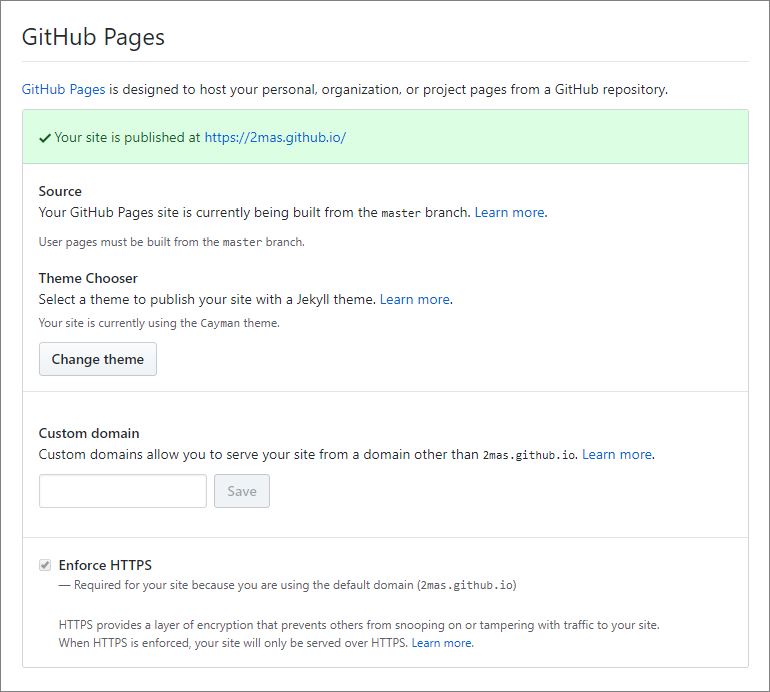 Github Pages Settings
https://2mas.github.io/assets/images/gh-pages-settings.png
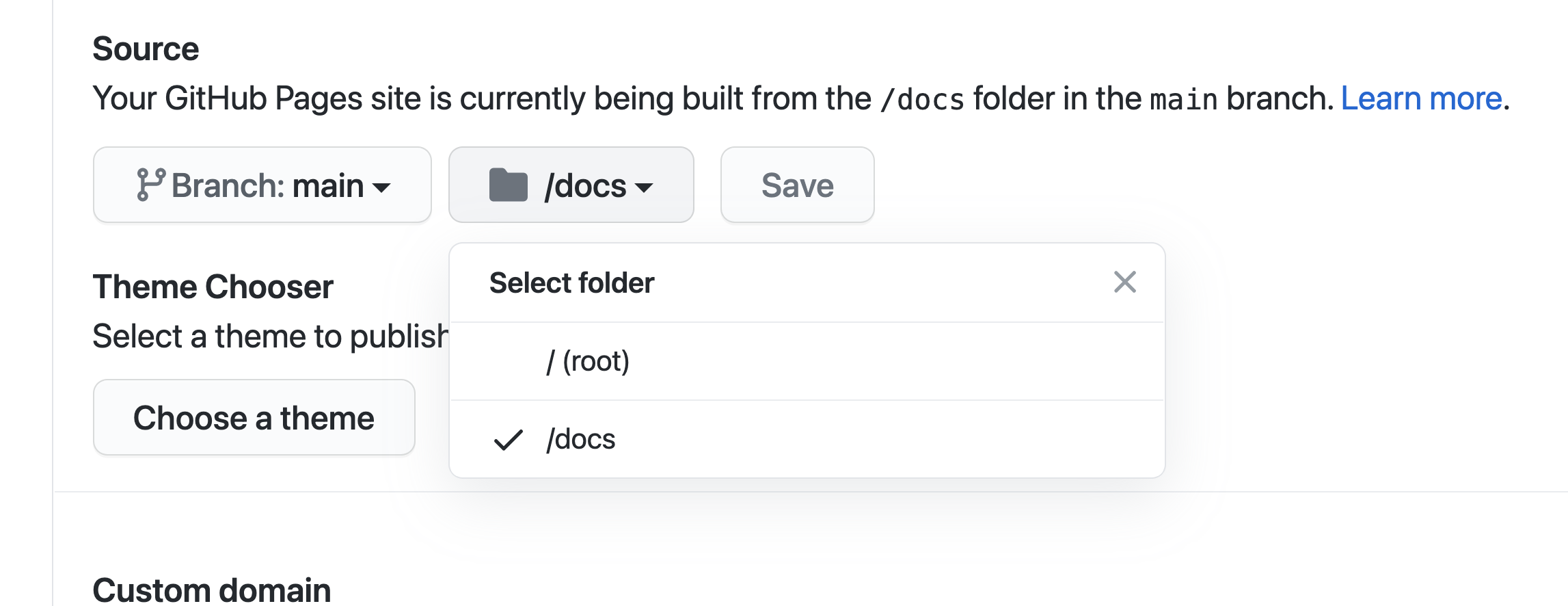
Web Step 1 Enable GitHub pages in GitHub settings From your repo click on the tab Scroll down to the GitHub Pages section You have two options Choosing master branch will treat README md as your web index html Choosing master branch docs folder will treat docs README md as your web index html Choose a theme
Pre-crafted templates provide a time-saving service for creating a varied series of files and files. These pre-designed formats and designs can be utilized for numerous individual and expert projects, including resumes, invitations, flyers, newsletters, reports, discussions, and more, simplifying the material production process.
Github Pages Settings
HTML Ex 1

Code Reverse
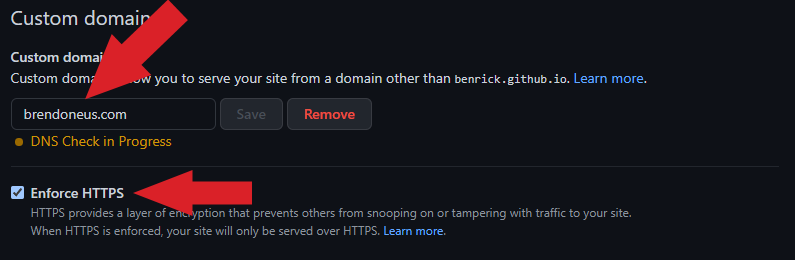
Set Up Custom GitHub Pages Domain With Google Domains Brendan Enrick

GitHub Pages Web

C c C ch T o Web T nh V i Github HuyDQ s Blog
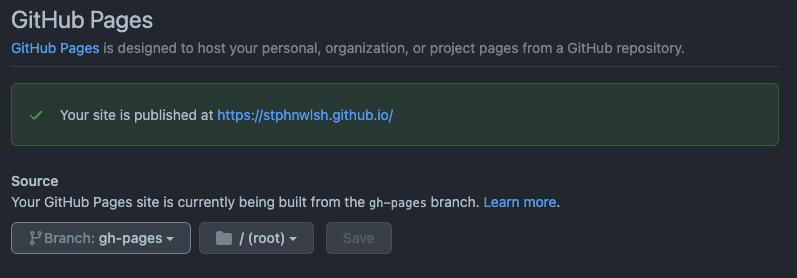
Build Your Personal Brand With A Profile Page Using GitHub Pages And
Web Creating your site On GitHub navigate to your site s repository Decide which publishing source you want to use For more information see quot Configuring a publishing source for your GitHub Pages site quot Create the entry file for your site GitHub Pages will look for an index html index md or

Web You can set up a basic GitHub Pages site for yourself your organization or your project GitHub Pages is available in public repositories with GitHub Free and GitHub Free for organizations and in public and private repositories with GitHub Pro GitHub Team GitHub Enterprise Cloud and GitHub Enterprise Server
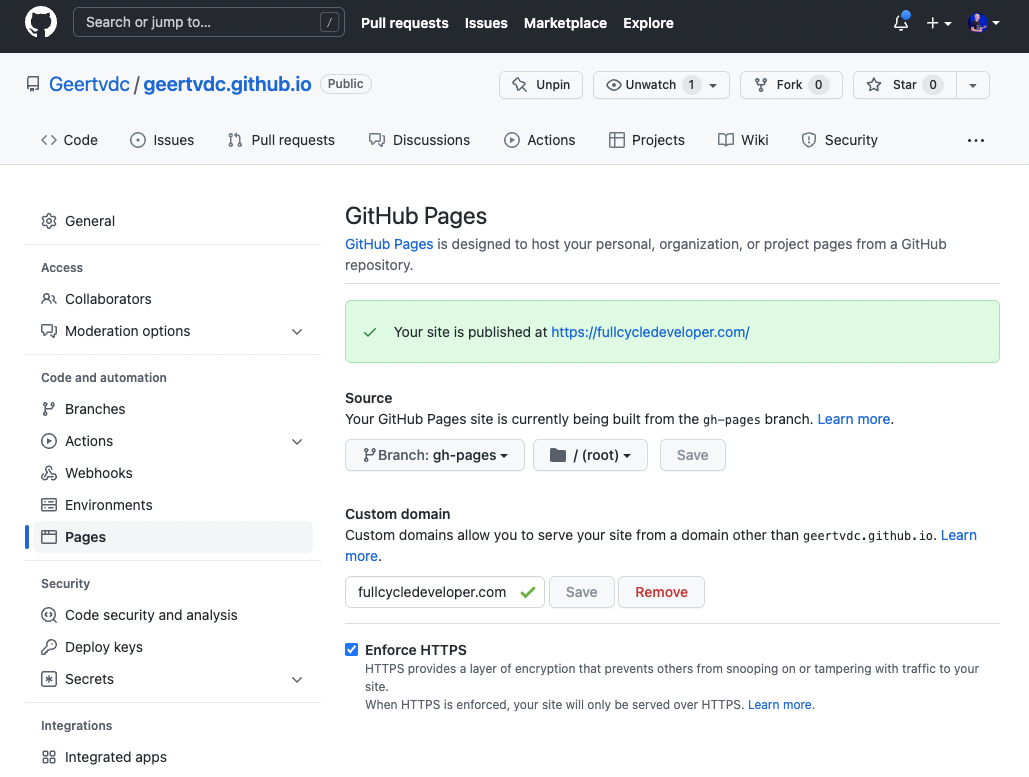
Web GitHub Pages are public webpages hosted and published through GitHub The quickest way to get up and running is by using the Jekyll Theme Chooser to load a pre made theme You can then modify your GitHub Pages content and style This guide will lead you through creating a user site at username github io

Web Make sure the branch you want to use as your publishing source already exists in your repository On GitHub navigate to your site s repository Under your repository name click Settings If you cannot see the quot Settings quot tab select the dropdown menu then click Settings In the quot Code and
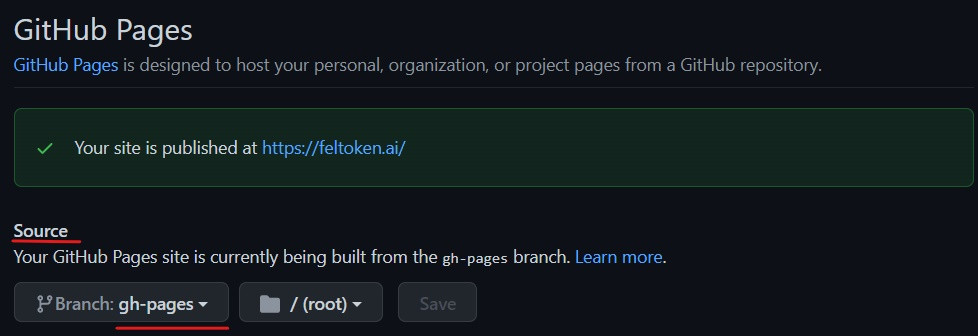
Web If you cannot see the quot Settings quot tab select the dropdown menu then click Settings In the quot Code and automation quot section of the sidebar click Pages Under quot Custom domain quot type your custom domain then click Save
[desc-11] [desc-12]
[desc-13]