Github List My Branches How To Compare Two Branches In GitHub How To Clean Up Old Branches In GitHub GitHub Github List All Repositories In Organization Or Personal Using REST API Git List Branches How To Show All Remote And Local Branch Names WEB Oct 12 2016 nbsp 0183 32 On Github your branches are in a dropdown list on the left side of the main display just below the number of commits in the repo near the colored bar Github by default only grabs your master branch so a workflow where you branch off do some work checkout master and then push results in only one branch on github
WEB Branches are central to collaboration on GitHub and the best way to view them is the branches page On GitHub navigate to the main page of the repository From the file tree view on the left select the branch dropdown menu then click View all branches WEB Oct 6 2021 nbsp 0183 32 Users can create a new branch in Git by running the git checkout b my branch name command where my branch name can be replaced with the desired name To switch between local branches the git checkout my branch name command is used For branches from a remote repository the git checkout track origin my branch
Git List Branches How To Show All Remote And Local Branch Names GitHub PostMan What Is GitHub Definition Functions And How To Use Matob R Integrate GitHub Notion Help Center List Recent Git Branches Where Does India Feature In GitHub s Grand Scheme LaptrinhX Bash How Can I Read All The Branches In A GitHub Repo Using The Git Git List Branches How To Show All Remote And Local Branch Names How Do I Edit A Service In Just One Of My Branches locations Phorest
Github List My Branches
 Github List My Branches
https://blog.mergify.com/content/images/2021/12/how-to-compare-2-branch-on-github-5.png
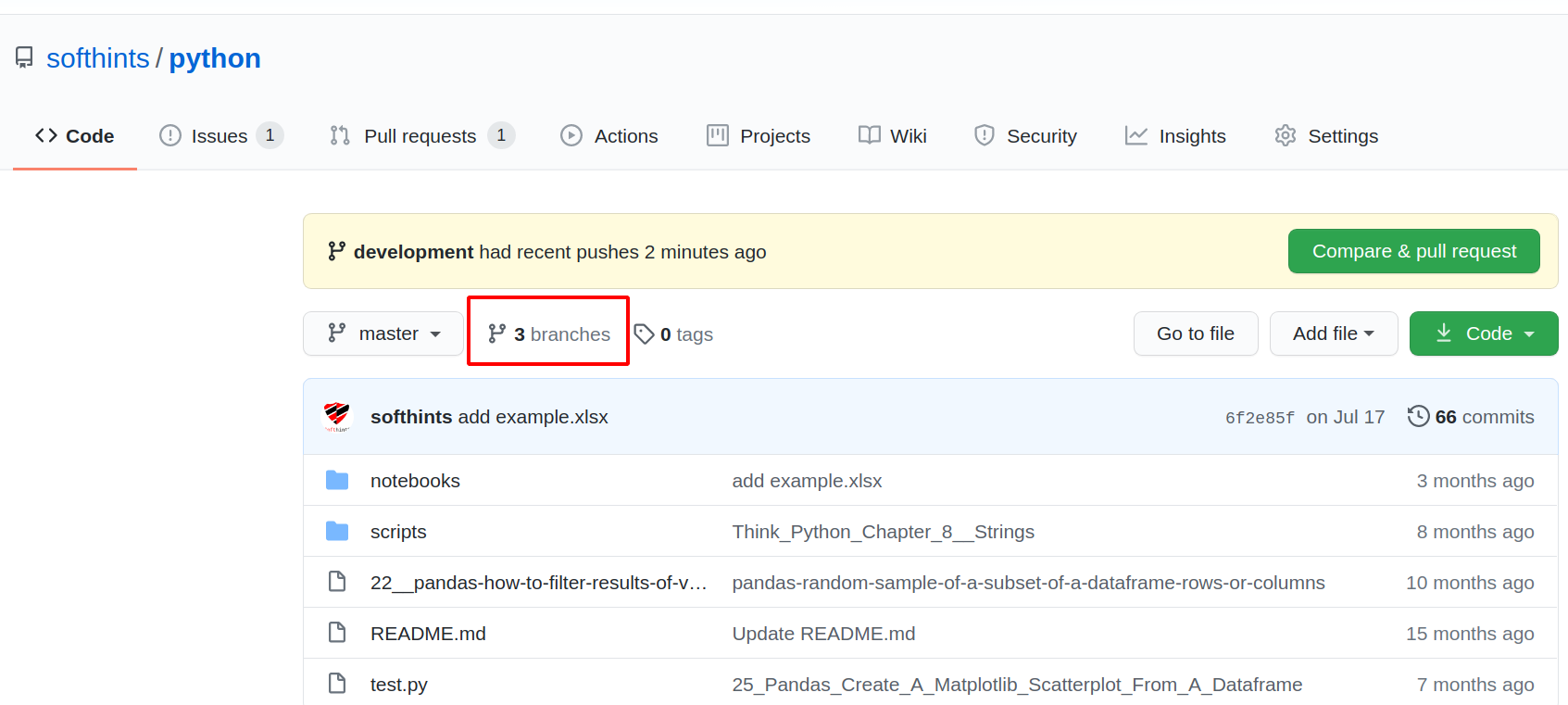
WEB Oct 6 2021 nbsp 0183 32 How to List Branches on the GitHub Website If you host your project on GitHub you can view all its branches from its project page Start by navigating to the project s Code tab then click the link referring to the number of branches You ll see branches grouped by status including an All branches option
Pre-crafted templates provide a time-saving service for developing a diverse range of documents and files. These pre-designed formats and designs can be utilized for various personal and expert projects, consisting of resumes, invitations, leaflets, newsletters, reports, presentations, and more, improving the content production process.
Github List My Branches

Nextstep Marketing Logo Vector SVG Logojinni

GitHub PostMan

What Is GitHub Definition Functions And How To Use Matob R

Integrate GitHub Notion Help Center

Where Does India Feature In GitHub s Grand Scheme LaptrinhX

Bash How Can I Read All The Branches In A GitHub Repo Using The Git
WEB Jan 12 2019 nbsp 0183 32 As the documentation of git branch explains git branch all or a lists all the branches from the local repository both the local and the remote tracking branches A Git branch is just a pointer to a commit
WEB Using git branch s format you can show local branches and their configured remote and merge configuration as found in the repo s git config file git branch format HEAD refname short gt upstream short See the format doc for git for each ref which is used by git branch

WEB Dec 8 2021 nbsp 0183 32 The four commands to git list branches are git branch git branch r git branch a and git show branch git branch helps you view all local branches whereas git branch r lists all remote branches connected to the current workflow

WEB Mar 29 2022 nbsp 0183 32 To see all remote branch names run git branch r To see all local and remote branches run git branch a You can see detailed information such as the local or remote branches in use commit ids and commit messages by running git branch

WEB Managing branches in your repository Whenever you propose a change in Git you create a new branch Branch management is an important part of the Git workflow After some time your list of branches may grow so it s a good idea to
WEB Use a branch to isolate development work without affecting other branches in the repository Each repository has one default branch and can have multiple other branches You can merge a branch into another branch using a pull request WEB May 21 2022 nbsp 0183 32 You can make Git list local branches and remote branches in your Git repository using the command git branch a git branch a main develop test feature1 origin main origin develop origin test origin feature1
WEB Oct 12 2015 nbsp 0183 32 Above the list of files click NUMBER branches Use the navigation at the top of the page to view specific lists of branches Your branches In repositories that you have push access to the Yours view shows all branches that you ve pushed to with the most recent branches first