Git Stop Merge And Revert Git Revert Commit Solutions To Git Problems Git What Are Differences Between Revert Revert Commit And Reset Hot How To Reset Your Git Branch To A Previous Commit both Local And How Can I Stop Git Merge Prompt Message Keep Popping Up Everytime I Do Git Revert A Pushed Merge To Erase Local Undesired Changes Pushed By May 30 2023 Git Git Abort Merge How to Cancel a Merge in Git Shittu Olumide Version control is a system that helps manage changes to files and directories over time It allows multiple people to collaborate on a project keep track of modifications and revert to previous versions if needed
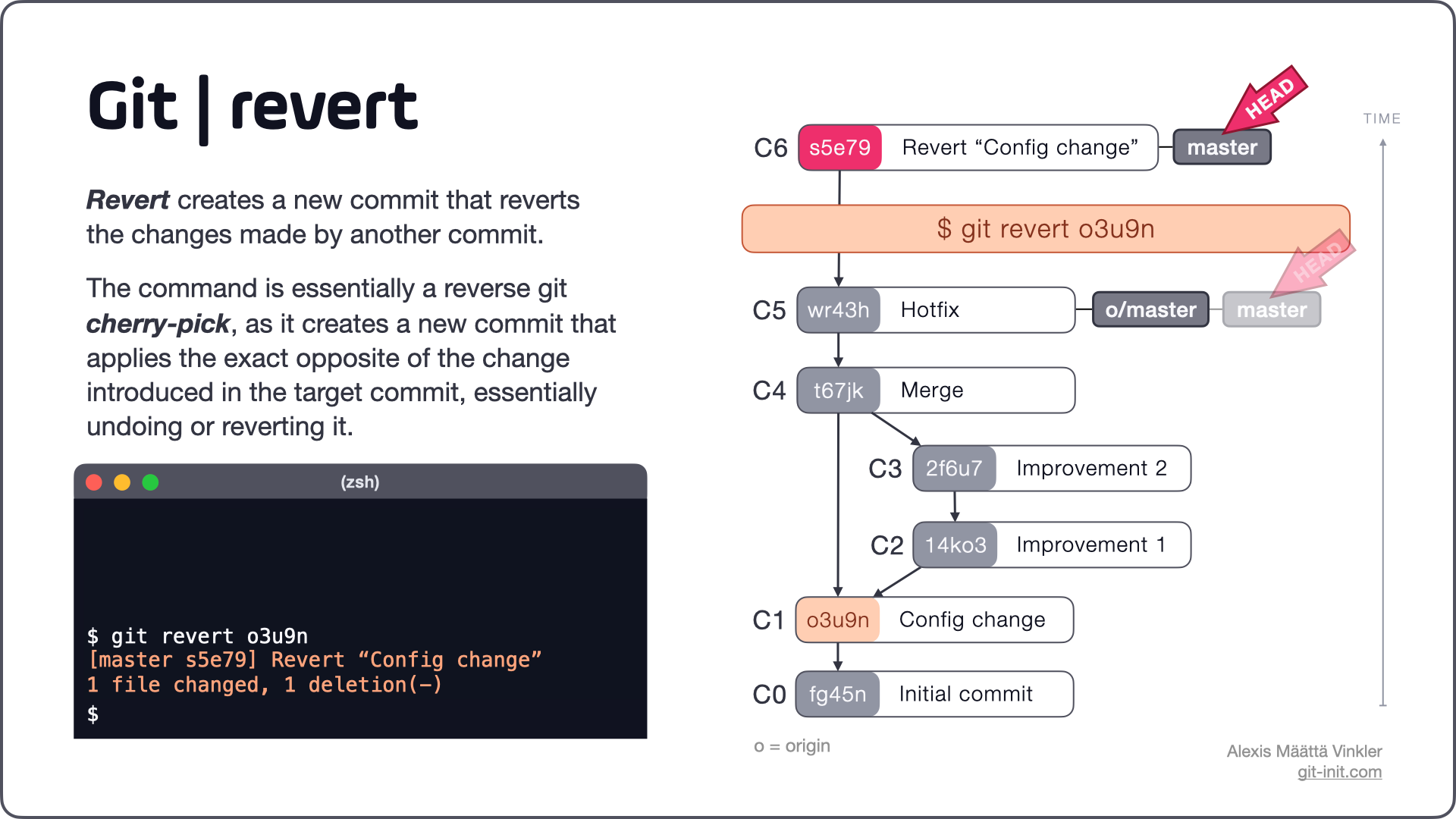
Run the revert command in branch A git revert m 1 123 commit all deletions into branch A as a result of the revert continue the work on branch A and branch B separately at a later point merge these two branches again I would first create a new branch C based off of A SYNOPSIS git revert no edit n m parent number s S keyid commit git revert continue skip abort quit DESCRIPTION Given one or more existing commits revert the changes that the related patches introduce and record some new commits that record them
Git Revert A Pushed Merge To Erase Local Undesired Changes Pushed By How To Undo Pushed Commits With Git DEV Community Undo Changes With Git Revert Reverse The Committed Change DataGenX Revert Changes Merge Requests Project User Help GitLab Git Workflow 183 Gitbook Riset How To Revert A Git Commit The Git Revert Command YouTube Git Revert Merge Git Flow ITecNote Merge V Rebase Ch o M i Ng i C ng M t Th i Gian By Brian Revert Merge Commit In Git Delft Stack
Git Stop Merge And Revert
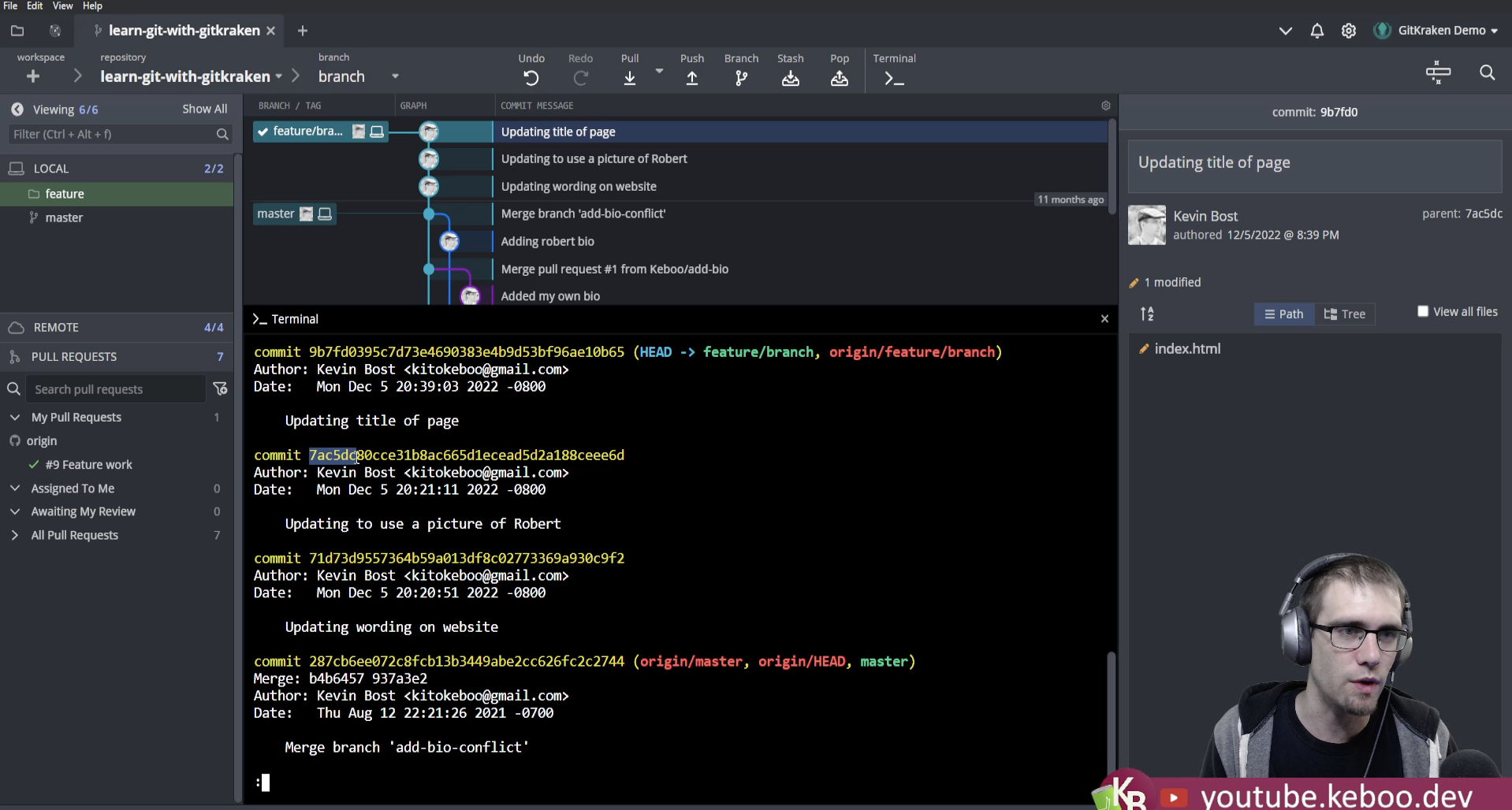 Git Stop Merge And Revert
https://www.gitkraken.com/wp-content/uploads/2022/12/Screen-Shot-2022-12-15-at-11.55.45-AM.png
Use the git reset command to return to the revision before the merge thereby effectively undoing it git reset hard commit hash before merge If you don t have the hash of the commit before the merge at hand you can use git log to find it out or you can use the following variation of the reset command git reset hard HEAD 1
Templates are pre-designed documents or files that can be utilized for different purposes. They can save effort and time by supplying a ready-made format and design for producing various sort of material. Templates can be utilized for personal or professional jobs, such as resumes, invites, flyers, newsletters, reports, presentations, and more.
Git Stop Merge And Revert
How To Undo Changes In Git reset Vs Revert Vs Restore
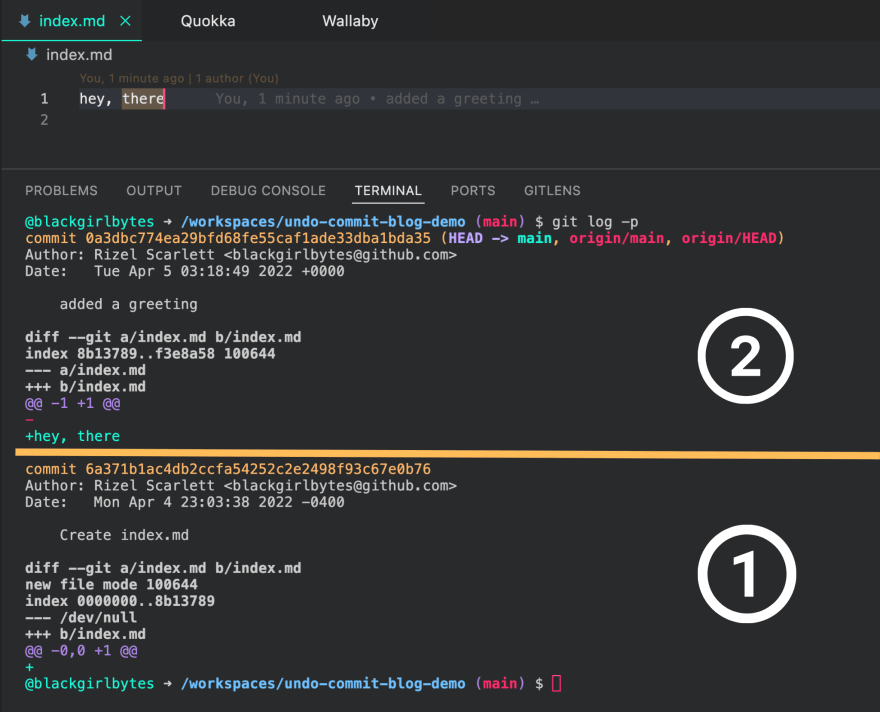
How To Undo Pushed Commits With Git DEV Community

Undo Changes With Git Revert Reverse The Committed Change DataGenX

Revert Changes Merge Requests Project User Help GitLab

How To Revert A Git Commit The Git Revert Command YouTube

Git Revert Merge Git Flow ITecNote
Download Now for Free Using git reset to Undo a Merge One of the best aspects about Git is that you can undo virtually anything And luckily a merge is no exception You can use the git reset command to return to the revision before the merge thereby effectively undoing it git reset hard commit before merge

Programming How To Reverse a Git Merge By Anthony Heddings Published Jul 11 2023 Accidentally doing the wrong thing is very common when working with Git but luckily it s built to keep track of your repository s version history Readers like you help support How To Geek
March 30 2022 Git Git Undo Merge How to Revert the Last Merge Commit in Git Kolade Chris Branching is an integral part of Git because it lets you work without tampering with code that s already in production

340 I have run into a bit of a problem here I had a problem specific branch 28s in Git that I merged in the general develop branch Turns out I had done it too fast so I used git revert to undo the merge

To give Git a hint that you re done with this file you should quit the merge tool to continue Behind the scenes this told Git to execute a git add command on the now formerly conflicted file This marks the conflict as solved Should you decide not to use a merge tool and instead clean up the file in your editor you ll have to mark the
Git merge and rebase are the two ways to integrate commits from the target branch to the source branch Furthermore Git merge performs either a fast forward or a no fast forward merge The abort argument will stop the merge process and revert the changes to their original state before the merge started The short answer The easiest way to undo a merge is using git revert The git revert command is used to create a new commit that undoes the changes introduced by a specific commit In this case this is the merge commit To undo a merge using the git revert command you need to Find the commit hash of the merge commit using git log
Undoing with the git reset command In the framework of this approach you need to reset the merge commit as it is mentioned in the section above then run the command below git push origin HEAD force Instead of force you can use a safer method force with lease which will not overwrite the work of other developers