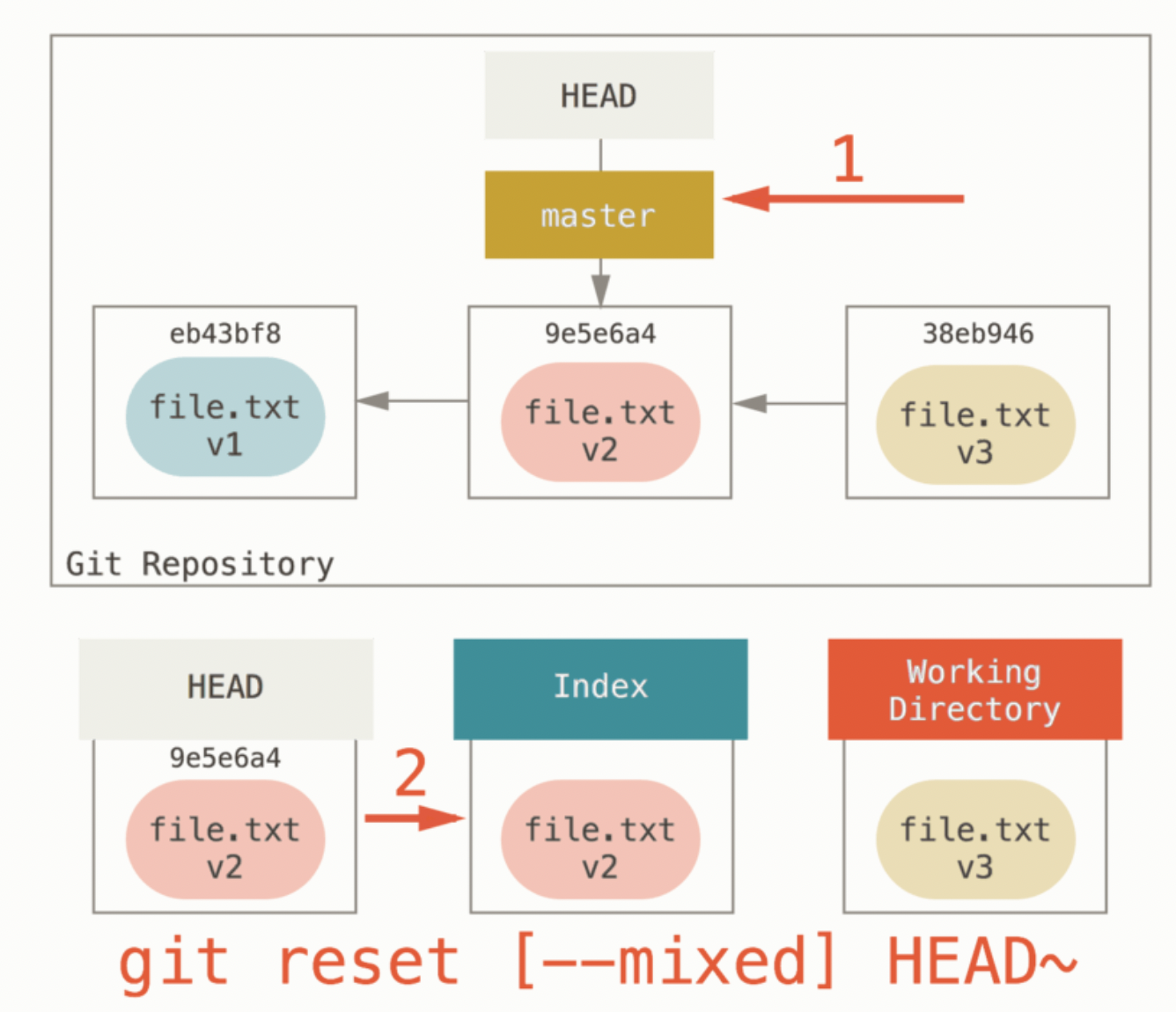
Git Soft Reset All Commits On Branch How To Reset Your Git Branch To A Previous Commit both Local And Git Show Unpushed Commits GitHub Git What Are Differences Between Revert Revert Commit And Reset Hot Git Reset Hard Soft Mixed Learn Git Aug 31 2021 nbsp 0183 32 git reset soft HEAD 1 The softoption means that you will not lose the uncommitted changes you may have In this image each circle represents a commit If you want to reset to the last commit and also remove all unstaged changes you can use the hardoption git reset hard HEAD 1
For this reason git revert should be used to undo changes on a public branch and git reset should be reserved for undoing changes on a private branch You can also think of git revert as a tool for undoing committed changes while git reset HEAD is for undoing uncommitted changes The easiest way to undo the last commit is by typing quot git reset soft HEAD 1 quot You can also specify the commit hash to revert to any previous revision
Git Reset Hard Soft Mixed Learn Git How To Git Reset To HEAD What Is Git HEAD How To Reset Git Head To Example Git Branching Diagram Github Gambaran How To Create New Branch 20 Git Git Reset hard The Git Reset Command Is For Undoing By Praaveen Vr Git Squash All Commits On A Branch Delft Stack Git Squash Commits With Example TechPulseToday GIT Branch And Its Operations An Easy Understanding Digital Varys How To Undo The Last Commit In Git Become Front End Expert
Git Soft Reset All Commits On Branch
Git Soft Reset All Commits On Branch
https://miro.medium.com/max/1200/0*Uc_7zvS0MnfQwq3Q
Option 3 git reset soft For the lightest touch you can even undo your commit but leave your files and your index git reset soft HEAD 1 This not only leaves your files alone it even leaves your index alone When you do git status you ll see that the same files are in the index as before
Pre-crafted templates offer a time-saving solution for developing a varied series of files and files. These pre-designed formats and layouts can be used for different individual and expert projects, consisting of resumes, invitations, leaflets, newsletters, reports, discussions, and more, streamlining the content creation process.
Git Soft Reset All Commits On Branch
Git Reset
How To Git Reset To HEAD What Is Git HEAD How To Reset Git Head To

Example Git Branching Diagram Github Gambaran How To Create New Branch
20 Git

Git Squash All Commits On A Branch Delft Stack
Git Squash Commits With Example TechPulseToday
Aug 18 2014 nbsp 0183 32 Do a soft reset of your origin feature branch with your local main branch depending on your needs you can reset with origin main as well This will reset all the extra commits in your feature branch but without changing any of your file changes locally

Jan 22 2019 nbsp 0183 32 You could use git reset hard A to go to the last quot good quot commit and then git cherry pick E to apply the commit you want to keep Then you have to force push it to the branch to reset things

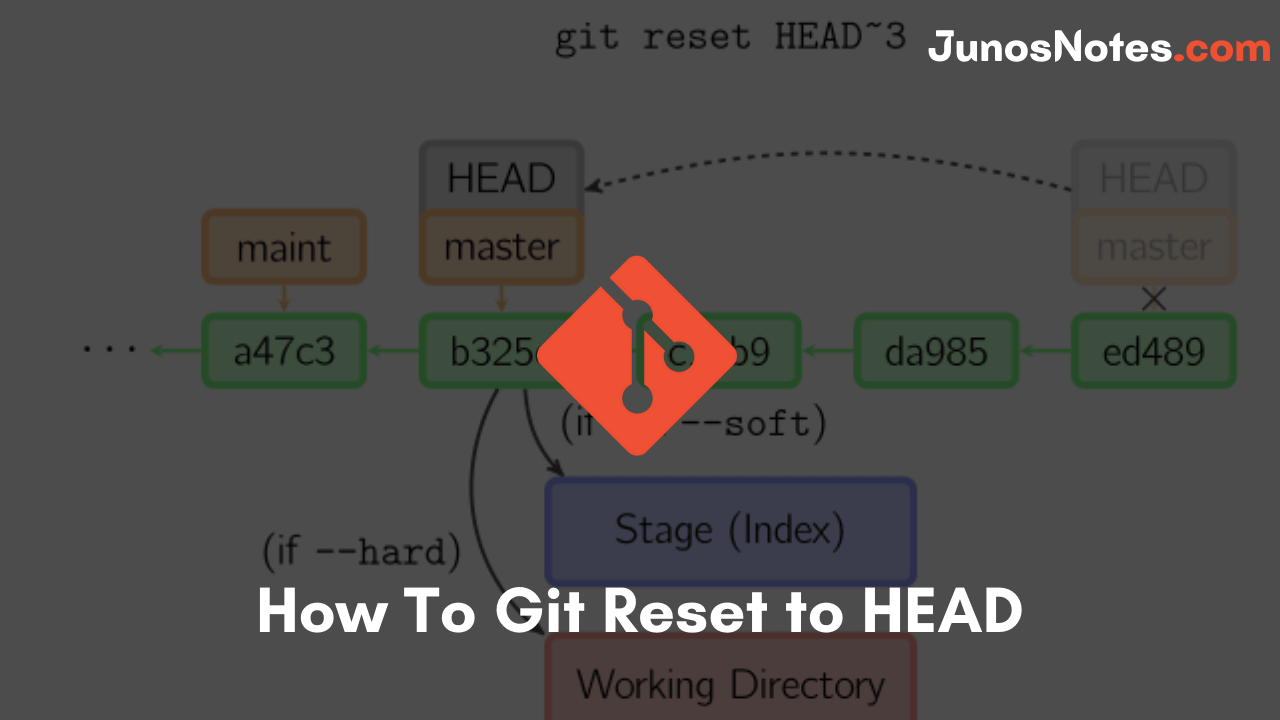
The git reset HEAD 2 command moves the current branch backward by two commits effectively removing the two snapshots we just created from the project history Remember that this kind of reset should only be used on unpublished commits

Dec 27 2021 nbsp 0183 32 Git Soft Reset Changes A soft reset will undo all commits while not removing newly added files To do so we must find the origin commit where the feature branch is based which usually is the name of the origin branch such as main git log
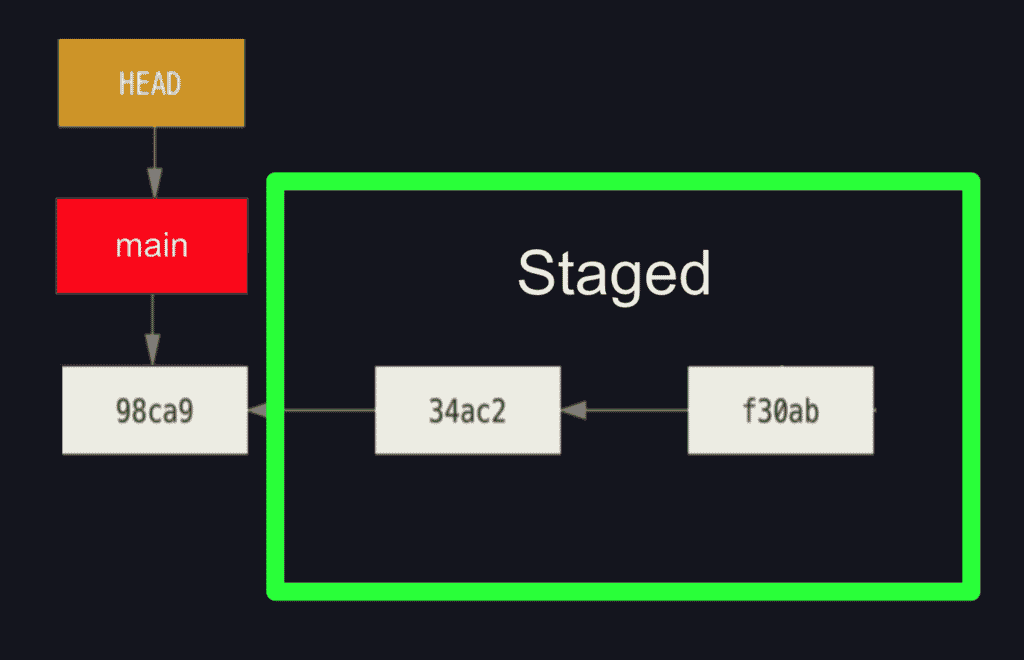
You can use git reset to rewind history without changing the contents of your local files and then successively use git add p to interactively select which hunks to include into each commit using git commit c to pre populate the commit message
Dec 7 2019 nbsp 0183 32 Learn how to reset files to HEAD on Git using the git reset command Choose whether you want to hard reset of soft reset your HEAD on Git Jul 13 2022 nbsp 0183 32 1 What Is git reset soft HEAD 1 git reset changes where the current branch is pointing to HEAD HEAD is a pointer or a reference to the last commit in the current branch
The first of the three modes you can use with Git reset is soft for the Git reset soft command This option moves HEAD back to the specified commit undoes all the changes made between where HEAD was pointing and the specified commit and saves all the changes in the index