Git Search All Branches For File Changes What Is A Git Branch And How To Use It Beginner s Tutorial Manage Git Branches MPS nodemon App Crashed Waiting For File Changes Before Starting Merge Git How To Bring A Project Branch With Sub branches Easily Example Git Branching Diagram Github Gambaran How To Create New Branch History When you search for a user a fuzzy query is used by default You can refine user search with Elasticsearch syntax Code search path returns matches for full or partial paths extension and blob return exact matches only Examples Known issues You can only search files smaller than 1 MB For more information see issue 195764
Steps to finding branches for a file or directory The two most frequent Git commands namely git branch and git branch come to the rescue to solve this problem here are the steps Viewing history Firstly run the git log command followed by the all flag git log all somefile Hi iboardman Yes it is possible to search file across all branches This can be done using logs git log all my file png Click here to view more I hope it will work for you dhruval shah Oct 13 2022 It s not working can you please guide some other option
Example Git Branching Diagram Github Gambaran How To Create New Branch App Crashed Waiting For File Changes Before Starting Node js Git How Can I Generate A Diff For A Single File Between Two Branches Git Support To Create Local Branch From Specific Remote Branch Issue Git Rebase Vs Git Merge Git Coding How To Apply What Is The GitFlow Code Branching Strategy GIT Branch And Its Operations An Easy Understanding Digital Varys How To Compare Two Branches In GitHub Git Branches Merging Issues While Having Multiple Release Branches
Git Search All Branches For File Changes
 Git Search All Branches For File Changes
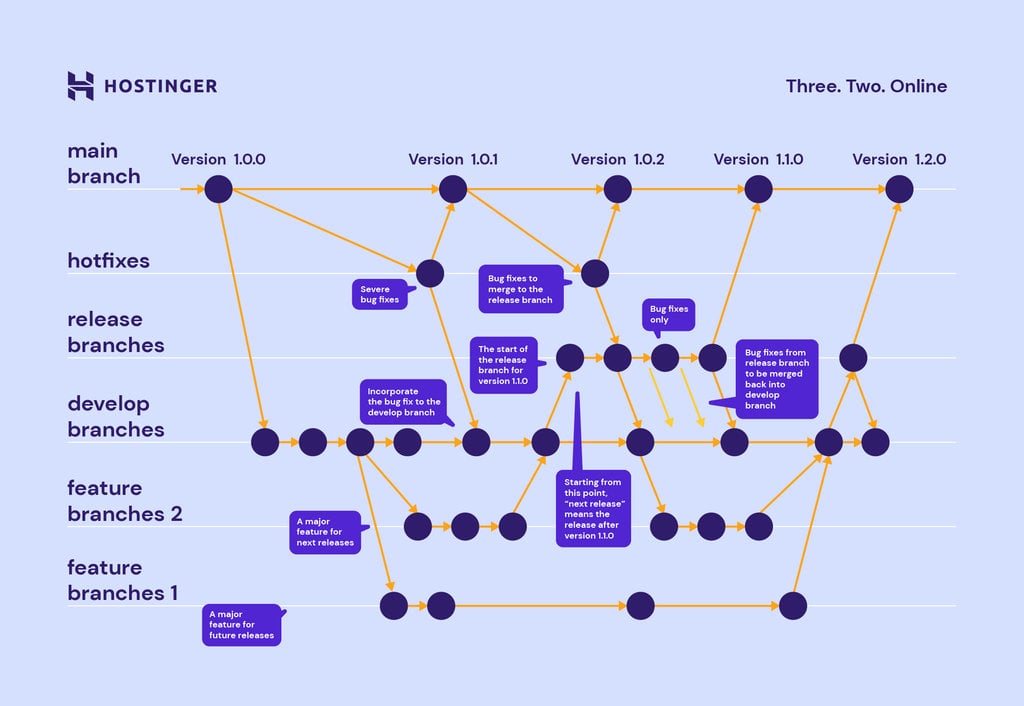
https://www.hostinger.my/tutorials/wp-content/uploads/sites/2/2019/03/git-tutorials-How-Git-branches-work.jpg
Courses Git Cheat Sheet is a comprehensive quick guide for learning Git concepts from very basic to advanced levels By this Git Cheat Sheet our aim is to provide a handy reference tool for both beginners and experienced developers DevOps engineers
Pre-crafted templates provide a time-saving option for producing a diverse variety of files and files. These pre-designed formats and designs can be used for various individual and expert tasks, including resumes, invites, flyers, newsletters, reports, discussions, and more, improving the content creation procedure.
Git Search All Branches For File Changes
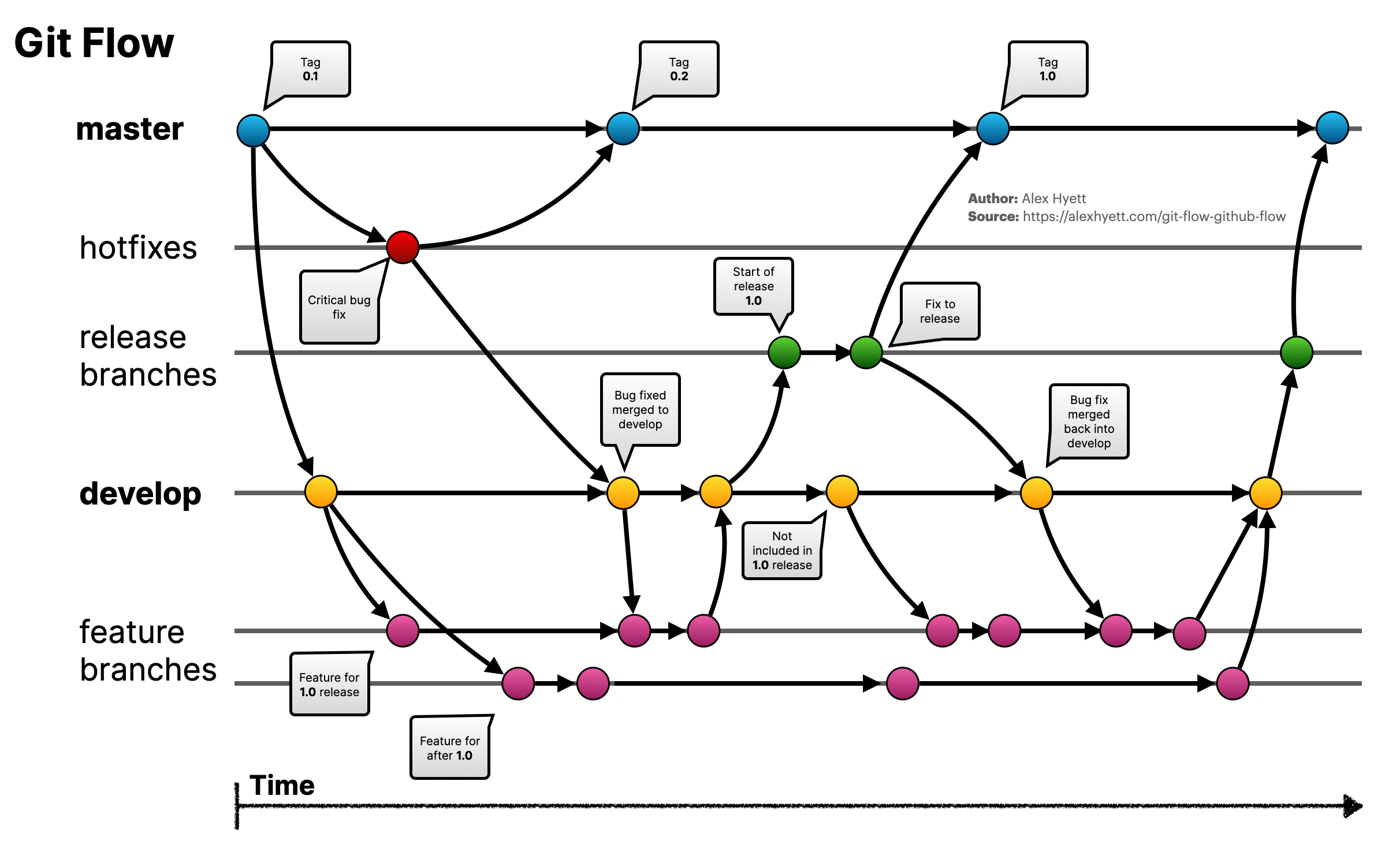
Git Flow Justnote

App Crashed Waiting For File Changes Before Starting Node js

Git How Can I Generate A Diff For A Single File Between Two Branches

Git Support To Create Local Branch From Specific Remote Branch Issue
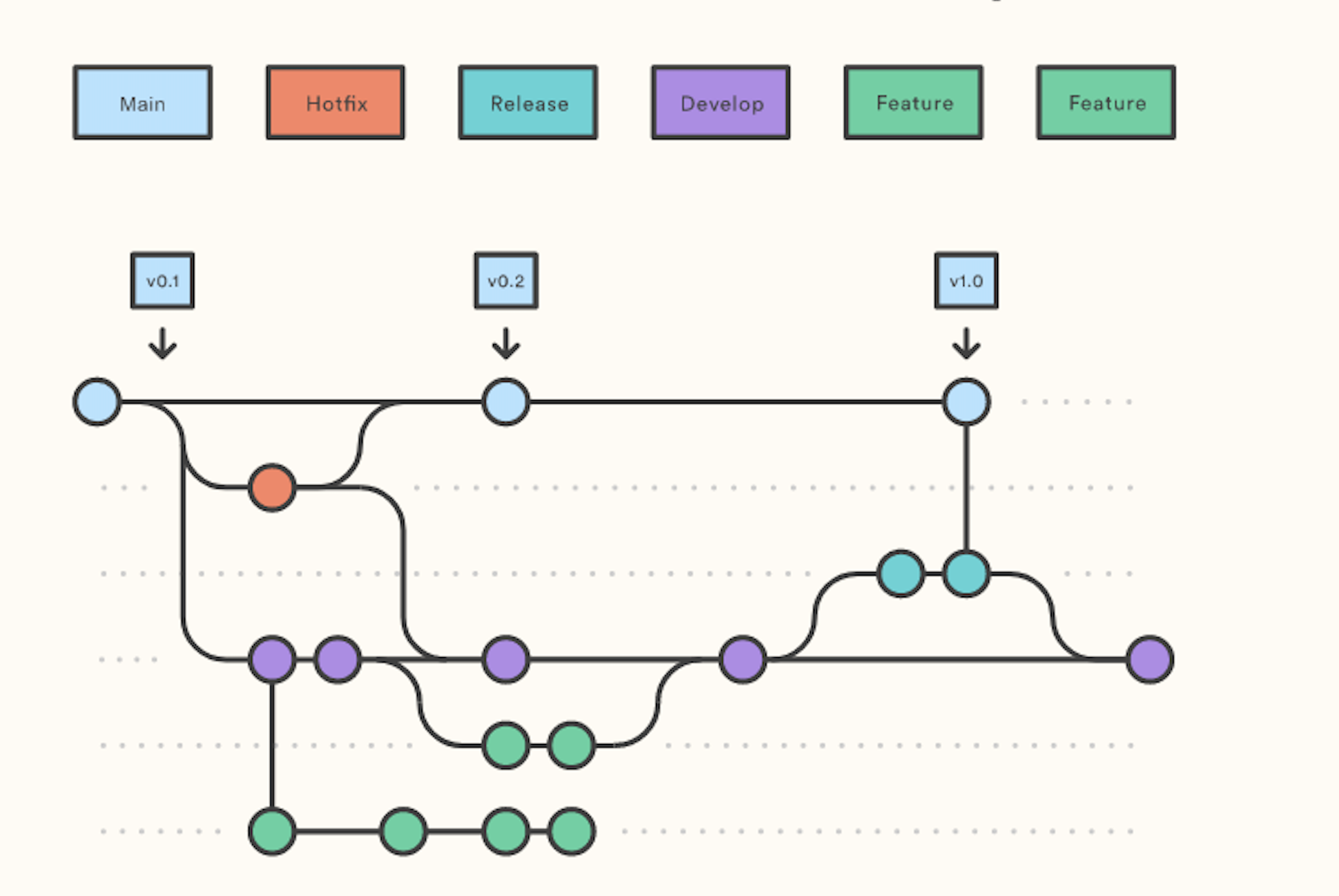
What Is The GitFlow Code Branching Strategy

GIT Branch And Its Operations An Easy Understanding Digital Varys
How do I search all Git branches of a project for a file name I remember part of the filename just the ending so I d like to be able to search for something like robot php across all branches and see which files match that I d preferably like to have it search history and not just the HEADs of branches git grep Share Improve this question
1 I don t know of a quick way to do this for a single file across every branch only git diff between two branches but I would definitely use git blame and or git diff to figure out the rest if you wind up having to do this branch by branch Share Improve this answer Follow answered Jan 24 2013 at 1 54

Git log can be a more effective way of searching for text across all branches especially if there are many matches and you want to see more recent relevant changes first git log p all S search string git log p all G match regular expression These log commands list commits that add or remove the given search string regex generally more recent first

To look for a file name across all branches I use git log all name only pretty format H wow wow can be replaced by any glob This runs quite quickly on the Unix history repository The format shows the hash leading to the creation of the matching file so you can then check the tree out at that point and explore further
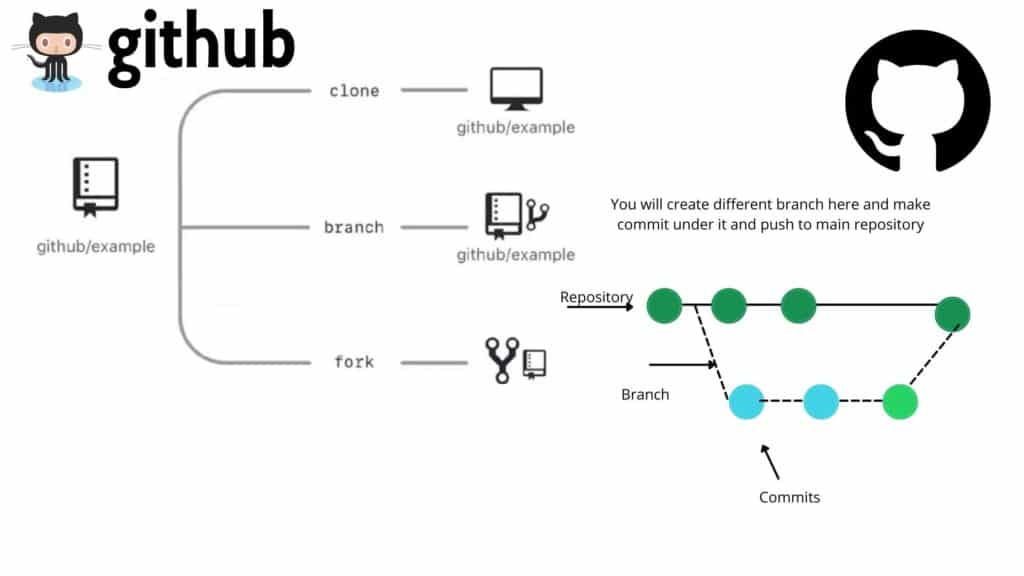
Git Grep Git ships with a command called grep that allows you to easily search through any committed tree the working directory or even the index for a string or regular expression For the examples that follow we ll search through the source code for Git itself By default git grep will look through the files in your working directory
When you create a new branch e g with a command like git branch my new branch you ll find a new physical file in here named my new branch And if you were to look at the contents of such a file in a text editor you d find that it only contains a single piece of information the SHA 1 hash of the commit it currently points to Therefore it is useful to search through all branches of a repository to be certain where some string of interest is generated a file is written etc To search through all branches of a git repo for a string use git grep str git rev list all To search through all branches ignoring string case git grep i str git rev list
To find changes on any branch to your particular file git log all source path to my file Git can also find in which commit a file was deleted Notice that we can use an exact path or wildcards including a path wildcard git log all diff filter D path to my file git log all diff filter D somefile References