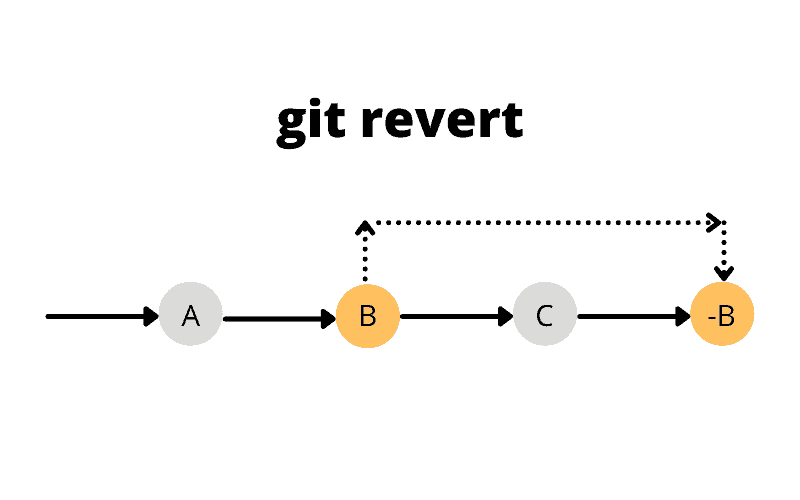
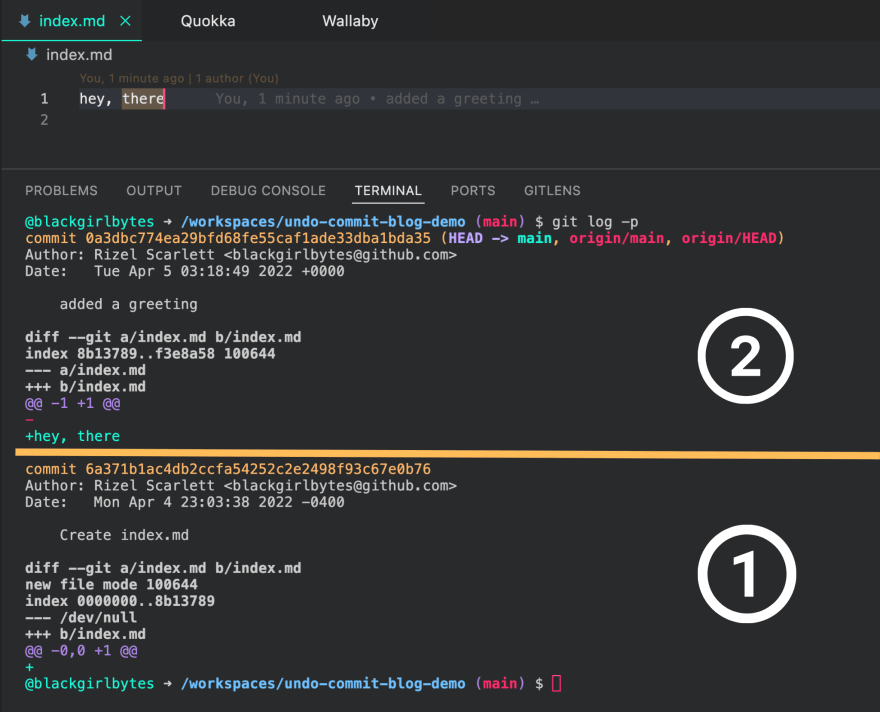
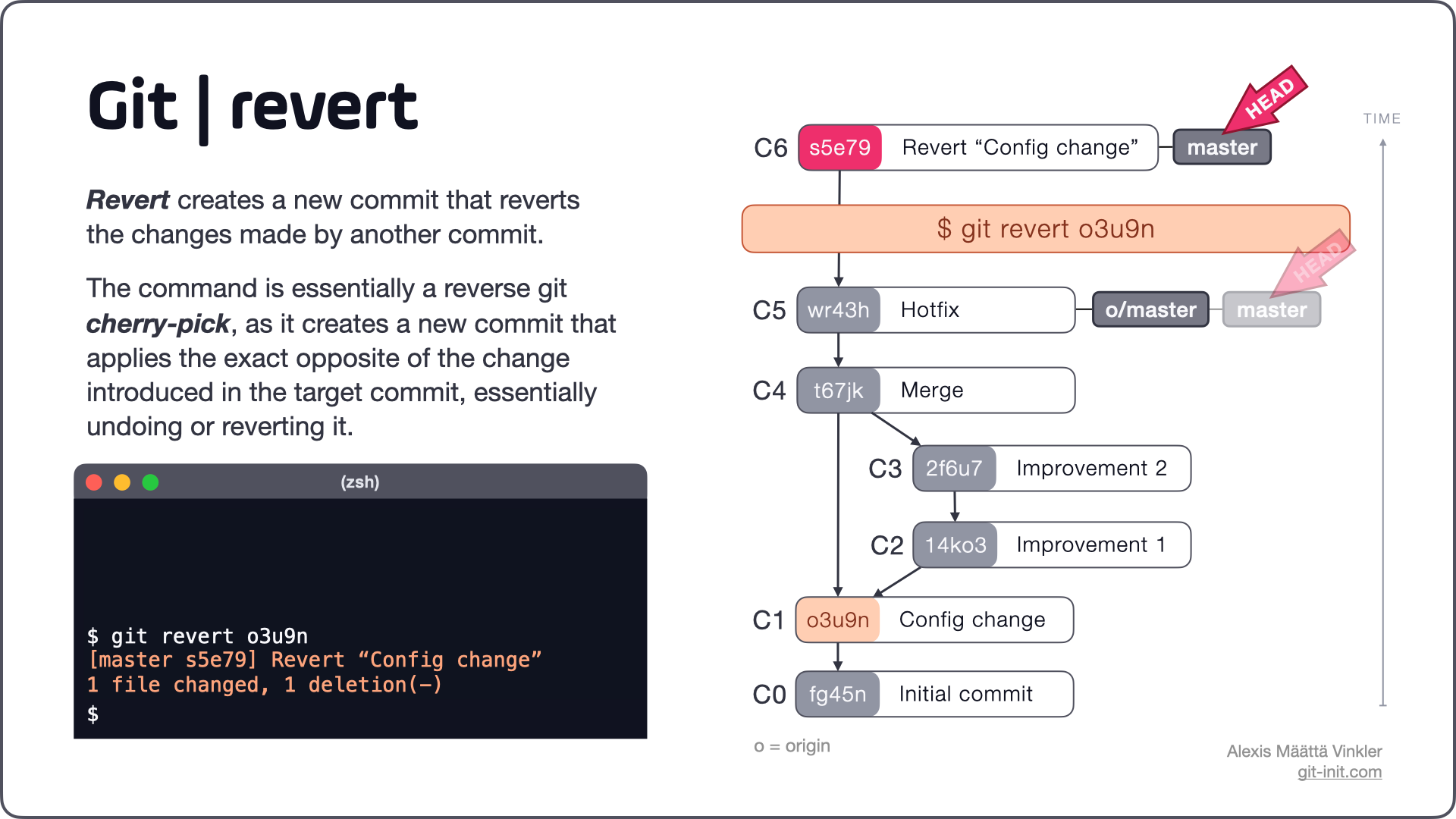
Git Revert All Local Changes In Branch How To Revert The Last Commit Locally And Remote In Git Become A How To Reset Your Git Branch To A Previous Commit both Local And How To Undo Changes In Git reset Vs Revert Vs Restore How Do I Revert A Git Repo To A Previous Commit O Reilly Git Revert File Reverting A File To A Previous Commit The git revert command is used for undoing changes to a repository s commit history Other undo commands like git checkout and git reset move the HEAD and branch ref pointers to a specified commit Git revert also takes a specified commit however git revert does not move ref pointers to this commit A revert operation will take the specified commit inverse the changes from that commit
By local environment we mean your local repository staging area and working directory Take a look at Figure 1 Here we have a representation of a series of commits in Git A branch in Git is simply a named movable pointer to a specific commit In this case our branch master is a pointer to the latest commit in the chain Invoking the command git branch a will return a list of all known branch names One of these branch names can then be logged using git log When you have found a commit reference to the point in history you want to visit you can utilize the git checkout command to visit that commit
Git Revert File Reverting A File To A Previous Commit Git Revert File Reverting A File To A Previous Commit How To Undo Pushed Commits With Git DEV Community How To Push Local Git Repository To Github YouTube Git Revert And Reset Undoing Resetting Reverting The Changes In Git Undo Changes With Git Revert Reverse The Committed Change DataGenX Hochland Erkl rung Hurrikan How To Roll Back In Git Eisig Vesuv Blendung Git Revert Commit Solutions To Git Problems Git Checkout To Previous Commit ID Didn t Revert The Changes Any
Git Revert All Local Changes In Branch
 Git Revert All Local Changes In Branch
https://www.becomebetterprogrammer.com/wp-content/uploads/2021/12/Git-Revert.png
The git reset command allows you to RESET your current head to a specified state You can reset the state of specific files as well as an entire branch This is useful if you haven t pushed your commit up to GitHub or another remote repository yet Reset a file or set of files
Pre-crafted templates offer a time-saving option for developing a diverse variety of documents and files. These pre-designed formats and designs can be made use of for different individual and expert jobs, consisting of resumes, invites, flyers, newsletters, reports, presentations, and more, streamlining the material creation process.
Git Revert All Local Changes In Branch

How Do I Revert All Local Changes In Git Managed Project To Previous

Git Revert File Reverting A File To A Previous Commit
How To Undo Pushed Commits With Git DEV Community
How To Push Local Git Repository To Github YouTube

Undo Changes With Git Revert Reverse The Committed Change DataGenX

Hochland Erkl rung Hurrikan How To Roll Back In Git Eisig Vesuv Blendung
This will revert all local uncommitted changes should be executed in repo root git checkout You can also revert uncommitted changes only to particular file or directory
Git reset hard HEAD resets your changes back to the last commit that your local repo has tracked If you made a commit did not push it to GitHub and want to throw that away too see absiddiqueLive s answer git clean df will discard any new files or directories that you may have added in case you want to throw those away
1 Answer Sorted by 3 I assume things were merged and not rebased run a git log all decorate oneline graph to get a pretty graph of your history Find the commit hash of the merge where your branch was merged into master You ll want to do a git revert

If you are not afraid of losing any local history you can switch to another branch then delete your local branch then check the remote version out For example if you wanted to revert a branch called test feature you could do this

This option specifies the parent number starting from 1 of the mainline and allows revert to reverse the change relative to the specified parent Reverting a merge commit declares that you will never want the tree changes brought in by the merge
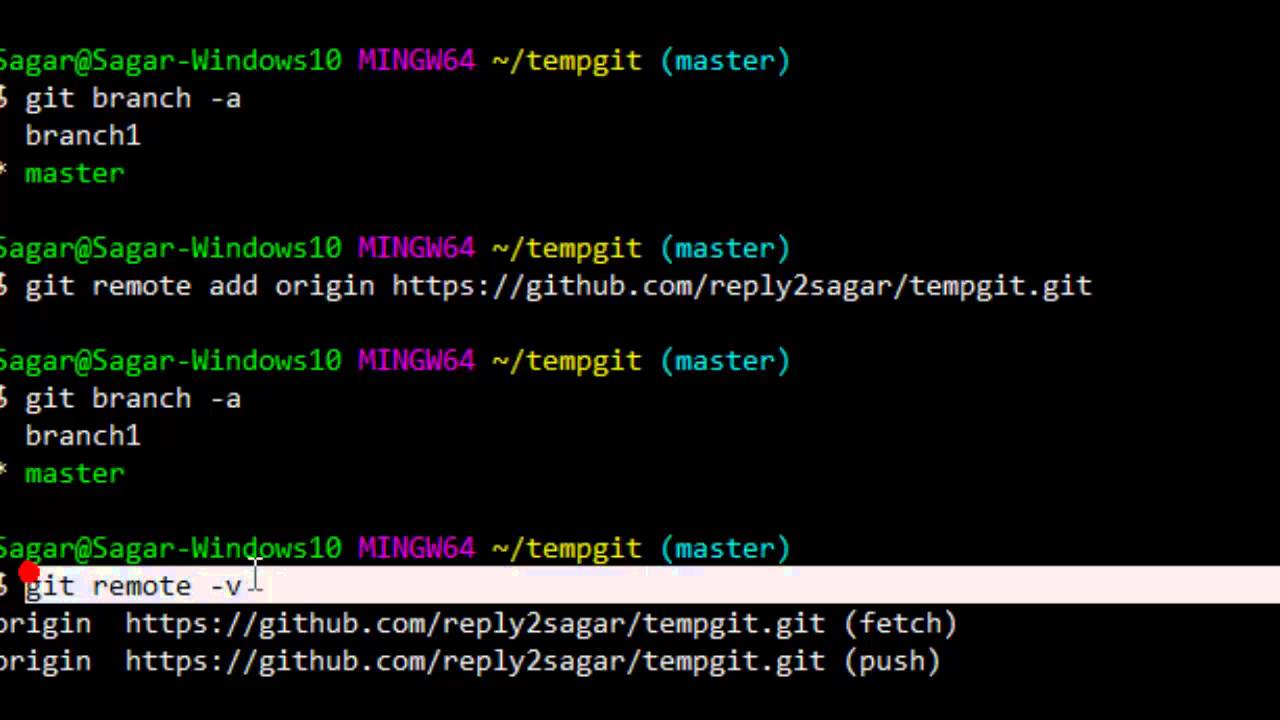
Changes that haven t been committed to the local repository are called local changes in Git They exist in your Working Copy but you haven t wrapped them in a commit yet If you want to discard this type of changes you can use the git restore command git restore index html This will undo all uncommitted local changes in the specified file On local git branch A B master git branch r origin A origin B origin master On remote git branch A B master I am able to commit push and pull B but my update hook deploys master instead of B I suppose because the remote branch is still set to master I created branch B using git branch B git checkout B git push origin B
Visual Studio 2019 Team Explorer Git Command Line From the menu bar choose Git View Branch History to open the History tab for the current branch In the History tab for the current branch right click the commit you want to revert and choose Revert to create a new commit that undoes the changes made by the selected commit